
1. Introduction
Thank you for choosing the BEISHI Mobile TV Cart on Wheels. This versatile and height-adjustable rolling TV stand is designed to accommodate televisions ranging from 32 to 85 inches. It features a 5-level height adjustment and a 35-degree swivel capability, providing flexible viewing angles for various environments such as offices, homes, or outdoor settings. This manual provides essential information for safe assembly, operation, and maintenance of your new TV cart.
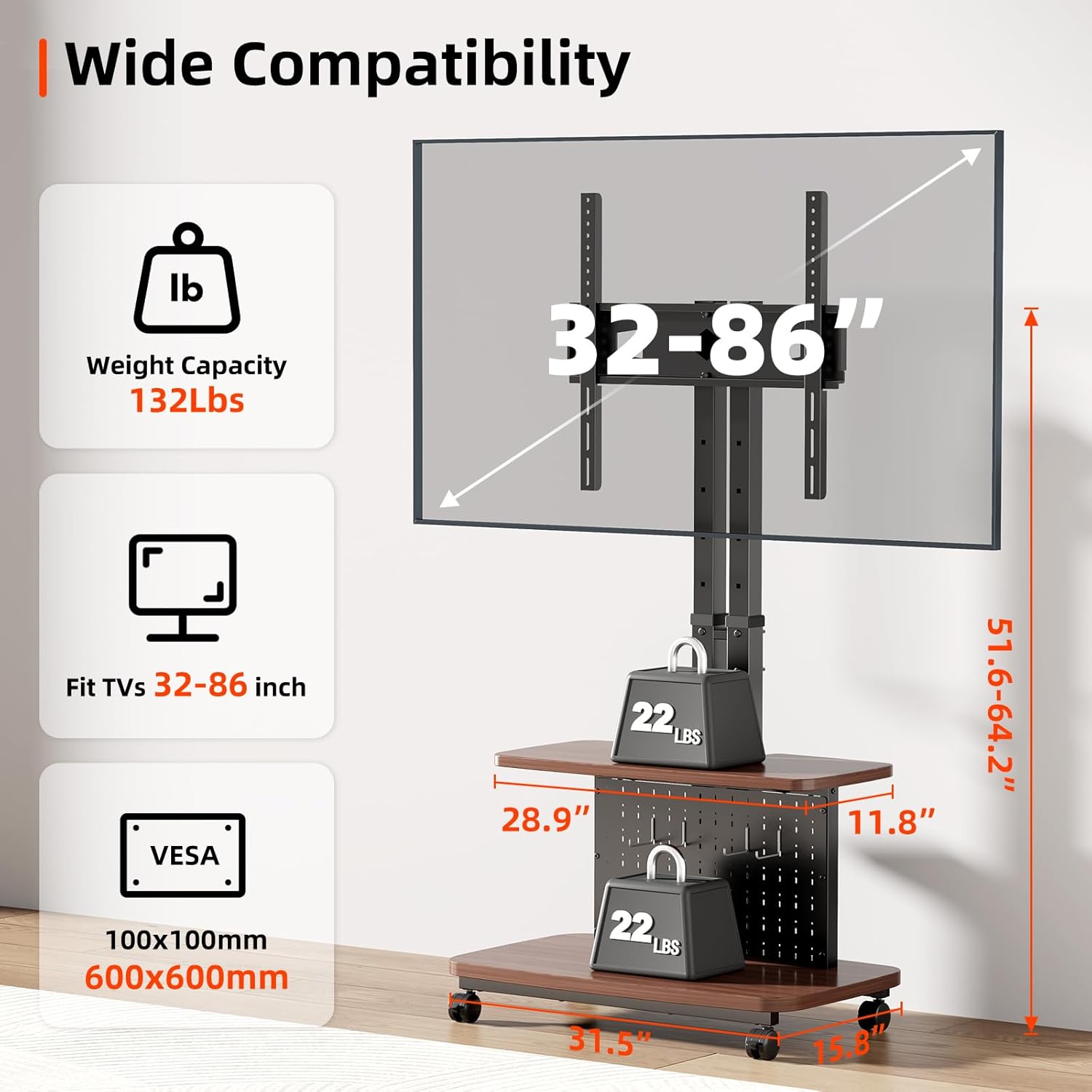
Image 1.1: Overview of the BEISHI Mobile TV Cart on Wheels.
2. Safety Information
Please read all safety warnings and instructions carefully before assembly and use. Failure to follow these instructions may result in property damage, serious injury, or death.
- Weight Capacity: Do not exceed the maximum weight capacity of 132 lbs (60 kg) for the TV mount. Ensure your TV's weight is within this limit.
- TV Size Compatibility: This stand is designed for TVs between 32 and 85 inches.
- VESA Compatibility: Ensure your TV's VESA mounting pattern is compatible with the stand (100x100mm to 600x600mm).
- Stability: Always ensure the TV cart is on a stable, level surface. Lock the wheels when the cart is stationary to prevent accidental movement.
- Assembly: Assemble the product according to the instructions. Do not modify the product or use it for purposes not explicitly intended.
- Children: Keep children away from the TV cart during assembly. Do not allow children to climb on or play with the TV cart.
- Moving the Cart: When moving the cart, ensure the TV is securely mounted and all items on shelves are stable. Move slowly and carefully, especially over uneven surfaces.

Image 2.1: Key compatibility and weight specifications for the TV cart.
3. Package Contents
Before beginning assembly, verify that all parts are present and undamaged. Refer to the included parts list in your product packaging. If any parts are missing or damaged, do not proceed with assembly and contact customer support.
4. Setup and Assembly
Assembly typically requires two people. Follow the step-by-step instructions provided in the separate assembly guide included with your product. Below are general guidelines and important considerations.
4.1. Base and Column Assembly
Begin by assembling the base and attaching the dual support columns. Ensure all screws are tightened securely to provide a sturdy foundation for your television.

Image 4.1: The robust base and dual column design ensure stability.
4.2. Wheel Installation
Attach the four caster wheels to the base. Ensure the wheels are correctly threaded and securely fastened. Two of the wheels are typically lockable to prevent unwanted movement.
4.3. TV Mount Installation
Attach the TV mounting brackets to the rear of your television, ensuring they align with your TV's VESA pattern. Then, carefully lift and hook the TV onto the stand's main column. Secure the TV with the provided safety screws or locking mechanisms.
4.4. Shelf Installation
Install the top and bottom shelves onto the main column. These shelves provide space for media devices, remote controls, or other accessories.

Image 4.2: The integrated shelves and pegboard with hooks offer convenient storage and organization.
5. Operating Instructions
5.1. Height Adjustment
The TV cart features a 5-level height adjustment mechanism. To adjust the height:
- Locate the tool-free adjustment knobs on the main column.
- Twist the knobs to loosen the locking mechanism.
- Carefully lift or lower the TV mount to your desired height.
- Twist the knobs to tighten and secure the TV mount at the new height.

Image 5.1: Tool-free adjustment knobs allow for easy 5-level height changes.
5.2. TV Swivel
The TV mount allows for a 35-degree swivel (17.5 degrees left or right) to optimize your viewing angle.
- Gently grasp the sides of the TV.
- Rotate the TV to the desired left or right angle. The swivel mechanism is designed for smooth movement.
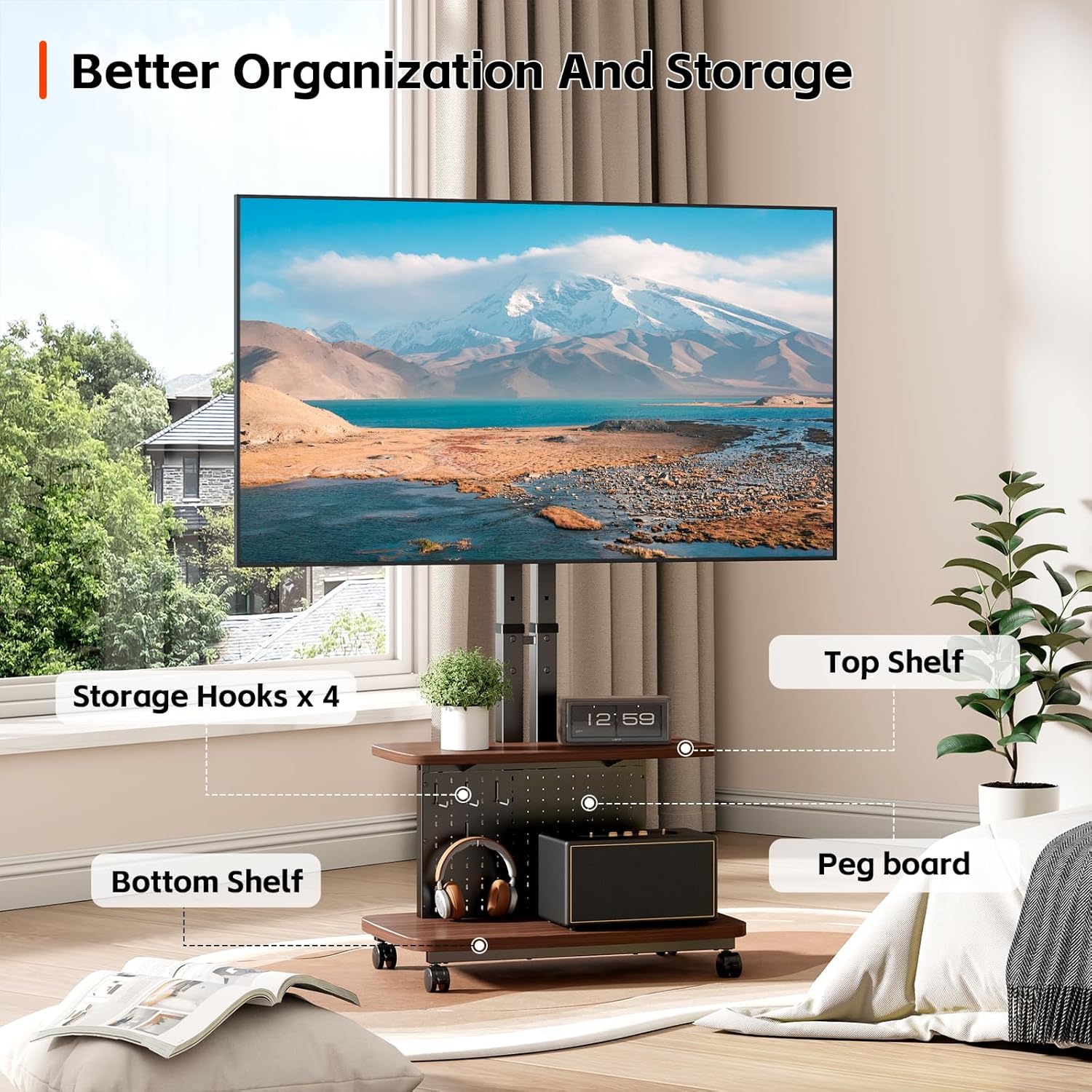
Image 5.2: The 35-degree swivel feature provides flexible viewing angles.
5.3. Moving and Locking the Cart
To move the TV cart:
- Unlock the caster wheels by flipping the locking levers upwards.
- Gently push the cart to its new location.
- Once in position, lock the caster wheels by flipping the locking levers downwards to ensure stability.

Image 5.3: The 360-degree rotating wheels allow for easy movement, and the locking mechanism ensures stability.
6. Maintenance
- Cleaning: Wipe the stand with a soft, dry cloth. Avoid using abrasive cleaners or solvents that may damage the finish.
- Periodic Checks: Regularly check all screws and connections to ensure they remain tight and secure. Retighten if necessary.
- Wheel Maintenance: Keep the wheels free of debris to ensure smooth movement.
7. Troubleshooting
- Stand is unstable: Ensure all assembly screws are fully tightened. Verify the TV weight and size are within the specified limits. Ensure the cart is on a flat, level surface.
- Wheels do not move smoothly: Check for debris caught in the wheels. Ensure the wheel locks are disengaged.
- Height adjustment is difficult: Ensure the adjustment knobs are fully loosened before attempting to change height. Do not force the mechanism.
- TV does not swivel: Ensure no cables are obstructing the swivel mechanism.
- Missing or damaged parts: Do not proceed with assembly. Contact customer support immediately for replacement parts.
8. Specifications
| Feature | Specification |
|---|---|
| Brand | BEISHI |
| Model | B0GFCQ1YMF |
| Mounting Type | Floor Mount |
| Movement Type | Swivel, Tilt (implied by height adjustment) |
| Material | Carbon Steel |
| Compatible Devices | Television |
| Maximum Supported Screen Size | 85 Inches |
| Minimum Supported Screen Size | 32 Inches |
| Maximum Weight Capacity | 132 lbs (60 kg) |
| VESA Compatibility | 100x100mm to 600x600mm |
| Height Adjustment | 5-Level (51.6"-64.2" from floor to TV center) |
| Swivel Angle | 35 degrees (17.5 degrees left/right) |
9. Warranty
This BEISHI Mobile TV Cart on Wheels comes with a one-month warranty from the date of purchase. Please retain your proof of purchase for any warranty claims. The warranty covers manufacturing defects under normal use. It does not cover damage caused by misuse, accidents, unauthorized modifications, or failure to follow assembly and operating instructions.
10. Customer Support
For any questions, assistance with assembly, troubleshooting, or warranty inquiries, please contact BEISHI customer support through the retailer where the product was purchased. Please have your model number (B0GFCQ1YMF) and proof of purchase ready when contacting support.


