
1. Product Overview
The OTTOCAST Mini Core is a 2-in-1 wireless adapter designed to convert your vehicle's existing wired CarPlay or Android Auto system into a seamless wireless experience. Featuring WiFi 6 and Bluetooth 5.4, it ensures fast, stable connections and responsive performance for navigation, music, calls, and more.

Image: The OTTOCAST Mini Core adapter shown in a car interior, illustrating its function of converting wired CarPlay and Android Auto to wireless.
2. What's in the Box
- OTTOCAST Mini Core Adapter
- USB Plug Adapter (Type-A to C)
- User Manual
- Product Packaging

Image: A visual representation of the items included in the OTTOCAST Mini Core product box.
3. Setup Instructions
- Prepare Your Phone: Ensure your smartphone (iPhone 6+ with iOS 10+ or Android 11+ device) has Wi-Fi and Bluetooth enabled.
- Connect the Adapter: Plug the OTTOCAST Mini Core into your car's USB port (use the included USB-A to USB-C adapter if needed). The adapter will light up, indicating it's powered on.
- Pair via Bluetooth: On your phone, go to Bluetooth settings and search for the device named "CAR2-XXXX" (where XXXX is a unique identifier). Select it to pair.
- Confirm Connection: Follow any on-screen prompts on your phone and car display to allow CarPlay or Android Auto connection. Once connected, your car's display will show the CarPlay or Android Auto interface.

Image: Step-by-step visual guide for connecting the OTTOCAST Mini Core to your vehicle and smartphone.
Initial Connection and Auto-Reconnect
The first connection typically takes 5-8 seconds. After the initial setup, the adapter will automatically detect your phone and connect instantly when you start your car, provided Wi-Fi and Bluetooth are enabled on your phone.
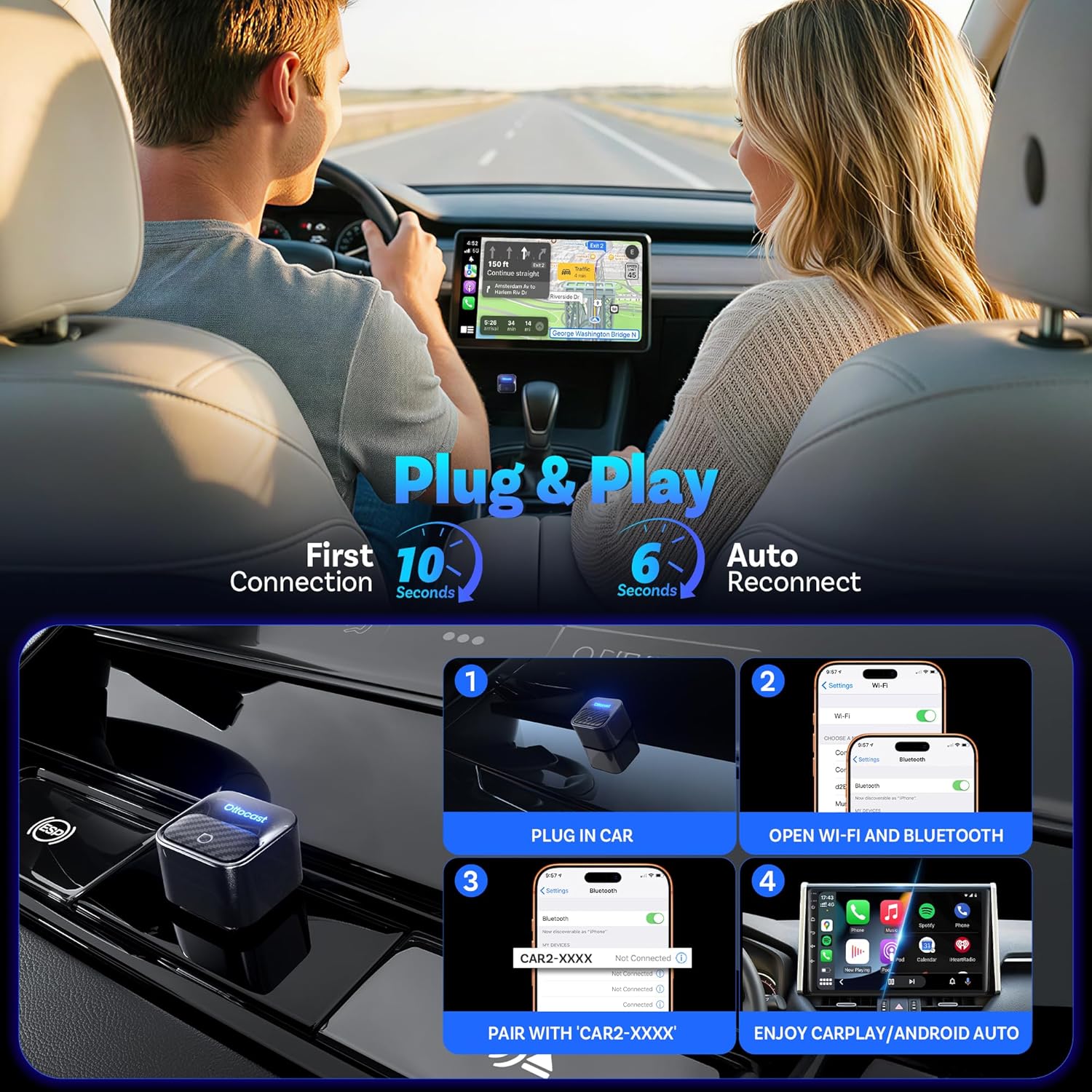
Image: Illustration of the quick plug-and-play connection times for the first setup and subsequent auto-reconnects.
4. Operating Instructions
Automatic Device Switching
The Mini Core features a smart switch button that automatically detects and connects to your phone within 5-8 seconds. It remembers up to two smartphones. If the primary phone is not detected, it will attempt to connect to the secondary phone.
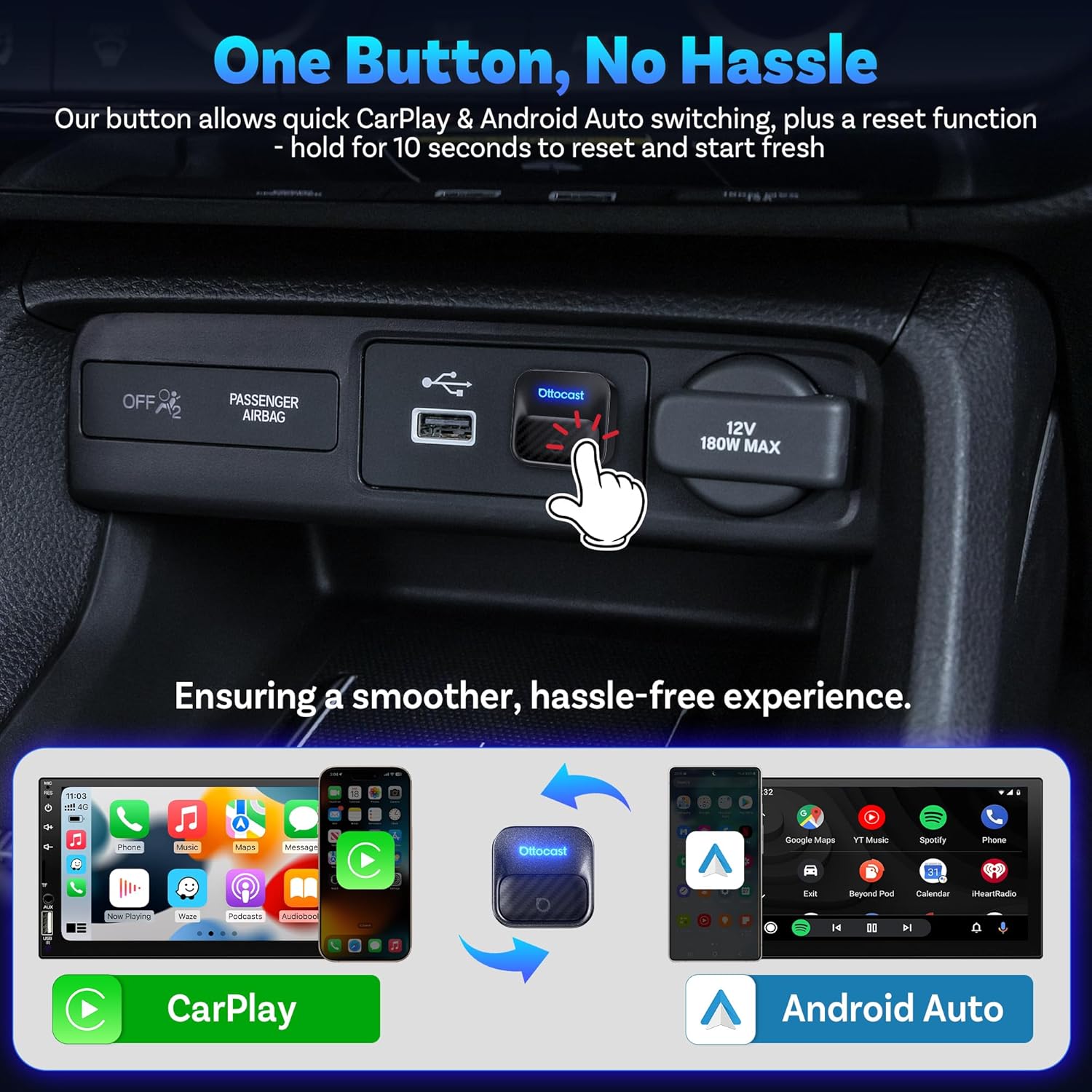
Image: A close-up of the OTTOCAST Mini Core showing the smart switch button for seamless switching between CarPlay and Android Auto.
Seamless Wireless Experience
Once connected, your car's touchscreen, steering wheel controls, physical knobs, Siri, and Google Assistant will function as normal, providing a fully integrated wireless experience. The device utilizes WiFi 6 and Bluetooth 5.4 for faster speeds and stable connections, minimizing dropouts.

Image: A car's dashboard showing both Apple CarPlay and Android Auto interfaces, demonstrating the adapter's dual functionality.
Voice Control Integration
Access Siri or Google Assistant directly through your car's system for hands-free control of navigation, music, and calls.

Image: A driver using voice commands to interact with an AI assistant for various in-car functions.
5. Maintenance
Over-The-Air (OTA) Updates
The OTTOCAST Mini Core supports OTA updates to ensure your device remains up-to-date with the latest technology and performance enhancements. Regular updates help maintain optimal functionality and compatibility.

Image: A smartphone displaying the OttoPilot app, highlighting features like breakdown maintenance, customer support, and online upgrades.
Temperature Control
The device incorporates smart temperature control to keep it cool, even during extended use on long road trips. It is normal for the device to get slightly warm during operation, as this has been thoroughly tested.
6. Troubleshooting
- Connection Issues: Ensure your phone's Data, Wi-Fi, and Bluetooth are all turned on before use.
- Latency: If you experience latency, try adjusting the Audio Stream Mode or upgrading the firmware via OTA updates.
- Reset Function: The smart switch button can also be used for a reset function. Hold it for 10 seconds to reset and start fresh.
Video: An official OTTOCAST video demonstrating the features and setup of the Mini Core, including connection and disconnection processes.
7. Specifications
| Brand | OTTOCAST |
| Model Name | OTTOCAST Mini Core |
| Special Feature | 2-in-1 Wireless CarPlay & Android Auto, 5s Auto-Connect, Lag-Free Performance, OTA Online Updates, One-Button Switch |
| Connectivity Technology | Bluetooth, Wi-Fi |
| Supported Standards | WiFi 6, Bluetooth 5.4 |
| Power Source | Corded Electric (5 Volts) |
| Material | Plastic |
| Item Dimensions L x W x H | 0.89"L x 0.89"W x 1.12"H |
| Item Weight | 6.4 Grams |
| Control Method | Push Button, Remote, Touch, Voice |
8. Compatibility
Smartphone Compatibility
Compatible with iPhone 6 or newer (iOS 10+) and Android 11 or newer devices.

Image: Visual guide indicating smartphone operating system requirements for the adapter.
Vehicle Compatibility
Works with 2016+ factory CarPlay/Android Auto-equipped cars. Not compatible with BMW or Tesla vehicles. Not for retrofit systems.

Image: A QR code and URL (https://check.adaptermanual.com/AMZ/) for users to verify their vehicle's compatibility.
9. Safety Information
- Driving Safety: Always prioritize road safety. Do not operate or configure the adapter settings while the vehicle is in motion.
- Intended Use: This device is designed only for vehicles with factory-wired CarPlay or Android Auto. Do not attempt to use it for other purposes.
- Operating Environment: Avoid exposing the device to extreme moisture or liquids. Keep the USB port clean and dry to ensure a stable connection.
- Proper Installation: Ensure the adapter is placed in a secure location where it does not interfere with the gear shifter, handbrake, or any safety-related controls.
10. Warranty and Support
The OTTOCAST Mini Core comes with a 2-year warranty. For any questions or issues, your Amazon seller can provide assistance. You can also find a multilingual manual by scanning the QR code below.

Image: Important usage information and a QR code linking to a multilingual manual (https://adaptermanual.com/h5/editor/product/manual/82708190629889.html).
