
1. Introduction
The Nautica SP700 Waterproof Portable Bluetooth Speaker is engineered for robust audio performance and portability. It features 16 watts of audio output, delivering clear highs, rich mids, and deep bass. Designed for outdoor use, it boasts an IPX7 waterproof rating, allowing it to withstand rain, splashes, and immersion up to 3.3 feet for 30 minutes. The speaker offers up to 10 hours of playback on a single charge, supports fast charging via Type-C, and utilizes Bluetooth 5.3 for stable wireless connectivity. For an enhanced audio experience, two SP700 units can be paired wirelessly using TWS (True Wireless Stereo) technology. Integrated RGB ambient lighting provides a dynamic visual element. This manual provides detailed instructions for setup, operation, and maintenance of your Nautica Nayman SP700 speaker.
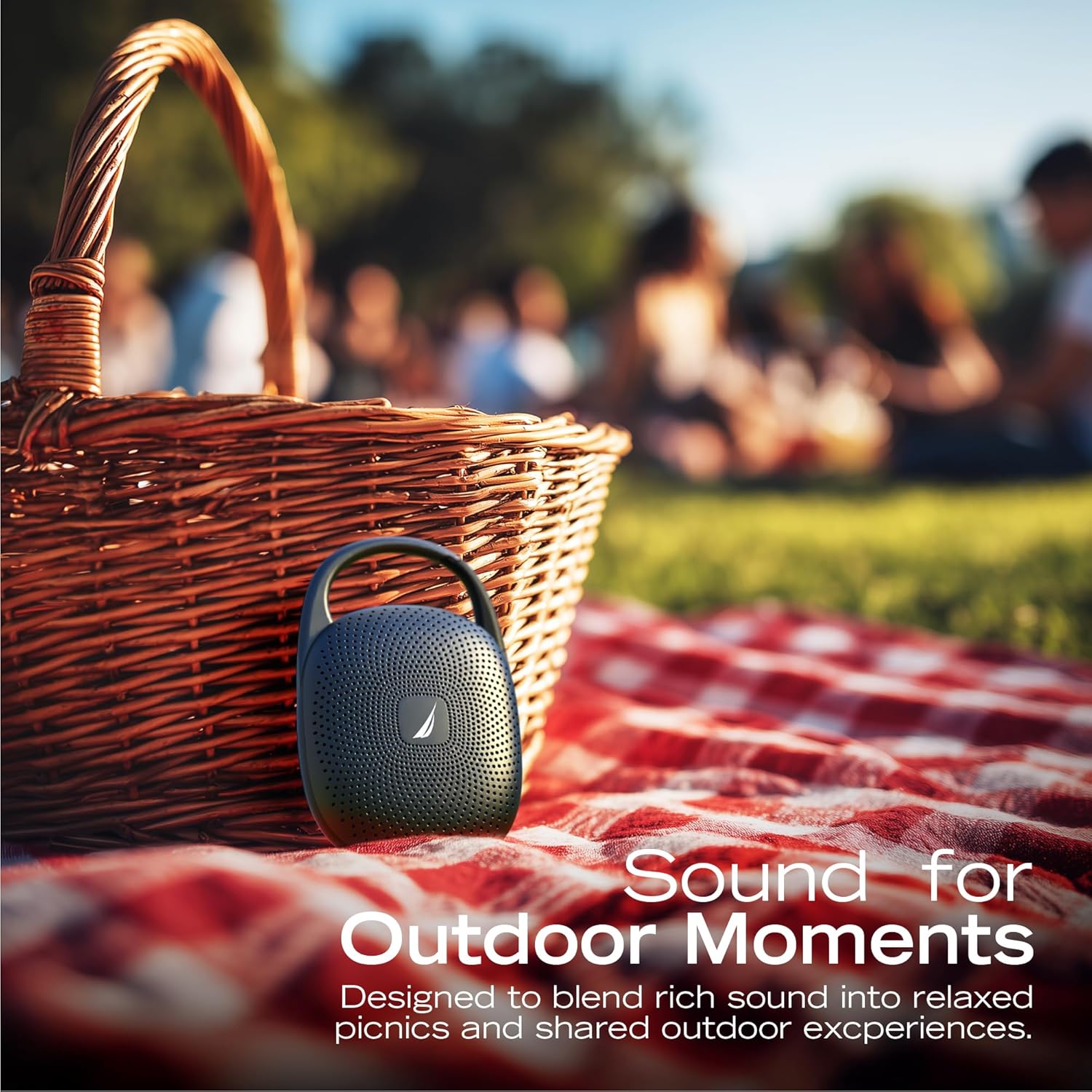
Image: The Nautica Nayman SP700 speaker is designed for outdoor use, providing sound for various activities.
2. What's in the Box
Please check the package contents to ensure all items are present:
- Nautica Nayman SP700 Portable Bluetooth Speaker
- USB-C Charging Cable
- User Manual
3. Product Overview
The Nautica Nayman SP700 features a compact design with intuitive controls and a convenient clip for portability.
3.1 Key Features
- 16W Powerful Sound: Engineered for bold, balanced audio.
- Deep Bass Performance: Enhanced low-frequency response.
- IPX7 Waterproof: Withstands rain, splashes, and full immersion.
- 10-Hour Playtime: Extended battery life for continuous music.
- Bluetooth 5.3: Ensures stable and quick wireless pairing.
- RGB Ambient Light: Integrated LEDs for dynamic mood lighting.
- TWS Pairing: Connect two SP700 units for true stereo sound.
- Built-in Microphone: For hands-free calls.
- MicroSD Card Slot: For direct music playback.
- Integrated Clip: For easy attachment to bags or gear.

Image: An internal view highlighting the 16W audio components of the Nautica Nayman SP700 speaker.
3.2 Controls and Ports
Familiarize yourself with the buttons and ports on your speaker:
- Power Button: Press and hold to turn on/off.
- Volume Up (+): Increase volume.
- Volume Down (-): Decrease volume.
- Play/Pause Button: Play or pause music, answer/end calls.
- Mode Button (M): Switch between Bluetooth, MicroSD, and AUX modes.
- RGB Light Button: Cycle through RGB lighting modes.
- USB-C Charging Port: For charging the speaker.
- MicroSD Card Slot: Insert a MicroSD card for local music playback.

Image: The Nautica Nayman SP700 speaker features a robust integrated clip for easy portability.
4. Setup
4.1 Initial Charging
Before first use, fully charge your Nautica Nayman SP700 speaker. Connect the provided USB-C charging cable to the speaker's charging port and the other end to a USB power adapter (not included) or a computer's USB port. The charging indicator light will show the charging status.
4.2 Powering On/Off
- To Power On: Press and hold the Power button for approximately 3 seconds until you hear an audible prompt and the indicator lights illuminate.
- To Power Off: Press and hold the Power button for approximately 3 seconds until you hear an audible prompt and the indicator lights turn off.
4.3 Bluetooth Pairing
To connect your speaker to a Bluetooth-enabled device:
- Ensure the speaker is powered on and in Bluetooth pairing mode (the indicator light will flash blue).
- On your device (smartphone, tablet, etc.), go to Bluetooth settings and enable Bluetooth.
- Search for available devices and select "Nautica SP700" from the list.
- Once connected, the speaker will provide an audible confirmation, and the indicator light will turn solid blue.
5. Operating Instructions
5.1 Music Playback
- Play/Pause: Press the Play/Pause button once.
- Volume Up: Press the '+' button.
- Volume Down: Press the '-' button.
- Next Track: Press and hold the '+' button.
- Previous Track: Press and hold the '-' button.
5.2 Hands-Free Calling
When connected via Bluetooth, you can manage calls directly from the speaker:
- Answer Call: Press the Play/Pause button once.
- End Call: Press the Play/Pause button once during a call.
- Reject Call: Press and hold the Play/Pause button for 2 seconds.
5.3 MicroSD Card Playback
Insert a MicroSD card (up to 32GB, FAT32 format) with your music files into the MicroSD card slot. The speaker will automatically switch to MicroSD mode and begin playback. Use the Play/Pause and Volume buttons to control playback.
5.4 TWS (True Wireless Stereo) Pairing
To pair two Nautica SP700 speakers for a stereo experience:
- Ensure both SP700 speakers are powered on and not connected to any Bluetooth device.
- On one speaker (this will be the primary speaker), press and hold the Mode button (M) for 2-3 seconds. The speaker will enter TWS pairing mode, indicated by a specific sound or light pattern.
- The two speakers will automatically connect to each other. Once connected, you will hear an audible confirmation.
- Now, connect your device to the primary speaker via Bluetooth as described in section 4.3. Both speakers will play audio in stereo.

Image: Two Nautica Nayman SP700 speakers demonstrating TWS pairing for an immersive stereo sound experience.
5.5 RGB Ambient Lighting
The speaker features integrated RGB ambient lights. Press the dedicated RGB Light button to cycle through different lighting modes or to turn the lights off.

Image: The Nautica Nayman SP700 speaker showcasing its vibrant RGB ambient lighting feature.
6. Maintenance
6.1 Cleaning
To clean your speaker, use a soft, damp cloth. Avoid using harsh chemicals, cleaning solvents, or strong detergents, as these may damage the speaker's surface or internal components.
6.2 Water Resistance (IPX7)
The Nautica SP700 is IPX7 waterproof, meaning it can be immersed in water up to 1 meter (3.3 feet) for 30 minutes. Ensure the USB-C charging port cover is securely closed before exposing the speaker to water. After exposure to water, wipe the speaker dry before charging.

Image: The Nautica Nayman SP700 speaker is built for full water immersion, designed to play confidently in wet environments.
6.3 Storage
Store the speaker in a cool, dry place away from extreme temperatures and direct sunlight. If storing for an extended period, charge the battery periodically to maintain its lifespan.
7. Troubleshooting
| Problem | Possible Cause | Solution |
|---|---|---|
| Speaker does not turn on. | Battery is depleted. | Charge the speaker fully. |
| Cannot pair via Bluetooth. | Speaker is not in pairing mode or already connected to another device. | Ensure speaker is in pairing mode (flashing blue light). Disconnect from other devices. Turn off and on Bluetooth on your device. |
| No sound. | Volume is too low, device is not connected, or incorrect mode. | Increase speaker and device volume. Re-pair Bluetooth. Check if the correct mode (Bluetooth/MicroSD) is selected. |
| TWS pairing fails. | Speakers are too far apart or already connected to a device. | Ensure speakers are close to each other. Disconnect both speakers from any Bluetooth devices before initiating TWS pairing. |
| Charging is slow or not working. | Faulty cable or power adapter. | Try a different USB-C cable and power adapter. Ensure the charging port is clean and free of debris. |
8. Specifications
| Feature | Detail |
|---|---|
| Brand | Nautica |
| Model Number | SP700 |
| Speaker Maximum Output Power | 16 Watts |
| Frequency Response | 80 Hz |
| Connectivity Technology | Bluetooth |
| Bluetooth Version | 5.3 |
| Audio Output Mode | Stereo (with TWS) |
| Waterproof Rating | IPX7 |
| Battery Average Life | 10 Hours |
| Power Source | Battery Powered (1 Nonstandard Battery included) |
| Control Method | Touch Buttons |
| Item Dimensions (D x W x H) | 5.24"D x 3.37"W x 1.77"H (13.3 cm x 8.5 cm x 4.5 cm) |
| Weight | 0.5 lb (approx.) |
| Compatible Devices | Smartphone, Tablet |
| Additional Features | RGB Ambient Lighting, TWS Function, Built-in Mic, MicroSD Playback |

Image: Dimensions and weight of the Nautica Nayman SP700 Portable Bluetooth Speaker.

Image: The Nautica Nayman SP700 speaker offers up to 10 hours of uninterrupted music playback.
9. Safety Information
- Do not disassemble, repair, or modify the speaker.
- Keep the speaker away from extreme temperatures, direct sunlight, and open flames.
- Do not expose the speaker to strong magnetic fields.
- Use only the provided or a certified USB-C cable for charging.
- Dispose of the speaker and its battery responsibly according to local regulations.
- Avoid listening at high volumes for extended periods to prevent hearing damage.
10. Warranty & Support
The Nautica Nayman SP700 Portable Bluetooth Speaker comes with a limited warranty. For detailed warranty information, product support, or to register your product, please refer to the official Nautica website or contact customer service.
Manufacturer: Technofashion, Inc.
UPC: 810073308534


