
1. Introduction
This manual provides essential information for the safe and efficient operation and maintenance of your Cooler Depot GDC-42 Commercial 3-Door Glass Merchandiser Refrigerator. Please read these instructions thoroughly before installation and use, and retain them for future reference.
The GDC-42 is an NSF Certified commercial display refrigerator designed for storing beverages and other food items requiring refrigeration in various commercial settings such as restaurants, cafes, bakeries, bars, and grocery stores. It features a 1305 Liter (49 Cu.ft.) capacity, three self-closing swing glass doors, and an efficient cooling system.
2. Setup and Installation
2.1 Unpacking
Carefully remove all packaging materials. Inspect the unit for any shipping damage. Report any damage immediately to the carrier and your supplier. Ensure all internal packing materials, including tape and protective films, are removed from shelves and interior surfaces.
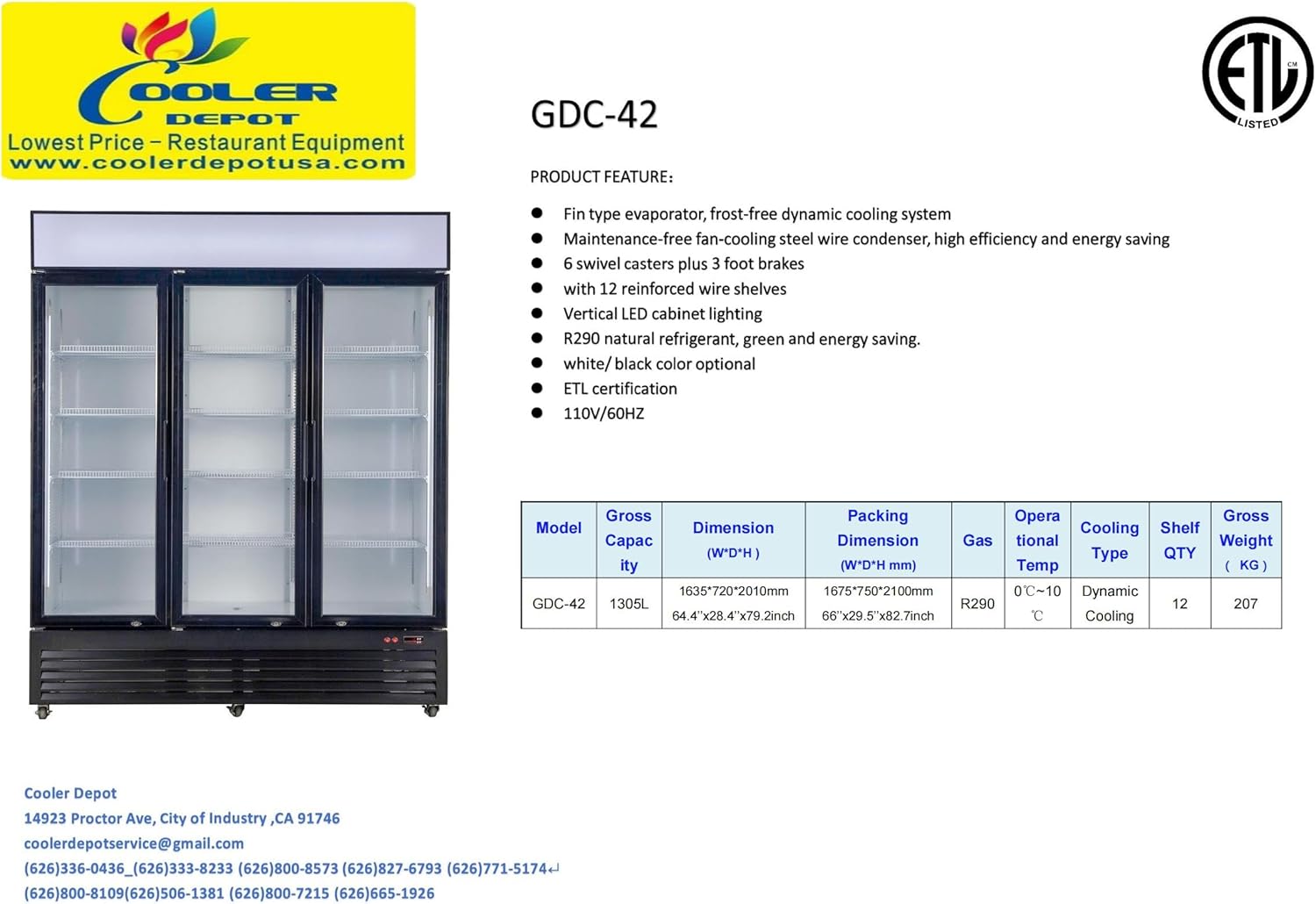
Image: Front view of the Cooler Depot GDC-42 commercial refrigerator with three glass doors, showcasing its overall design.
2.2 Placement
- Place the refrigerator on a flat, level, and sturdy surface capable of supporting its weight when fully loaded.
- Ensure adequate ventilation around the unit. Maintain a minimum clearance of 4 inches (10 cm) from walls or other obstructions to allow for proper airflow to the condenser.
- Avoid placing the unit in direct sunlight or near heat-generating appliances (e.g., ovens, heaters) to ensure optimal performance and energy efficiency.
- The unit is equipped with 4 lockable castor wheels for easy movement. Engage the wheel locks once the unit is in its final position to prevent accidental movement.

Image: The Cooler Depot GDC-42 refrigerator with one glass door open, revealing the interior shelves.
2.3 Electrical Connection
- Connect the unit to a dedicated 110V, 60Hz grounded electrical outlet. Do not use extension cords or adapter plugs.
- Ensure the electrical supply matches the requirements specified on the unit's rating label.
- Allow the refrigerator to stand upright for at least 2 hours before plugging it in to allow the refrigerant to settle.
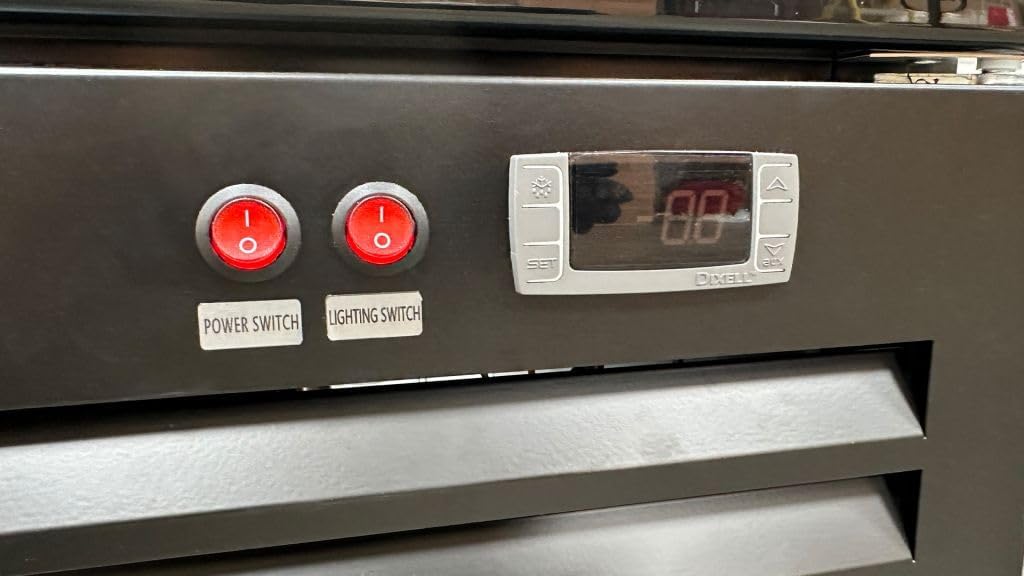
Image: Close-up of the Type B - 3 pin (North American) power plug for the GDC-42 refrigerator.
2.4 Shelf Installation
The unit comes with 12 epoxy-coated shelves. Install them into the desired positions using the provided shelf clips. Ensure shelves are securely seated before loading products.

Image: Interior view of the GDC-42 refrigerator showing the epoxy-coated wire shelves.
3. Operating Instructions
3.1 Initial Start-up
After connecting to power, turn on the main power switch. Allow the unit to run for several hours (approximately 2-4 hours) to reach the desired operating temperature before loading products.
3.2 Temperature Control
The GDC-42 features a digital thermometer display and control knob for temperature adjustment. The temperature can be set between 0°C to 10°C (32°F to 50°F).
- To Adjust Temperature: Refer to the specific instructions for the digital controller model (e.g., Dixell). Generally, press the "SET" button, then use the up/down arrows to adjust the desired temperature. Press "SET" again to confirm.
- Monitor the display to ensure the unit maintains the set temperature.
3.3 Lighting Control
The unit is equipped with vertical LED cabinet lighting. Use the dedicated lighting switch to turn the interior lights on or off as needed for product visibility.
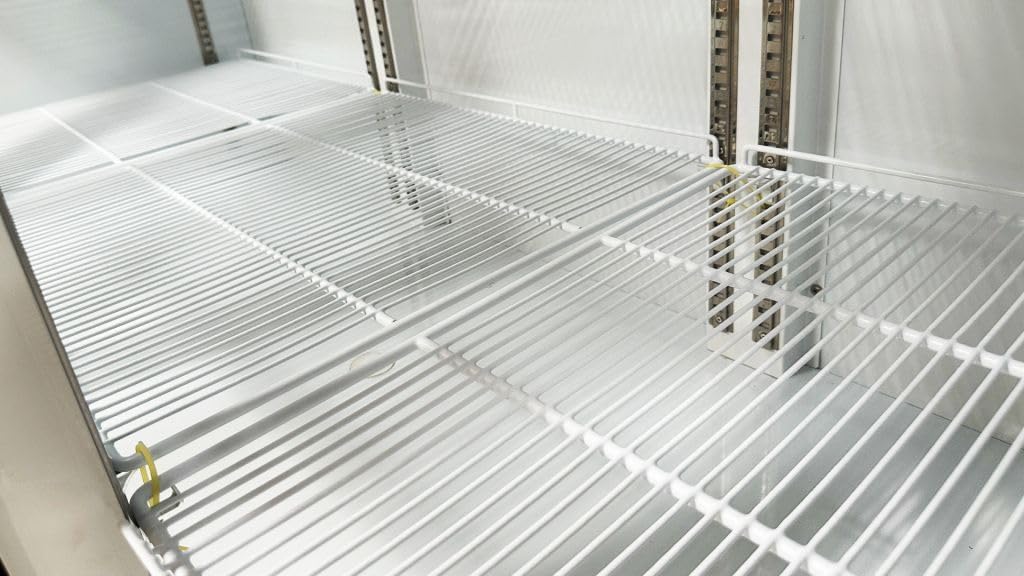
Image: Close-up of the control panel, showing the power switch, lighting switch, and digital temperature display.
3.4 Loading Products
- Do not overload shelves. Distribute products evenly to allow for proper air circulation.
- Avoid blocking the internal air vents to ensure consistent cooling throughout the cabinet.
- The self-closing swing glass doors help maintain internal temperature. Minimize door opening times to conserve energy.
4. Maintenance
4.1 Cleaning the Interior
- Disconnect the unit from the power supply before cleaning.
- Remove all products and shelves.
- Clean interior surfaces and shelves with a mild detergent and warm water. Rinse thoroughly and dry completely to prevent odors and mildew.
- Do not use abrasive cleaners, steel wool, or harsh chemicals, as these can damage surfaces.
4.2 Cleaning the Exterior
- Wipe exterior surfaces, including glass doors, with a soft cloth and mild cleaner.
- Keep the door gaskets clean and free of debris to ensure a tight seal.
4.3 Condenser Coil Cleaning
The bottom-mounted compressor system requires regular condenser coil cleaning to maintain efficiency and prevent overheating. This should be performed by qualified personnel.
- Frequency: At least every three months, or more frequently in dusty environments.
- Procedure: Disconnect power. Access the condenser coil (typically located at the bottom rear). Use a stiff brush or vacuum cleaner to remove dust and debris from the fins.
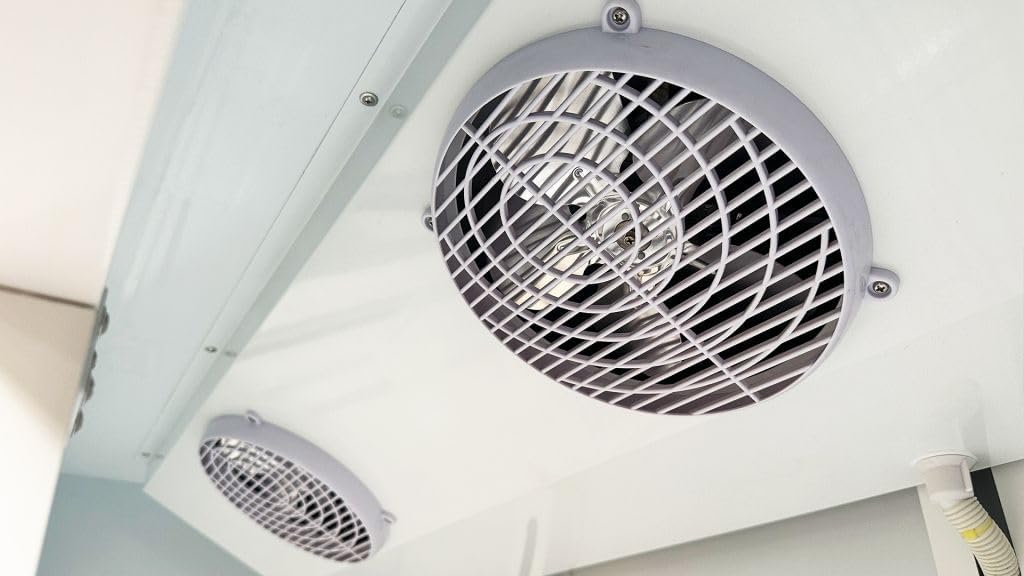
Image: Close-up view of the internal fans, part of the dynamic cooling system, which should be kept clear of obstructions.
4.4 Defrost System
The unit features an automatic defrost system. No manual defrosting is typically required. If excessive ice buildup occurs, contact service personnel.
5. Troubleshooting
Before contacting service, please check the following common issues:
| Problem | Possible Cause | Solution |
|---|---|---|
| Unit does not operate | No power supply; Power switch off; Circuit breaker tripped. | Check power cord connection; Ensure power switch is ON; Reset circuit breaker. |
| Insufficient cooling | Temperature set too high; Door left open; Condenser coil dirty; Unit overloaded; Poor ventilation. | Adjust temperature setting; Ensure doors close properly; Clean condenser coil; Reduce product load; Ensure adequate clearance around unit. |
| Excessive noise | Unit not level; Loose components; Fan obstruction. | Level the unit; Check for loose parts and tighten; Clear any obstructions from fans. |
| Water on floor | Drain pan overflowing; Drain line clogged. | Check and empty drain pan; Clear drain line obstruction. |
If problems persist after performing these checks, contact qualified service personnel.
6. Specifications
The following table outlines the key technical specifications for the Cooler Depot GDC-42 Commercial Refrigerator:

Image: Product label showing electrical circuit diagram and detailed specifications for the GDC-42 model.
| Feature | Detail |
|---|---|
| Model Name | GDC-42 |
| Product Dimensions (D x W x H) | 28"D x 64"W x 80"H (71.12 cm D x 162.56 cm W x 203.2 cm H) |
| Capacity | 49 cubic feet (1305 Liters) |
| Number of Doors | 3 (Self-closing swing glass doors) |
| Number of Shelves | 12 (Epoxy coated wire shelves) |
| Temperature Range | 0°C to 10°C (32°F to 50°F) |
| Refrigerant | R-290 (Environmental friendly) |
| Voltage | 110V |
| Frequency | 60Hz |
| Rated Input Power | 613 Watts |
| Defrost System | Automatic |
| Compressor Type | Reciprocating, Bottom-Mounted |
| Special Features | Door Lock, LED Lighting, 4 Lockable Castor Wheels |
| Certifications | NSF Certified, ETL Certified |
| Net Weight | 396 pounds (179.6 kg) |
7. Warranty & Support
7.1 Warranty Information
Cooler Depot provides the following warranty for the GDC-42 Commercial Refrigerator:
- 3 Years All-Parts Warranty
- 6 Years Compressor Warranty
- 1 Year Labor Warranty
For functional failures within 1 month of the item's delivered date, a full refund may be applicable. Please refer to your purchase documentation for complete warranty terms and conditions.
7.2 Customer Support
For technical assistance, warranty claims, or service inquiries, please contact Cooler Depot customer support:
- Email: coolerdepotservice@gmail.com
- Phone: (626) 336-0436, (626) 333-8233, (626) 800-8573, (626) 827-6793, (626) 771-5174, (626) 800-8109, (626) 506-1381, (626) 800-7215, (626) 665-1926
- Address: 14923 Proctor Ave, City of Industry, CA 91746
8. Product Video Demonstration
Watch this official product video for a visual overview of the Cooler Depot GDC-42 Commercial Refrigerator, demonstrating its features and functionality.
Video: A demonstration of the Cooler Depot GDC-42 commercial 3-door refrigerator, highlighting its design and features.


