
Introduction
This user manual provides essential information and instructions for the safe and efficient operation of your FIREBAT AS1 Laptop. Please read this manual thoroughly before using the device and retain it for future reference. This document covers setup, operation, maintenance, and troubleshooting for the FIREBAT AS1 model with AMD Ryzen 7430U processor.
Product Overview
The FIREBAT AS1 is a 15.6-inch Full HD IPS laptop designed for productivity and entertainment. It features an AMD Ryzen 7430U processor, integrated AMD Radeon Graphics, and a versatile port selection.
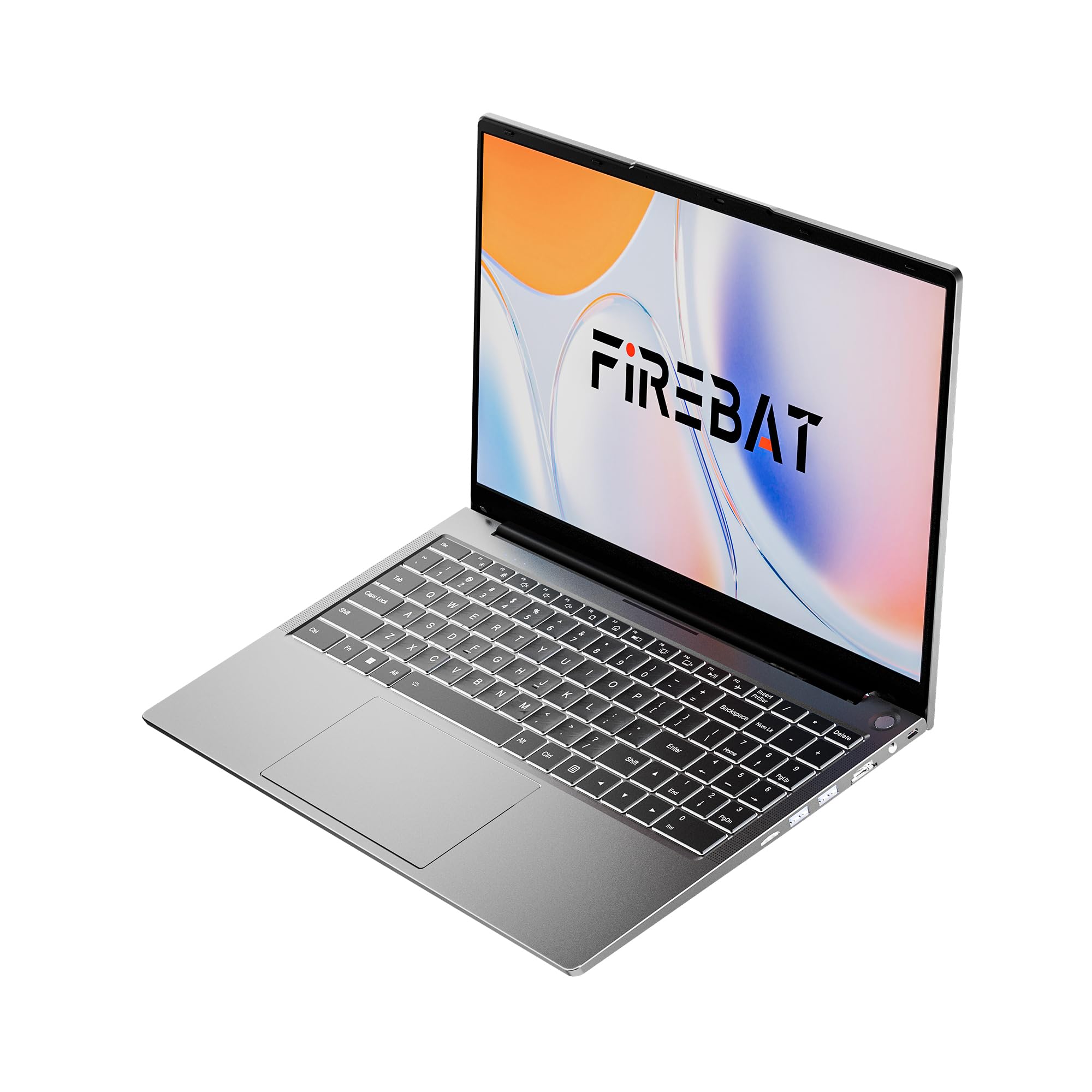
Figure 1: FIREBAT AS1 Laptop (Closed View)
Key Features
- Processor: AMD Ryzen 5 7430U (6 Cores/12 Threads, up to 4.3GHz)
- Display: 15.6-inch Full HD (1920x1080) IPS
- Memory: 16GB DDR4 RAM (Expandable up to 64GB)
- Storage: 512GB M.2 SSD (Expandable up to 2TB)
- Graphics: Integrated AMD Radeon Graphics
- Keyboard: Full-sized backlit keyboard with numeric keypad
- Connectivity: Wi-Fi 6, Bluetooth 5.2, RJ45 Ethernet
- Ports: USB 3.2 Gen1 Type-A, USB 3.2 Gen1 Type-C (PD 100W, DP1.4), HDMI 1.4, SD Card Reader, 3.5mm Audio Jack
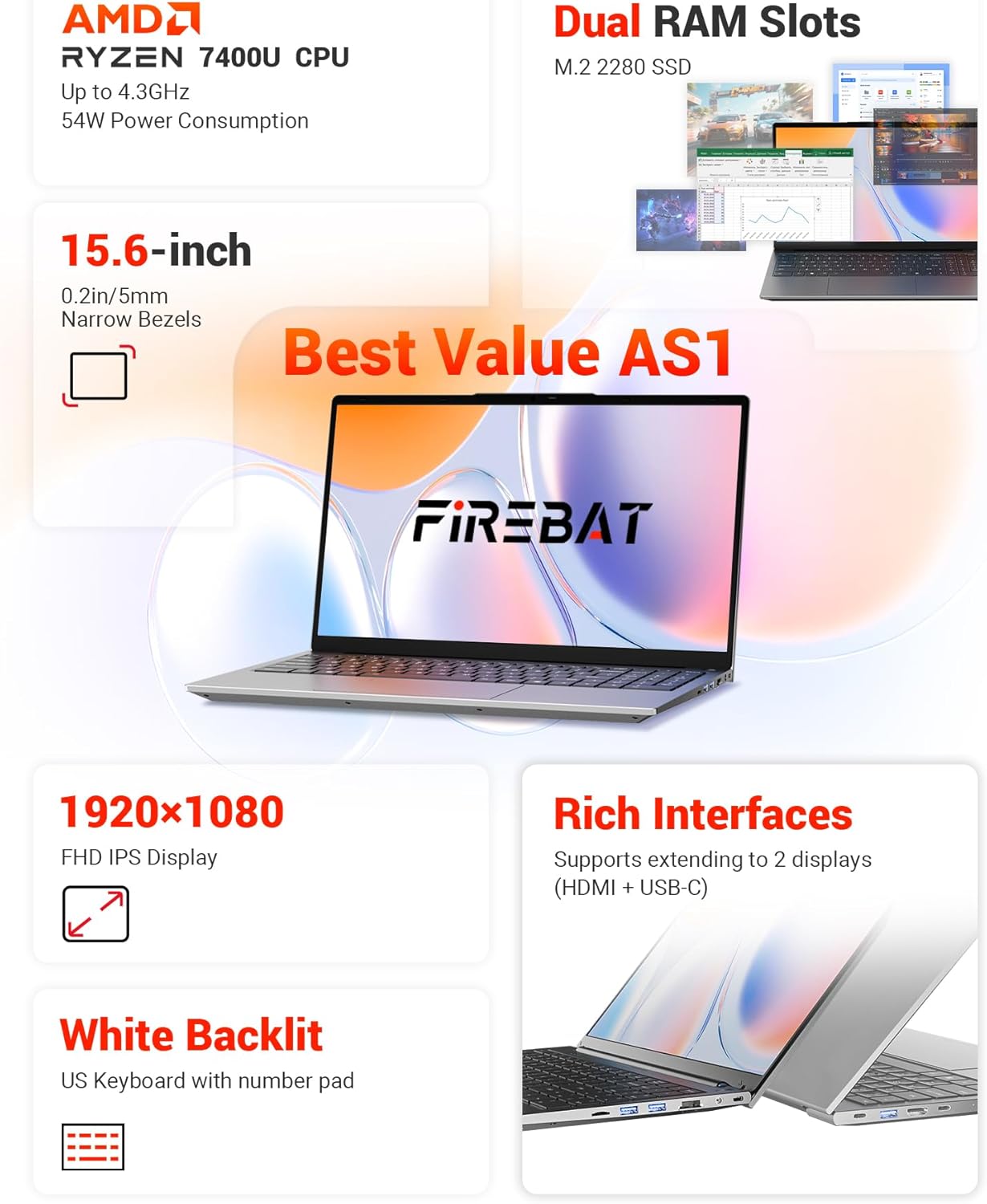
Figure 2: Overview of FIREBAT AS1 Laptop Features
This image provides a comprehensive overview of the FIREBAT AS1 laptop's core components and features, including the AMD Ryzen 7430U CPU, expandable dual RAM slots, M.2 2280 SSD support, 15.6-inch Full HD IPS display, white backlit keyboard with numeric pad, and various connectivity ports.

Figure 3: Ultra-Portable Design of FIREBAT AS1 Laptop
The image illustrates the laptop's ultra-portable design, emphasizing its compact 15.6-inch form factor, lightweight build at 3.7 lbs (1.69 kg), slim profile of 0.6 inches (15.9 mm), and a versatile 180-degree lay-flat hinge for flexible viewing angles.
Ports and Connectors
The FIREBAT AS1 laptop offers a variety of ports for connecting peripherals and external displays:
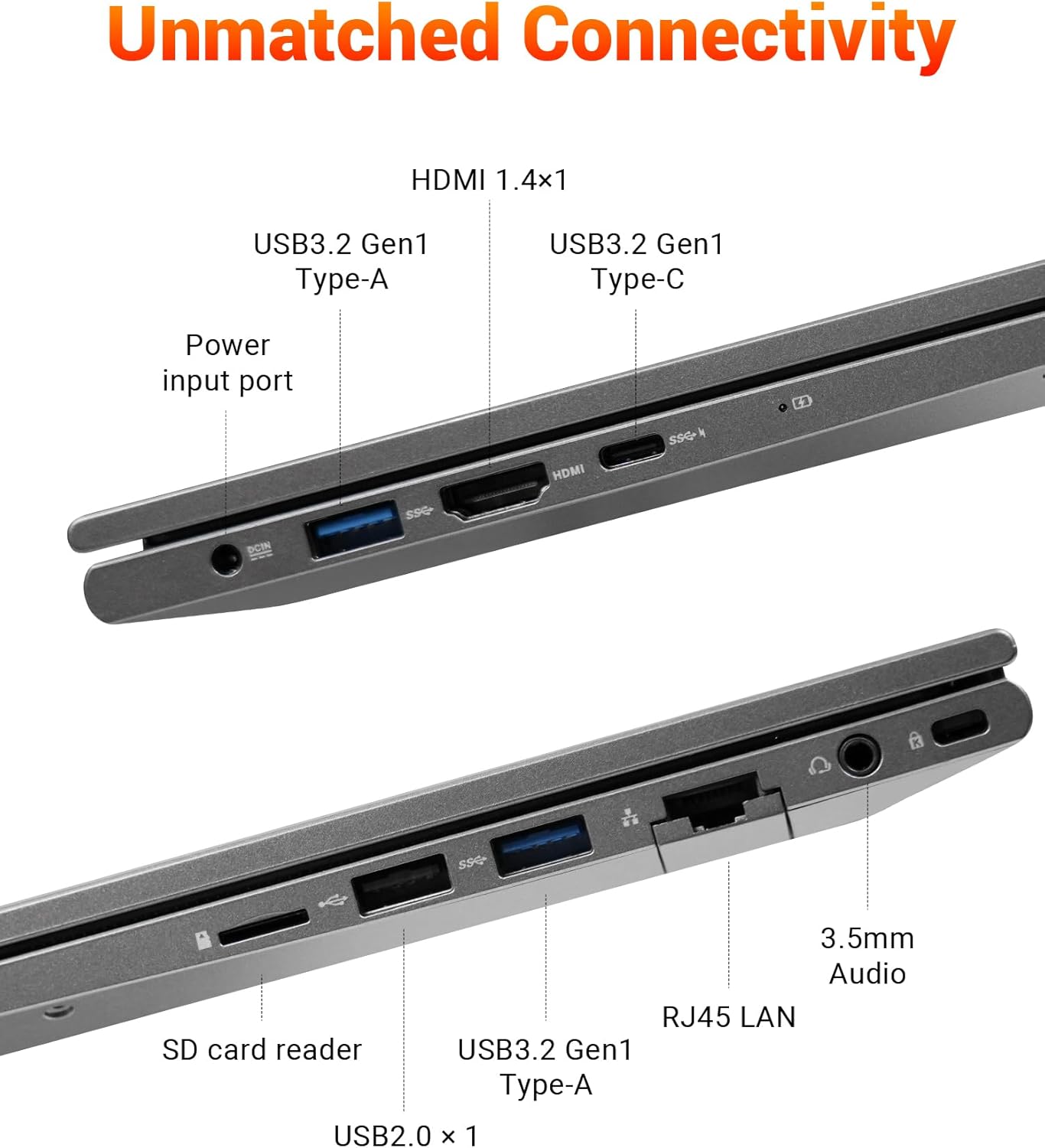
Figure 4: FIREBAT AS1 Laptop Connectivity Ports
This image details the comprehensive connectivity options available on the FIREBAT AS1 laptop. It highlights the various ports on both sides, including USB 3.2 Gen1 Type-A, HDMI 1.4, USB 3.2 Gen1 Type-C (supporting PD 100W and DP1.4), the power input port, an SD card reader, RJ45 LAN port, and a 3.5mm audio jack.
- Left Side: Power Input, USB 3.2 Gen1 Type-A, HDMI 1.4, USB 3.2 Gen1 Type-C (Power Delivery & DisplayPort)
- Right Side: USB 2.0 Type-A, SD Card Reader, RJ45 LAN, 3.5mm Audio Jack, USB 3.2 Gen1 Type-A
Setup
Unboxing and Initial Power On
- Carefully remove the laptop and all accessories from the packaging.
- Connect the power adapter to the laptop's power input port and then to a power outlet.
- Open the laptop lid. The laptop may power on automatically or you may need to press the power button located on the top right of the keyboard.
- Follow the on-screen instructions to complete the initial Windows setup.
Connecting to a Network
- Wi-Fi: Click the Wi-Fi icon in the taskbar, select your desired network, enter the password, and click Connect.
- Ethernet: Connect an Ethernet cable from your router or modem to the RJ45 LAN port on the right side of the laptop.
Operating Instructions
Power On/Off and Sleep Mode
- Power On: Press the power button.
- Shut Down: Click the Start button, then Power > Shut down.
- Sleep Mode: Close the laptop lid or click the Start button, then Power > Sleep.
Keyboard and Touchpad
- The laptop features a full-sized keyboard with a dedicated numeric keypad for efficient data entry.
- The keyboard is backlit. Use the function keys (Fn + Fx) to adjust backlight brightness or toggle it on/off.
- The precision touchpad supports multi-touch gestures for navigation. Refer to Windows settings for customization.
Connecting External Displays
The FIREBAT AS1 supports connecting up to two external displays simultaneously via HDMI and USB-C (DisplayPort Alt Mode).
- HDMI: Connect an HDMI cable from your monitor to the HDMI port on the left side of the laptop.
- USB-C: Connect a compatible USB-C to DisplayPort or USB-C to HDMI cable/adapter from your monitor to the USB-C port on the left side.
- Once connected, press Windows key + P to select your display mode (Duplicate, Extend, Second screen only).
Video 1: FIREBAT AMD 7430U Laptop Computer Overview
This video provides a general overview of the FIREBAT AS1 laptop, showcasing its design, display quality, and various features in action.
Maintenance
Cleaning the Laptop
- Use a soft, lint-free cloth dampened with water or a screen cleaner to clean the display.
- Use a soft brush or compressed air to clean dust from the keyboard and ventilation grilles.
- Avoid using harsh chemicals or abrasive materials.
Battery Care
- For optimal battery life, avoid fully discharging the battery frequently.
- Store the laptop in a cool, dry place when not in use for extended periods.
- If storing for a long time, ensure the battery is charged to about 50-70%.
RAM and SSD Upgrades
The FIREBAT AS1 laptop supports user-upgradable RAM and SSD. It features dual-channel RAM slots (up to 64GB) and an M.2 2280 SSD slot (up to 2TB).

Figure 5: Internal View with RAM and SSD Slots
An internal view of the FIREBAT AS1 laptop, illustrating the dual-channel DDR4 RAM slots, which can be upgraded to 64GB, and the M.2 2280 SSD slot, supporting NVMe/SATA drives up to 2TB for expanded storage.
Video 2: How to Add RAM to FIREBAT AS1 Laptop
Watch this video for a step-by-step guide on how to safely add or upgrade RAM modules in your FIREBAT AS1 laptop.
Note: Opening the laptop for upgrades may require specific tools and care. Refer to the video and consult professional assistance if unsure.
Troubleshooting
Common Issues and Solutions
- Laptop does not power on:
- Ensure the power adapter is securely connected to both the laptop and a working power outlet.
- Check if the power outlet is functional by plugging in another device.
- If the battery is completely drained, allow it to charge for a few minutes before attempting to power on.
- No display on screen:
- Ensure the laptop is powered on.
- If an external monitor is connected, try disconnecting it.
- Adjust display brightness using the function keys.
- Wi-Fi connectivity issues:
- Ensure Wi-Fi is enabled in Windows settings.
- Restart your router and modem.
- Check if other devices can connect to the same Wi-Fi network.
- Keyboard or touchpad not responding:
- Restart the laptop.
- Ensure no external devices are interfering.
For further assistance, please refer to the support information provided in the Warranty and Support section.
Specifications
| Feature | Specification |
|---|---|
| Brand | FIREBAT |
| Model Number | AS1 7430U |
| Operating System | Default (Windows) |
| CPU Model | AMD Ryzen 5 7430U |
| CPU Speed | Up to 4.3 GHz |
| Processor Count | 6 |
| RAM Memory Installed | 16 GB DDR4 |
| RAM Memory Maximum Size | 64 GB |
| Hard Disk Description | 512 GB SSD (Expandable to 2TB) |
| Screen Size | 15.6 Inches |
| Display Resolution Maximum | 1920x1080 Pixels |
| Display Type | IPS |
| Graphics Coprocessor | AMD Radeon |
| Connectivity Technology | Bluetooth, Ethernet, HDMI, USB, Wi-Fi |
| Wireless Compatibility | 802.11ax (Wi-Fi 6) |
| Total USB Ports | 4 |
| Total Number of HDMI Ports | 1 |
| Item Dimensions | 14 x 9 x 0.78 inches |
| Item Weight | 3.69 Pounds |
| Color | Gray |
Warranty and Support
Warranty Information
The FIREBAT AS1 Laptop comes with a 1-Year Manufacturer Warranty. This warranty covers defects in materials and workmanship under normal use. Please retain your proof of purchase for warranty claims.
Customer Support
For technical support, warranty inquiries, or any questions regarding your FIREBAT AS1 Laptop, please contact FIREBAT customer service:
- Email: support@firebatpc.com
- Website: www.firebatpc.com