
Introduction
The Betife Automatic Pill Dispenser is designed to assist with medication management, offering smart features like Bluetooth connectivity, app control, and multiple daily alarms. This manual provides detailed instructions for setup, operation, and maintenance to ensure optimal use of your device.

Image: The Betife Automatic Pill Dispenser, showcasing its design and the digital display, alongside a smartphone running the 'Pillcalendar' app.
Package Contents
Before you begin, please verify that all items are present in the package:
- Automatic Pill Dispenser (1 unit)
- Dose rings (6 units)
- Instruction book (1 unit)
- Keys (3 units)
- Quick guide (1 unit)
- AAA Batteries (4 units, pre-installed or included separately)
- Button battery (1 unit, for backup)

Image: A visual representation of all items included in the Betife Automatic Pill Dispenser package.
Setup
1. Battery Installation
The device requires 4 AAA batteries for operation. A button battery is also included for backup, preserving settings during AAA battery changes. Ensure batteries are inserted with correct polarity.
2. App Download and Bluetooth Pairing
- Download the 'Pillcalendar' app from your smartphone's app store.
- Enable Bluetooth on your smartphone.
- Open the 'Pillcalendar' app and follow the on-screen instructions to pair with your Betife Automatic Pill Dispenser.
Video: Instructions on how to set an alarm using the mobile application for the Betife Automatic Pill Dispenser.
3. Loading Medication
- Unlock the dispenser using one of the provided keys.
- Carefully open the transparent lid.
- Place your medication into the 28 individual compartments. Ensure each compartment corresponds to your desired dosage schedule.
- Select and place the appropriate dose ring (e.g., 1x per day, 2x per day) onto the dispenser to visually indicate the schedule.
- Close the lid and secure it with the key.

Image: A detailed view of the pill dispenser with medication loaded into its compartments and the various dose rings available for different schedules.
4. Setting Alarms
Alarms can be set via the 'Pillcalendar' app or directly on the device.
Via App:
- Open the 'Pillcalendar' app.
- Navigate to the alarm settings.
- Set up to 6 daily alarms, customize medication names, and upload pill images for visual reminders.
- The app will send push notifications to your phone at scheduled times.
On-Device:
- Use the physical buttons (+, -, OK) on the device to adjust time, volume, and alarm settings directly on the LCD screen.
- The LCD screen displays 8 intuitive icons for status checks.
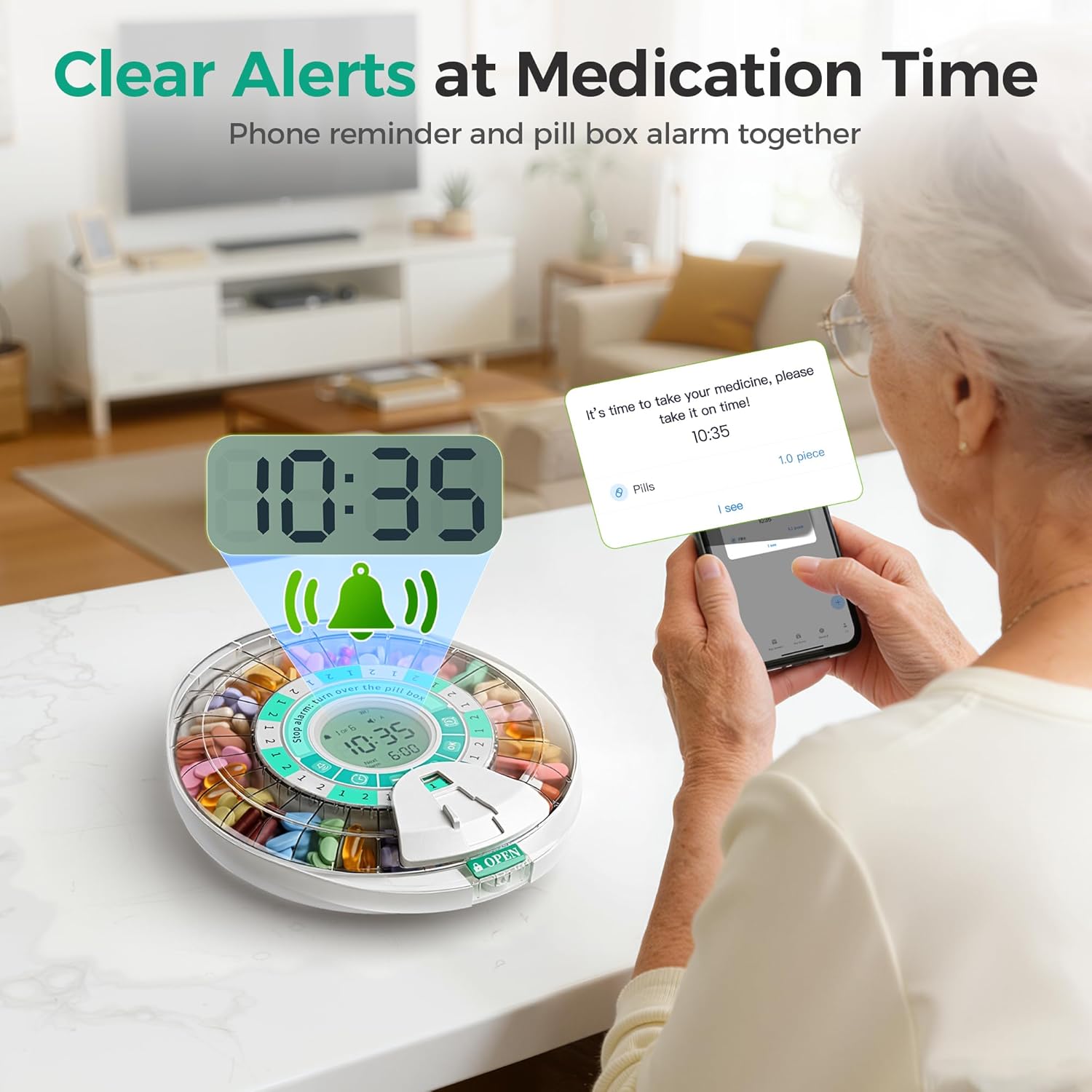
Image: The pill dispenser and a smartphone simultaneously alerting the user for medication time with sound and light.
Operating Instructions
1. Dispensing Medication
When an alarm sounds and the light flashes:
- Unlock the pill door using the key or fingerprint (if applicable).
- Gently tip the unit to dispense the pills from the open compartment.
- Confirm dosage in the 'Pillcalendar' app to log adherence.

Image: An elderly user interacting with the pill dispenser, demonstrating its ease of use for manual operation.
2. Medication Tracking
The 'Pillcalendar' app provides a comprehensive medication log:
- View weekly or monthly statistics on total alarms, doses taken, and missed doses.
- This feature helps monitor adherence and can be shared with healthcare providers.
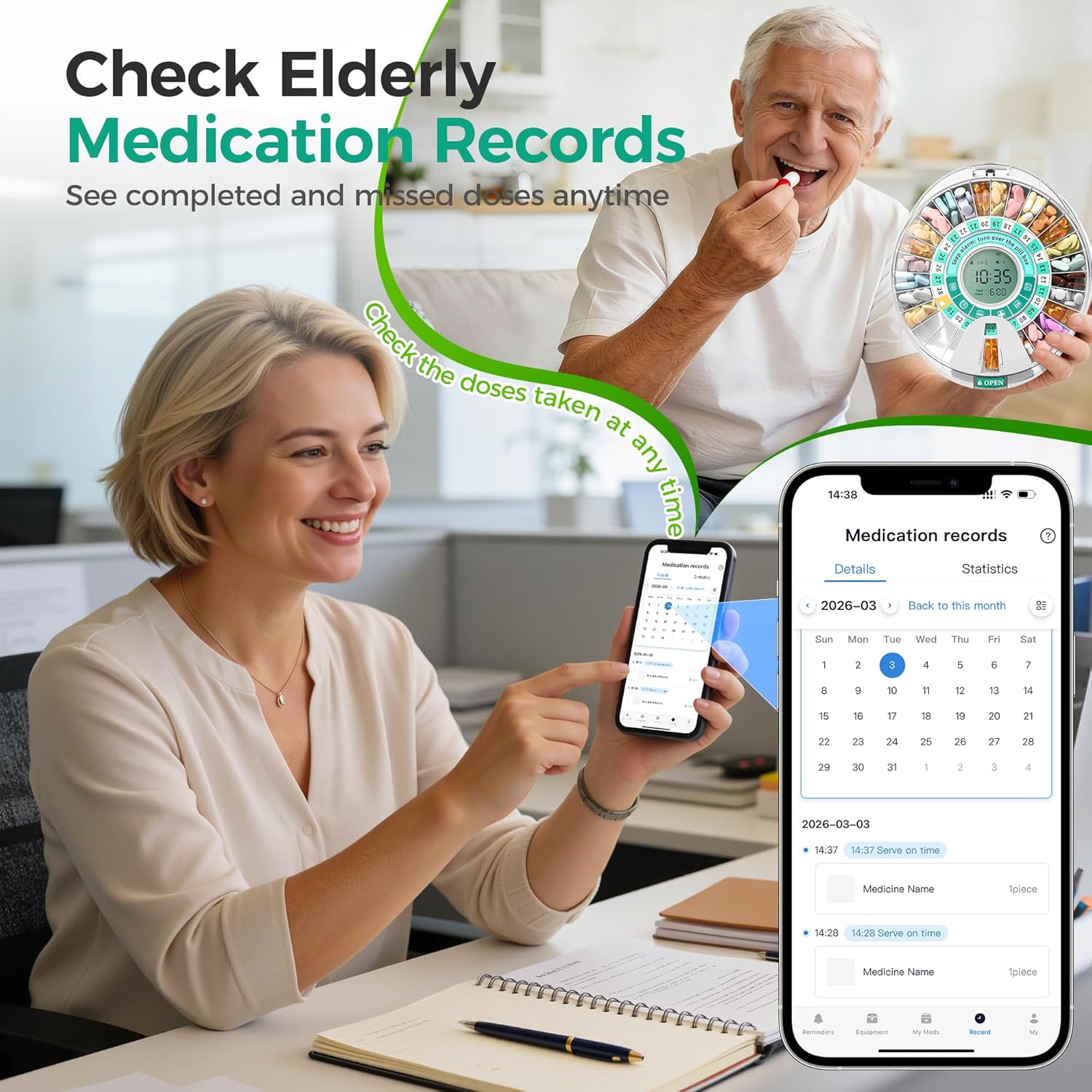
Image: A user reviewing medication records and statistics within the 'Pillcalendar' app.
3. Child Safety Lock
The dispenser features a secure timed lock box to prevent unauthorized access.
- It incorporates advanced fingerprint unlocking technology (if equipped) and a mechanical lock as a backup.
- Always ensure the dispenser is locked after loading or dispensing medication.
Video: A demonstration of the child safety lock mechanism on the Betife Automatic Pill Dispenser.
Maintenance
1. Cleaning
To clean your pill dispenser, wipe the exterior with a soft, damp cloth. Do not submerge the device in water or use harsh chemical cleaners. Ensure the device is completely dry before reloading medication.
2. Battery Replacement
When the main AAA batteries are low, the device will indicate this on the LCD screen. Replace all 4 AAA batteries simultaneously. The internal button battery will preserve your settings during this process.
Troubleshooting
- Device not powering on: Check if the AAA batteries are correctly installed and fully charged. Replace if necessary.
- Bluetooth connectivity issues: Ensure Bluetooth is enabled on your phone and the dispenser is within range. Restart both the app and the dispenser if problems persist.
- Alarms not sounding: Verify alarm settings in the app or on the device. Check the volume level. Ensure the device is not in silent mode.
- Pills not dispensing: Ensure the dispenser is unlocked and the correct compartment is aligned for dispensing. Check for any obstructions.
- App not tracking doses: Make sure you confirm each dose in the app after taking medication. Ensure the app is updated to the latest version.
Specifications
| Item Model Number | Betife Automatic Pill Dispenser 01 |
| Package Dimensions | 10.35 x 9.41 x 3.7 inches |
| Weight | 2.14 Pounds |
| Batteries | 4 AAA batteries (included), 1 Button battery (included) |
| Number of Compartments | 28 |
| Material Type | Plastic |
| Special Features | APP Support, Automatic, Built-In Alarm, Child Resistant |
Warranty and Support
Warranty Information
The Betife Automatic Pill Dispenser comes with a free return policy within 30 days if users find it challenging to use. For specific warranty details beyond this period, please refer to the documentation included with your purchase or contact customer support.
Customer Support
For any questions, technical assistance, or support, please refer to the step-by-step setup guides (illustrated manual + video tutorials) provided. Betife offers multilingual support, with most issues resolved within 4 hours.
You can typically find contact information for Betife customer support on their official website or through the 'Pillcalendar' app.