
1. Introduction
Thank you for choosing the NYTALK N8 Motorcycle Helmet Bluetooth Intercom. This device is designed to provide clear communication, music playback, and navigation audio for up to 8 riders, enhancing your riding experience. Please read this manual carefully to ensure proper installation and operation.
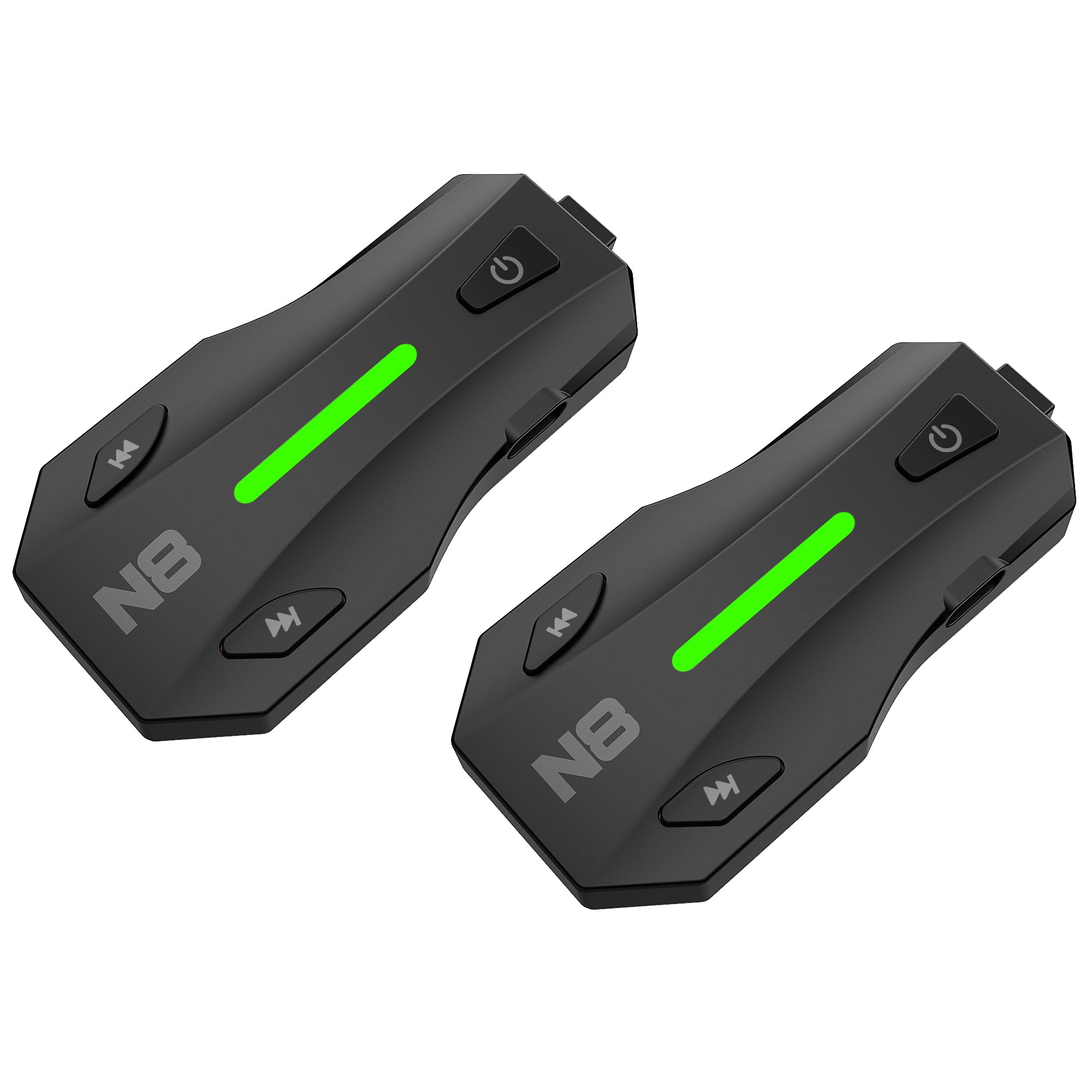
Image: The NYTALK N8 Motorcycle Helmet Bluetooth Intercom unit.
2. Setup
2.1. Package Contents
Verify that all items are present in your package:
- N8 Main Unit
- 45mm Hi-Fi Speakers
- Boom Microphone
- Button Microphone
- USB-C Charging Cable (specific for N8)
- Metal Bracket
- 3M Sticker Bracket
- Speaker Pads
- User Manual

Image: All components included in the NYTALK N8 product package.
2.2. Helmet Installation
Follow these steps to install the N8 unit, speakers, and microphone into your helmet:
- Choose between the metal bracket or 3M sticker bracket for mounting the N8 main unit to the side of your helmet. Ensure a secure fit.
- Attach the 45mm speakers inside the helmet's ear pockets using the provided speaker pads. Ensure they are positioned directly over your ears for optimal sound.
- Select either the boom microphone (for open-face helmets) or the button microphone (for full-face helmets) and position it near your mouth.
- Route all cables neatly under the helmet padding to avoid discomfort and ensure they are not exposed.
- Connect the speaker and microphone cables to the N8 main unit.
Video: Detailed instructions for installing the N8 intercom system into a motorcycle helmet.

Image: The N8 unit securely installed on the side of a motorcycle helmet.
2.3. Charging the Device
Before first use, fully charge the N8 unit. Use only the provided USB-C charging cable, as the port is recessed and requires a specific connector length.
- Connect the USB-C cable to the charging port on the N8 unit and a compatible USB power source.
- The indicator light will show charging status (e.g., red for charging, green for fully charged).
- A full charge typically takes approximately 2 hours.

Image: The N8 unit being charged, illustrating battery life and charging time.
2.4. Initial Power On/Off
- Power On: Press and hold the Power button for approximately 3 seconds until the indicator light turns blue.
- Power Off: Press and hold the Power button for approximately 2 seconds until the red light blinks, indicating the unit is powering off.
Video: Demonstrates basic power on/off and music functions of the N8 intercom.
2.5. Bluetooth Pairing with Mobile Device
To connect your N8 unit to your smartphone or GPS device:
- With the N8 unit powered off, press and hold the Power button for about 5 seconds until the indicator light flashes red and blue alternately, indicating pairing mode.
- On your mobile device, go to Bluetooth settings and search for available devices.
- Select "NYTALK N8" from the list. Once connected, the indicator light on the N8 will turn solid blue.
Video: Instructions for universal pairing of the N8 intercom with various Bluetooth devices.

Image: The N8 unit demonstrating its universal pairing capabilities with various devices.
3. Operating Instructions
3.1. Mesh Intercom (Group Communication)
The N8 features Mesh 3.0 technology for seamless group communication with up to 8 riders over a 2km range.
- Ensure all N8 units are powered on and within range.
- Press the Mesh button on each N8 unit to initiate mesh pairing. The units will automatically connect.
- The network is self-healing; if a rider drops out, the network will automatically re-establish.
Video: Guide on how to establish an intercom talk among up to 8 N8 units.

Image: Multiple riders connected via the N8 Mesh 3.0 intercom system, illustrating group communication.
3.2. Music Playback and Sharing
Enjoy your music on the go and share it with a fellow rider:
- Play/Pause: Short press the Play/Pause button.
- Next Track: Short press the Forward button.
- Previous Track: Short press the Backward button.
- Volume Adjustment: Long press the Forward button to increase volume, long press the Backward button to decrease volume.
- Music Sharing: Activate Music Sharing mode to allow a passenger or nearby rider to listen to the same audio simultaneously.
Video: Demonstrates how to use the music sharing feature on the N8 intercom.

Image: Two riders on a motorcycle, sharing music through their N8 intercoms.
3.3. Audio Multitasking
The N8's dual-core Qualcomm Bluetooth 5.4 chip allows you to listen to music, receive GPS navigation, and participate in intercom conversations simultaneously without interruption.

Image: Visual representation of audio multitasking, combining talk, music, and navigation.
3.4. Noise Cancellation
Equipped with DSP noise cancellation and dual microphones (button mic for full-face, boom mic for open-face helmets), the N8 effectively filters out wind and engine noise, ensuring clear audio even at highway speeds.

Image: A motorcyclist benefiting from the N8's DSP and CVC noise cancellation technology.
3.5. Voice Assistant
Double-click the appropriate button (refer to your Quick Button Command guide) to activate your smartphone's voice assistant (Siri or Google Assistant) for hands-free calls, GPS navigation, and other commands.

Image: The N8 unit highlighting its voice assistant feature for hands-free control.
3.6. Universal Intercom Pairing
The N8 communication system is designed to connect with most major Bluetooth motorcycle intercom brands, allowing for broader compatibility with other riders' devices.
4. Maintenance
4.1. Water Resistance
The N8 unit is IP67 waterproof, meaning it is protected against dust and can withstand immersion in water up to 1 meter for 30 minutes. This ensures reliable performance in various weather conditions, including rain and splashes.

Image: The N8 unit submerged in water, showcasing its IP67 waterproof capability.
4.2. Battery Care
To maximize battery life and performance:
- Fully charge the device before long periods of inactivity.
- Avoid exposing the device to extreme temperatures.
- Charge the device regularly, even if not in frequent use, to prevent deep discharge.
4.3. Cleaning
Clean the N8 unit with a soft, damp cloth. Do not use harsh chemicals or abrasive cleaners. Ensure the charging port cover is securely closed before cleaning or exposure to water.
5. Troubleshooting
If you encounter issues with your NYTALK N8, refer to the following common solutions:
| Problem | Possible Solution |
|---|---|
| Device does not power on. | Ensure the device is fully charged. Press and hold the Power button for 3 seconds. |
| Cannot pair with phone/GPS. | Ensure the N8 is in pairing mode (flashing red/blue). Turn off and on Bluetooth on your mobile device. Try a factory reset. |
| Poor audio quality or static. | Check microphone and speaker connections. Ensure speakers are positioned correctly in the helmet. Reduce distance between intercom units if in mesh mode. |
| Mesh intercom connection unstable. | Ensure all units are within the 2km range. Re-initiate mesh pairing by pressing the Mesh button on each unit. |
| Music audio not coming through. | Ensure the N8 is connected to your phone for media audio. Try power cycling the N8 unit and reconnecting Bluetooth. |
| Device does not auto power off. | Remember to manually power off the unit by long pressing the Power button to conserve battery. |
5.1. Factory Reset
If issues persist, a factory reset may resolve them. To perform a factory reset, hold down the Play Forward button and Play Backward button at the same time for approximately 5 seconds until the indicator light flashes.
6. Specifications
| Feature | Detail |
|---|---|
| Model Name | N8 |
| Brand | NYTALK |
| Bluetooth Version | 5.4 (Qualcomm Dual Chip) |
| Mesh Intercom | Up to 8 riders, 2km range |
| Speakers | 45mm Hi-Fi Speakers |
| Microphones | 2 mics (button & boom) with DSP/CVC Noise Cancellation |
| Battery Capacity | 1000mAh |
| Music Time | Up to 18 hours |
| Talk Time | Up to 15 hours |
| Standby Time | Up to 360 hours |
| Charging Time | Approx. 2 hours |
| Water Resistance | IP67 |
| Operating Temperature | -4°F to 140°F (-20°C to 60°C) |
| Connectivity | Wireless (Bluetooth), TYPE-C Headphone Jack |
| Control Type | Button Control, Voice Assistant (Google Assistant, Siri) |
| Weight | 50 g |
| Material | Acrylonitrile Butadiene Styrene (ABS) |
7. Warranty Information
The NYTALK N8 Motorcycle Helmet Bluetooth Intercom comes with a 2-year warranty from the date of purchase. This warranty covers manufacturing defects and ensures the product is free from defects in material and workmanship under normal use. Please retain your proof of purchase for warranty claims.
8. Customer Support
For further assistance, technical support, or warranty inquiries, please contact NYTALK customer service through the retailer where you purchased the product or visit the official NYTALK website for contact information.


