
1. Introduction
This manual provides essential information for the safe and efficient use of your viqee Android Smartphone U25. Please read it thoroughly before operating your device. Keep this manual for future reference.
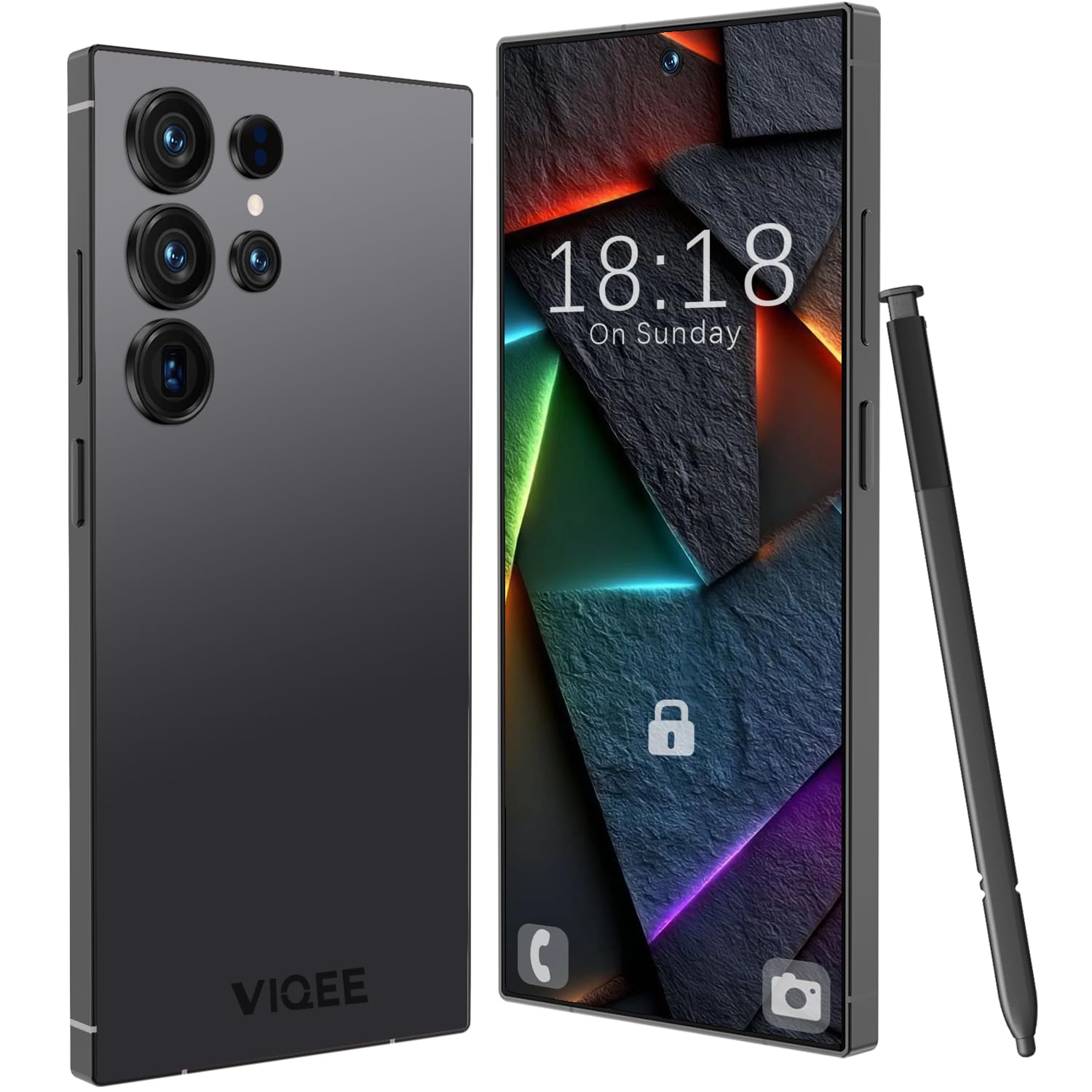
Image 1.1: Front view of the viqee Android Smartphone U25.
2. What's in the Box
Upon opening your viqee Android Smartphone U25 package, verify that all the following items are included:
- viqee Android Smartphone U25
- Protective Phone Case
- USB-C Cable
- Headphones
- SIM Tray Ejector Tool
- Screen Protector
- User Manual (this document)

Image 2.1: All items included in the viqee Android Smartphone U25 package.
3. Setup
3.1. SIM Card and SD Card Installation
Your viqee U25 supports Dual SIM functionality and expandable storage via an SD card. Follow these steps to install your SIM and/or SD card:
- Locate the SIM tray on the side of your phone.
- Insert the SIM tray ejector tool into the small hole next to the tray and press gently until the tray pops out.
- Place your Nano-SIM card(s) into the designated slots on the tray. Ensure the gold contacts face downwards and the cut corner aligns correctly.
- If installing an SD card, place it into the dedicated slot on the tray.
- Carefully reinsert the tray into the phone until it clicks into place.
Note: Network compatibility may vary. Ensure your SIM card is compatible with the device's cellular technology (5G).
Image 3.1: Illustration of Dual SIM and SD card placement in the tray.
3.2. Initial Power On and Charging
To power on your device for the first time, press and hold the power button located on the side of the phone until the screen lights up. It is recommended to fully charge your device before first use. Connect the USB-C cable to the phone's charging port and the other end to a power adapter.
3.3. Face Recognition Setup
The viqee U25 features Face Recognition for secure unlocking. To set this up:
- Go to Settings > Security & privacy > Face unlock.
- Follow the on-screen prompts to register your face. Ensure you are in a well-lit area and hold the phone at eye level.
- You may be prompted to set up a backup screen lock method (PIN, pattern, or password).
4. Operating Instructions
4.1. Basic Navigation
Your viqee U25 runs on Android 14, offering an intuitive user interface. Use gestures or the navigation bar at the bottom of the screen to navigate:
- Home: Tap the home button or swipe up from the bottom to return to the home screen.
- Back: Tap the back button or swipe from the left/right edge to go back to the previous screen.
- Recent Apps: Tap the recent apps button or swipe up and hold from the bottom to view recently used applications.
4.2. Camera Usage
The viqee U25 is equipped with a 21 MP rear camera and an 8 MP front camera. To use the camera:
- Open the Camera application from your home screen or app drawer.
- Select your desired mode (Photo, Video, Portrait, etc.).
- Tap the shutter button to capture a photo or start/stop video recording.
- Use the on-screen controls to switch between front and rear cameras, adjust zoom, or apply filters.

Image 4.1: Overview of the viqee U25's dual camera system.
4.3. Dual SIM Functionality
With Dual SIM Dual Standby, you can manage two phone numbers simultaneously. To configure SIM preferences:
- Go to Settings > Network & internet > SIM cards.
- Here you can set preferred SIMs for calls, SMS messages, and mobile data.
4.4. Educational App
The viqee U25 includes a pre-installed educational suite designed to foster creativity and learning. This app features interactive games focused on drawing, letters, and music, helping to develop fine motor skills, hand-eye coordination, and cognitive abilities. Locate the app icon on your home screen or in the app drawer to access it.
5. Maintenance
5.1. Battery Care
The viqee U25 is equipped with a 4500 mAh battery. To maximize battery life:
- Avoid extreme temperatures.
- Do not let the battery drain completely before recharging regularly.
- Use the provided USB-C cable and a compatible charger.
- Close unused apps running in the background.

Image 5.1: Illustration of the 4500 mAh battery and charging port.
5.2. Software Updates
Regularly check for and install software updates to ensure optimal performance and security. Go to Settings > System > System update.
5.3. Cleaning Your Device
Use a soft, lint-free cloth to clean your phone. Avoid using harsh chemicals or abrasive materials. The device is not water-resistant, so avoid direct contact with liquids.
6. Troubleshooting
If you encounter issues with your viqee U25, refer to the following common solutions:
- Device Freezes or is Unresponsive: Press and hold the power button for approximately 10-15 seconds to force a restart.
- Apps Crashing or Exiting Unexpectedly: Clear the cache of the problematic app (Settings > Apps > [App Name] > Storage & cache > Clear cache). If the issue persists, consider reinstalling the app.
- No Signal or Poor Network Connectivity: Ensure your SIM card is correctly inserted (refer to Section 3.1). Check if Airplane Mode is off. Restart your device. Verify with your network provider that your SIM plan is active and compatible.
- Battery Draining Quickly: Review Section 5.1 for battery care tips. Reduce screen brightness, disable unused features like GPS or Bluetooth, and close background apps.
- Screen Unresponsive: If the screen is unresponsive, try restarting the device. If the issue persists, contact customer support.
7. Specifications
Below are the detailed technical specifications for the viqee Android Smartphone U25:
| Brand | viqee |
| Model Name | U25 |
| Operating System | Android 14 |
| RAM Memory | 8 GB |
| Internal Storage | 256 GB |
| Expandable Memory | Up to 256 GB (via SD card) |
| Screen Size | 6.8 Inches |
| Resolution | 720 x 1600 Pixels (HD LCD) |
| Refresh Rate | 60 Hz |
| CPU Model | MTK 8121 |
| CPU Speed | 2 GHz |
| Rear Camera | 21 MP |
| Front Camera | 8 MP |
| Battery Capacity | 4500 mAh |
| SIM Card Slot | Dual SIM (Nano) |
| Connector Type | USB Type-C |
| Biometric Security | Face Recognition |
| Wireless Provider | Unlocked |
| Cellular Technology | 5G |
| Water Resistance | Not Water Resistant |

Image 7.1: The 6.8-inch HD LCD display and memory specifications.
8. Warranty Information
The viqee Android Smartphone U25 comes with a 1-Year Manufacturer Warranty. This warranty covers defects in materials and workmanship under normal use. It does not cover damage caused by accidents, misuse, unauthorized repairs, or normal wear and tear. For warranty claims, please retain your proof of purchase.
9. Support
For further assistance, technical support, or warranty inquiries, please contact viqee customer service through the official website or the contact information provided with your purchase documentation.