
1. Introduction
This manual provides detailed instructions for the Soudorv Y10 Smart Watch. Please read this manual carefully before using the device to ensure proper operation and to maximize its features. The Soudorv Y10 is a versatile smartwatch designed for fitness tracking, communication, and daily convenience, compatible with both Android and iOS smartphones.
2. What's in the Box
Upon opening your Soudorv Y10 Smart Watch package, you should find the following items:
- Soudorv Y10 Smart Watch x 1
- Magnetic Charger x 1
- User Manual x 1 (Available in English, Spanish, German, French, Italian, etc.)
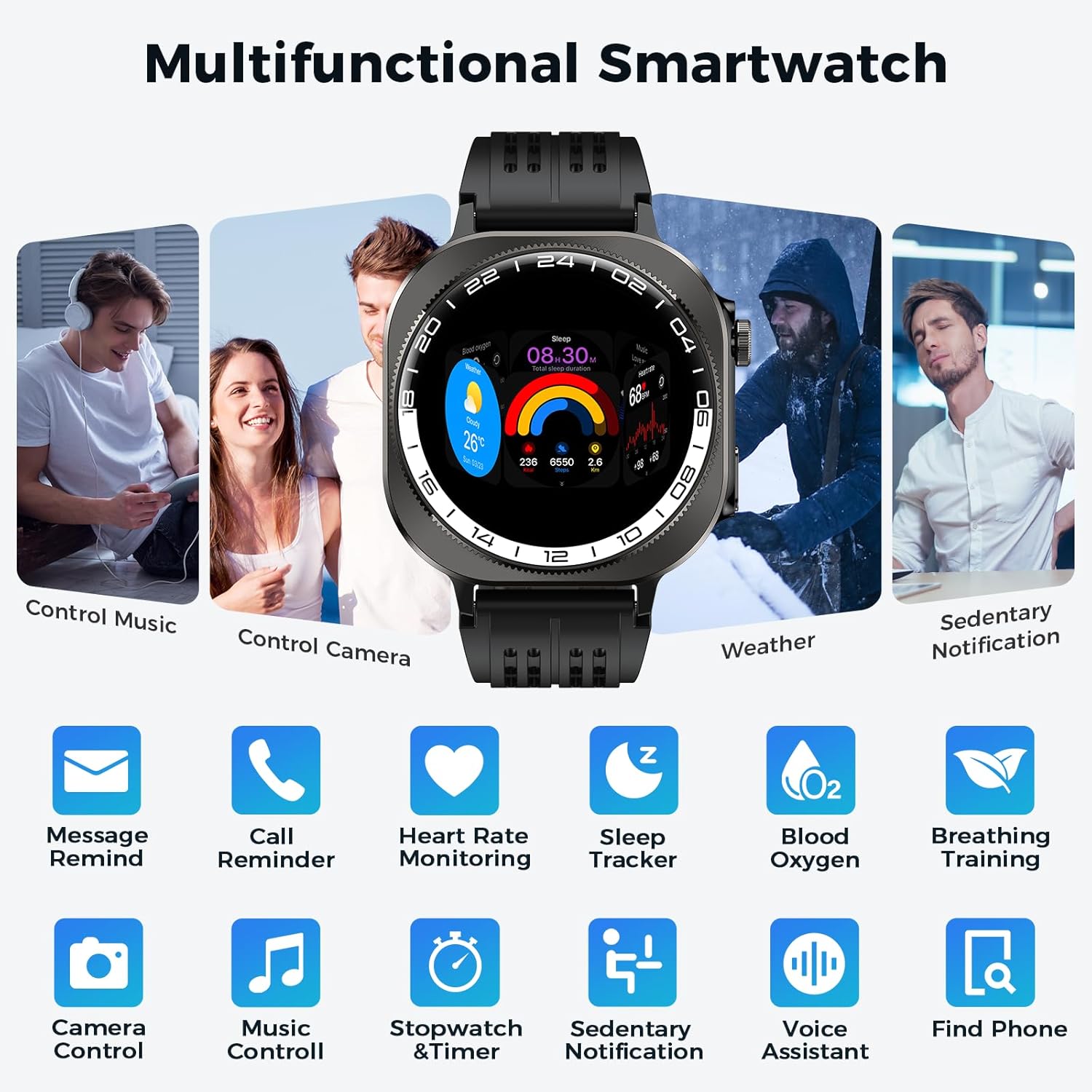
Image: Contents of the Soudorv Y10 Smart Watch package, including the watch, magnetic charger, and user manual.
3. Product Overview
3.1 Display and Customization
The Soudorv Y10 Smart Watch features a 1.43-inch AMOLED color screen with 3D curved tempered glass, offering a clear and vibrant display. The screen resolution is 466x466 pixels, providing high pixel density and color saturation for a sharp and soft image. Brightness can be manually adjusted for optimal viewing in various lighting conditions, including direct sunlight. Users can personalize their watch face from over 250 online options in the "FitCloudPro" APP or upload custom photos.
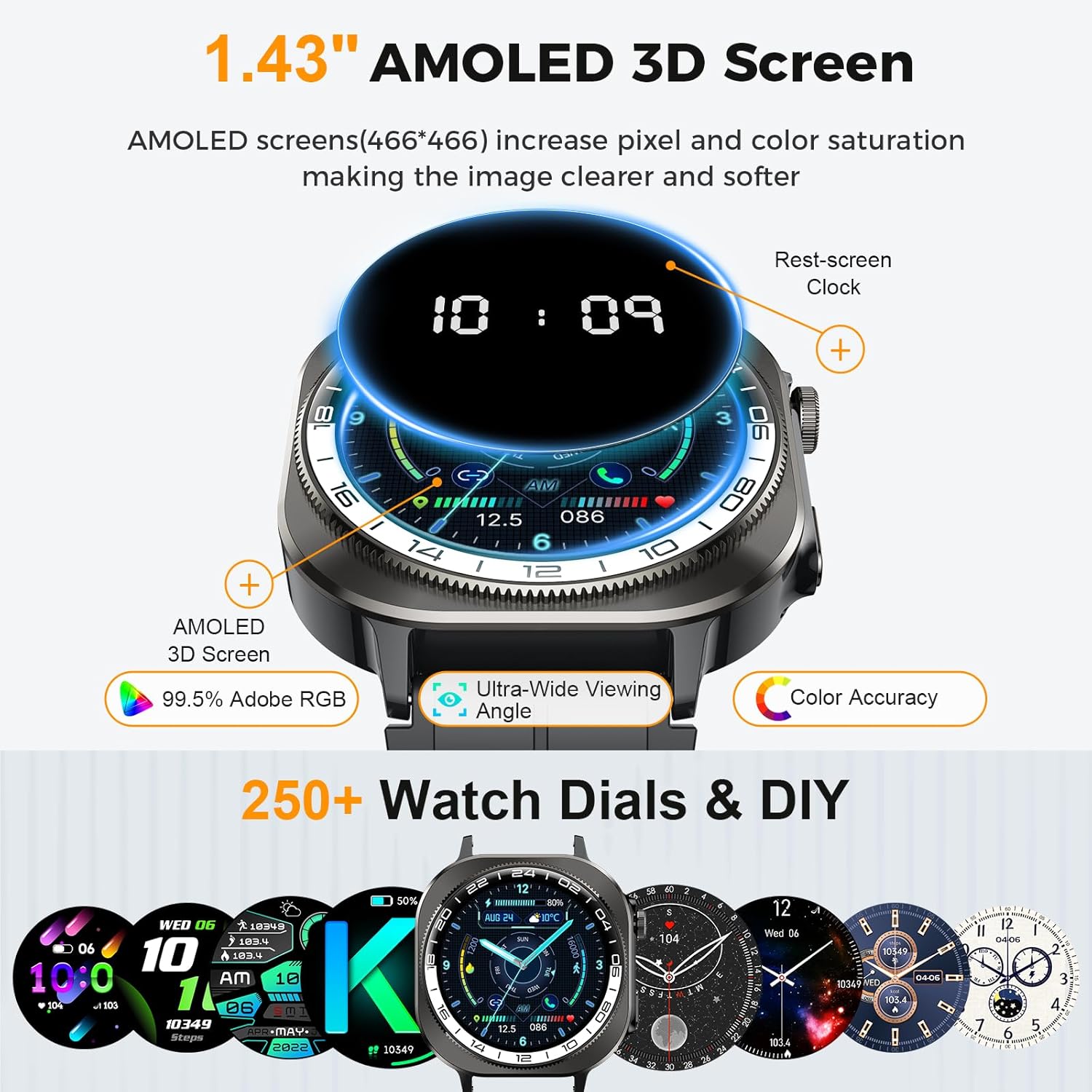
Image: The 1.43-inch AMOLED 3D screen of the Soudorv Y10 Smart Watch, showcasing multiple customizable watch faces.
3.2 Connectivity and Communication
Equipped with Bluetooth 5.4, the smartwatch allows for seamless call management directly from your wrist. It includes a built-in microphone and HD speaker, enabling you to make, receive, and reject calls, synchronize contacts, and view call history. The watch also supports message notifications from popular applications such as Facebook, WhatsApp, Instagram, and Twitter, displaying them on the smartwatch screen when enabled through the "FitCloudPro" App.

Image: Demonstrates the Bluetooth 5.4 call functionality and message notification display on the Soudorv Y10 Smart Watch.
3.3 Durability and Outdoor Features
The Soudorv Y10 is built to military-grade standards, having successfully passed 12 military tests for ruggedness. It is IP68 waterproof, dustproof, and designed to withstand extreme environments. A bright LED flashlight with a lighting distance of up to 5 meters and a built-in compass are integrated, making it suitable for outdoor activities like camping, hiking, and night-time adventures.

Image: The Soudorv Y10 Smart Watch highlighting its LED flashlight, IP68 waterproof rating, and impact-resistant design.
3.4 Health Monitoring
The fitness tracker incorporates a high-precision VC30F photoelectric sensor for comprehensive health monitoring. It tracks heart rate continuously, monitors sleep patterns (deep sleep, light sleep, wake-up time), and provides blood oxygen level (SpO2) measurements. For women, a menstrual cycle recording function is included to support health management.
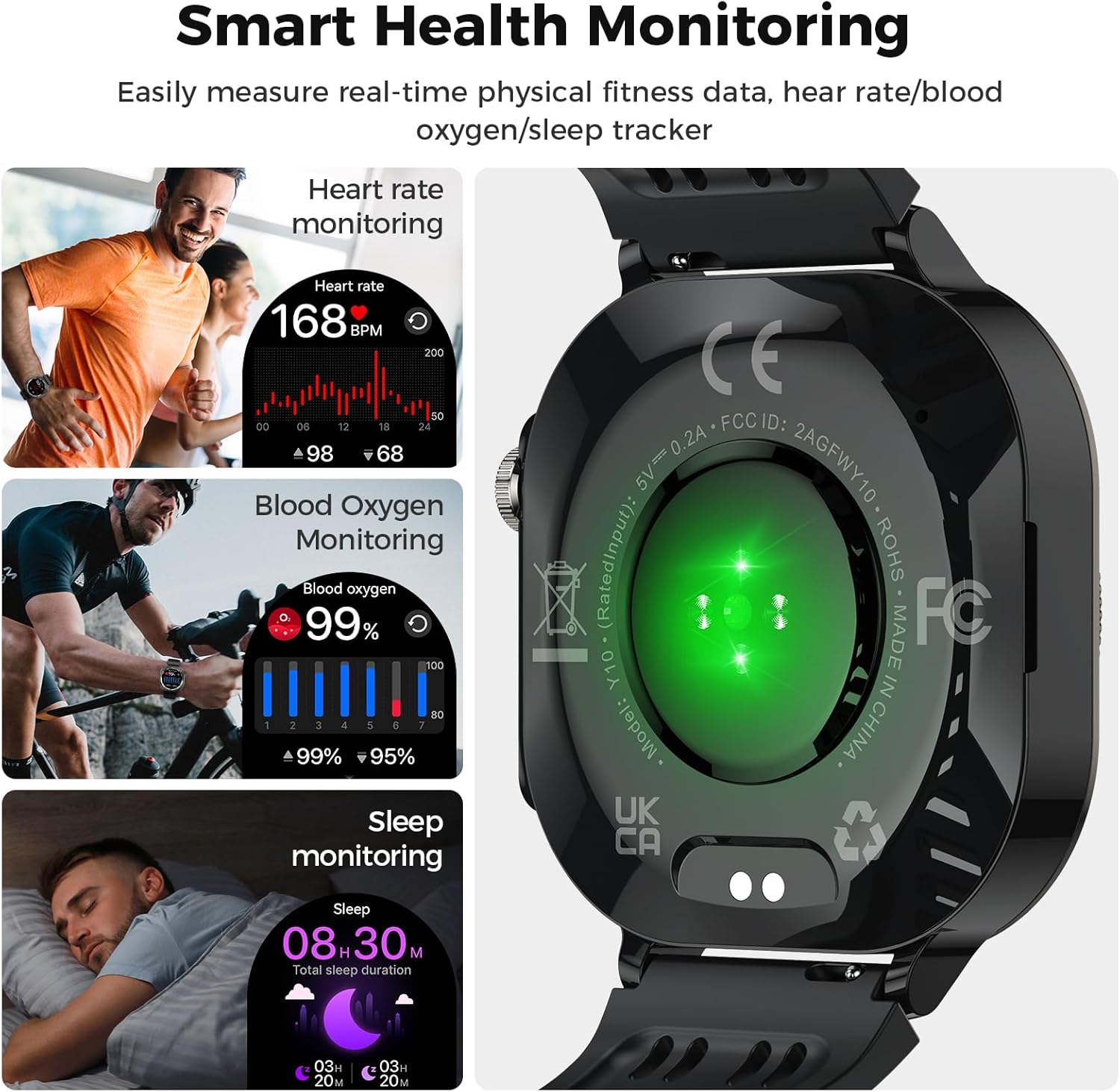
Image: Visual representation of the Soudorv Y10 Smart Watch's health monitoring capabilities, including heart rate, blood oxygen, and sleep tracking.
3.5 Sports Modes and Activity Tracking
With over 130 sports modes, the Soudorv Y10 caters to a wide range of activities, including running, cycling, hiking, swimming, and yoga. It records real-time data such as steps, distance, and calories burned, assisting users in scientific training and achieving fitness goals. The IP68 waterproof rating ensures suitability for various sports and daily water exposure.

Image: The Soudorv Y10 Smart Watch displaying its extensive range of over 130 sports modes and real-time activity tracking data.
3.6 Battery Life and Additional Functions
The watch features a 660mAh battery, providing up to 20 days of daily use and 60 days of standby time on a single 2.5-hour magnetic charge. It offers over 20 practical functions, including a timer, stopwatch, alarm clock, sedentary reminder, weather forecast, brightness adjustment, calculator, music control, camera control, and a "find phone" feature.
Image: The Soudorv Y10 Smart Watch showcasing its long battery life and a selection of its practical functions like timer, weather, and music control.
3.7 Design
The Soudorv Y10 sports smart watch features a distinctive upper circular and lower square design. It has a tooth-shaped pattern on the upper side, a metal wire frame, and a plastic spray paint lower frame, contributing to its textured and substantial feel. The liquid silicone strap is designed for comfort, reducing allergic reactions, and is easy to wear.
4. Setup Guide
4.1 Charging the Smart Watch
Before initial use, fully charge your Soudorv Y10 Smart Watch. Connect the magnetic charger to the charging points on the back of the watch. Connect the other end of the charger to a USB power adapter (not included). A full charge typically takes approximately 2.5 hours. The watch has a 660mAh battery, offering up to 20 days of daily use and 60 days of standby time.
Image: Close-up of the Soudorv Y10 Smart Watch's magnetic charging port on the back of the device.
4.2 App Installation and Device Pairing
To unlock the full potential of your Soudorv Y10 Smart Watch, you need to install the "FitCloudPro" application on your smartphone. The watch is compatible with iOS 9.0 and Android 4.0 and higher versions.
- Download the App: Search for "FitCloudPro" in your smartphone's App Store (for iOS) or Google Play Store (for Android) and install it.
- Enable Bluetooth: On your smartphone, go to your settings and ensure Bluetooth is turned on.
- Pair the Device: Open the "FitCloudPro" App. Follow the in-app instructions to find and bind your Y10 Smart Watch. You may need to confirm a Bluetooth pairing request on your phone (select "Pair").
- Activate Call Function: Once pairing is complete, tap to turn on the Bluetooth call function within the app to enable answering and dialing calls directly from your watch.

Image: Step-by-step guide for downloading the FitCloudPro app and pairing the Soudorv Y10 Smart Watch with a smartphone.
5. Operating Instructions
5.1 Basic Navigation
The Soudorv Y10 Smart Watch features a responsive touchscreen interface. Swipe left, right, up, or down to navigate through menus and access different functions. The physical buttons on the side of the watch can be used for power on/off, returning to the home screen, or quick access to specific features.
5.2 Making and Receiving Calls
After successful Bluetooth pairing and enabling the call function in the "FitCloudPro" app:
- Dialing: Access the dial pad or synchronized contacts on your watch to make a call.
- Answering/Rejecting: When a call comes in, you can answer or reject it directly from the watch screen.
Video: Demonstrates the Bluetooth calling feature of the Soudorv Y10 Smart Watch, showing how to make and receive calls.
5.3 Message Notifications
Ensure message notifications are enabled in the "FitCloudPro" App. Once configured, incoming messages from supported applications will be displayed on your watch screen, allowing you to stay informed without needing to check your phone.
5.4 Using Sports Modes
The watch supports over 130 sports modes. To start an activity:
- Navigate to the Sports Modes menu on your watch.
- Select your desired activity (e.g., running, cycling).
- Press "Start" to begin tracking. The watch will record data such as duration, heart rate, steps, distance, and calories.
5.5 Health Monitoring Features
The watch continuously monitors various health metrics:
- Heart Rate: View your current and historical heart rate data. Enable 24-hour continuous monitoring in the app for detailed insights.
- Sleep Monitoring: Wear the watch to sleep to track your sleep stages (deep, light, awake) and duration.
- Blood Oxygen (SpO2): Measure your blood oxygen levels.
- Women's Health: Utilize the menstrual cycle tracking feature for predictions and reminders.
Video: Overview of the 1.43-inch 3D-AMOLED touchscreen fitness smartwatch, highlighting its various health and fitness tracking capabilities.
5.6 Other Smart Functions
The Soudorv Y10 offers a variety of additional features:
- LED Flashlight: Activate the built-in flashlight for illumination in dark environments.
- Music Control: Control music playback (play, pause, skip, volume) on your connected smartphone.
- Camera Control: Remotely trigger your smartphone's camera shutter.
- Voice Assistant: Interact with your phone's voice assistant directly from the watch.
- Find Phone: Use this feature to locate your misplaced smartphone.
- Tools: Access timer, stopwatch, alarm clock, calculator, and weather forecasts.
- Sedentary Reminder: Receive alerts to move after periods of inactivity.
6. Maintenance
6.1 Water Resistance
The Soudorv Y10 Smart Watch has an IP68 waterproof rating, meaning it is resistant to dust and can withstand immersion in water up to 1 meter deep for 30 minutes. It is suitable for daily use, such as washing hands, showering, and light rain. However, it is not recommended for hot water baths, saunas, or diving, as steam and high pressure can compromise the seal.
6.2 Cleaning
To maintain the watch's appearance and functionality:
- Wipe the screen and body with a soft, damp cloth.
- Clean the charging contacts regularly to ensure efficient charging.
- Avoid using harsh chemicals or abrasive materials, which can damage the watch.
7. Troubleshooting
7.1 Device Not Turning On
- Ensure the watch is fully charged. Connect it to the magnetic charger and a power source for at least 30 minutes.
- Press and hold the power button for several seconds.
7.2 Unable to Pair with Smartphone
- Make sure Bluetooth is enabled on your smartphone.
- Ensure the "FitCloudPro" app is installed and open.
- Check if the watch is within the Bluetooth range of your phone.
- Restart both your watch and smartphone, then try pairing again.
- If previously paired, try unpairing the device from your phone's Bluetooth settings and then re-pairing.
7.3 Inaccurate Health Data
- Ensure the watch is worn snugly on your wrist, but not too tight, allowing the sensors to make proper contact with your skin.
- Clean the sensor area on the back of the watch.
- Environmental factors and individual physiology can affect sensor readings.
7.4 Notifications Not Appearing
- Verify that message notifications are enabled within the "FitCloudPro" app settings.
- Check your phone's notification settings to ensure the "FitCloudPro" app has permission to send notifications.
- Ensure the watch is connected to your phone via Bluetooth.
8. Specifications
| Feature | Detail |
|---|---|
| Brand | Soudorv |
| Model Name | Y10 |
| Screen Size | 1.43 Inches |
| Display Type | AMOLED |
| Connectivity Technology | Bluetooth 5.4 |
| Battery Capacity | 660 Milliamp Hours (mAh) |
| Battery Life (Daily Use) | Up to 20 days |
| Battery Life (Standby) | Up to 60 days |
| Charging Time | 2.5 Hours |
| Waterproof Rating | IP68 (Water Resistance Depth: 1 Meter) |
| Operating System Compatibility | Android 4.0 and above, iOS 9.0 and above |
| Health Monitoring | Heart Rate, Sleep Tracking, Blood Oxygen (SpO2), Menstrual Cycle |
| Sports Modes | 130+ (Running, Cycling, Hiking, etc.) |
| Special Features | LED Flashlight, Compass, Bluetooth Call, Message Reminder, Music Control, Camera Control, Voice Assistant, Calculator, Weather, Alarm, Timer, Stopwatch, Sedentary Reminder, 250+ Customized Dials |
| Case Material | ABS+PC, Titanium alloy, Glass |
| Band Material | Liquid Silicone Rubber |
| Item Weight | 50 Grams |
9. Warranty and Support
The Soudorv Y10 Smart Watch comes with a 2-year warranty. In case of quality problems, a 1-month return period is provided. For any support inquiries or warranty claims, please refer to the contact information provided with your purchase or visit the official Soudorv website.


