
1. Introduction
Thank you for choosing the qimedo M3 Pro Cordless Electric Mop and Scrubber. This 2-in-1 device is designed to simplify your floor cleaning tasks with its powerful 800RPM motor, long-lasting 6000mAh battery, and intelligent features like a smart display and LED light. This manual provides essential information for safe operation, assembly, maintenance, and troubleshooting to ensure optimal performance and longevity of your device.
Please read this manual thoroughly before first use and keep it for future reference.
2. Safety Information
General Safety:
- Always ensure the device is turned off before assembling, disassembling, or performing maintenance.
- Keep the device away from children and pets.
- Do not immerse the main body of the device in water. The brush head is IPX7 waterproof, but the handle and battery compartment are not.
- Use only the provided charger and batteries.
- Do not operate the device if any part is damaged. Contact customer support for assistance.
- Avoid using the device on uneven or unstable surfaces.
Battery Safety:
- Do not expose batteries to high temperatures or direct sunlight.
- Do not short-circuit the battery terminals.
- If the battery shows signs of damage or leakage, discontinue use immediately and dispose of it properly.
- Charge batteries in a well-ventilated area.
3. Package Contents
Verify that all items are present in the package:
- Main Mop/Scrubber Unit
- Telescopic Pole
- Handlebar with Controls
- 6000mAh Rechargeable Batteries (2 units)
- Battery Charger
- Soft Bristle Brushes (4 units)
- Replaceable Cloth Mop Pads (4 units)
- Measuring Cup
- User Manual
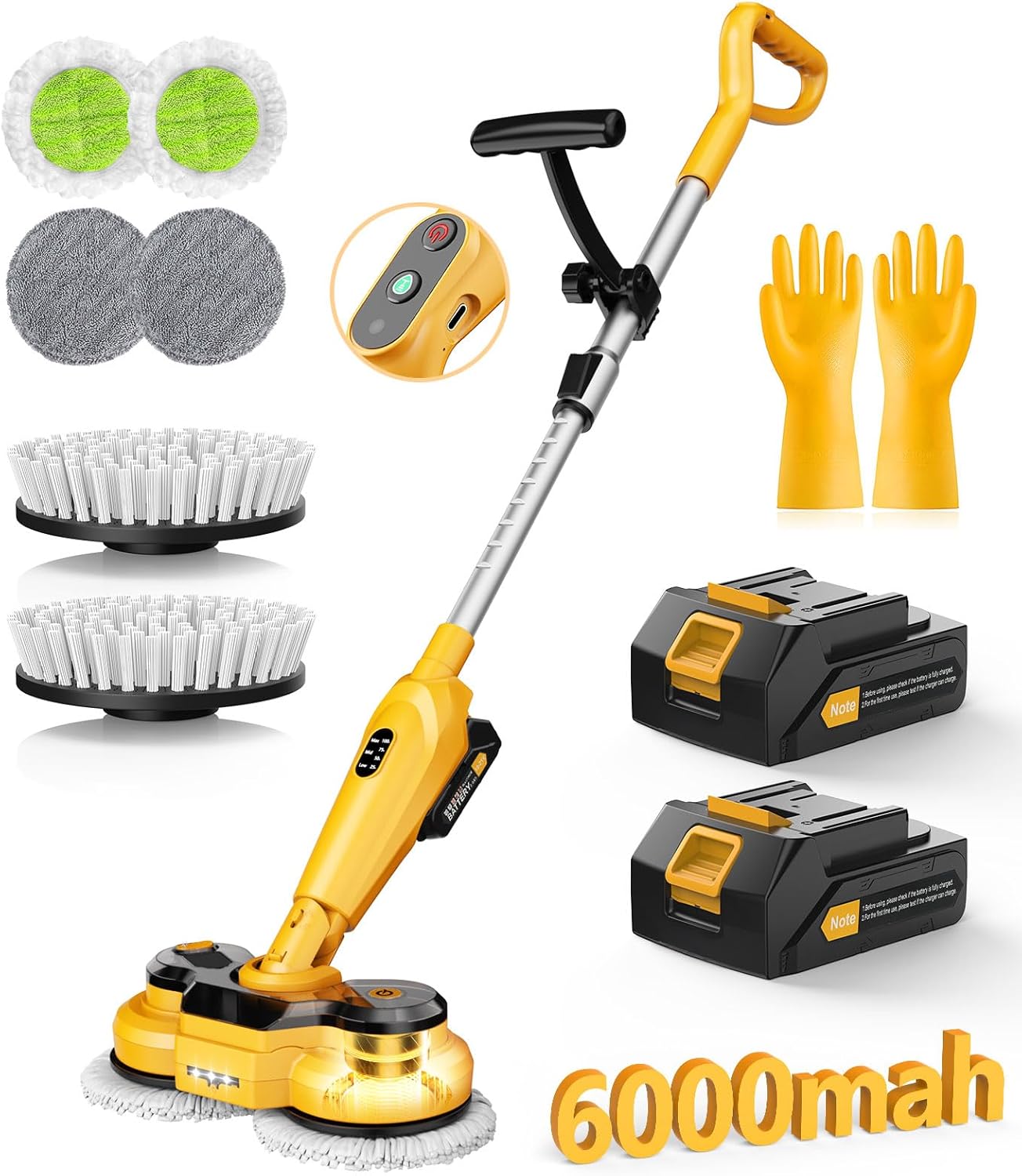
Image: qimedo M3 Pro Electric Mop and Scrubber with all included accessories, including the main unit, handle, two batteries, charger, various brush heads, and mop pads.
4. Product Overview
The qimedo M3 Pro is an innovative 2-in-1 electric mop and scrubber designed for efficient floor cleaning. It features a powerful motor, long-lasting battery, and user-friendly design.
- 2-in-1 Functionality: Easily switches between mopping and scrubbing modes.
- High RPM Motor: Upgraded double bearing system provides up to 800 RPM for effective cleaning.
- 6000mAh Battery: Offers extended operating time, up to 420 minutes in low speed mode with two batteries.
- Smart Display: Shows remaining power percentage and current power mode (400 RPM, 600 RPM, 800 RPM). Alerts when battery is below 25%.
- Adjustable Handle: Telescopic pole extends up to 50 inches, and the brush head adjusts 45° for comfortable cleaning without excessive bending.
- IPX7 Waterproof Brush Head: Allows for thorough cleaning of the brush head under water.
- LED Light: Illuminates dark areas for improved visibility during cleaning.
- Water Spray Function: Integrated water tank and spray button for controlled moisture application.

Image: qimedo M3 Pro 2-in-1 Electric Mop and Scrubber highlighting its 800RPM high speed and 6000mAh battery capacity.

Image: The electric mop features a 450ml removable water tank for easy refilling.

Image: The rotating mop head is equipped with an LED light to illuminate cleaning paths.
5. Setup
Follow these steps to assemble and prepare your qimedo M3 Pro for use:
- Attach Mop Pads/Brushes: Securely attach the desired mop pads or scrubber brushes to the rotating heads. Ensure they are centered and firmly in place.
- Assemble the Pole: Connect the telescopic pole sections. Align the insertion points and tighten them securely.
- Attach Handlebar: Connect the handlebar to the top of the telescopic pole. Ensure it clicks into place or is tightened as per the design.
- Install Battery: Insert a fully charged 6000mAh battery into the battery slot on the main unit. Ensure it is securely locked.
- Fill Water Tank: Open the water tank cap on the main unit. Use the provided measuring cup to pour up to 450ml of clean water or a suitable cleaning solution into the tank. Close the cap tightly.

Image: A visual guide showing the steps for installing the mop pads, assembling the pole, inserting the battery, and filling the water tank.
6. Operating Instructions
Charging the Battery:
- Connect the charger to a power outlet and to the battery.
- A red light on the charger indicates charging. The light will change when fully charged.
- A full charge takes approximately 2.5 hours.

Image: A 3000mAh battery connected to its charger, indicating a 2.5-hour charging time.
Using the Mop/Scrubber:
- Power On: Press the power button on the handlebar to turn on the device. The smart display will activate, showing battery percentage and current mode.
- Select Mode: Press the mode button to cycle through the three speed modes: 400 RPM, 600 RPM, and 800 RPM (MAX mode).
- Spray Water: Press the water spray button on the handlebar to dispense water or cleaning solution from the tank onto the floor.
- Adjust Handle Angle: The handle can be adjusted to various angles (up to 45° for the brush head, and the main unit can pivot 180°) to reach under furniture or clean walls without straining.
- Upright Snap-Lock: When not in use, the mop can be stored upright using its snap-lock design. Press firmly downward to engage the lock.

Image: The electric spin mop demonstrating its multi-angle adjustment capability for versatile cleaning.

Image: The electric mop standing upright, showcasing its convenient storage position.
Video: An official product video from qimedo team demonstrating the updated 6000mAh battery cordless electric mop and scrubber in action.
7. Maintenance
Regular maintenance ensures the longevity and performance of your device.
- Cleaning Mop Pads/Brushes: After each use, remove the mop pads or brushes. The IPX7 waterproof design allows the brush head to be rinsed directly under water. Mop pads can be hand-washed or machine-washed. Allow them to air dry completely before reattaching.
- Empty Water Tank: Empty any remaining water or cleaning solution from the tank after each use to prevent residue buildup.
- Wipe Down Unit: Use a damp cloth to wipe down the main unit and handle. Do not use abrasive cleaners or immerse the main unit in water.
- Battery Care: Store batteries in a cool, dry place. If not using the device for an extended period, charge the batteries periodically to maintain their health.

Image: Washable replacement pads for the power mop, illustrating ease of cleaning.
8. Troubleshooting
If you encounter issues, refer to the table below for common problems and solutions.
| Problem | Possible Cause | Solution |
|---|---|---|
| Device does not turn on | Battery not charged or improperly installed. | Ensure battery is fully charged and correctly inserted. |
| Mop pads/brushes not spinning | Obstruction or incorrect attachment. | Check for debris. Reattach pads/brushes correctly. |
| Water spray not working | Water tank empty or nozzle clogged. | Refill water tank. Check and clean spray nozzle if necessary. |
| Reduced cleaning performance | Worn out pads/brushes or low battery. | Replace pads/brushes. Recharge battery. |
| Smart display not working | Battery issue or internal fault. | Try a different charged battery. If problem persists, contact customer support. |
9. Specifications
| Feature | Detail |
|---|---|
| Brand | qimedo |
| Model Number | YD-QJS1804SS-PRO1 |
| Color | Yellow |
| Product Dimensions (L x W x H) | 49" x 3.75" x 3.75" |
| Item Weight | 4.6 pounds |
| Battery Capacity | 6000mAh |
| Max Rotation Speed | 800 RPM |
| Charging Time | Approx. 2.5 hours |
| Water Tank Capacity | 450 ml |
| Handle Material | Metal, Plastic |
| Waterproof Rating (Brush Head) | IPX7 |
10. Warranty and Support
The qimedo M3 Pro comes with a 2-year warranty. For any product-related issues, order inquiries, or logistics questions, please contact our customer support team. We offer 24-hour full-time after-sales service to ensure your satisfaction.
Please retain your proof of purchase for warranty claims.