
1. Introduction
The AXV SLIM Vibration Plate Exercise Machine is designed to provide a full-body vibration workout, stimulating muscles and enhancing circulation. This compact fitness platform offers adjustable intensity levels and various exercise modes to support your fitness goals, from muscle toning to improved flexibility and lymphatic drainage.
2. Safety Information
Please read all instructions carefully before using the AXV SLIM Vibration Plate. Retain this manual for future reference.
- Consult a physician before starting any new exercise program, especially if you have pre-existing medical conditions.
- Do not use if pregnant, have a pacemaker, or any other medical implant.
- Ensure the machine is placed on a flat, stable surface.
- Keep children and pets away from the machine during operation.
- Do not exceed the maximum user weight (if specified, otherwise assume standard).
- Always wear appropriate athletic footwear or use barefoot as recommended.
- Stop use immediately if you experience pain, dizziness, or discomfort.
- Unplug the machine when not in use and before cleaning.
3. Setup Guide
3.1 Unpacking
Carefully remove the AXV SLIM Vibration Plate from its packaging. Check for any signs of damage during transit. Ensure all components are present: the vibration plate, remote control, and resistance bands.
3.2 Placement
Place the vibration plate on a firm, level surface. Ensure there is adequate space around the machine for safe operation and movement. Avoid placing it on thick carpets that might obstruct ventilation or stability.
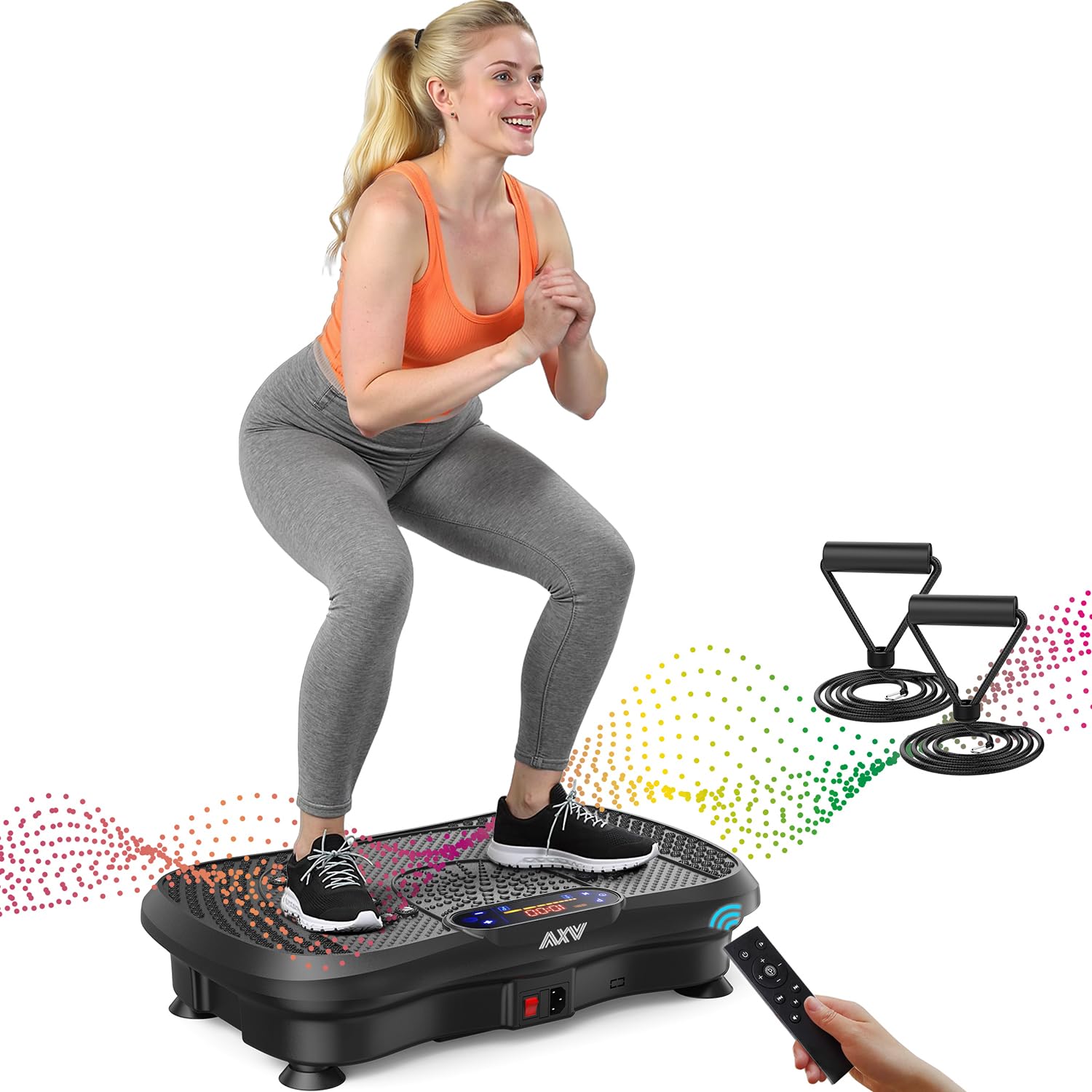
Image: The AXV SLIM Vibration Plate, showcasing its compact design and control panel. This image provides an overview of the product's appearance and size.
3.3 Connecting Power
Insert the power cord into the power inlet on the side of the machine, then plug the other end into a standard electrical outlet. Ensure the power switch is in the OFF position before plugging in.
3.4 Attaching Resistance Bands
If using the resistance bands, attach them to the designated anchor points on the sides of the vibration plate. Ensure they are securely fastened before use.
4. Operating Instructions
4.1 Powering On/Off
Flip the main power switch located on the side of the machine to the ON position. The LED display will illuminate. To turn off, flip the switch back to OFF.
4.2 Using the Control Panel and Remote
The machine can be controlled via the integrated touch panel or the included remote control. The remote allows for convenient adjustments during your workout.
- Power Button: Starts or pauses the vibration.
- Speed Adjustment: Use the '+' and '-' buttons to increase or decrease the vibration speed (levels 1-120).
- Program Selection: The 'P' button cycles through 5 pre-set programs, each with varying intensity and duration.
- Mode Selection: The 'M' button may switch between manual and automatic modes, or different vibration patterns.
- Time Display: The LED screen shows the remaining workout time.

Image: Visual representation of the 120 speed levels, categorized into Low (1-40), Medium (41-80), and High (81-120) for different exercise intensities.
4.3 Exercise Positions and Intensity Zones
Different foot placements on the platform simulate various exercise intensities:
- Walking (Narrow Stance): Feet closer together for a gentler vibration, suitable for beginners or recovery.
- Jogging (Medium Stance): Feet slightly wider apart for moderate intensity, ideal for general fitness.
- Running (Wide Stance): Feet at the widest points for maximum vibration intensity, suitable for advanced users and calorie burning.

Image: Diagram illustrating the different foot placement zones on the vibration plate to achieve walking, jogging, and running intensities.
4.4 Recommended Exercises
The AXV SLIM Vibration Plate can be used for various exercises. Start with short sessions (e.g., 10 minutes) and gradually increase duration and intensity as your body adapts.

Image: A visual guide demonstrating various exercises that can be performed on the vibration plate, such as squats, yoga poses, and push-ups.
4.5 Using Resistance Bands for Upper Body
Attach the resistance bands to the base of the machine. While standing on the plate, perform exercises such as bicep curls, tricep extensions, or shoulder presses to engage upper body muscles simultaneously with vibration.

Image: A user demonstrating how to incorporate resistance bands with the vibration plate for a full-body workout, specifically showing a lunge with arm curls.
4.6 Instructional Videos

Video: Demonstrates various exercises and uses of the AXV Vibration Plate for an at-home workout.

Video: Shows a full-body vibration workout routine, highlighting different positions and movements on the plate.

Video: Explores various features and functionalities of the vibration plate, providing a detailed overview.

Video: A user's experience and review of the AXV Vibration Plate, demonstrating its practical use.

Video: Provides insights and considerations before purchasing or using a vibration plate.

Video: A comprehensive review discussing the advantages and disadvantages of the AXV Vibration Plate.
5. Maintenance
5.1 Cleaning
To clean the vibration plate, first ensure it is unplugged. Wipe the surface with a soft, damp cloth. Do not use abrasive cleaners or solvents, as these may damage the finish or electronic components. Avoid spraying water directly onto the machine.
5.2 Storage
Store the machine in a cool, dry place away from direct sunlight and extreme temperatures. If storing for an extended period, cover it to protect against dust. Ensure the power cord is neatly coiled and not kinked.
6. Troubleshooting
If you encounter issues with your AXV SLIM Vibration Plate, please refer to the following common problems and solutions:
| Problem | Possible Cause | Solution |
|---|---|---|
| Machine does not power on. | Power cord not properly connected; Main power switch is off; Power outlet malfunction. | Ensure power cord is securely plugged into both the machine and the outlet. Check if the main power switch is ON. Test the outlet with another device. |
| No vibration or weak vibration. | Speed setting is too low; Machine overloaded; Internal malfunction. | Increase the speed setting using the '+' button. Ensure user weight does not exceed the machine's capacity. If the problem persists, contact customer support. |
| Remote control not working. | Dead batteries; Obstruction between remote and receiver. | Replace the batteries in the remote control. Ensure there is a clear line of sight between the remote and the machine's sensor. |
| Unusual noise during operation. | Machine not on a level surface; Loose components; Internal issue. | Ensure the machine is on a flat, stable surface. Check for any loose parts. If the noise is persistent or severe, discontinue use and contact customer support. |
7. Specifications
- Brand: AXV
- Model Number: SLIM
- Color: SLIM.BLACK
- Controls Type: Remote
- Maximum Speed: 750 rpm
- Number of Resistance Levels: 120
- Operation Mode: Automatic
- Number of Programs: 5
- Unit Count: 1 Count

Image: Product dimensions of the AXV SLIM Vibration Plate, showing approximate length, width, and height.
8. Warranty & Support
AXV is committed to providing high-quality products and customer satisfaction. Our products undergo rigorous testing to ensure reliability.
- Customer Satisfaction: We offer a 100% satisfaction guarantee.
- Spare Part Availability: EU spare parts are available for 10 years.
- Contact Support: If you encounter any problems or have questions, please contact the seller directly via email for a satisfactory solution.