
Product Overview
This manual provides instructions for the XINFUTE RC923A FMB1 remote control, designed for use with TCL Smart LED TVs. Please read this manual carefully before using the remote control to ensure proper operation and longevity.
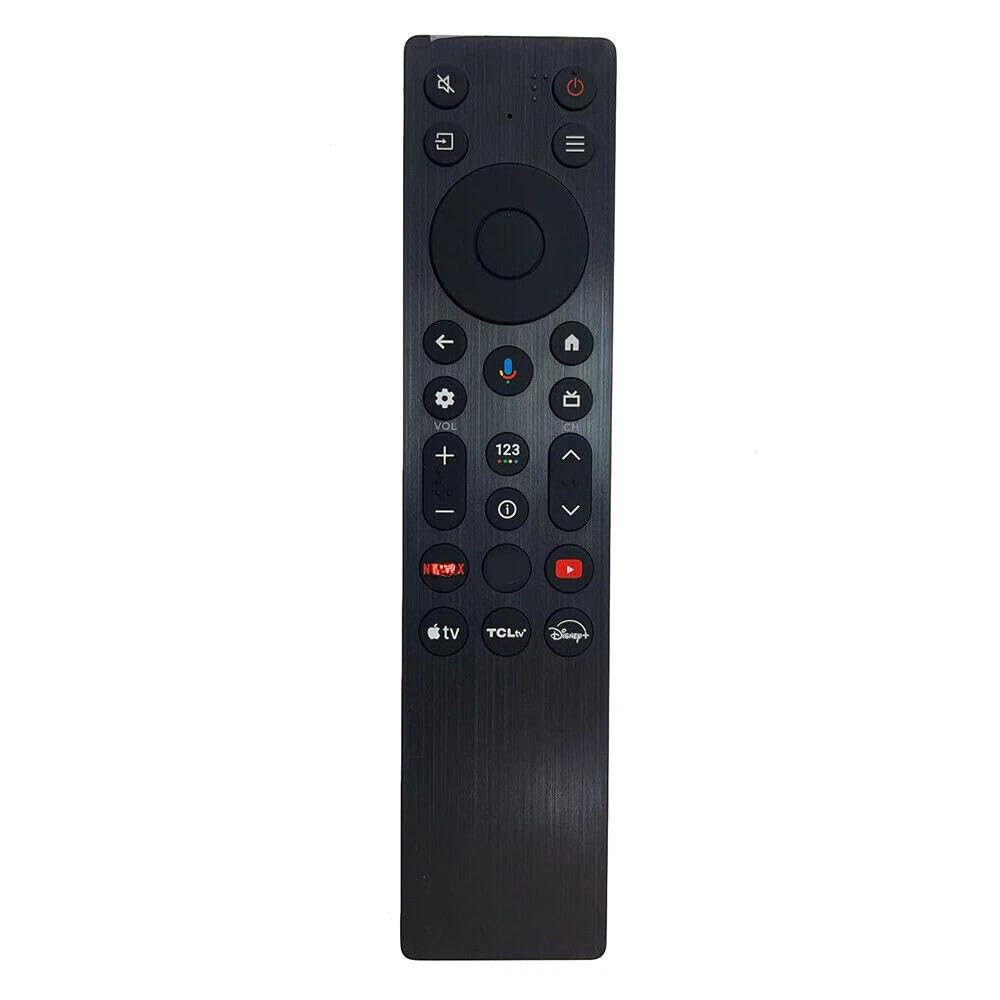
Image: The XINFUTE RC923A FMB1 remote control, a black, rectangular device with various buttons for TV operation.
The RC923A FMB1 is a replacement remote control unit. It is constructed from durable ABS material and is designed for comfortable handling. This remote control requires two AAA batteries for operation, which are not included in the package.
Package Contents
- 1 x XINFUTE RC923A FMB1 Remote Control Unit
Setup
Battery Installation
- Locate the battery compartment on the back of the remote control.
- Slide the battery compartment cover downwards or in the direction indicated by an arrow to open it.
- Insert two (2) AAA batteries, ensuring the positive (+) and negative (-) terminals align correctly with the markings inside the compartment.
- Replace the battery compartment cover by sliding it back into position until it clicks securely.
Note: Always use new batteries and replace both batteries at the same time. Do not mix old and new batteries or different types of batteries. Remove batteries if the remote control will not be used for an extended period.
Operating Instructions
The XINFUTE RC923A FMB1 remote control is designed to function immediately with compatible TCL Smart LED TVs without additional programming. Point the remote control directly at the TV's infrared receiver.
Basic Functions
- Power Button: Turns the TV on or off.
- Number Buttons (0-9): Selects channels directly.
- Volume Up/Down: Adjusts the sound level.
- Channel Up/Down: Changes channels sequentially.
- Mute Button: Silences the TV audio.
- Input/Source Button: Cycles through available input sources (e.g., HDMI 1, HDMI 2, AV).
- Menu Button: Accesses the TV's main menu.
- Navigation Buttons (Up, Down, Left, Right, OK): Navigates through menus and confirms selections.
- Back/Exit Button: Returns to the previous screen or exits the current menu.
- Smart TV/App Buttons: Dedicated buttons for accessing smart TV features or specific applications (if present on the remote).
Maintenance
- Cleaning: Wipe the remote control with a soft, dry cloth. Do not use liquid cleaners or abrasive materials.
- Storage: Store the remote control in a cool, dry place away from direct sunlight and extreme temperatures.
- Battery Replacement: Replace batteries promptly when the remote control's performance degrades. Dispose of used batteries according to local regulations.
- Avoid Drops: Protect the remote control from impacts and drops, which can damage internal components.
Troubleshooting
| Problem | Solution |
|---|---|
| Remote control is not working. | Check if the batteries are inserted correctly with the correct polarity. Replace old batteries with new ones. Ensure there are no obstructions between the remote and the TV's IR sensor. |
| Buttons are unresponsive or delayed. | Replace the batteries. Clean the remote control surface, especially around the buttons, to remove any dirt or debris. |
| Remote control only works at close range. | This often indicates low battery power. Replace the batteries. |
| TV does not respond to any remote commands. | Ensure the TV is powered on. Check if the TV's IR sensor is blocked. Try restarting the TV by unplugging it from the power outlet for a few minutes, then plugging it back in. |
Specifications
- Model Number: RC923A FMB1
- Brand: XINFUTE
- Compatible Devices: Television (TCL Smart LED TV)
- Connectivity Technology: Infrared
- Power Source: 2 x AAA batteries (not included)
- Product Dimensions: 6 x 3 x 1 inches
- Item Weight: 2.82 ounces
- Material: ABS
- Special Feature: Ergonomic design
Warranty and Support
Warranty Information
This product comes with a one-year warranty from the date of purchase. This warranty covers manufacturing defects under normal use. Please retain your proof of purchase for warranty claims.
Customer Support
If you encounter any issues or are not satisfied with your purchase, please contact the seller within 24 hours of receipt. For further assistance or technical support, refer to the contact information provided by your retailer or the XINFUTE brand's official support channels.