
1. Introduction
This manual provides detailed instructions for the installation, operation, and maintenance of your Rellytech 12000 BTU Mini Split AC/Heating System. This inverter-driven unit offers efficient cooling and heating for spaces up to 750 sq. ft., featuring a 20 SEER2 rating and Wi-Fi control. Please read this manual thoroughly before installation and use to ensure proper function and safety.

Image: The Rellytech 12000 BTU Mini Split AC/Heating System, showing both the indoor and outdoor units.
2. Safety Information
WARNING: Installation of this system must be performed by a licensed HVAC technician. Improper installation can lead to electric shock, fire, serious injury, or death, and may void the product warranty.
- Always disconnect power before performing any maintenance or service.
- Ensure proper grounding to prevent electrical shock.
- Do not block air inlets or outlets of the indoor or outdoor units.
- Keep children and pets away from the outdoor unit during operation.
- Use only the specified refrigerant (R454B) and ensure proper handling.
3. Package Contents
Your Rellytech Mini Split AC/Heating System is shipped in two separate boxes. Please verify all components are present upon delivery.

Image: Detailed breakdown of items included in Box 1 (Indoor Unit, Remote, User Manual, etc.) and Box 2 (Outdoor Unit, Copper Pipes, Installation Tape, etc.).
Box 1:
- Indoor Unit
- 89E Remote Control
- Remote Control Holder
- Long Screws (x6)
- Connection Cable (19ft)
- Installation Rubber Pads (x4)
- Drain Pipe (6ft)
- Card
- User Manual
- Small Screws (x2)
- Expansion Bolts (x8)
- Batteries (x2)
- Drain Nozzles (x2)
- Installation Template
- WiFi User Manual
Box 2:
- Outdoor Unit
- Sealing Clay
- Split Sleeve
- Copper Pipes (16ft*2)
- Sleeve
- Insulation Tape
- Cover Cap
- Drain Pipe (6ft)
Note: Power cord is not included.
4. Setup and Installation
The Rellytech Mini Split AC/Heating System requires professional installation. Please consult a licensed HVAC technician for proper setup to ensure optimal performance and safety.
Key Installation Steps (Overview for Technician):
- Mount the indoor unit securely on a wall, ensuring proper clearance for airflow.
- Install the outdoor unit on a stable surface or mounting bracket. Consider using rubber pads to reduce vibration and noise.
- Connect the refrigerant lines (copper pipes) between the indoor and outdoor units. Ensure proper flaring and sealing to prevent leaks.
- Connect the electrical wiring according to local codes and the wiring diagram in the WiFi User Manual.
- Evacuate the refrigerant lines to remove air and moisture.
- Perform a leak test on all connections.
- Release the refrigerant into the system.
- Connect the drain pipe for condensate removal.
- Test the system operation in all modes.
Video: This video provides an overview of the installation process for a mini split system, including fixing the outdoor unit, connecting lines, and reducing vibration. It is intended for professional HVAC technicians.
5. Operating Instructions
Your Rellytech Mini Split system offers various modes and control options for personalized comfort.
5.1 Control Options
- Remote Control: Use the included 89E Remote Control for direct access to all functions.
- Smart Wi-Fi Control: Download the dedicated smartphone app to control your AC from anywhere. This allows for temperature scheduling and remote adjustments. Refer to the included WiFi User Manual for setup instructions.
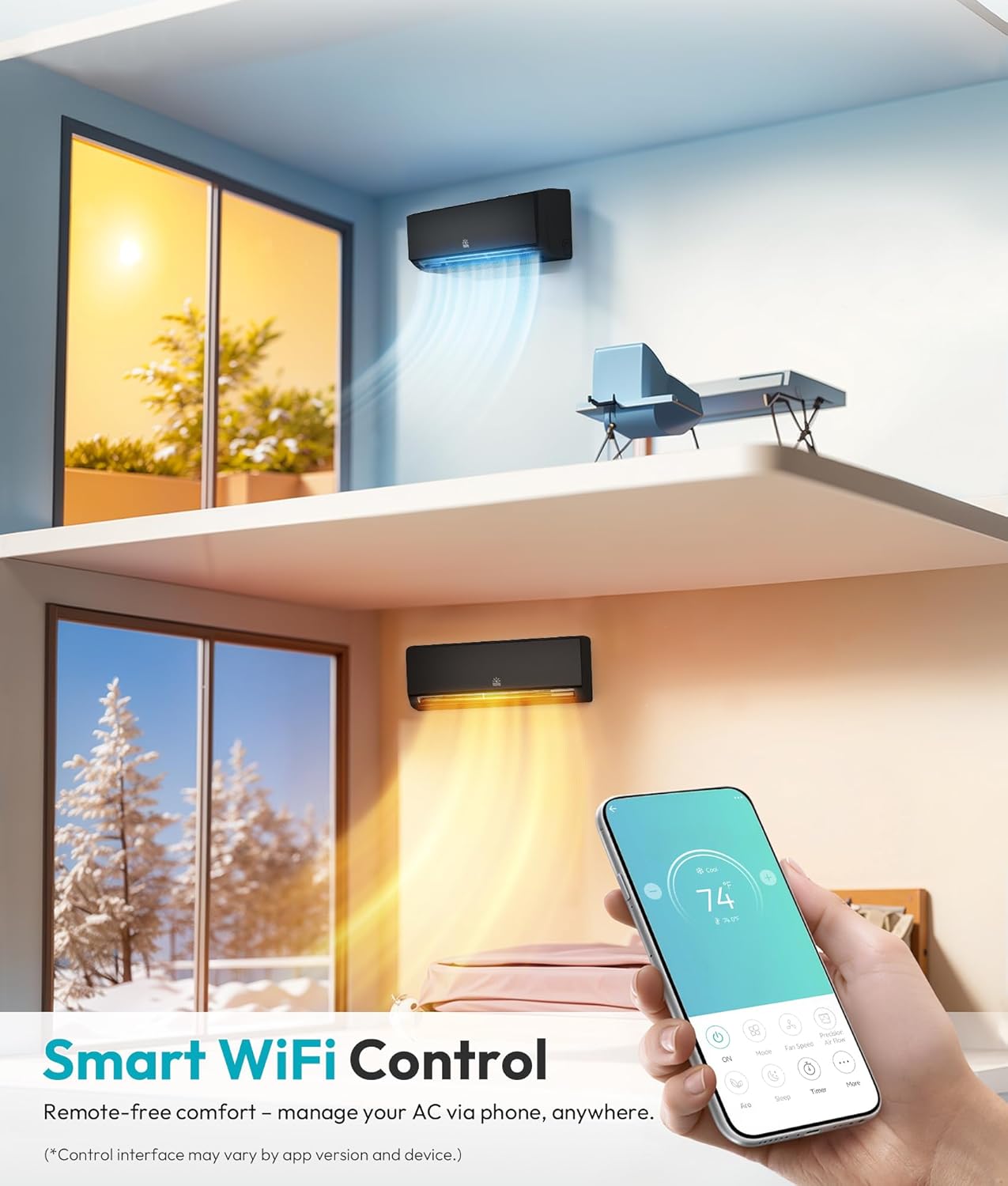
Image: A smartphone screen showing the intuitive interface of the Rellytech Wi-Fi control application, allowing remote management of the AC unit.
5.2 Available Modes
The system integrates cooling, heating, dehumidification, and fan-only modes, along with specialized functions:
- Cooling Mode: Provides rapid cooling for your space.
- Heating Mode (Heat Pump): Delivers efficient heating, even in low temperatures down to -4°F.
- Dehumidification Mode (Dry Mode): Reduces humidity levels in the room.
- Fan-Only Mode: Circulates air without cooling or heating.
- Auto Mode: Automatically selects the appropriate mode based on the set temperature.
- TURBO Mode: Activates maximum fan speed for rapid cooling or heating.
- iFEEL Mode: Uses a sensor in the remote control to detect the temperature around the user, providing precise comfort.
- Sleep Mode: Adjusts temperature and fan speed for comfortable sleep and energy saving.
- Silent Mode: Operates at the lowest possible noise level (as low as 28dB).
- Eco Mode: Optimizes operation for maximum energy efficiency.
- 24-Hour Timer: Schedule the unit to turn on or off at specific times.

Image: The indoor unit demonstrating dual airflow and icons for low, medium, high, auto, silent, and turbo speed settings.
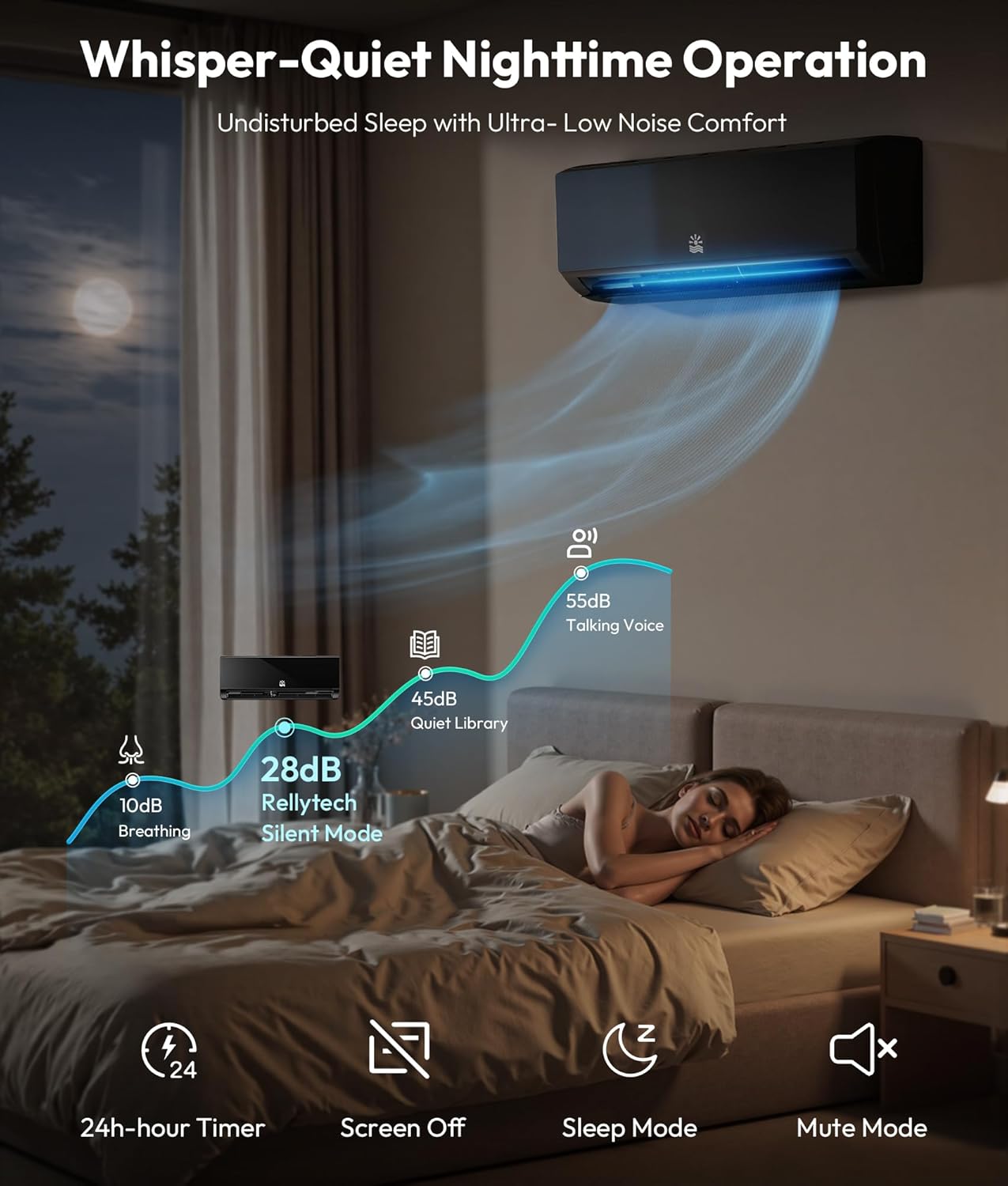
Image: A bedroom at night, illustrating the whisper-quiet operation of the Rellytech Mini Split AC, with noise levels as low as 28dB.
Video: A short video highlighting the fast cooling and heating capabilities of the 20 SEER2 Mini Split AC unit, demonstrating its efficiency and quiet operation.
6. Maintenance
Regular maintenance ensures the longevity and efficiency of your Rellytech Mini Split system.
6.1 Self-Cleaning Function
The unit features a self-cleaning function that purifies the air and ensures freshness by managing condensation, frosting, and melting cycles within the indoor unit.

Image: An animated diagram showing the internal self-cleaning process of the mini split AC, including condensation, frosting, and melting phases, along with removable and washable filters.
6.2 Filter Cleaning
The air filters are removable and washable. Clean them regularly (e.g., every 2-4 weeks, depending on usage) to maintain optimal airflow and air quality.
- Turn off the unit and disconnect power.
- Open the front panel of the indoor unit.
- Remove the air filters.
- Wash the filters with lukewarm water and a mild detergent. Rinse thoroughly.
- Allow the filters to air dry completely before reinstalling.
- Close the front panel and restore power.
6.3 Anti-Frost Protection
The outdoor unit is equipped with bottom electric heating technology to prevent frost and freezing buildup at the unit base, improving operating efficiency in cold weather.

Image: A cutaway view of the outdoor unit, highlighting the bottom electric heating technology designed for anti-frost protection.
7. Troubleshooting
If you encounter issues with your Rellytech Mini Split system, refer to the following common problems and solutions. For complex issues, contact a licensed HVAC technician.
7.1 Common Issues:
- Unit does not turn on: Check power supply, circuit breaker, and ensure the remote control batteries are functional.
- Insufficient cooling/heating: Verify correct mode and temperature settings. Clean air filters. Ensure no obstructions to airflow.
- Unusual noises: Minor noises during operation are normal. Excessive noise may indicate loose parts or an issue with the fan/compressor. If the outdoor unit vibrates excessively, ensure it is securely mounted and consider adding rubber pads.
- Water leakage from indoor unit: Check if the drain pipe is clogged or improperly installed.
7.2 Refrigerant Leak Detection
The system is equipped with a refrigerant leak detection function that triggers an alarm (often displayed as an 'E4' error code) if a leak is detected. If this occurs, immediately turn off the unit and contact a licensed HVAC technician for inspection and repair. Refrigerant leaks can reduce efficiency and damage the unit.

Image: Illustration of the indoor and outdoor units displaying an 'E4' error code, indicating a detected refrigerant leak.
8. Specifications
Key technical specifications for the Rellytech 12000 BTU Mini Split AC/Heating System, Model CE0-2.

Image: A chart recommending BTU capacities based on the square footage of the area to be cooled or heated.
| Feature | Specification |
|---|---|
| Brand | Rellytech |
| Model Name | Mini Split Ac |
| Model Number | CE0-2 |
| Cooling Power | 12000 BTU |
| Heating Capacity | 12500 BTU |
| Seasonal Energy Efficiency Ratio (SEER2) | 20 |
| Voltage | 115 volts |
| Wattage | 1050 watts |
| Noise Level | 28 dB |
| Coverage Area | Up to 750 sq. ft. |
| Refrigerant Type | R454B |
| Product Dimensions (Indoor Unit) | 11.4"D x 31.9"W x 8.7"H |
| Item Weight | 75.3 pounds |
| Control Method | App, Remote |
| Special Features | Easy to Install (Professional), Variable Speed, Wi-Fi Control, Heat Pump, 24H Timer, Self-Cleaning, iFEEL Mode, Sleep Mode, Silent Mode, Eco Mode, Anti-Frost Protection |

Image: Detailed dimensions for both the indoor and outdoor units of the Rellytech Mini Split AC system.

Image: The outdoor unit shown operating effectively in both cold (-4°F) and hot (122°F) ambient temperatures.
9. Warranty and Support
For warranty information, technical support, or service inquiries, please refer to the warranty card included in your package or contact Rellytech customer service. Ensure you have your model number (CE0-2) and purchase date available when contacting support.


