
ocioc 90132
ocioc 52 inch Ceiling Fan with Lights and Remote Instruction Manual
Model: 90132
Introduction
Thank you for choosing the ocioc 52 inch Ceiling Fan. This manual provides essential information for the safe installation, efficient operation, and proper maintenance of your new ceiling fan. Please read all instructions carefully before beginning installation and retain this manual for future reference.
This ceiling fan features a quiet DC motor, a reversible function for year-round use, dimmable LED lighting with three color temperature options (3000K, 4000K, 6500K), and convenient remote control operation. It is suitable for indoor and covered outdoor environments.
Important Safety Information
- Always disconnect power at the circuit breaker before installation or servicing.
- Installation must be performed by a qualified electrician or a person with electrical experience.
- Ensure the mounting structure can support the weight of the fan (approximately 7 lbs).
- Do not bend the blade holders during installation, balancing, or cleaning.
- Keep hands clear of the fan blades when the fan is operating.
- This fan is designed for indoor and covered outdoor use.
- Use only the remote control provided with the fan.
Package Contents
Before installation, verify that all components listed below are present and undamaged:
- Ceiling Fan Motor Assembly
- Fan Blades (3)
- Light Kit
- Remote Control
- Mounting Bracket
- Hardware Pack (screws, wire nuts, etc.)
- Instruction Manual
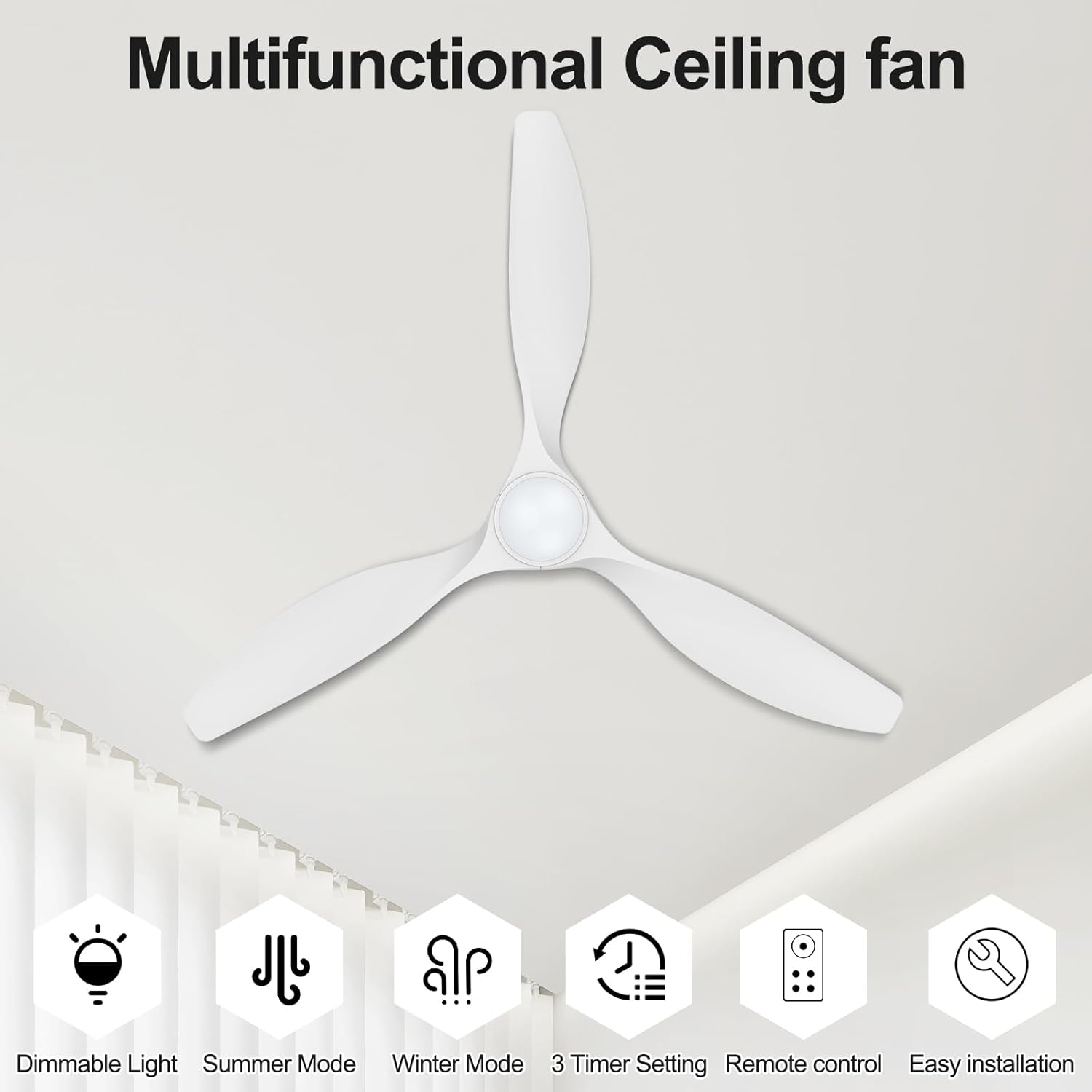
Image: All components of the ocioc 52 inch Ceiling Fan, including the motor, blades, light kit, and remote control.
Specifications
| Brand | ocioc |
| Model Number | 90132 |
| Size | 52 inch |
| Color | White |
| Motor Type | DC Reversible Motor |
| Number of Blades | 3 |
| Number of Speeds | 6 |
| Light Type | Dimmable LED |
| Color Temperature | 3000K (Warm), 4000K (Natural), 6500K (Cool White) |
| Air Flow Capacity | 4050 Cubic Feet Per Minute |
| Wattage | 50 watts |
| Voltage | 120 Volts (AC) |
| Indoor/Outdoor Usage | Indoor, Covered Outdoor |
| Material | Plastic |
| Product Dimensions | 52"D x 52"W x 9"H |
Setup and Installation
The installation process for this ceiling fan is designed to be straightforward. Detailed instructions and an installation video are provided to assist you. Ensure power is disconnected at the circuit breaker before starting.
- Mounting Bracket Installation: Secure the mounting bracket to the ceiling junction box. Ensure the junction box is adequately supported to hold the fan's weight.
- Blade Assembly: Attach the three fan blades to the motor assembly. Refer to the detailed instructions for proper screw alignment and tightening.
- Wiring: Connect the electrical wires from the ceiling to the fan's wiring according to local electrical codes. Ensure all connections are secure.
- Fan Housing Installation: Lift the fan assembly and attach it to the mounting bracket. Secure the fan housing.
- Light Kit Installation: Connect the light kit wiring and attach the light kit to the bottom of the fan motor housing.
- Power Restoration: Once installation is complete, restore power at the circuit breaker.

Image: A diagram illustrating the step-by-step installation process for the ceiling fan.

Image: Visual representation of the 52-inch fan's dimensions and recommended room sizes (12ft x 12ft to 18ft x 18ft).
Operating Instructions
Your ocioc ceiling fan is operated using the included remote control. Ensure 2 AAA batteries (not included) are installed in the remote.
Remote Control Functions:
- Power On/Off: Press the power button to turn the fan and light on or off.
- Fan Speed: Select from 6 wind speed settings (1-6) to adjust airflow.
- Speeds 1-2: Low Soft Wind
- Speeds 3-4: Medium Natural Wind
- Speeds 5-6: High Cooling Wind
- Light Control:
- Color Temperature (3CCT): Cycle through 3000K (Warm Light), 4000K (Natural Light), and 6500K (Cool White) by pressing the light color button.
- Dimming: Adjust brightness from 10% to 100% using the dimming buttons.
- Reversible Motor (Summer/Winter Mode): Press the reverse button (F/R) to change the direction of blade rotation.
- Summer Mode (Downward Airflow): Blades rotate counter-clockwise to create a cooling breeze.
- Winter Mode (Upward Airflow): Blades rotate clockwise to circulate warm air trapped near the ceiling.
- Timer Settings: Set the fan to turn off automatically after 2 hours, 4 hours, or 8 hours.
- Buzzer On/Off: Control the audible feedback from the fan.

Image: The remote control for the ocioc ceiling fan, showing buttons for speed, light, timer, and reverse functions.

Image: Illustration of the dimmable LED light feature, showing 3000K (Warm Light), 4000K (Natural Light), and 6500K (Cool White) options.

Image: Diagram explaining the reversible DC motor function, showing downward airflow for summer cooling and upward airflow for winter heat distribution.
Maintenance
Regular maintenance ensures the longevity and optimal performance of your ceiling fan.
- Cleaning: To clean the fan, wipe the blades and motor housing with a soft, damp cloth. Do not use abrasive cleaners or solvents that may damage the finish.
- Blade Tightness: Periodically check that all blade screws are tight. Over time, screws may loosen due to fan vibration.
- Light Cover: Ensure the light cover is securely attached.
- No Lubrication Required: The DC motor is permanently lubricated and does not require additional oiling.
Always disconnect power to the fan at the circuit breaker before performing any cleaning or maintenance.
Troubleshooting
If you experience issues with your ocioc ceiling fan, refer to the following common problems and solutions:
| Problem | Possible Cause | Solution |
|---|---|---|
| Fan does not start | No power to the fan; Loose wire connections; Remote control battery dead. | Check circuit breaker; Verify all wire connections are secure; Replace remote control batteries. |
| Fan makes noise | Loose fan blades; Loose mounting screws; Fan not properly balanced. | Tighten all blade screws; Ensure mounting screws are secure; Check for proper blade balance. |
| Light does not work | Loose wire connection to light kit; Faulty LED driver. | Check light kit wiring connections; Contact customer support if LED driver is suspected faulty. |
| Remote control not working | Dead batteries; Remote not paired with fan. | Replace batteries (2 AAA); Refer to pairing instructions in the full manual (if applicable). |
If the problem persists after attempting these solutions, please contact ocioc customer support.
Warranty Information
The ocioc 52 inch Ceiling Fan comes with a 5-year warranty from the date of purchase. This warranty covers defects in materials and workmanship under normal use. It does not cover damage resulting from improper installation, misuse, abuse, accident, or unauthorized repairs.
Please retain your proof of purchase for warranty claims.
Customer Support
For any questions, technical assistance, or warranty claims, please contact ocioc customer support through the retailer where the product was purchased or visit the official ocioc website for contact information.
Online Support: Visit the ocioc Store on Amazon
Related documents90132


Ask a question about this manual
Ask about setup, troubleshooting, compatibility, parts, safety, or missing instructions. Manuals+ will review the question and use this page’s manual context to help answer it.