
1. Product Overview
The Vidapool 18,000 BTU Electric Pool Heat Pump is designed for efficient heating and cooling of both freshwater and saltwater pools up to 6,500 gallons. It features an upgraded high-performance compressor and titanium heat exchanger, offering stable temperature control from 59–104°F for heating and 46–82°F for cooling. Integrated WiFi allows for smart remote control, extending your swimming season. The unit operates quietly at 38dB and is designed for hassle-free installation with included adapters.
Key Features:
- High-Power Heating & Cooling: 18,000 BTU output for pools up to 6,500 gallons, with temperature range 59–104°F (heating) and 46–82°F (cooling).
- Smart WiFi Control: Remote management of temperature settings and modes via a dedicated app.
- High Efficiency: 5.5 COP utilizing air-source technology for reduced energy consumption.
- Ultra-Quiet Operation: Runs at only 38dB for a peaceful pool environment.
- Hassle-Free Installation: Includes 1.25" & 1.5" hose adapters and a 1.5" conversion kit for compatibility with most above-ground pools.
2. Setup and Installation
Proper installation is crucial for the optimal performance and longevity of your Vidapool heat pump. Follow these steps carefully.
2.1 Placement Considerations
Ensure the heat pump is placed on a stable, level surface, ideally elevated slightly off the ground (e.g., using bricks) to prevent water accumulation and ensure proper drainage. Maintain adequate clearance around the unit for optimal airflow, especially for the air intake and exhaust vents.

Image: The Vidapool heat pump positioned next to an above-ground pool, illustrating its compact design and the hose connections to the pool's filtration system.
2.2 Connecting to Your Pool System
The heat pump integrates with your existing pool filtration system. Water flows from the pool, through the filter, then into the heat pump, and finally back into the pool.
- Prepare Connections: Ensure your pool pump and filter are properly installed and functioning. The heat pump should be installed after the filter.
- Attach Adapters: The unit comes with 1.25" and 1.5" hose adapters, plus a 1.5" conversion kit. Select the appropriate adapters for your pool hoses. Thread the adapters securely into the "Water Inlet" and "Water Outlet" ports on the heat pump. Ensure washers are in place for a watertight seal. Hand-tighten initially, then use a tool if necessary for a snug fit without over-tightening.
- Connect Hoses: Connect a hose from your pool filter's output to the "Water Inlet" (blue label) on the heat pump. Connect another hose from the "Water Outlet" (red label) on the heat pump back to your pool's return jet. Ensure all connections are tight to prevent leaks.
- Power Connection: Plug the heat pump's 16.5ft GFCI plug into a suitable 115V AC outlet. The GFCI plug includes a reset button for safety.

Image: Detailed view of the heat pump's water inlet and outlet, demonstrating the hose connections and the GFCI power plug.
2.3 Installation Video Guide
Video: A detailed guide demonstrating the physical installation and connection of the Vidapool Electric Pool Heater to an above-ground pool and its filtration system. This video covers securing hoses, connecting adapters, and ensuring proper water flow.
3. Operating Instructions
Once installed, operating your Vidapool heat pump is straightforward, offering both manual and smart WiFi control options.
3.1 Initial Startup
- Ensure Water Flow: Before powering on the heat pump, ensure your pool pump is running and water is circulating through the heat pump. A minimum flow rate of 530 GPH is recommended.
- Power On: Plug in the GFCI power cord. The unit's display will illuminate.
- Set Desired Temperature: Use the up and down arrows on the control panel to set your desired water temperature. The unit will automatically begin heating or cooling to reach this set point.

Image: The digital control panel of the Vidapool heat pump, showing temperature display and control buttons.
3.2 Smart WiFi Control
The integrated WiFi allows for convenient remote control via a smartphone app.
- Activate WiFi Pairing: On the heat pump's control panel, press and hold the Power button and the Up arrow button simultaneously for 3 seconds. A WiFi icon will appear on the display, indicating pairing mode.
- Download App: Download the dedicated Vidapool app from the App Store (iOS) or Google Play (Android).
- Pair Device: Open the app and follow the on-screen instructions to add and pair your heat pump. The app will automatically discover the device.
- Remote Control: Once paired, you can monitor the current water temperature, set the desired temperature, switch between heating and cooling modes, and set timers directly from your smartphone.
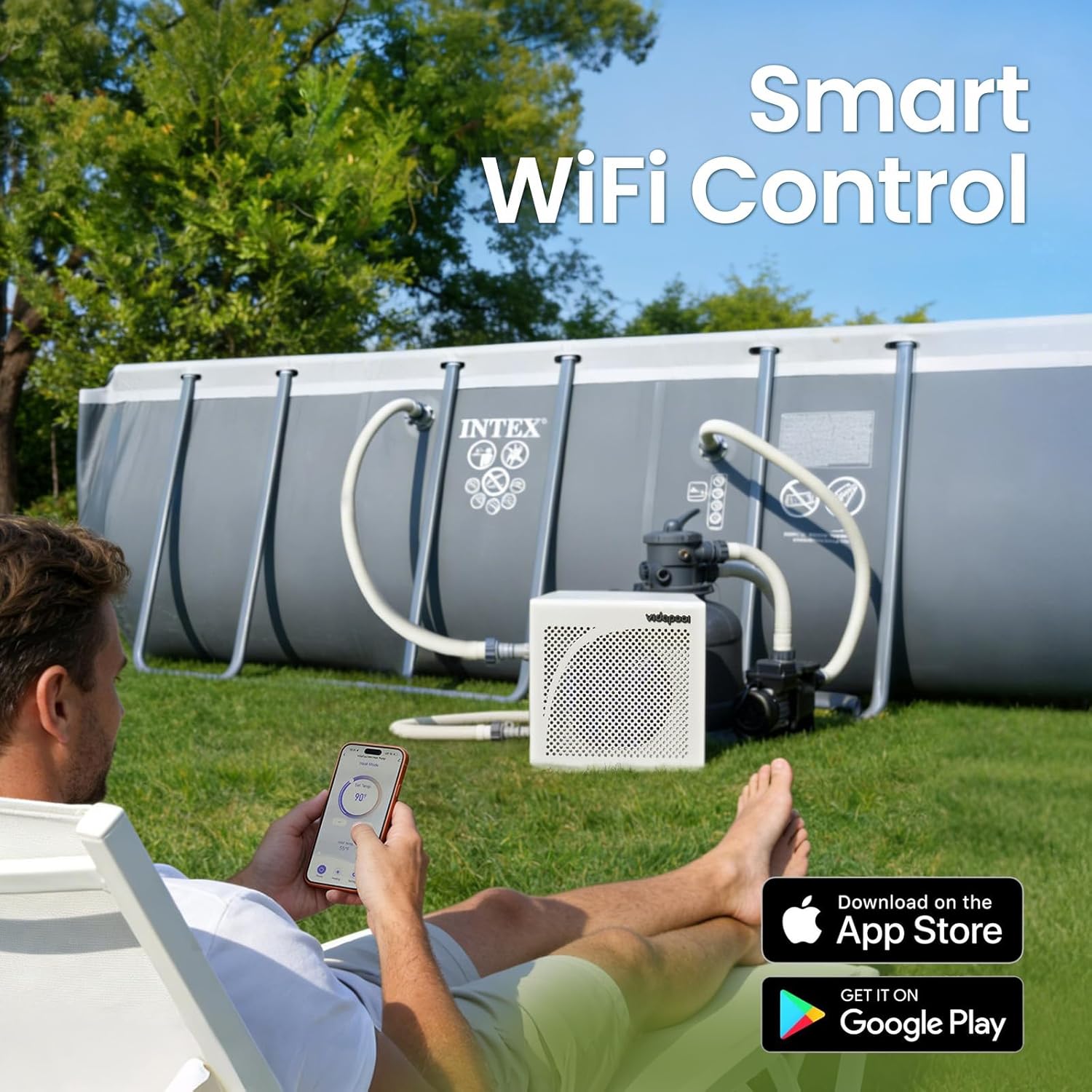
Image: A user interacting with the Vidapool app on a smartphone to control the heat pump, highlighting the convenience of WiFi connectivity.
3.3 App Control Demonstration
Video: This video demonstrates the process of connecting the Vidapool heat pump to a smartphone app via WiFi and shows how to control temperature settings and modes remotely.
4. Maintenance
Regular maintenance ensures the efficiency and extends the lifespan of your Vidapool pool heat pump.
- Optimal Flow Rate: Ensure your pool pump maintains a minimum flow rate of 530 GPH. An excessively high flow rate may prevent water from fully absorbing heat, reducing efficiency.
- Clear Airflow: Regularly check that the area around the heat pump is clear of debris, leaves, or any obstructions that could block the air intake or exhaust. Proper airflow is essential for efficient operation.
- Use a Pool Cover: Using a pool cover helps retain warmth and significantly saves energy by reducing heat loss, especially overnight.
- Clean Unit: Periodically clean the exterior of the heat pump with a soft, damp cloth. Avoid using harsh chemicals.
- Winterization: For colder climates, follow proper winterization procedures to protect the unit from freezing temperatures. Refer to the full manual for detailed winterization steps.

Image: The Vidapool heat pump operating quietly next to a pool, emphasizing its low noise level (38dB).
5. Troubleshooting
If you encounter any issues with your Vidapool pool heat pump, consider the following basic checks:
- No Power: Check the GFCI plug and reset it if tripped. Ensure the power outlet is functional.
- Insufficient Heating/Cooling: Verify that the pool pump is running and the water flow rate meets the minimum requirement (530 GPH). Check for any blockages in hoses or filters. Ensure the ambient air temperature is within the operating range for the unit.
- Error Codes: If the display shows an error code, refer to the comprehensive user manual for specific code meanings and solutions.
- Leaks: Inspect all hose connections and adapters for tightness. Ensure washers are correctly seated.
For more detailed troubleshooting steps or persistent issues, please refer to the complete user manual provided with your product or contact Vidapool customer support.
6. Product Specifications
| Feature | Detail |
|---|---|
| Model | VTX018 |
| Rated Voltage / Frequency | 115 V / 60 Hz |
| Rated Heating Capacity | 18,000 BTU/h |
| Max COP | 5.5 |
| Fan Motor Rating Load | 12 W |
| Compressor Rating Load | 755 W |
| Compressor Locked Rotor Load | 3,910 W |
| Minimum Circuit Ampacity | 7 A |
| Max Fuse | 20 A |
| Heating Operation Water Temp | 59-104°F |
| Cooling Operation Water Temp | 46-82°F |
| Water Flow Volume | 530 GPH (minimum recommended) |
| Moisture Resistance | IPX4 |
| Refrigerant / Charge | R32 / 0.46 lbs |
| Operation Pressure (Low Side) | 1.60 MPa |
| Operation Pressure (High Side) | 4.00 MPa |
| Max. Allowable Pressure | 4.00 MPa |
| Item Weight | 56.9 pounds |
| Product Dimensions | 1 x 1 x 1 inches (Note: This dimension seems generic, refer to actual product for precise measurements) |
7. Warranty and Support
Vidapool offers a dedicated support team ready to assist with any setup questions or inquiries you may have. For warranty information, please refer to the documentation included with your product or contact customer service.
Additional protection plans may be available for purchase to extend coverage beyond the standard warranty.