
Introduction
The MATEIN 17-inch Rolling Backpack is designed for versatility, combining the convenience of a wheeled suitcase with the portability of a backpack. It features durable construction, large wheels for smooth navigation, a dedicated laptop compartment, and a combination lock for enhanced security. This manual provides essential information for setting up, operating, and maintaining your rolling backpack.
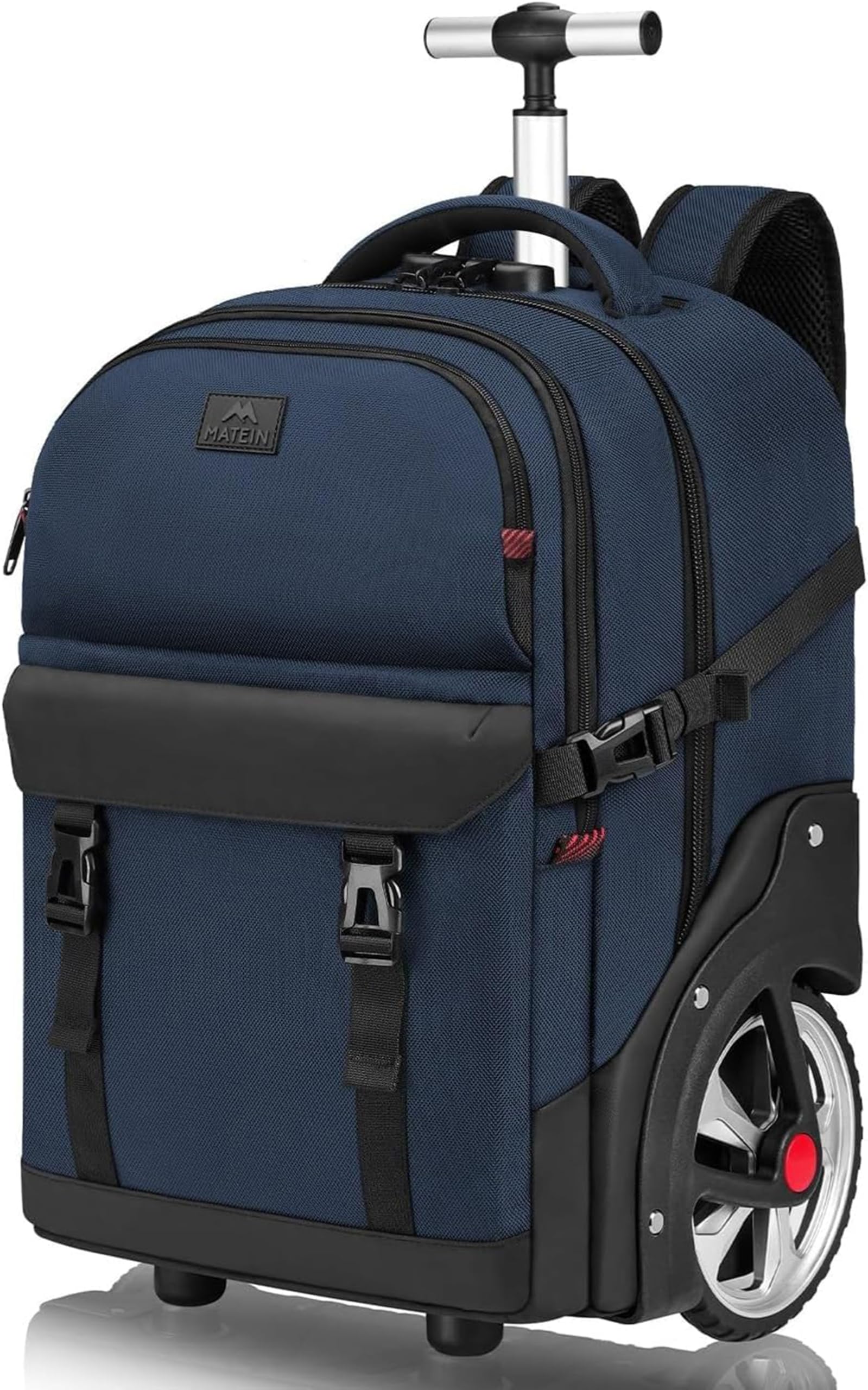
Image: Front view of the MATEIN 17-inch Rolling Backpack, highlighting its design and extended handle.
Setup
1. Retractable Handle
The telescopic aluminum handle can be adjusted to two height levels, extending up to approximately 102 cm (40 inches). To extend, press the button on the handle and pull upwards. To retract, press the button and push downwards until fully collapsed.
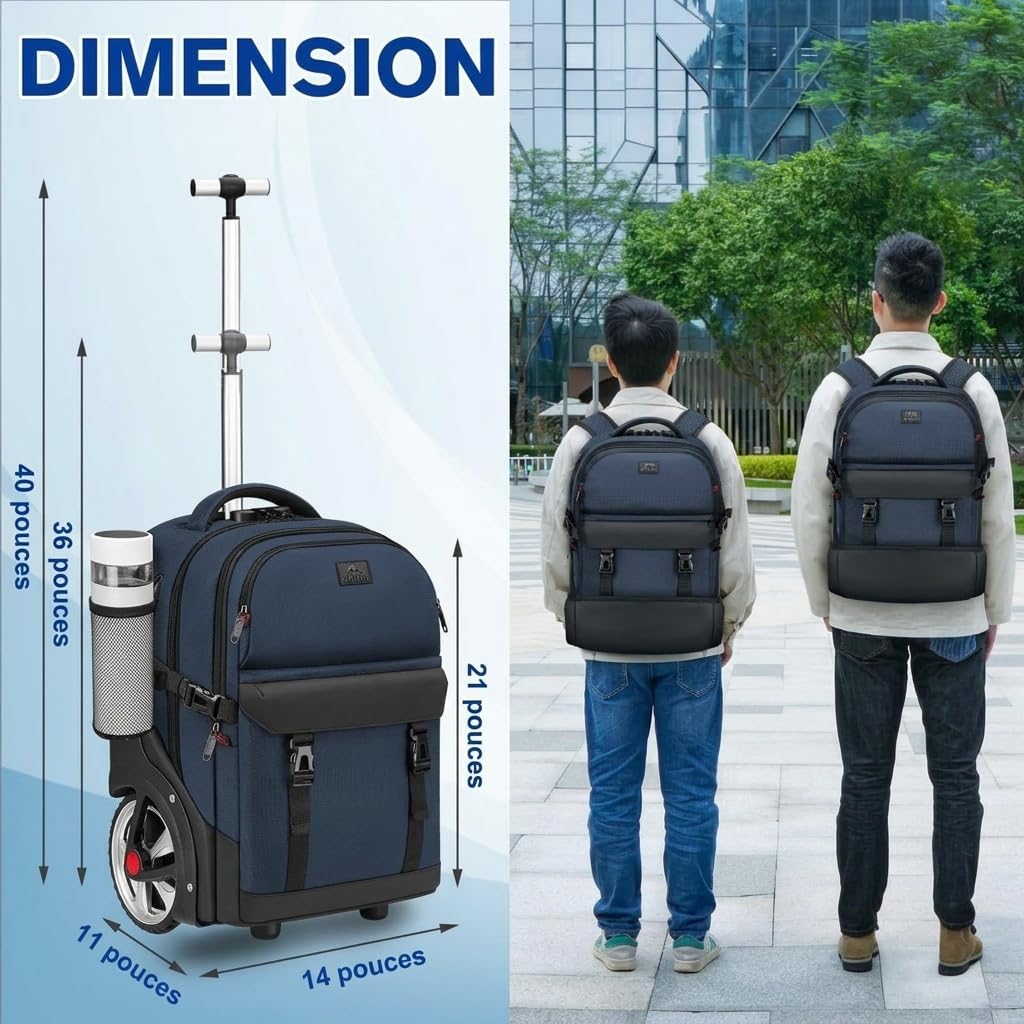
Image: The rolling backpack with its handle extended, demonstrating its height and how it appears when worn.
2. Combination Lock Setup
Your backpack is equipped with a combination lock to secure the main compartment zippers.
- The default combination is usually 0-0-0.
- To set your personal combination, open the lock with the default combination.
- While the lock is open, locate a small reset button (often recessed) on the side or bottom of the lock. Use a pen or pointed object to press and hold this button.
- While holding the reset button, set your desired 3-digit combination by turning the dials.
- Release the reset button. Your new combination is now set.
- Test your new combination to ensure it works correctly before securing your belongings.

Image: Detail of the combination lock on the MATEIN rolling backpack.
Operating Instructions
1. Switching Between Backpack and Rolling Mode
This 2-in-1 design allows you to easily switch between carrying the bag as a backpack or rolling it as a suitcase.
- Backpack Mode: Unzip the rear compartment to reveal the shoulder straps. Adjust the straps for a comfortable fit. Ensure the wheel cover is deployed to prevent dirt from the wheels transferring to your clothing.
- Rolling Mode: Tuck the shoulder straps into the dedicated rear compartment and zip it closed. Extend the telescopic handle. The integrated wheel cover protects the straps and your clothing from the wheels.

Image: Illustration of the retractable shoulder straps and wheel cover for switching between modes.

Image: Usage scenarios demonstrating the backpack in rolling mode and backpack mode.
2. Utilizing Storage Compartments
The backpack offers a large capacity of 48 liters and intelligent partitioning for efficient organization.
- Main Compartment: Ideal for clothing, books, or larger items.
- Laptop Compartment: Padded and designed to fit laptops up to 17.3 inches, providing optimal protection against shocks.
- Organizer Pockets: Multiple internal and external pockets are available for smaller items such as keys, earphones, mouse, snacks, tissues, and other essentials.

Image: Detailed view of the backpack's interior, showcasing its main, laptop, and organizer compartments.
3. Navigating with Large Wheels
The backpack is equipped with large, durable rubber wheels (approximately 18 cm or 7.1 inches) designed for stability and smooth movement across various terrains, including stairs, snow/ice, sand, and cobblestones.

Image: Close-up of the large wheels and their suitability for various terrains.
Maintenance
1. Cleaning Instructions
The backpack is made from thick polyester fabric and rigid PE plates with a waterproof bottom.
- For general cleaning, wipe the exterior with a damp cloth and mild soap.
- Do not machine wash or tumble dry.
- Allow to air dry completely before storage.
- For stubborn stains, a soft brush can be used gently.
2. Wheel and Handle Care
- Periodically check the wheels for debris and clean as necessary to ensure smooth rolling.
- Ensure the telescopic handle extends and retracts smoothly. If it becomes stiff, a small amount of silicone lubricant can be applied to the extending parts.
Troubleshooting
- Handle not extending/retracting: Ensure the release button is fully pressed. Check for any obstructions in the telescopic mechanism.
- Wheels not rolling smoothly: Inspect wheels for trapped debris (e.g., hair, lint). Clean thoroughly.
- Combination lock issues: Double-check your set combination. If you forget the combination, contact MATEIN customer support for assistance.
- Zippers sticking: Apply a small amount of zipper lubricant or a graphite pencil lead to the zipper teeth to improve movement.
Specifications
| Feature | Detail |
|---|---|
| Model Number | 100300BLU |
| Dimensions (L x W x H) | 53 x 36 x 28 cm (20.9 x 14.2 x 11 inches) |
| Capacity | 48-50 Liters |
| Weight | 3.4 kg (7.5 lbs) |
| Laptop Compartment | Fits up to 17.3-inch laptops |
| Wheel Type | Inline skate wheels, 18 cm (7.1 inches) diameter |
| Number of Wheels | 2 |
| Lock Type | Combination lock |
| Material | Polyester fabric, PE plates, Nylon |
| Water Resistance | Waterproof bottom |
| Handle Type | Extendable telescopic handle |
| Shoulder Straps | Adjustable, retractable |
| Number of Pockets | 5 |
| Color | Blue |
Warranty and Support
For warranty information or technical support, please refer to the documentation included with your purchase or visit the official MATEIN website.
You can also contact MATEIN customer service directly for assistance with product inquiries, parts, or service.
- Manufacturer: MATEIN
- Brand Store: MATEIN Official Store on Amazon


