
1. Introduction
Thank you for choosing the Toshiba GR-RT702WE-PMN(57) Refrigerator. This manual provides essential information for the safe and efficient operation, maintenance, and troubleshooting of your appliance. Please read it thoroughly before using the refrigerator and keep it for future reference.
2. Important Safety Information
WARNING: To reduce the risk of fire, electric shock, or injury, follow these basic precautions:
- Ensure the refrigerator is properly grounded.
- Do not use electrical appliances inside the food storage compartments unless they are of the type recommended by the manufacturer.
- Do not store explosive substances such as aerosol cans with a flammable propellant in this appliance.
- Keep ventilation openings clear of obstruction.
- Do not damage the refrigerant circuit.
- Unplug the refrigerator before cleaning or performing any maintenance.
- This appliance is not intended for use by persons (including children) with reduced physical, sensory or mental capabilities, or lack of experience and knowledge, unless they have been given supervision or instruction concerning use of the appliance by a person responsible for their safety.
3. Product Overview
The Toshiba GR-RT702WE-PMN(57) is a 535-liter top-freezer refrigerator designed for efficient and reliable food preservation. It features advanced Inverter technology for stable cooling and energy saving, a dedicated Cooling Zone for meats and seafood, and a Pure Bio system for sterilization and deodorization.
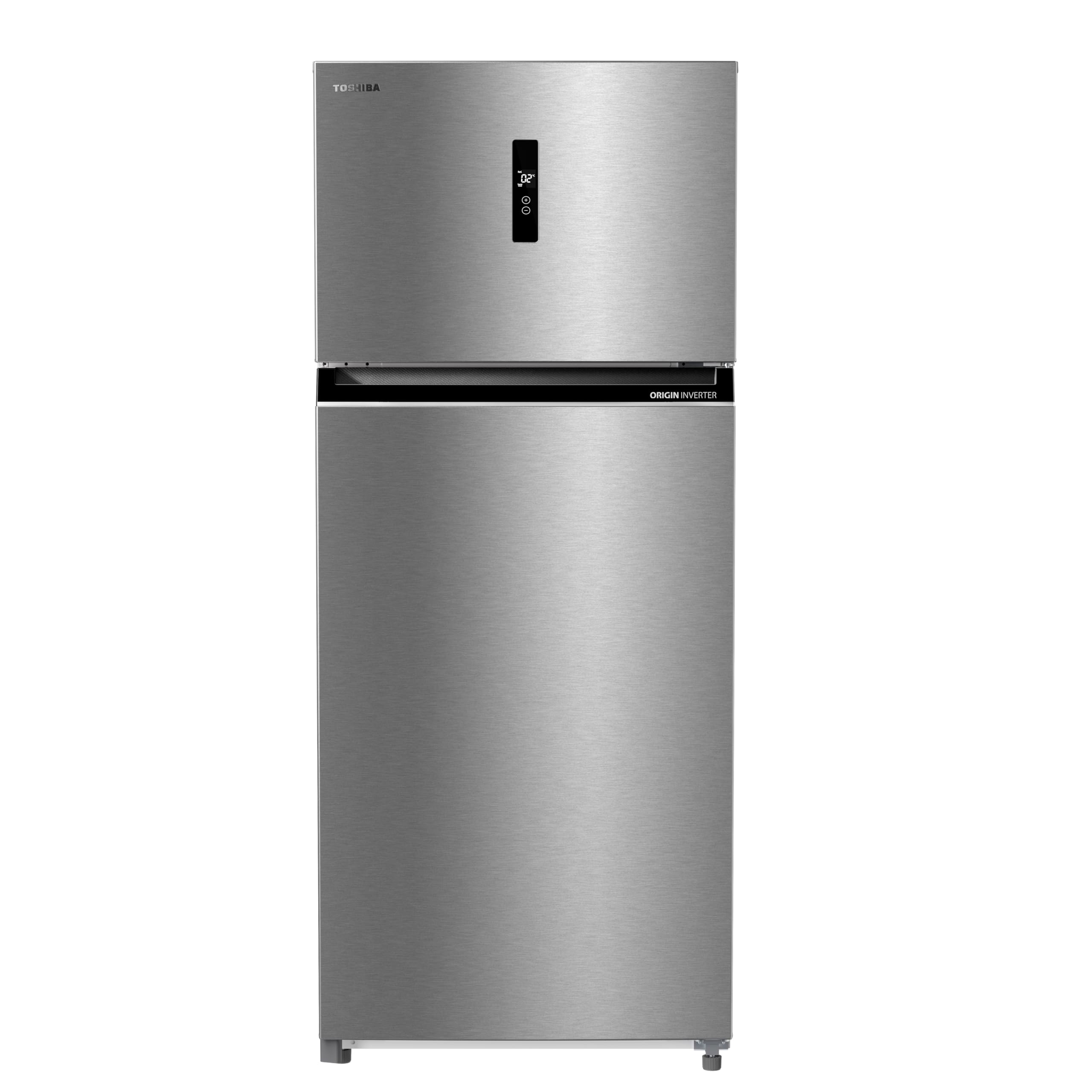
Figure 3.1: Interior view of the Toshiba GR-RT702WE-PMN(57) Refrigerator, illustrating the spacious compartments and shelves.

Figure 3.2: The Toshiba refrigerator integrated into a contemporary kitchen environment.
4. Setup and Installation
4.1 Unpacking
- Remove all packaging materials, including tape and protective films.
- Inspect the refrigerator for any shipping damage. Report any damage immediately to your dealer.
4.2 Placement
- Place the refrigerator on a flat, stable surface away from direct sunlight and heat sources.
- Allow adequate space around the appliance for proper ventilation (at least 10 cm at the back and sides, 30 cm at the top).
- Ensure the ambient temperature is suitable for the refrigerator's climate class.
4.3 Leveling
Adjust the leveling feet at the bottom of the refrigerator to ensure it is stable and level. This prevents vibrations and ensures proper door sealing.
4.4 Electrical Connection
- Connect the refrigerator to a dedicated, grounded electrical outlet.
- Ensure the power supply matches the voltage specified on the rating label (50V, Type A two-pin plug).
- Do not use extension cords or adapters.
NOTE: After installation, wait at least 2-4 hours before plugging in the refrigerator to allow the refrigerant to settle.
5. Operating Instructions
5.1 Initial Start-up
Once plugged in, the refrigerator will begin cooling. Allow several hours for the appliance to reach its optimal operating temperature before storing food.
5.2 Electronic Temperature Control
Your refrigerator features an electronic temperature control system for precise temperature management. Use the one-touch control to adjust settings. The super cooling function can be activated for rapid cooling of newly added items.
5.3 Cooling Zone
The dedicated Cooling Zone maintains temperatures between -1°C and 1°C, making it ideal for storing fresh meats and seafood without freezing them. This helps preserve their freshness and quality for longer.

Figure 5.1: The Cooling Zone, designed for optimal storage of fresh fish and meat.
5.4 Multi-Air Flow System
The Multi-Air Flow system ensures even distribution of cold air throughout the refrigerator compartment, maintaining a consistent temperature and preventing hot spots. This helps keep food fresh for longer.

Figure 5.2: Illustration of the Multi-Air Flow system ensuring uniform cooling.
5.5 Pure Bio System
The Pure Bio system utilizes hexagonal honeycomb ceramic coated with an Ag+ ion catalyst to sterilize and deodorize the refrigerator interior, achieving up to 99.9% effectiveness. This helps maintain a hygienic environment and prevents unpleasant odors.

Figure 5.3: The Pure Bio system actively working to keep food fresh and odor-free.
5.6 Inverter Technology
The refrigerator's original Inverter motor automatically adjusts its speed to maintain a stable temperature, leading to significant energy savings and quieter operation. This technology also contributes to a longer lifespan for the appliance.

Figure 5.4: The Inverter motor, highlighting its energy-saving and quiet operation benefits.
5.7 Ice Making
The freezer compartment is equipped to produce large ice cubes. Fill the ice tray with water and place it in the freezer. Once frozen, twist the tray to release the ice cubes.

Figure 5.5: Example of large ice cubes produced by the freezer.
5.8 Vegetable and Fruit Storage
Utilize the dedicated drawers for vegetables and fruits to maintain optimal humidity levels, keeping them fresh and crisp for longer periods.

Figure 5.6: Humidity-controlled drawer for optimal vegetable and fruit preservation.
6. Maintenance and Cleaning
6.1 General Cleaning
- Always unplug the refrigerator before cleaning.
- Clean the interior and exterior surfaces with a soft cloth and a mild detergent solution.
- Wipe dry thoroughly to prevent water spots.
- Do not use abrasive cleaners, solvents, or harsh chemicals.
6.2 Condenser Coils
Periodically clean the condenser coils located at the back or bottom of the refrigerator. Dust and debris can accumulate, reducing efficiency. Use a vacuum cleaner or a soft brush.
6.3 Door Gaskets
Clean the door gaskets regularly to ensure a tight seal. A dirty or damaged gasket can lead to air leakage and increased energy consumption.
6.4 Frost-Free System
Your refrigerator features a frost-free system, eliminating the need for manual defrosting. If you notice excessive frost buildup, check if the door is sealing properly or if the door has been left open frequently.
7. Troubleshooting
Before contacting service, please check the following common issues and solutions:
| Problem | Possible Cause | Solution |
|---|---|---|
| Refrigerator does not operate | No power; power cord unplugged; circuit breaker tripped. | Check power supply; plug in cord; reset breaker. |
| Refrigerator is not cold enough | Temperature setting too high; door left open; excessive food load; poor ventilation. | Adjust temperature; ensure door is closed; reduce load; clear vents. |
| Unusual noises | Refrigerator not level; items vibrating inside; compressor noise (normal). | Level the appliance; rearrange items; consult manual for normal operating sounds. |
| Water on floor | Drain tube clogged; drip tray overflowing. | Clear drain tube; empty drip tray. |
8. Specifications
| Feature | Specification |
|---|---|
| Brand | Toshiba |
| Model Name | GR-RT702WE-PMN(57) |
| Capacity (Total) | 535 Liters |
| Fresh Food Capacity | 345 Liters |
| Freezer Capacity | 105 Liters |
| Configuration | Top Freezer, Double Door |
| Color | Morandi Gray |
| Special Features | Frost Free, Inverter Technology, Pure Bio System, Cooling Zone, Electronic Temperature Control |
| Installation Type | Freestanding |
| Number of Doors | 2 |
| Defrost System | Frost Free |
| Voltage | 50 Volts (Please verify local power requirements) |
| Cooling Method | Air Compressor |
| Number of Shelves | 3 |
| Adjustable Temperature Control | Yes |
| Power Plug Type | Type A (North America and Japan) two-pin plug (Adapter may be required for other regions) |
| Door Orientation | Left |
| Item Weight | 84 Kilograms |
| Annual Energy Consumption | 1000 Kilowatt Hours |
| Manufacturer | Midea Electric Egypt |
Note: Product dimensions were provided as 7.5 Depth x 7.25 Width x 18.2 Height meters. Assuming these are mislabeled and are in decimeters for depth/width and meters for height, the approximate dimensions are 0.75m (Depth) x 0.725m (Width) x 1.82m (Height).
9. Warranty and Support
Your Toshiba GR-RT702WE-PMN(57) Refrigerator comes with an impressive 10-year full warranty. This warranty covers manufacturing defects and ensures peace of mind regarding your appliance's reliability.
For warranty claims, technical support, or service inquiries, please contact your local Toshiba authorized service center or the retailer where the product was purchased. Keep your proof of purchase for warranty validation.
For more information, you may visit the official Toshiba Brand Store.


