
1. Introduction
Welcome to the user manual for your new OPPO A6 5G smartphone. This guide provides essential information on setting up, operating, maintaining, and troubleshooting your device. Please read this manual carefully to ensure optimal performance and longevity of your smartphone.
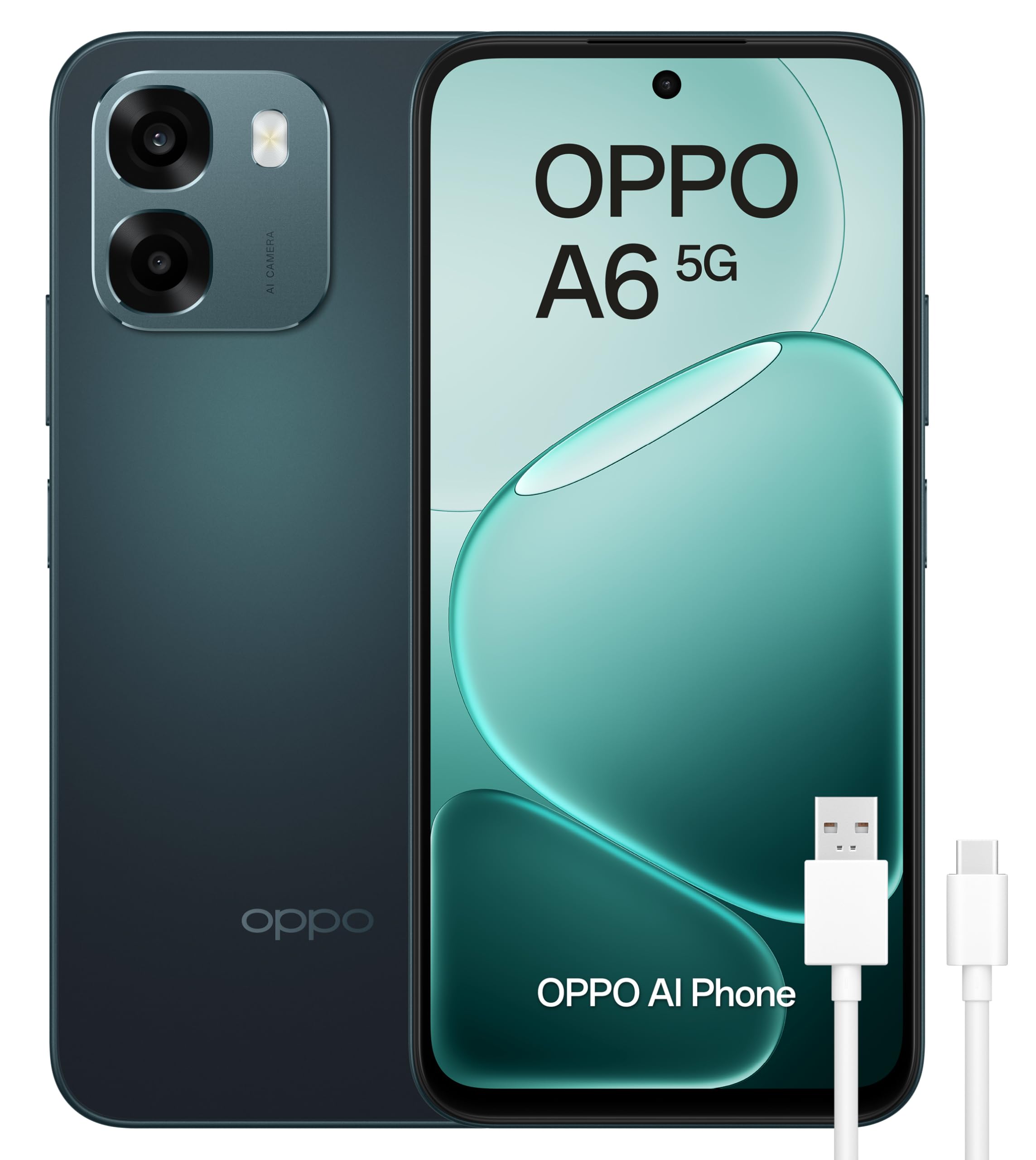
This image shows the OPPO A6 5G smartphone in black, highlighting its sleek design and camera module.
2. What's in the Box
Upon unboxing your OPPO A6 5G, you should find the following items:
- OPPO A6 5G Smartphone
- USB Cable
- SIM Tray Ejector
- Quick Start Guide
- Screen Protector (pre-applied or in box)
3. Setup
3.1 Inserting SIM Card(s) and MicroSD Card
The OPPO A6 5G supports Dual SIM functionality and expandable memory. Use the provided SIM tray ejector tool to open the SIM card slot on the side of the device. Insert your Nano-SIM card(s) and/or a MicroSD card into the tray as indicated, then carefully reinsert the tray into the phone.
3.2 Powering On/Off
- To Power On: Press and hold the Power button until the OPPO logo appears.
- To Power Off: Press and hold the Power button, then select 'Power Off' on the screen.
- To Restart: Press and hold the Power button, then select 'Restart' on the screen.
3.3 Initial Configuration
Upon first power-on, follow the on-screen instructions to set up your device. This includes selecting your language, connecting to Wi-Fi, signing in to your Google account, and setting up security features like fingerprint recognition.
4. Operating Your Device
4.1 Display
The OPPO A6 5G features a 6.67-inch LCD display with a 120Hz refresh rate, providing a smooth and responsive visual experience. Adjust brightness, color temperature, and refresh rate settings in the Display & Brightness menu.

A visual representation of the OPPO A6 5G's display, highlighting its 120Hz refresh rate for smooth visuals and its 6.75-inch LCD screen with high brightness.
4.2 Camera
Capture stunning photos and videos with the OPPO A6 5G's AI-enhanced camera system. It includes a 50MP main rear camera, a 2MP secondary rear camera, and a 2MP front camera. Explore various shooting modes like Portrait, Night, and Pro mode for creative photography.

This image details the camera specifications of the OPPO A6 5G, indicating an 8MP front camera, a 50MP main rear camera, and a 2MP monochromatic rear camera.
4.3 Battery and Charging
The device is equipped with a large 6500mAh battery, providing extended usage time. It supports 45W fast charging, allowing for quick power-ups. Use only OPPO-approved chargers and cables for optimal charging performance and safety.

An illustration showing the internal components of the OPPO A6 5G, with a focus on its large 6500mAh battery, indicating long-lasting power.
4.4 Performance
Powered by a Snapdragon CPU with 6GB of RAM (expandable to 12GB with virtual RAM) and 256GB of internal storage, the OPPO A6 5G delivers smooth performance for multitasking, gaming, and media consumption. An advanced CV Ultra Cooling System helps maintain optimal temperatures during intensive use.

This image illustrates the performance capabilities of the OPPO A6 5G, featuring the MediaTek Dimensity 6300 processor, 12GB RAM (6GB physical + 6GB virtual), and 256GB internal storage.

An exploded view of the OPPO A6 5G's internal structure, illustrating the advanced CV Ultra Cooling System designed to maintain optimal performance during intensive use.
4.5 Connectivity
Stay connected with 5G mobile technology, Wi-Fi, Bluetooth, and NFC. The device features a USB Type-C port for charging and data transfer.
4.6 Security
Unlock your phone securely using the integrated fingerprint recognition feature. You can also set up a PIN, pattern, or password for additional security.
4.7 Durability
The OPPO A6 5G boasts an IP69 rating, providing resistance against dust and hot water. This means it can withstand submersion up to 1.5 meters for 30 minutes and exposure to water temperatures up to 80°C.

This image shows the OPPO A6 5G underwater, illustrating its IP69 rating for resistance against dust and hot water, capable of submersion up to 1.5 meters for 30 minutes at temperatures up to 80°C.
5. Maintenance
5.1 Software Updates
Keep your device's software up to date to ensure optimal performance, security, and access to new features. Navigate to Settings > About device > Up to date to check for and install available updates. The device runs on Android 15.
5.2 Cleaning and Care
- Use a soft, lint-free cloth to clean the screen and body of the phone.
- Avoid using harsh chemicals or abrasive materials.
- Do not expose the device to extreme temperatures or direct sunlight for prolonged periods.
- Ensure ports are free of dust and debris.
6. Troubleshooting
If you encounter issues with your OPPO A6 5G, try the following common troubleshooting steps:
- Device unresponsive: Press and hold the Power button for about 10 seconds to force a restart.
- App crashing: Close the app and reopen it. If the issue persists, clear the app's cache or reinstall it.
- Connectivity issues (Wi-Fi/Bluetooth): Toggle Wi-Fi or Bluetooth off and on. Restart your router or pairing device if necessary.
- Battery draining quickly: Check battery usage in settings to identify power-hungry apps. Reduce screen brightness or disable unnecessary features.
- Slow performance: Close background apps, clear cache, or restart the device. Consider freeing up storage space.
- Factory Reset: As a last resort, you can perform a factory reset (Settings > System settings > Back up and reset > Reset phone). Warning: This will erase all data on your phone. Back up important data before proceeding.
7. Specifications
Detailed technical specifications for the OPPO A6 5G (Model CPH2831):
| Feature | Specification |
|---|---|
| Model Name | A6 5G |
| Product Model Number | CPH2831 |
| Operating System | Android 15 |
| CPU Model | Snapdragon |
| CPU Speed | 2.4 GHz |
| Installed RAM | 6 GB |
| Memory Storage Capacity | 256 GB |
| Max Flash Memory Support | 256 GB |
| Screen Size | 6.67 Inches |
| Display Type | LCD |
| Max Screen Resolution | 1570 x 720 Pixels |
| Refresh Rate | 120 Hz |
| Front Camera Sensor Resolution | 2 MP |
| Rear Camera Sensor Resolution (Main) | 50 MP |
| Rear Camera Sensor Resolution (Secondary) | 2 MP |
| Number of Rear Cameras | 2 |
| Number of Front Cameras | 1 |
| Video Recording Resolution | 1080p |
| Battery Capacity | 6500 mAh |
| Talk Time | 65 Hours |
| Mobile Technology | 5G |
| Connectivity Technology | Bluetooth, NFC, USB, Wi-Fi |
| Connectivity Port | USB Type-C |
| SIM Card Slots | Dual SIM |
| SIM Card Size | Nano |
| Biometric Security Feature | Fingerprint Recognition |
| Water Resistance Level | IP69 (Water Resistant) |
| GPS and Geotagging | True |
| Supported Satellite Navigation | BeiDou, GLONASS, GPS, Galileo |
| Product Weight | 209 Grams |
| Color | Black |
| Model Year | 2026 |
8. Warranty Information
The OPPO A6 5G comes with a three-year manufacturer's warranty. Please retain your proof of purchase for warranty claims. For detailed terms and conditions, refer to the warranty card included in your product packaging or visit the official OPPO website.
9. Customer Support
For further assistance, technical support, or service inquiries, please visit the official OPPO support website or contact their customer service. You can find more information at the OPPO Brand Store.


