
Introduction
This manual provides essential information for setting up, operating, maintaining, and troubleshooting your new OPPO A6x 5G smartphone. Please read this guide thoroughly to ensure optimal performance and longevity of your device. Keep this manual for future reference.
Initial Setup
1. Unboxing Your Device
Carefully open the product packaging and ensure all contents are present. The standard package includes:
- OPPO A6x 5G Smartphone
- USB Cable
- SIM Tray Ejector
- Quick Start Guide
- Screen Protector (pre-applied or in box)
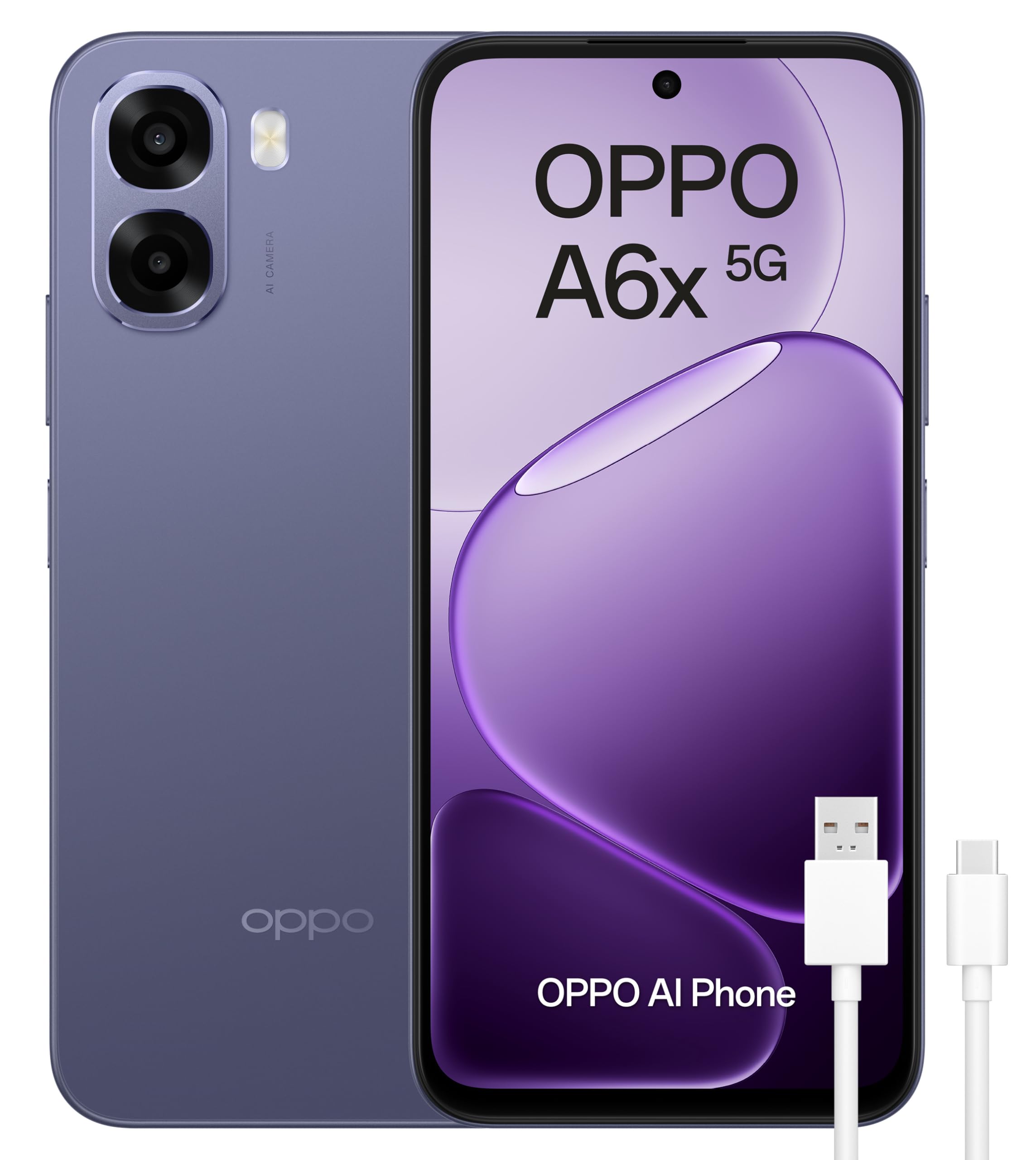
Figure 1: OPPO A6x 5G Smartphone and included accessories.
2. SIM Card Installation
Your OPPO A6x 5G supports Dual SIM functionality. To install your SIM card(s):
- Locate the SIM card tray on the side of your device.
- Insert the SIM tray ejector tool into the small hole next to the tray and press gently until the tray pops out.
- Place your Nano SIM card(s) into the designated slots on the tray. Ensure the gold contacts face downwards.
- Carefully reinsert the SIM tray into the device until it clicks into place.
3. Powering On Your Device
Press and hold the Power button (located on the right side of the device) until the OPPO logo appears on the screen. Follow the on-screen instructions to complete the initial setup, including language selection, Wi-Fi connection, and Google account setup.
Operating Your Device
1. Display and Navigation
The OPPO A6x 5G features a 6.67-inch HD+ LCD display with a 120Hz refresh rate, providing a smooth and responsive user experience. Navigate the interface using touch gestures: tap to select, swipe to scroll, pinch to zoom.

Figure 2: The 120Hz HD+ LCD display offers clear and fluid visuals.
2. Camera Features
Capture high-quality photos and videos with the 50MP AI main camera. The device also includes a 2MP front camera and a 2MP rear monochrome sensor for enhanced photography. AI features optimize settings for various scenes.

Figure 3: Rear camera module with 50MP main lens and 2MP monochrome lens.
3. Battery Management
The OPPO A6x 5G is equipped with a large 6100 mAh battery, providing extended usage time. To maximize battery life, adjust screen brightness, close unused apps, and enable power-saving modes when needed. The device supports fast charging.

Figure 4: The 6100 mAh battery ensures long-lasting power.
4. Connectivity
Your smartphone offers various connectivity options:
- 5G Mobile Technology: For high-speed internet access.
- Wi-Fi: Connect to wireless networks for internet access.
- Bluetooth: Pair with wireless accessories like headphones or speakers.
- NFC: For contactless payments and quick data transfer.
- USB Type-C: For charging and data transfer.
5. Security Features
The device includes biometric security features such as fingerprint recognition for secure unlocking and data protection. You can set up your fingerprint in the device settings.
Maintenance
1. Water and Dust Resistance
The OPPO A6x 5G is rated IP64 for water and dust resistance, meaning it is protected against dust ingress and splashing water from any direction. While it offers protection against everyday splashes, it is not designed for submersion in water. Avoid exposing the device to excessive moisture or harsh chemicals.

Figure 5: IP64 rating provides protection against dust and water splashes.
2. Software Updates
Your device runs on Android 15. Regularly check for and install software updates to ensure optimal performance, security, and access to the latest features. Updates can be found in the device's settings menu under 'System Updates'.
Troubleshooting
If you encounter issues with your device, try the following basic troubleshooting steps:
- Restart the device: A simple restart can resolve many minor software glitches.
- Check for software updates: Ensure your device's operating system is up to date.
- Clear app cache: If an app is misbehaving, try clearing its cache in the app settings.
- Factory reset: As a last resort, if issues persist, you may perform a factory reset. Warning: This will erase all data on your device. Back up important data before proceeding.
Technical Specifications

Figure 6: Key internal components of the OPPO A6x 5G.
| Feature | Specification |
|---|---|
| Brand | OPPO |
| Model Name | A6x 5G |
| Model Number | CPH2783 |
| Operating System | Android 15 |
| RAM | 6 GB |
| Storage Capacity | 256 GB |
| CPU Model | Snapdragon |
| CPU Speed | 2.4 GHz |
| Screen Size | 6.67 Inches |
| Display Resolution | 1520 x 720 Pixels |
| Refresh Rate | 120 Hz |
| Display Type | LCD |
| Rear Camera Resolution | 50 MP (Effective Video Resolution) / 2 MP (Sensor Resolution) |
| Front Camera Resolution | 2 MP |
| Battery Capacity | 6100 mAh |
| SIM Card Count | Dual SIM |
| Water Resistance Level | IP64 (Water Repellent) |
| Dimensions | 18.4 x 10 x 4.6 cm; 209 g |
Warranty and Support
1. Product Warranty
Your OPPO A6x 5G smartphone comes with a three-year manufacturer's warranty. Please retain your proof of purchase for any warranty claims. For detailed terms and conditions, refer to the warranty card included in your product packaging or visit the official OPPO website.
2. Customer Support
For further assistance, technical support, or service inquiries, please contact OPPO customer service through their official website or the contact information provided in your Quick Start Guide. You can also visit the OPPO Store on Amazon for additional resources.


