
1. Product Overview
The DreamQuest Mini Plus Mini PC is a compact and powerful desktop computer designed for various computing needs. It comes pre-installed with Windows 11 Pro and is powered by the 12th Gen Intel Alder Lake N95 processor, offering enhanced performance compared to previous generations. This mini PC supports high-speed multitasking with 12GB DDR5 memory and provides ample storage with a 512GB M.2 SSD, expandable up to 2TB. Its versatile connectivity options include dual full-function USB-C ports, dual HDMI ports, LAN, WiFi 6, and Bluetooth 5.3, enabling support for up to three 4K@60Hz displays.
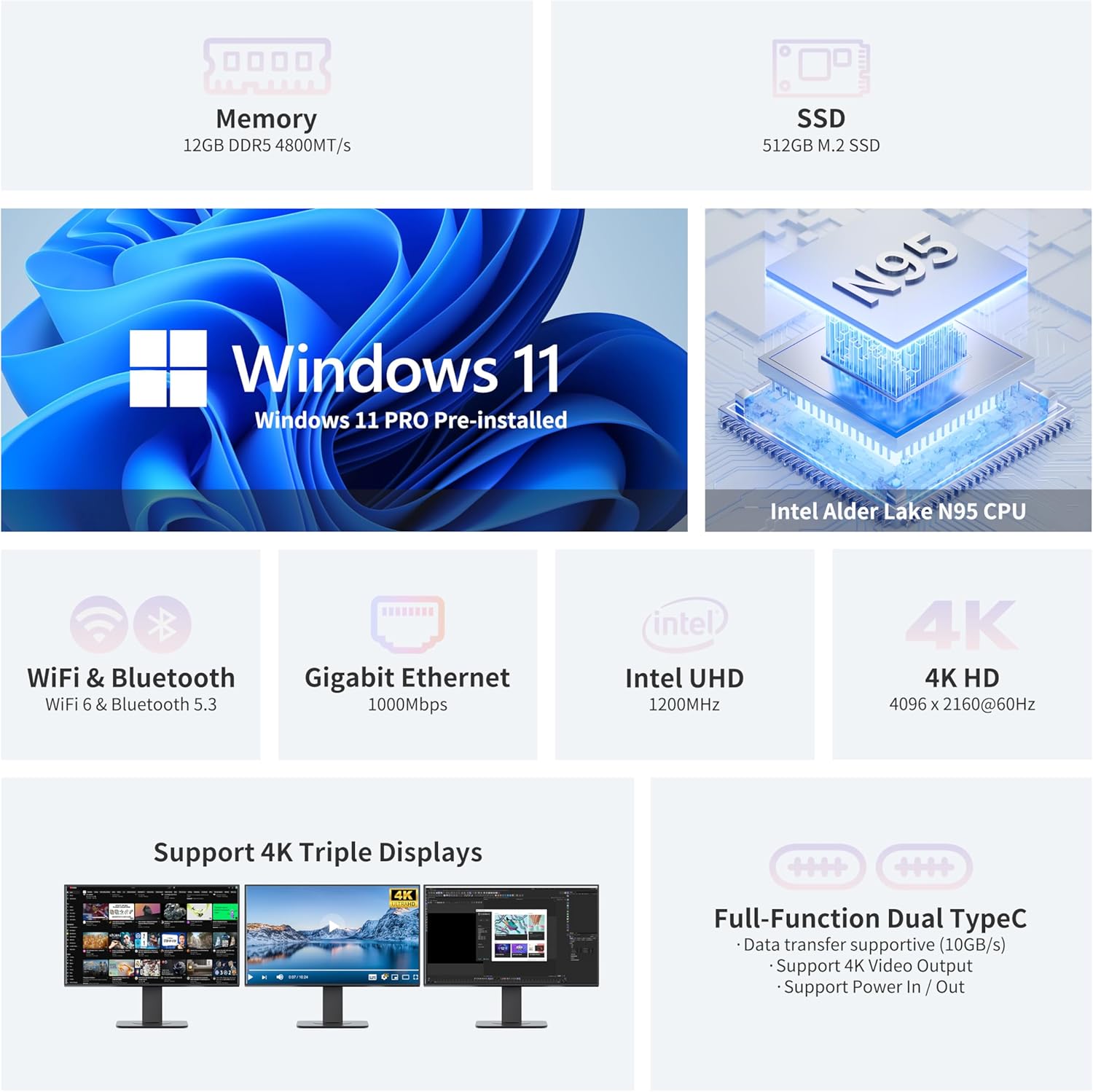
Image: The DreamQuest Mini Plus Mini PC, highlighting its compact design and various ports including HDMI, USB, and USB-C.

Image: A size comparison illustrating the compact, pocket-sized form factor of the DreamQuest Mini Plus Mini PC next to a mobile phone.
2. Package Contents
Verify that all items listed below are included in your package:
- DreamQuest Mini PC
- User Manual
- HDMI Cable
- Power Adapter

Image: A visual representation of the items included in the DreamQuest Mini PC package: the Mini PC unit, user manual, HDMI cables, and power adapter.
3. Initial Setup
3.1 Connecting Peripherals
- Connect Display(s): Connect your monitor(s) to the Mini PC using the provided HDMI cable or a USB-C to display cable. The Mini PC supports up to three 4K@60Hz displays simultaneously via its two HDMI ports and two full-function USB-C ports.
- Connect Keyboard and Mouse: Plug your USB keyboard and mouse into the available USB 3.2 ports. Alternatively, connect Bluetooth peripherals via Bluetooth 5.3.
- Connect to Network: For a wired connection, plug an Ethernet cable into the LAN port. For wireless, ensure your WiFi 6 network is available.
- Connect Power: Plug the power adapter into the Mini PC's power input port, then connect the adapter to a power outlet.

Image: The DreamQuest Mini PC demonstrating its capability to support a triple-screen display setup with 4K resolution.
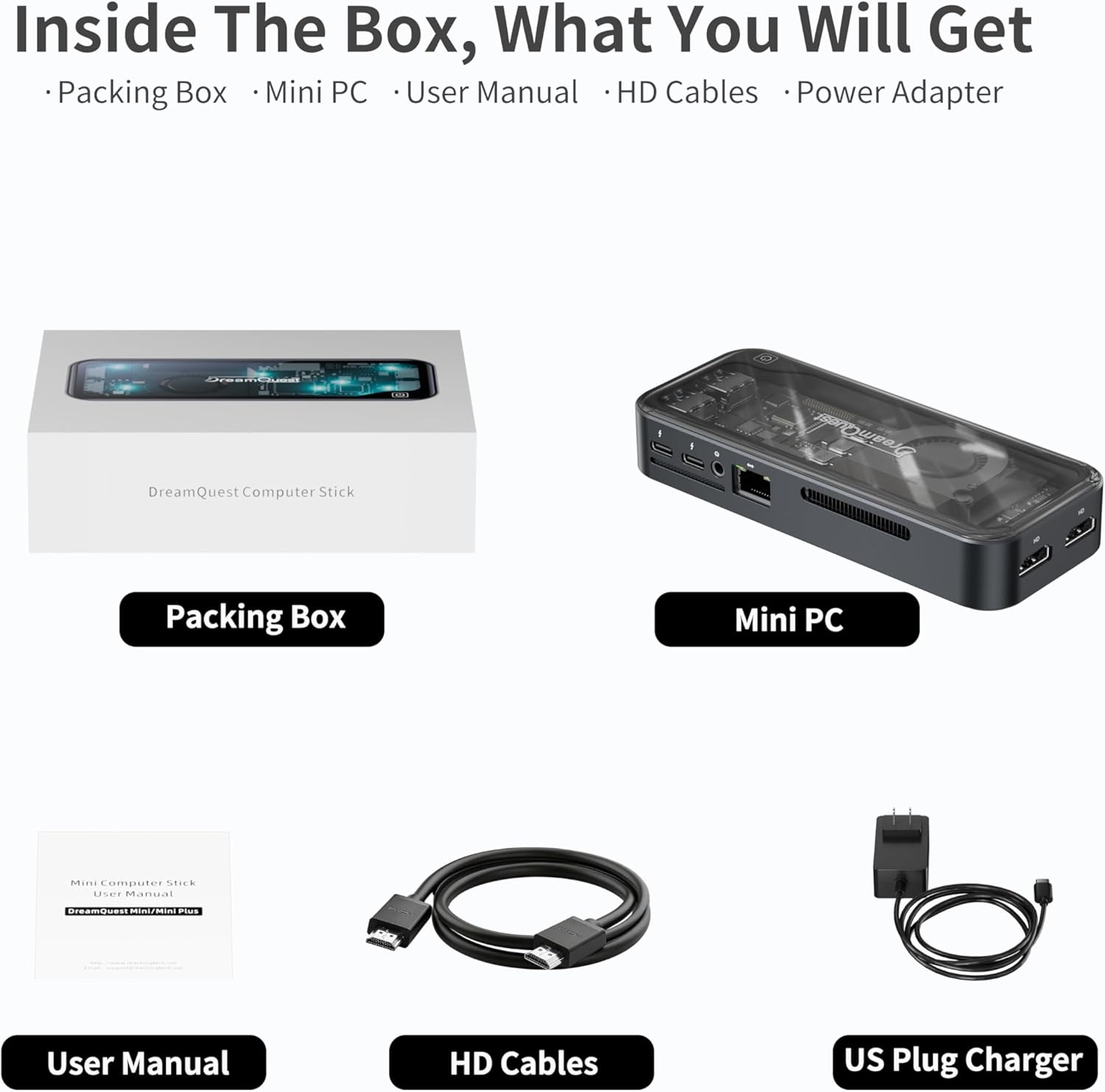
Image: A detailed view of the DreamQuest Mini PC's connectivity ports, including dual HDMI, multiple USB 3.2, dual full-function USB-C, and a Gigabit Ethernet port.
3.2 First Boot
- Press the power button on the Mini PC.
- The system will boot into Windows 11 Pro. Follow the on-screen instructions to complete the initial Windows setup, including language, region, network connection, and user account creation.
4. Operating Instructions
4.1 Power On/Off
- Power On: Press the power button once. The system will quickly boot due to its SSD and DDR5 memory.
- Power Off: Click the Start button in Windows, then select Power > Shut down. Do not unplug the device directly without proper shutdown to prevent data loss.
- Restart: Click the Start button, then select Power > Restart.
- Sleep: Click the Start button, then select Power > Sleep.
4.2 Windows 11 Pro Features
The Mini PC comes with Windows 11 Pro pre-installed, offering advanced features for productivity and security. It also supports other operating systems like Linux and Ubuntu, and features such as PXE boot, Wake On LAN, RTC Wake, and Auto Power On can be configured in the BIOS.

Image: The DreamQuest Mini PC's key features, including Windows 11 Pro pre-installation, Intel Alder Lake N95 CPU, 12GB DDR5 memory, 512GB M.2 SSD, WiFi 6, Bluetooth 5.3, Gigabit Ethernet, Intel UHD Graphics, and 4K HD support.
4.3 Display Configuration
Utilize the dual HDMI and dual USB-C ports to connect up to three external displays. Windows 11 Pro allows for easy configuration of display settings, including resolution (up to 4K@60Hz), orientation, and extended or duplicated desktop modes.
4.4 Connectivity
- WiFi 6: Connect to high-speed wireless networks for fast internet access.
- Bluetooth 5.3: Pair with compatible wireless devices such as headphones, speakers, keyboards, and mice.
- Gigabit Ethernet: Provides a stable and fast wired network connection.
4.5 USB-C Port Functionality
The two full-function USB-C ports offer versatile connectivity:
- Fast Charging: Power compatible devices.
- Data Transfer: High-speed data transfer (10Gb/s).
- Video Output: Connect to external displays or projectors.
5. Maintenance and Care
To ensure the longevity and optimal performance of your DreamQuest Mini PC, follow these maintenance guidelines:
- Cleaning: Regularly clean the exterior of the Mini PC with a soft, dry cloth. Avoid using liquid cleaners directly on the device.
- Ventilation: Ensure the Mini PC is placed in a well-ventilated area. Do not block the ventilation openings. The built-in smart fan intelligently adjusts its speed based on CPU temperature to maintain optimal cooling and quiet operation (typically 30-35dB).
- Software Updates: Keep your Windows 11 Pro operating system and drivers updated to ensure security and performance.
- Storage Management: Periodically review and manage your storage to free up space. The 512GB M.2 SSD can be replaced with a larger capacity SSD (up to 2TB) if more storage is required.

Image: An internal diagram of the DreamQuest Mini PC illustrating its smart fan cooling system, which operates quietly between 30-35dB and maintains CPU temperature between 25-40°C.
6. Troubleshooting Common Issues
If you encounter problems with your DreamQuest Mini PC, refer to the following troubleshooting tips:
- No Power:
- Ensure the power adapter is securely connected to both the Mini PC and a working power outlet.
- Check if the power outlet is functional by plugging in another device.
- No Display:
- Verify that the HDMI or USB-C cables are firmly connected to both the Mini PC and the monitor.
- Ensure the monitor is powered on and set to the correct input source (e.g., HDMI 1, USB-C).
- Try connecting to a different display or using a different cable.
- Slow Performance:
- Close unnecessary applications running in the background.
- Check for available Windows updates and install them.
- Ensure there is sufficient free space on the SSD.
- Run a disk cleanup or defragmentation tool (for HDD, not typically needed for SSD).
- Network Connectivity Issues:
- For wired connections, check the Ethernet cable and router status.
- For wireless connections, ensure WiFi is enabled and you are connected to the correct network. Restart your router if necessary.
- Update network drivers.
7. Technical Specifications
- Brand:
- DreamQuest
- Model Name:
- DreamQuest Mini Plus
- Operating System:
- Windows 11 Pro
- CPU Model:
- Intel N95 (12th Gen Alder Lake)
- CPU Speed:
- Up to 3.4 GHz
- Graphics Coprocessor:
- Intel UHD Graphics 630 (Integrated)
- RAM Memory Installed Size:
- 12 GB DDR5
- Hard Disk Description:
- 512 GB M.2 2280 SSD (Expandable up to 2TB)
- Video Output:
- 2x HDMI, 2x USB-C (Supports 4K@60Hz Triple Display)
- Connectivity Technology:
- WiFi 6, Bluetooth 5.3, Gigabit Ethernet, USB 3.2, USB Type C
- Power Consumption:
- 15 Watts
- Item Weight:
- 0.55 Kilograms
- Cooling Method:
- Smart Fan
- Max Display Resolution:
- 3840 x 2160 (4K)
8. Warranty Information
The DreamQuest Mini PC comes with a 1-YEAR WARRANTY. For warranty service, please follow these steps:
- Log in to your Amazon account.
- Navigate to "My Orders".
- Locate the order ID for your DreamQuest Mini PC.
- Click on "Contact Seller" to initiate warranty service.
9. Customer Support
For further assistance, technical support, or inquiries not covered in this manual, please contact DreamQuest customer support through the Amazon platform by following the steps outlined in the Warranty Information section. Ensure you have your product model and purchase details ready for efficient service.

