1. Introduction and Overview
This manual provides essential information for the safe and efficient operation of your PowMr 5000W Split-Phase Hybrid Solar Inverter. This advanced inverter is designed to convert 48V DC battery power into 110V/220VAC, offering a 5KW off-grid solution with a built-in 120A MPPT charge controller. It delivers pure sine wave output, making it suitable for sensitive electronics and a wide range of household and industrial applications. The inverter supports both lead-acid and lithium battery systems.
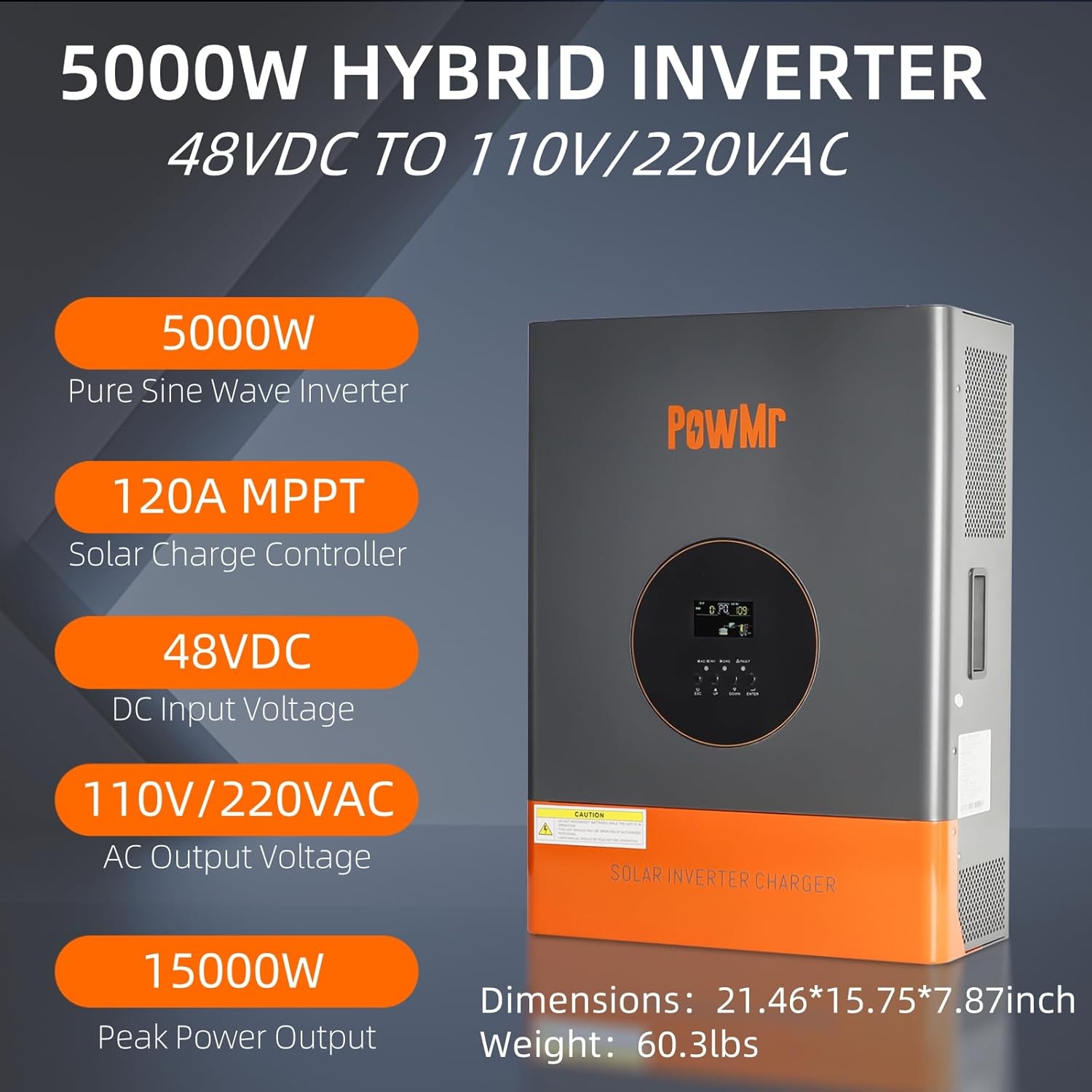
Figure 1: PowMr 5000W Hybrid Solar Inverter, front view with key specifications highlighted.
2. Setup and Installation
2.1. Installation Environment
The inverter should be installed in a dry, temperature-appropriate, and well-ventilated room. Ensure a gap of at least 20cm on both sides of the inverter and about 50cm at the top and bottom to allow for adequate air circulation and heat dissipation. Securely fix the inverter to the wall using the provided mounting bracket and screws.
2.2. Wiring Connections
Proper wiring is crucial for safe and efficient operation. Always ensure correct polarity for DC connections and proper grounding. Refer to the wiring diagrams below for detailed instructions.

Figure 2: General wiring diagram and technical specifications for the inverter system.
2.2.1. Battery Connection
Connect the 48V battery system (compatible with Flooded, LiCoMnNiO2, LiFePO4, AGM, Gel types) to the inverter's battery terminals. Use appropriate gauge wires (e.g., 2AWG for battery connections) and ensure positive terminals connect to positive and negative to negative. For safety, install a 200A DC circuit breaker for the battery line.

Figure 3: Inverter battery connection points, showing positive and negative terminals.
2.2.2. PV Input Connection
Connect your solar PV array to the PV input terminals. The inverter features a 120A MPPT charge controller. Ensure the PV input voltage range is 60-105VDC and maximum PV input power is 6400W. Use appropriate gauge wires (e.g., 12AWG for PV input).
2.2.3. AC Input/Output Connections
The inverter supports dual voltage output (110V/220V) and split-phase operation. Connect the AC input from utility or generator and AC output to your loads. Use appropriate gauge wires (e.g., 10AWG for AC input/output). It is important to have a separate circuit breaker for each input and output line for safety and easier maintenance. Ensure the inverter is properly grounded using the grounding port on the unit, keeping the grounding point as close as possible to the inverter for maximum effectiveness.

Figure 4: AC wiring diagram for the inverter, illustrating connections for 110V and 220V outputs.
Video 1: Detailed explanation of the Split Phase Output Series AC Output. This video demonstrates the wiring and functionality of the AC output ports for various voltage configurations.
Video 2: Easy wiring guide for the inverter, showcasing 4 AC output modes. This video provides a step-by-step visual guide for connecting the inverter to different AC loads.
3. Operating Modes
The PowMr Hybrid Solar Inverter offers flexible charging and discharging modes to optimize energy management.
3.1. Charging Modes
Supports 3 charging modes:
- Solar-Only: Charges batteries exclusively from solar power.
- Utility Priority: Prioritizes utility power for charging, with solar as a secondary source.
- Solar Priority: Prioritizes solar power for charging, with utility as a secondary source.

Figure 5: Visual representation of the three available charging modes.
3.2. Discharging Modes
Supports 3 discharge modes:
- PV Priority: Prioritizes solar power (PV) for loads.
- Utility Priority: Prioritizes utility power for loads.
- Solar-Only: Discharges batteries exclusively for loads.

Figure 6: Visual representation of the three available output (discharging) modes.
4. Technical Specifications
| Feature | Specification |
|---|---|
| Nominal DC Input Voltage | 48Vdc |
| MPPT Input Voltage Range | 60-105VDC |
| Max PV Input Power | 6400W |
| Max PV Charging Current | 120A |
| Nominal AC Input Voltage | 110Vac |
| AC Input Voltage Range | 77~132Vac |
| Nominal Input Frequency | 50Hz/60Hz (Auto Detection) |
| Max AC Charging Current | 50A |
| Transfer Time | <8ms |
| Rated Output Power | 5000W |
| Peak Power | 15000W |
| Nominal Output Voltage | 110Vac(N-L1/N-L2) / 220Vac(L1-L2) |
| Output Voltage Waveform | Pure Sine Wave |
| Output Frequency | 50Hz/60Hz |
| Efficiency | >98% |
| Product Dimensions | 21.4 x 7 x 15.75 inches |
| Item Weight | 60.4 pounds |
5. Maintenance
To ensure the longevity and optimal performance of your PowMr inverter, regular maintenance is recommended:
- Cleaning: Keep the inverter's exterior clean and free from dust. The anti-corrosion and dust-proof design helps, but periodic cleaning of vents is advisable to maintain proper airflow for the dual cooling fans.
- Connection Checks: Periodically inspect all wiring connections (DC input, AC input, AC output, battery, and grounding) to ensure they are secure and free from corrosion.
- Environmental Conditions: Ensure the installation environment remains within specified temperature and humidity ranges. Avoid exposing the inverter to direct sunlight or excessive moisture.
6. Troubleshooting
The inverter is equipped with an LCD screen and LED indicators to display system status and fault conditions. If an issue arises, refer to the display for error codes or indicator patterns.
- No Power/Display: Check all circuit breakers (AC input, AC output, DC battery) and ensure they are in the ON position. Verify battery connections and voltage.
- Overload Protection: If an overload occurs (peak power 15000W, rated 5000W), the inverter may shut down. Reduce the connected load and restart the inverter.
- Voltage/Reverse Protection: The inverter has built-in protections against incorrect voltage and reverse polarity. If a fault is indicated, immediately check wiring for correct polarity and voltage levels.
- Short Circuit Protection: In case of a short circuit, the inverter will activate protection. Identify and resolve the short circuit before restarting.

Figure 7: Overview of the inverter's multi-protection functions.
7. Warranty and Support
For warranty information, technical support, or service inquiries, please contact PowMr customer service through their official channels. Keep your purchase receipt and product model number (POW-RELAB-5KU-SPLIT) readily available for faster assistance.


