
1. Introduction
Thank you for choosing the XMKEY XMKEY-1608 Folding Treadmill. This manual provides essential information for the safe and efficient operation, assembly, maintenance, and troubleshooting of your new fitness equipment. Please read this manual thoroughly before use and retain it for future reference.

Figure 1: The XMKEY XMKEY-1608 Folding Treadmill, highlighting its sleek black design and integrated console.
2. Safety Information
Your safety is paramount. Please observe the following precautions:
- Always attach the safety key clip to your clothing before starting the treadmill. In case of an emergency, pulling the safety key will immediately stop the machine.
- Ensure the treadmill is placed on a flat, stable surface with adequate clearance around it.
- Do not exceed the maximum user weight capacity of 300 lbs (approximately 136 kg).
- Keep children and pets away from the treadmill during operation.
- Wear appropriate athletic footwear. Do not use the treadmill barefoot or in socks.
- Consult a physician before starting any new exercise program.
- Unplug the treadmill from the power outlet when not in use or before cleaning/maintenance.
3. What's in the Box
Carefully unpack all components and ensure you have received the following items:
- XMKEY-1608 Folding Treadmill Unit
- User Manual (this document)
- Safety Key
- Remote Control
- Power Cord
- Lubricant
- Tool Kit (for assembly)

Figure 2: Package contents for the XMKEY-1608 Folding Treadmill.
4. Setup
The XMKEY-1608 treadmill requires minimal assembly. Follow these steps:
- Unpacking: Remove the treadmill and all accessories from the packaging.
- Positioning: Place the treadmill on a level surface. Ensure there is enough space around the unit for safe operation and folding.
- Unfolding the Handlebar: Carefully lift the handlebar into the upright position. Secure it using the provided knobs and screws from the tool kit. Ensure both sides are firmly tightened.
- Attaching the Device Holder: If desired, slide the device holder onto the designated slot on the console.
- Power Connection: Plug the power cord into the treadmill's power port and then into a grounded electrical outlet. Turn on the main power switch located near the power cord.

Figure 3: The XMKEY-1608 treadmill in its folded position, demonstrating its space-saving design.
5. Operating Instructions
5.1. Basic Operation
- Power On: Ensure the safety key is in place on the console. The LED display will illuminate.
- Start: Press the 'Start/Pause' button on the console or the play button on the remote control. The treadmill will begin a 3-second countdown before the belt starts moving at a low speed (0.5 MPH).
- Adjust Speed: Use the '+' and '-' buttons on the console or the remote control to increase or decrease the speed. The speed range is 0.5 to 7.5 MPH.
- Pause: Press the 'Start/Pause' button on the console or the play button on the remote control to temporarily pause your workout. Press again to resume.
- Stop: Press the 'Stop' button on the console or remove the safety key to stop the treadmill.
5.2. Modes and Programs
The treadmill offers 12 pre-set workout programs and 3 exercise modes:
- Walking Mode: Ideal for light exercise or walking while working. Speed range typically 0.5-4 MPH.
- Jogging Mode: For moderate intensity workouts. Speed range typically 1.5-3.4 MPH.
- Running Mode: For higher intensity cardio. Speed range typically 3.7-7.5 MPH.
- 12 Pre-set Programs: Select a program (P1-P12) to automatically adjust speed and duration for varied workouts. Refer to the console display for program details.
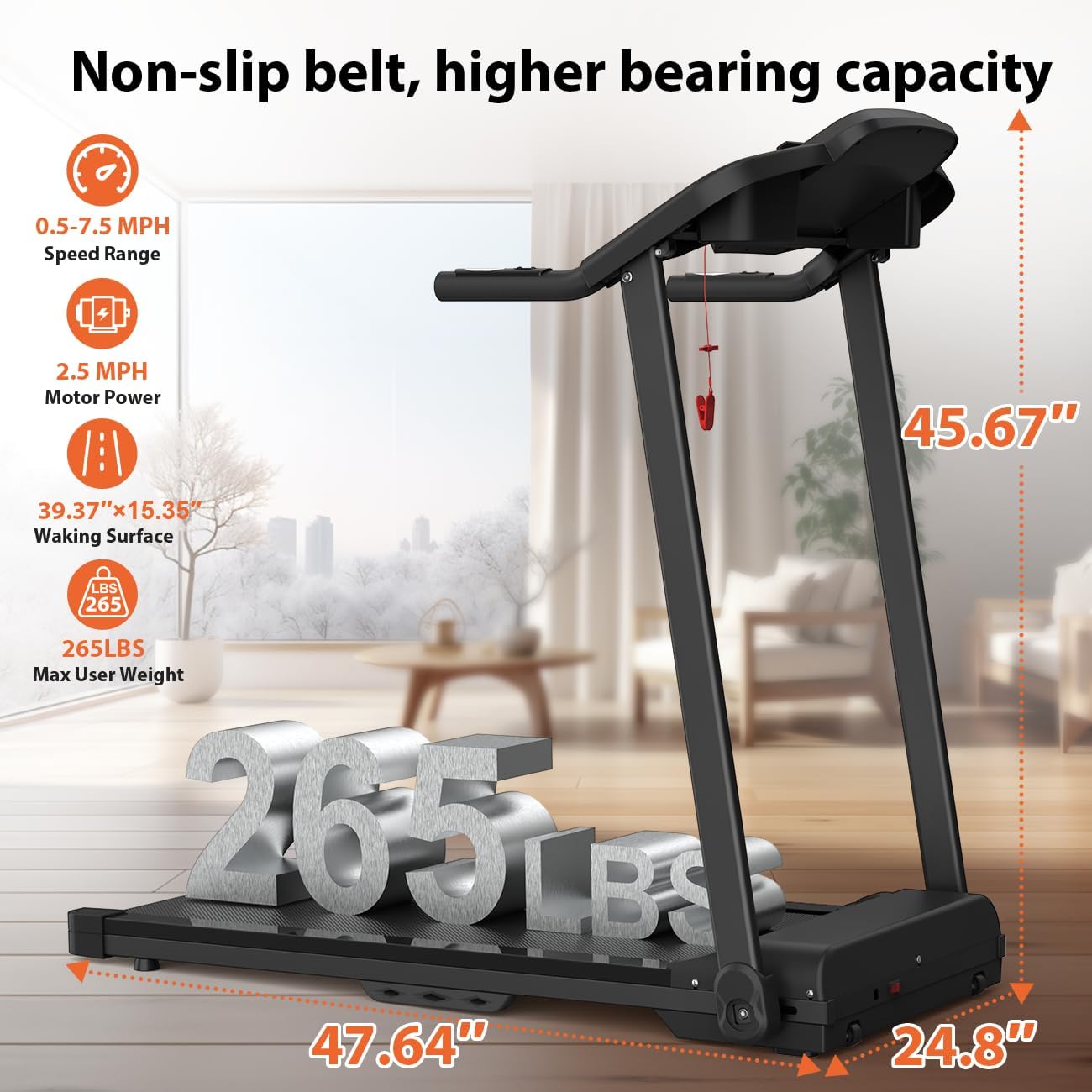
Figure 4: User engaging in walking mode on the treadmill.

Figure 5: User engaging in running mode on the treadmill.
5.3. Console Display and Remote Control
The LED display shows real-time data including speed, time, distance, and calories burned. The remote control provides convenient access to start/pause, speed adjustments, and display information without reaching for the console.

Figure 6: Console display and remote control functions.
5.4. Heart Rate Sensor
Grip the heart rate sensors on the handlebars to monitor your pulse during your workout. Your heart rate will be displayed on the console.
6. Maintenance
Regular maintenance ensures the longevity and optimal performance of your treadmill.
- Cleaning: Wipe down the treadmill surfaces with a damp cloth after each use. Avoid abrasive cleaners.
- Lubrication: The running belt requires periodic lubrication. Use the provided lubricant and follow the instructions in the separate lubrication guide (if included) or general treadmill lubrication procedures.
- Belt Adjustment: If the running belt shifts to one side or feels loose, it may need adjustment. Refer to the specific instructions in the manual for adjusting belt tension and alignment. This typically involves using an Allen wrench on the rear rollers.
- Storage: When not in use, the treadmill can be folded for compact storage. Ensure it is unplugged before folding.

Figure 7: The multi-layer running belt designed for comfort and durability.
7. Troubleshooting
If you encounter issues with your treadmill, try these common solutions:
- Treadmill Not Starting: Check if the power cord is securely plugged in, the main power switch is on, and the safety key is correctly inserted.
- Belt Slipping: The running belt may need tension adjustment. Refer to the maintenance section for instructions.
- Unusual Noise: Ensure all bolts and screws are tightened. Check for any foreign objects under the belt. If the noise persists, contact customer support.
- Display Not Working: Verify power connection and safety key. If the issue continues, contact customer support.
8. Specifications
| Feature | Specification |
|---|---|
| Brand | XMKEY |
| Model Name | XMKEY-1608 |
| Color | Black |
| Product Dimensions (D x W x H) | 47.66"D x 24.81"W x 45.69"H |
| Item Weight | 57.2 Pounds |
| Material | Acrylonitrile Butadiene Styrene (ABS), Alloy Steel, Metal |
| Maximum Speed | 7.5 Miles per Hour |
| Minimum Speed | 0.5 Miles per Hour |
| Maximum Horsepower | 2.5 Horsepower |
| Maximum Weight Recommendation | 300 Pounds |
| Deck Length | 39.4 Inches |
| Deck Width | 15.37 Inches |
| Special Features | Adjustable Speed, Heart Rate Monitor, Quiet Operation, Shock Absorbent |
| Power Source | Corded Electric |
| Assembly Required | Yes |
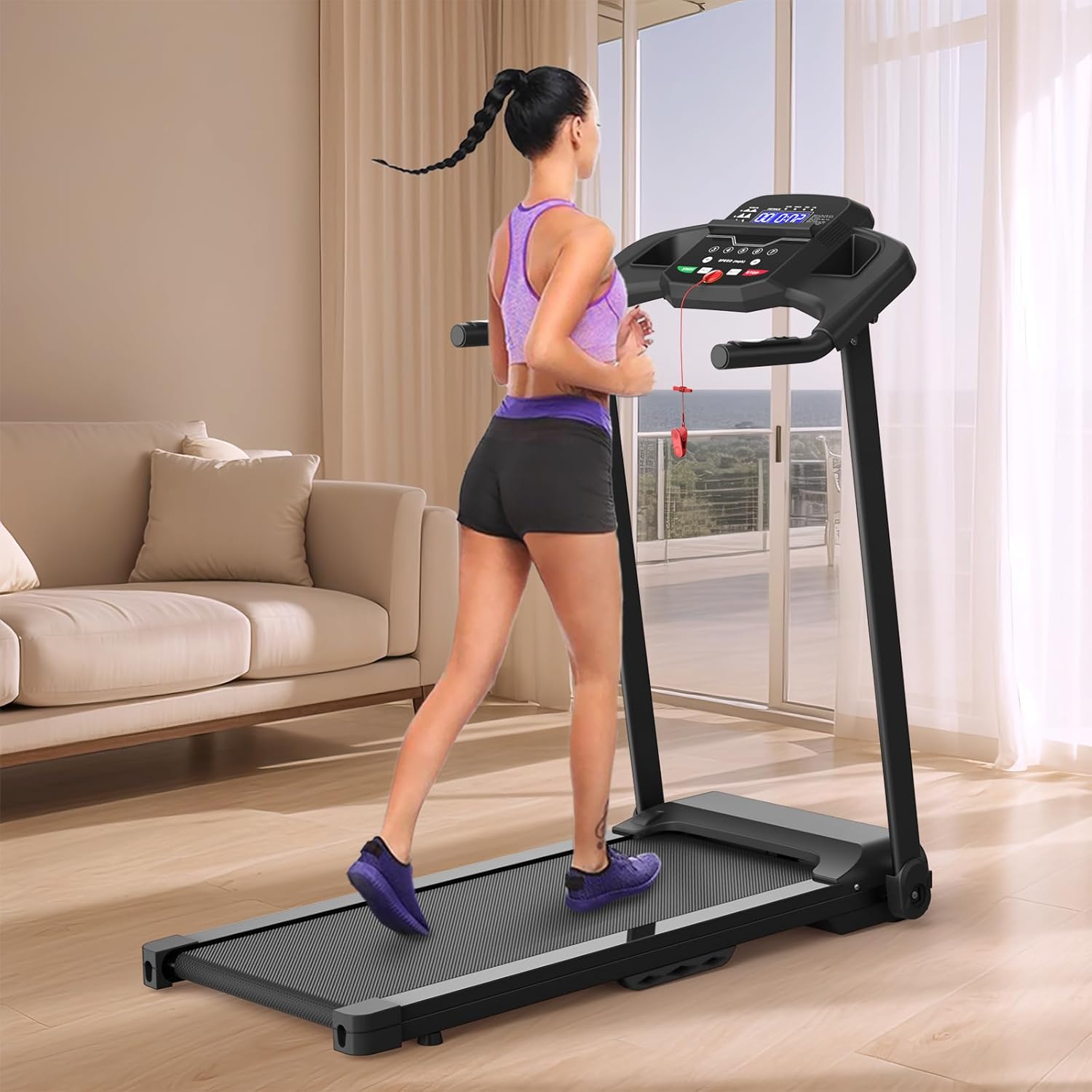
Figure 8: Details of the 2.5 HP quiet motor.
9. Warranty and Support
The XMKEY-1608 Folding Treadmill comes with a 1-Year Warranty from the date of purchase. This warranty covers manufacturing defects and malfunctions under normal use. Please retain your proof of purchase for warranty claims.
For technical support, troubleshooting assistance, or warranty inquiries, please refer to the contact information provided on the product packaging or the official XMKEY website.