
1. Product Overview
The ERICKHILL ROOKCORE Infrared Thermometer is a non-contact device designed for accurate temperature measurement across a wide range. It features dual laser guidance, an adjustable backlit LCD, and an energy-saving auto shut-off function. This compact tool is suitable for various applications including cooking, automotive repair, HVAC, and electrical maintenance.
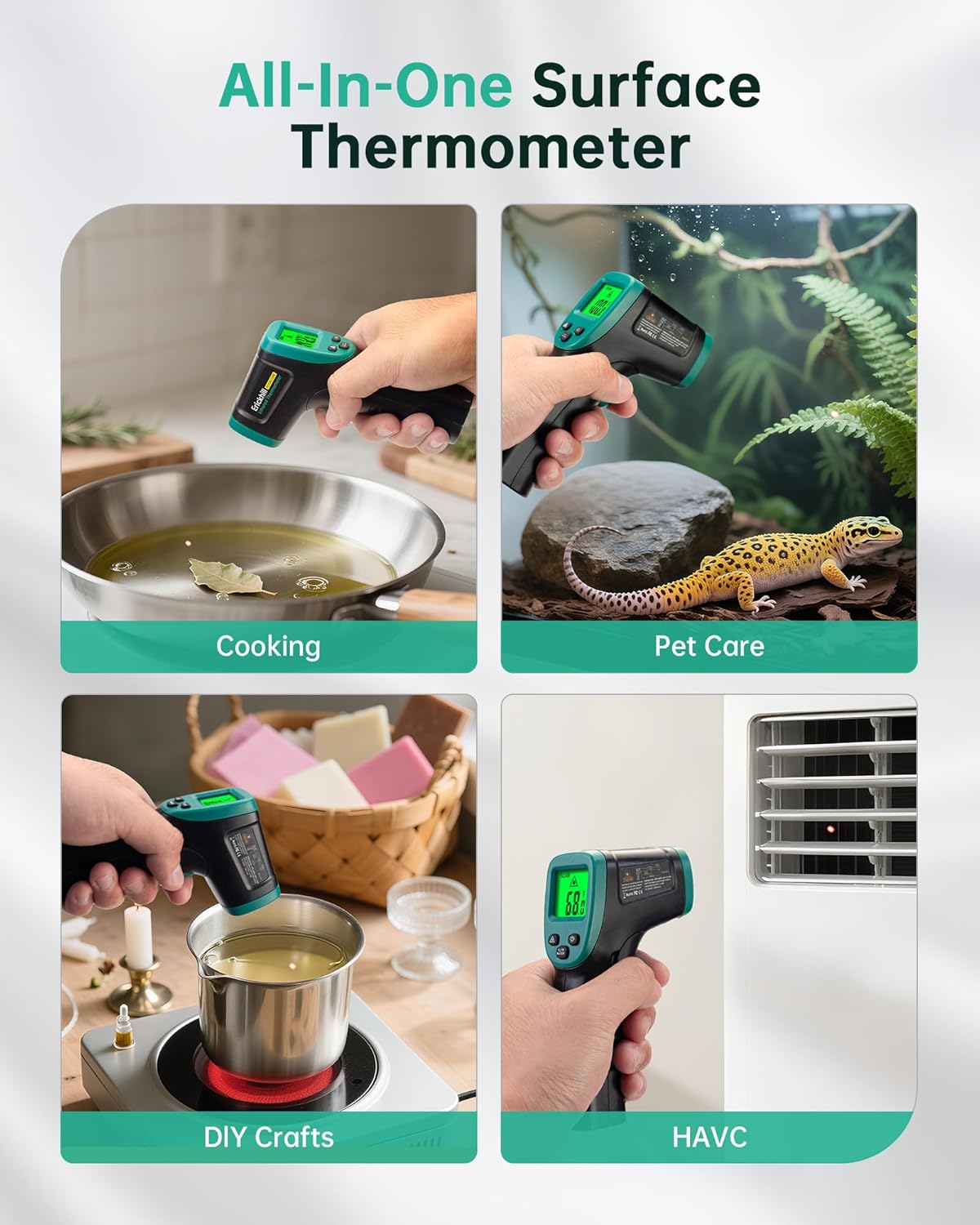
Figure 1: ERICKHILL ROOKCORE Infrared Thermometer.
2. Safety Information
This device utilizes a Class 2 laser. Adhere to the following safety guidelines:
- Avoid direct eye exposure to the laser beam.
- Do not point the laser at reflective surfaces.
- Keep out of reach of children.
- This thermometer is designed for surface temperature measurement of objects and materials only. DO NOT USE ON HUMANS or animals.

Figure 2: Important safety warning: Do not use on humans.
3. Setup
3.1 Battery Installation
The ERICKHILL ROOKCORE Infrared Thermometer requires two AAA batteries (included). To install or replace batteries:
- Locate the battery compartment on the handle.
- Open the compartment cover.
- Insert the two AAA batteries, ensuring correct polarity (+/-).
- Close the battery compartment cover securely.
4. Operating Instructions
4.1 Power On/Off
- To power on the device, press the trigger button. The LCD will illuminate.
- The device features an automatic shut-off function after 15 seconds of inactivity to conserve battery life.
4.2 Temperature Measurement
To measure temperature:
- Point the thermometer at the target surface. Ensure the laser is aimed at the desired measurement spot.
- Press and hold the trigger button. The temperature reading will appear on the LCD.
- Release the trigger button to hold the last measured temperature on the display.

Figure 3: Measuring surface temperature with the infrared thermometer.
4.3 Unit Switching (Celsius/Fahrenheit)
To switch between Celsius (℃) and Fahrenheit (℉), press the '℃/℉ MODE' button located below the display.
4.4 Laser On/Off
To toggle the laser pointer on or off, press the button with the laser symbol (triangle with lines) below the display. The laser symbol on the LCD indicates its status.
4.5 Backlight On/Off
To turn the LCD backlight on or off, press the button with the light bulb symbol below the display. This improves readability in various lighting conditions.
4.6 Adjustable Emissivity
The thermometer features adjustable emissivity (0.10 to 0.99) to improve accuracy for different surface types. The default emissivity is 0.95. Refer to the full user manual for specific emissivity values for various materials.

Figure 4: Adjustable emissivity for accurate measurements on various materials.
4.7 Distance-to-Spot Ratio (D:S)
The ERICKHILL ROOKCORE has a 16:1 D:S ratio, meaning it measures a 1-inch spot from 16 inches away. This allows for accurate readings at greater distances, especially for smaller targets.

Figure 5: Understanding the Distance-to-Spot Ratio.
5. Maintenance
5.1 Cleaning
- To clean the device, use a soft, damp cloth. Do not use abrasive cleaners or solvents.
- Ensure the lens is clean for accurate readings. Use a soft cloth or cotton swab with a small amount of rubbing alcohol if necessary.
5.2 Storage
When not in use, store the thermometer in a dry, cool place, away from direct sunlight and extreme temperatures. Remove batteries if storing for extended periods to prevent leakage.
6. Troubleshooting
- Device not powering on: Check if the batteries are correctly installed and have sufficient charge. Replace if necessary.
- Inaccurate readings: Ensure the lens is clean. Verify the emissivity setting is appropriate for the material being measured. Maintain the recommended distance-to-spot ratio.
- Laser not visible: Check if the laser is turned on using the dedicated button.
7. Specifications
| Feature | Specification |
|---|---|
| Brand | ERICKHILL |
| Model Name | ROOKCORE |
| Temperature Range | -50℃ to 600℃ (-58℉ to 1112℉) |
| Response Time | 0.3 seconds |
| Distance-to-Spot Ratio (D:S) | 16:1 |
| Emissivity | Adjustable (0.10-0.99), Default 0.95 |
| Display Type | Digital, Backlit LCD |
| Power Source | 2 AAA batteries (included) |
| Special Feature | Auto Off |
| Outer Material | Acrylonitrile Butadiene Styrene (ABS) |
| Certifications | CE, RoHS, UKCA, FCC |
| Item Weight | 5.6 ounces |
| Item Length | 5.7 Inches |
8. Warranty and Support
The ERICKHILL ROOKCORE Infrared Thermometer is backed by a 3-year warranty. ERICKHILL provides lifetime technical support and responsive customer service to ensure your satisfaction. For assistance, please contact ERICKHILL customer support.
9. Product Usage Examples
The ERICKHILL ROOKCORE Infrared Thermometer is versatile for various applications:
- Cooking: Quickly check the temperature of cooking surfaces, oils, or food without direct contact.
- HVAC: Monitor temperatures of vents, ducts, and air conditioning units to identify inefficiencies.
- Automotive: Diagnose engine components, tires, or brakes for overheating issues.
- Electrical: Safely check the temperature of electrical panels, circuits, and motors from a distance.
- Home Use: Verify freezer temperatures, check insulation, or monitor pet habitats.
Video 1: Official ERICKHILL ROOKCORE Infrared Thermometer demonstration, showcasing its features and various applications in a home and industrial setting.

Figure 6: Versatile applications of the ERICKHILL ROOKCORE thermometer.

Figure 7: Rapid temperature testing for industrial and mechanical applications.
