
1. Getting Started
1.1 Unboxing Your Device
Carefully unpack your realme 16 Pro+ 5G Smartphone and check for the following items:
- realme 16 Pro+ 5G Smartphone
- USB Cable
- Phone Case
- Quick Start Guide
- SIM Tray Ejector
1.2 Initial Charge
Before first use, it is recommended to fully charge your device. Connect the USB cable to the smartphone's USB Type-C port and the other end to the 80W SuperVOOC charger. The device supports 80W fast charging, allowing for rapid power replenishment.
1.3 SIM Card Installation
To install your SIM card:
- Locate the SIM card tray on the side of the phone.
- Insert the SIM tray ejector tool into the small hole next to the tray and press gently until the tray pops out.
- Place your Nano-SIM card(s) into the tray with the gold contacts facing down. Ensure proper orientation.
- Carefully push the tray back into the slot until it clicks into place.
2. Setup
2.1 Power On/Off
To power on, press and hold the Power button until the realme logo appears. To power off, press and hold the Power button, then select 'Power off' from the options on the screen.
2.2 Initial Device Setup
Upon first power-on, the device will guide you through the initial setup process:
- Language Selection: Choose your preferred language.
- Wi-Fi Connection: Connect to a Wi-Fi network for internet access.
- Google Account: Sign in with your Google account or create a new one. This is essential for accessing Google services and the Play Store.
- Data Transfer: Option to transfer data from an old device.
2.3 Biometric Security
The realme 16 Pro+ 5G supports Face Recognition for secure unlocking. During setup, you will have the option to configure this feature. Follow the on-screen instructions to register your face for quick and secure access.
3. Operating Your Device
3.1 Display
The device features a 144Hz AMOLED display, providing smooth visuals and vibrant colors. Navigate the interface using touch gestures. The high refresh rate enhances the experience for scrolling, gaming, and video playback.
3.2 Camera
The realme 16 Pro+ 5G is equipped with a 200MP rear main camera and a 50MP front camera. Open the Camera application to access various modes including Photo, Video, Portrait, and more. Utilize the high-resolution sensors for detailed images and videos.
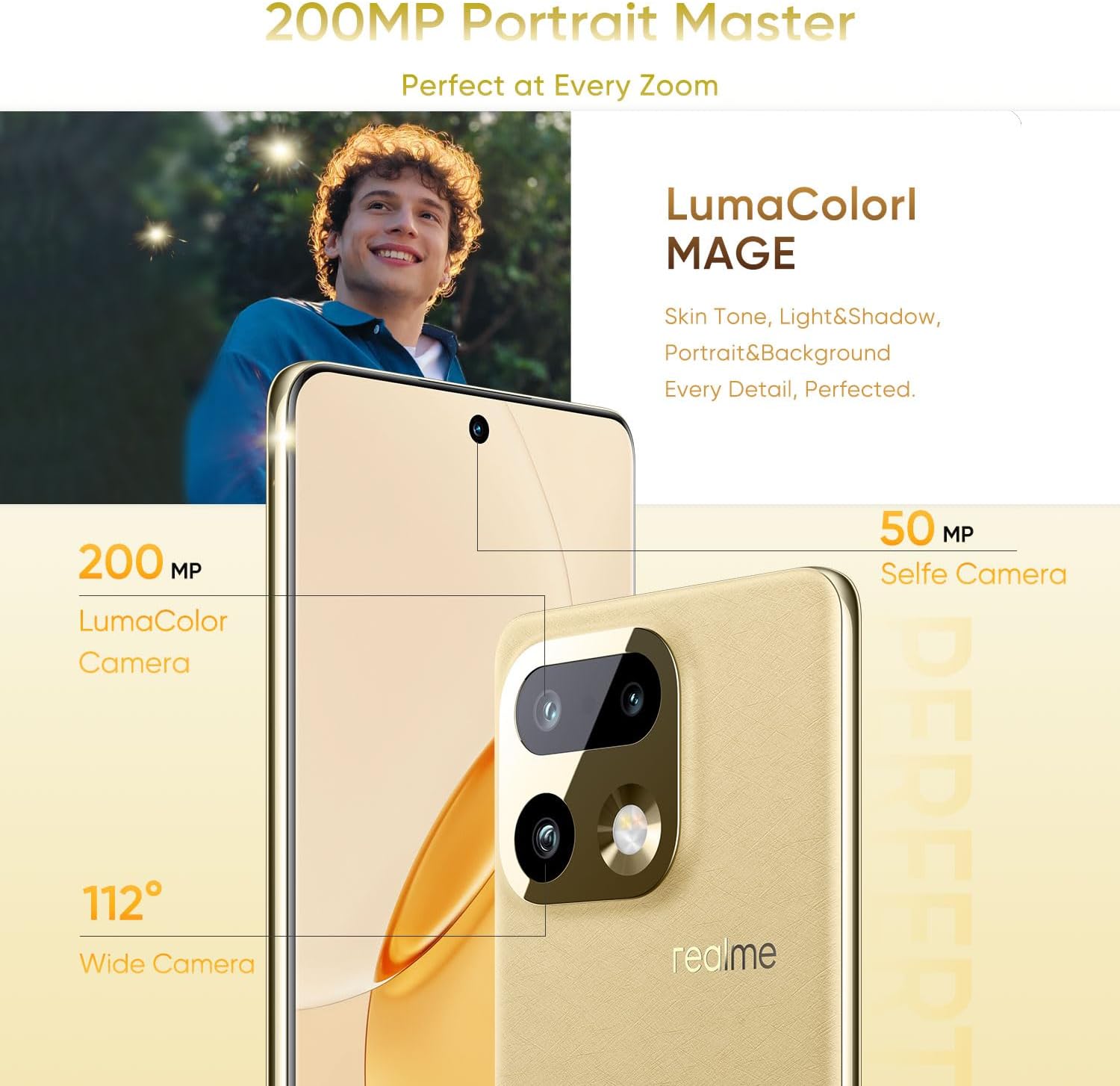
Image: Overview of the realme 16 Pro+ 5G camera system, showing the 200MP main camera and 50MP selfie camera with LumaColorl MAGE technology.

Image: The AI Instant Clip feature for one-tap video creation and AI Framing for smart framing and auto-zoom.

Image: The 50MP selfie camera and 200MP HI-RES mode for detailed group portraits, enhanced by AI Perfect Shot and AI Ultra Clarity.
3.3 Battery & Charging
The device is powered by a 7000mAh battery. For optimal charging, use the provided 80W SuperVOOC charger. This technology allows for rapid charging, reaching 48% in approximately 10 minutes and a full charge in about 35 minutes. The battery also supports reverse charging and bypass charging.

Image: Details of the 7000mAh Titan Battery, highlighting 80W Ultra Charge, Reverse Charge, Bypass Charge, and 6 Years Battery Health.
3.4 Performance
The realme 16 Pro+ 5G integrates the Qualcomm Snapdragon 7 Gen 4 chipset and Rocket LPDDR5X memory, ensuring smooth multitasking, efficient gaming, and fast data processing. This configuration provides a responsive user experience for demanding applications and daily tasks.

Image: Visual representation of 12GB Dynamic RAM and 512GB ROM for enhanced multitasking capabilities.
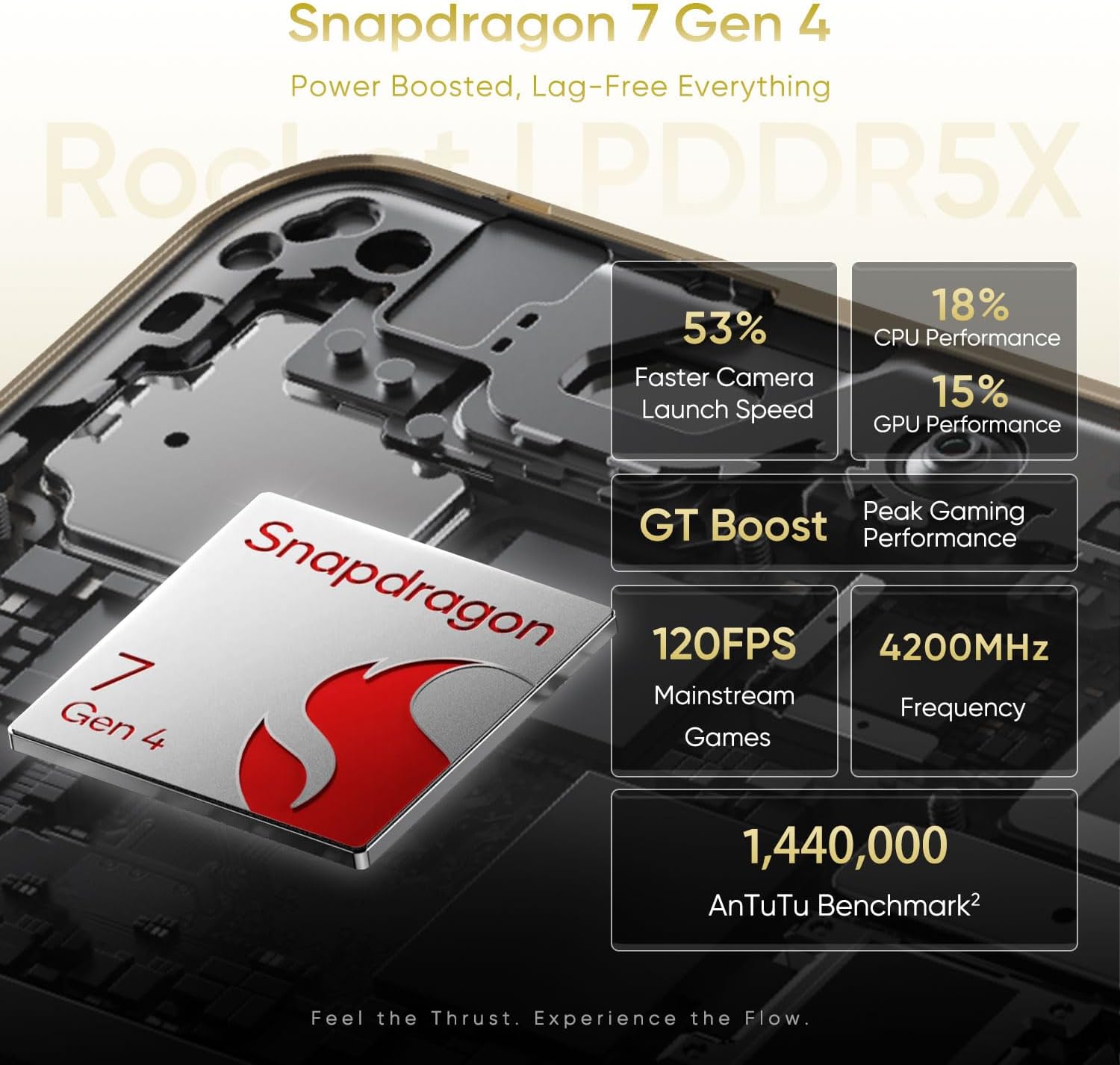
Image: Performance metrics for the Snapdragon 7 Gen 4, including faster camera launch speed, CPU/GPU performance, and gaming benchmarks.
3.5 Water & Dust Resistance
The device features an IP69 rating for water and dust resistance. This means it is protected against high-pressure water jets and dust ingress, offering durability in various environments. While resistant, avoid intentional submersion or exposure to extreme conditions.
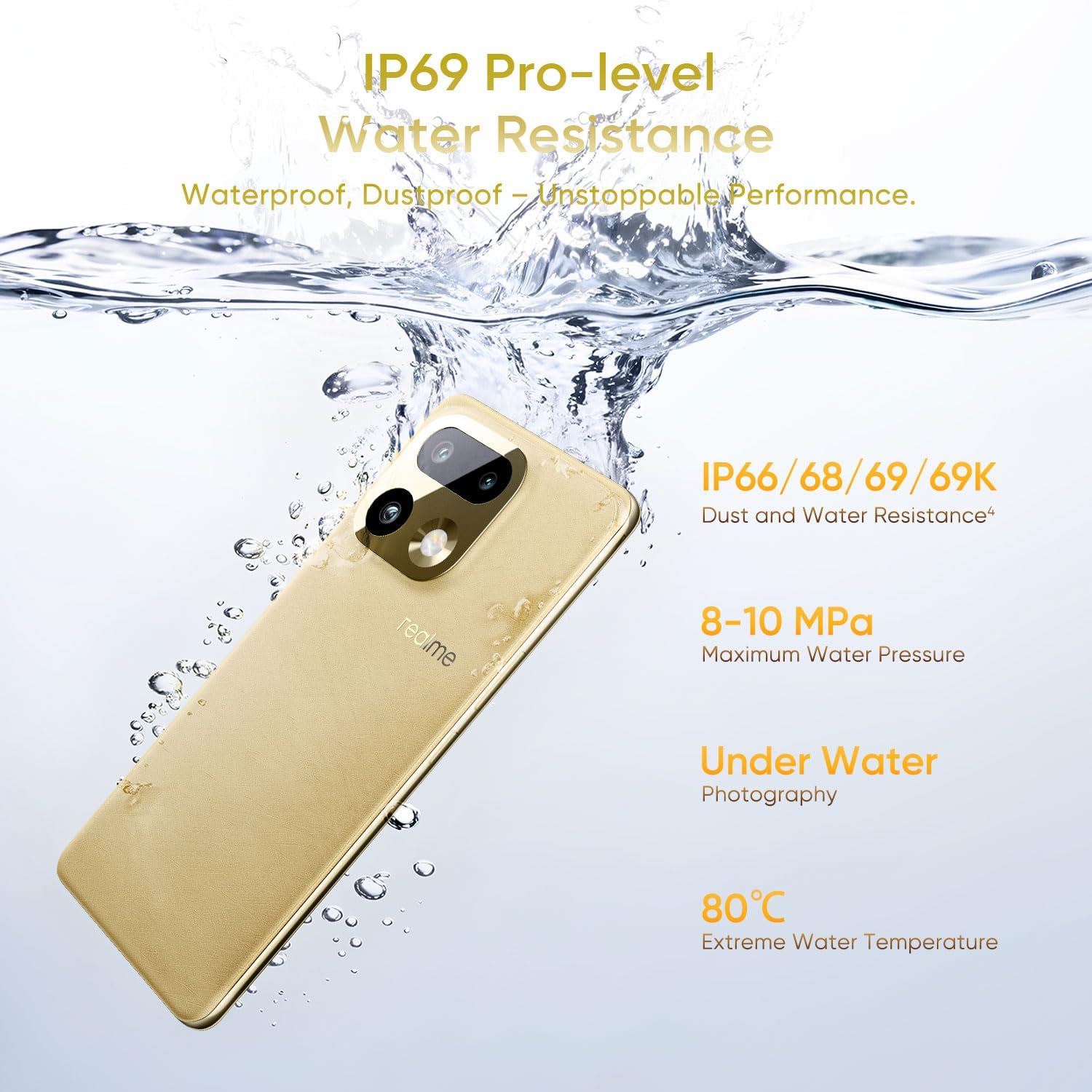
Image: The realme 16 Pro+ 5G submerged in water, illustrating its IP69 Pro-level Water Resistance, capable of withstanding high water pressure and extreme temperatures.
3.6 Connectivity
The realme 16 Pro+ 5G supports 5G cellular technology for high-speed mobile data. It also includes Bluetooth, USB Type-C, and Wi-Fi for various connectivity needs.
4. Maintenance
4.1 Software Updates
Regularly check for and install software updates to ensure optimal performance, security, and access to new features. Navigate to Settings > About phone > Software update to check for available updates.
4.2 Cleaning
To clean your device, use a soft, lint-free cloth. Avoid using harsh chemicals or abrasive materials, which can damage the screen or finish. For stubborn smudges, slightly dampen the cloth with water.
4.3 Battery Care
To prolong battery life:
- Avoid extreme temperatures.
- Do not leave the device fully charged or fully discharged for extended periods.
- Use the original charger and cable.
5. Troubleshooting
This section addresses common issues you might encounter.
5.1 Device Not Powering On
- Ensure the battery is charged. Connect the device to the charger for at least 15 minutes.
- Press and hold the Power button for 10-15 seconds to force a restart.
5.2 Charging Issues
- Verify the charger and USB cable are securely connected.
- Try using a different power outlet.
- Inspect the charging port for any debris or damage.
5.3 Network Connectivity Problems
- Check if Airplane Mode is disabled.
- Restart the device.
- Ensure your SIM card is properly inserted and active.
- Reset network settings (Settings > System > Reset options > Reset Wi-Fi, mobile & Bluetooth).
6. Specifications
| Brand | realme |
| Model Name | realme 16 Pro+ |
| Operating System | Android 16 |
| CPU Model | Qualcomm Snapdragon 7 Gen 4 |
| CPU Speed | 2.8 GHz |
| RAM Memory Installed Size | 12 GB |
| Memory Storage Capacity | 512 GB |
| Display Type | AMOLED |
| Refresh Rate | 144 Hz |
| Display Resolution Maximum | 1280*2800 Pixels Per Inch |
| Front Photo Sensor Resolution | 50 MP |
| Rear Facing Camera Photo Sensor Resolution | 200 MP |
| Battery Capacity | 7000 Milliamp Hours |
| Charging Technology | 80W SuperVOOC |
| Water Resistance Level | IP69 Water Resistant |
| Cellular Technology | 5G |
| Connectivity Technology | Bluetooth, USB Type-C, Wi-Fi |
| Biometric Security Feature | Face Recognition |
| Item Weight | 120 Grams |
7. Warranty and Support
7.1 Warranty Information
The realme 16 Pro+ 5G Smartphone comes with a 1 Year Manufacturer Warranty. This warranty covers defects in materials and workmanship under normal use. For specific terms and conditions, please refer to the warranty card included in your product packaging or visit the official realme website.
7.2 Customer Support
For technical assistance, troubleshooting, or warranty claims, please contact realme customer support through their official website or the contact information provided in your Quick Start Guide. Ensure you have your device's model number and purchase details ready when contacting support.