
Introduction
This manual provides essential information for the safe and efficient use of your realme 16 Pro 5G Unlocked Smartphone. Please read it thoroughly before using your device.
1. Setup
1.1 What's in the Box
Verify that all items are present:
- realme 16 Pro 5G Smartphone
- USB Cable
- Phone Case
- Quick Start Guide
- SIM Tray Ejector
1.2 Inserting the SIM Card
Locate the SIM card tray on the side of the device. Use the provided SIM tray ejector tool to open the tray. Insert your Nano-SIM card(s) into the designated slots, ensuring correct orientation. Gently push the tray back into the device until it clicks into place.
1.3 Initial Charging and Power On
Before first use, it is recommended to fully charge your device. Connect the USB cable to the phone's USB Type-C port and the other end to the 80W SuperVOOC power adapter (if included, or a compatible charger). Press and hold the power button until the realme logo appears to turn on the device.

Image: The realme 16 Pro 5G smartphone, illustrating its design and camera setup.
2. Operating Your Device
2.1 Display Features
The realme 16 Pro 5G features a 144Hz AMOLED display. This high refresh rate provides smooth scrolling and fluid visuals. The display offers vibrant colors and high contrast, with high brightness for clear visibility in various lighting conditions.

Image: The 144Hz AMOLED display in action, demonstrating its visual quality and key features.
2.2 Camera System
The device is equipped with a 200MP main rear camera and a 50MP front camera. The 200MP sensor captures highly detailed images, while the 50MP front camera is designed for clear selfies. Advanced imaging algorithms enhance photo quality in various conditions.
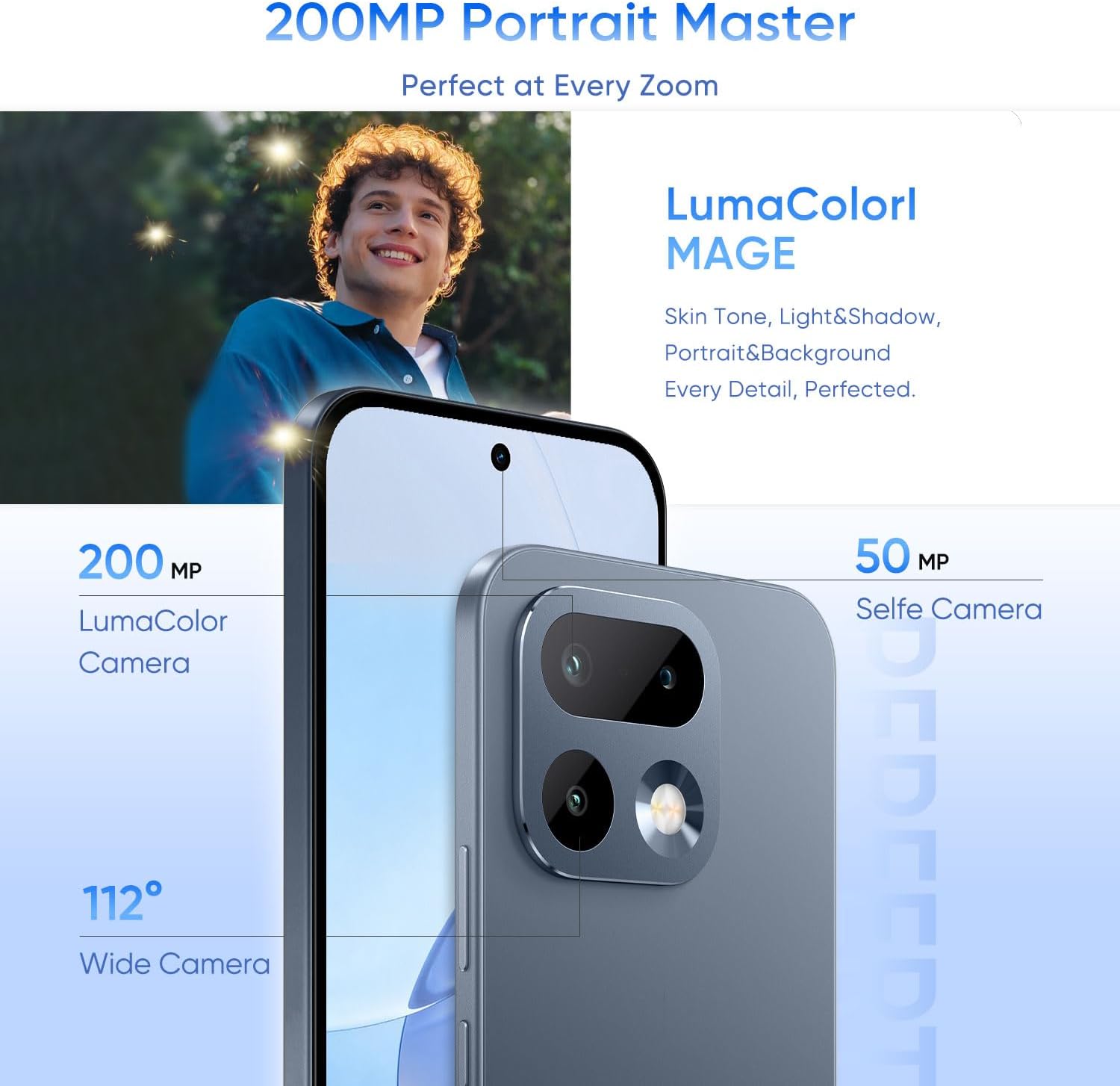
Image: Detailed view of the realme 16 Pro 5G camera system, highlighting the 200MP and 50MP sensors.
2.3 Performance and Multitasking
Powered by the MediaTek Dimensity 7300 Max 5G Chipset, the smartphone offers smooth performance for multitasking, gaming, and daily applications. The 8GB RAM ensures efficient operation.

Image: Visual representation of the device's RAM and ROM for efficient multitasking.
2.4 Battery and Charging
The device includes a 7000mAh battery for extended usage. It supports 80W SuperVOOC fast charging, allowing for rapid recharging. A full charge can be achieved in approximately 35 minutes, with 0 to 48% in 10 minutes.

Image: Information on the device's battery capacity and charging capabilities.
2.5 Operating System and Connectivity
The smartphone runs on Android 16. It supports 5G cellular technology, Wi-Fi, Bluetooth, and USB connectivity via a Type-C port.
2.6 Biometric Security
The device includes Face Recognition as a biometric security feature for convenient unlocking and authentication.
3. Maintenance
3.1 Water and Dust Resistance
The realme 16 Pro 5G features IP69 water and dust resistance. This rating indicates protection against high-pressure water jets and dust ingress. While resistant, it is not waterproof. Avoid intentional submersion or exposure to harsh chemicals. Ensure all ports are dry before charging.

Image: Visual representation of the device's IP69 water resistance.
3.2 General Care
- Clean the screen and body with a soft, lint-free cloth.
- Avoid exposing the device to extreme temperatures or direct sunlight for prolonged periods.
- Do not use abrasive cleaners or solvents.
4. Troubleshooting
If you encounter issues with your device, try the following basic troubleshooting steps:
- Device not powering on: Ensure the battery is charged. Connect to a charger and wait a few minutes before attempting to power on again.
- Applications freezing: Close the problematic application and reopen it. If the issue persists, restart the device.
- Poor network connectivity: Check your SIM card insertion. Try toggling Airplane Mode on and off. Ensure you are within network coverage.
- Touchscreen unresponsive: Restart the device by holding down the power button.
For more complex issues, refer to the official realme support website or contact customer service.
5. Specifications
| Feature | Detail |
|---|---|
| Brand | realme |
| Model Name | realme 16 Pro 5G |
| Operating System | Android 16 |
| Processor | MediaTek Dimensity 7300 Max 5G Chipset (2.5 GHz) |
| RAM | 8 GB |
| Storage Capacity | 256 GB |
| Display Type | AMOLED |
| Display Refresh Rate | 144 Hz |
| Display Resolution | 2772 x 1272 Pixels |
| Rear Camera | 200 MP |
| Front Camera | 50 MP |
| Battery Capacity | 7000 mAh |
| Charging | 80W SuperVOOC Fast Charging |
| Water Resistance | IP69 Water Resistant |
| Weight | 120 Grams |
| Connectivity | 5G, Bluetooth, USB Type-C, Wi-Fi |
| Biometric Security | Face Recognition |
6. Warranty Information
Your realme 16 Pro 5G Smartphone comes with a 1 Year Manufacturer Warranty. Please retain your proof of purchase for warranty claims. The warranty covers manufacturing defects but typically excludes damage caused by misuse, accidents, or unauthorized modifications. For full terms and conditions, please refer to the warranty card included in your product packaging or visit the official realme website.
7. Customer Support
For further assistance, technical support, or service inquiries, please visit the official realme support website. You can find FAQs, software updates, and contact information for customer service there.
Official realme Store: realme Store on Amazon
8. Product Videos
No official product videos from the seller were provided in the available data to embed in this manual.