
1. Product Overview
The Garvee Farmhouse TV Stand is designed to accommodate televisions up to 75 inches, offering both functional storage and a stylish aesthetic for your living space. It features a durable engineered wood construction with a farmhouse-inspired design, including two swing cabinets and open shelving.
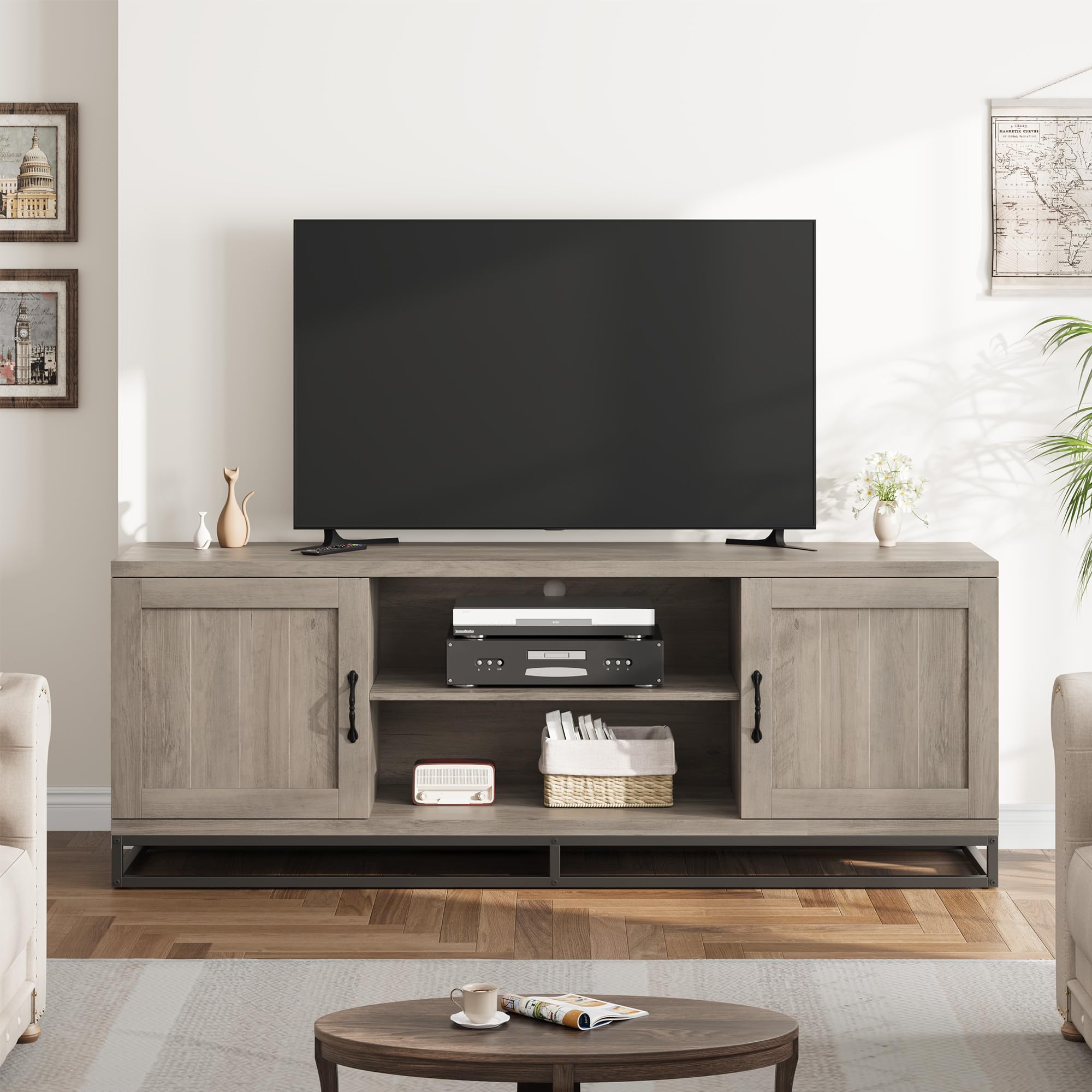
Image 1.1: The Garvee Farmhouse TV Stand in a living room, showcasing its design and capacity to hold a large television.
Key Features:
- Farmhouse Chic Design: Features two swing cabinets with metal handles and sculpted lines for enhanced visual appeal.
- Open Metal Base: Provides stability, increased weight-bearing capacity, and facilitates easy movement and cleaning.
- Spacious & Well-Organized Storage: Accommodates 65" to 80" TVs with two open shelves and two closed cabinets, all featuring adjustable shelves.
- Advanced Wood Craftsmanship: Raw materials undergo pre-treatment to prevent cracking and deformation. Joints are designed to accommodate thermal expansion.
- Cable Management: Includes a round hole design at the back for convenient TV wiring.
Video 1.1: An official product video demonstrating the Garvee Farmhouse TV Stand's features and design in a home environment.
2. Setup and Assembly
This Garvee TV Stand requires assembly. Please follow the provided step-by-step instructions carefully. All hardware and parts are numbered or lettered for easy identification.
2.1 Before You Begin
- Unpack all components and verify against the parts list in your included installation manual.
- Ensure you have sufficient space for assembly.
- Keep small parts away from children.
2.2 Assembly Steps (General Guidelines)
- Attach the metal base components to the main TV stand frame.
- Assemble the main cabinet structure, ensuring all connections are secure.
- Install the adjustable shelves into the open and closed compartments as desired.
- Attach the cabinet doors and handles.
- Place the TV stand in its desired location.
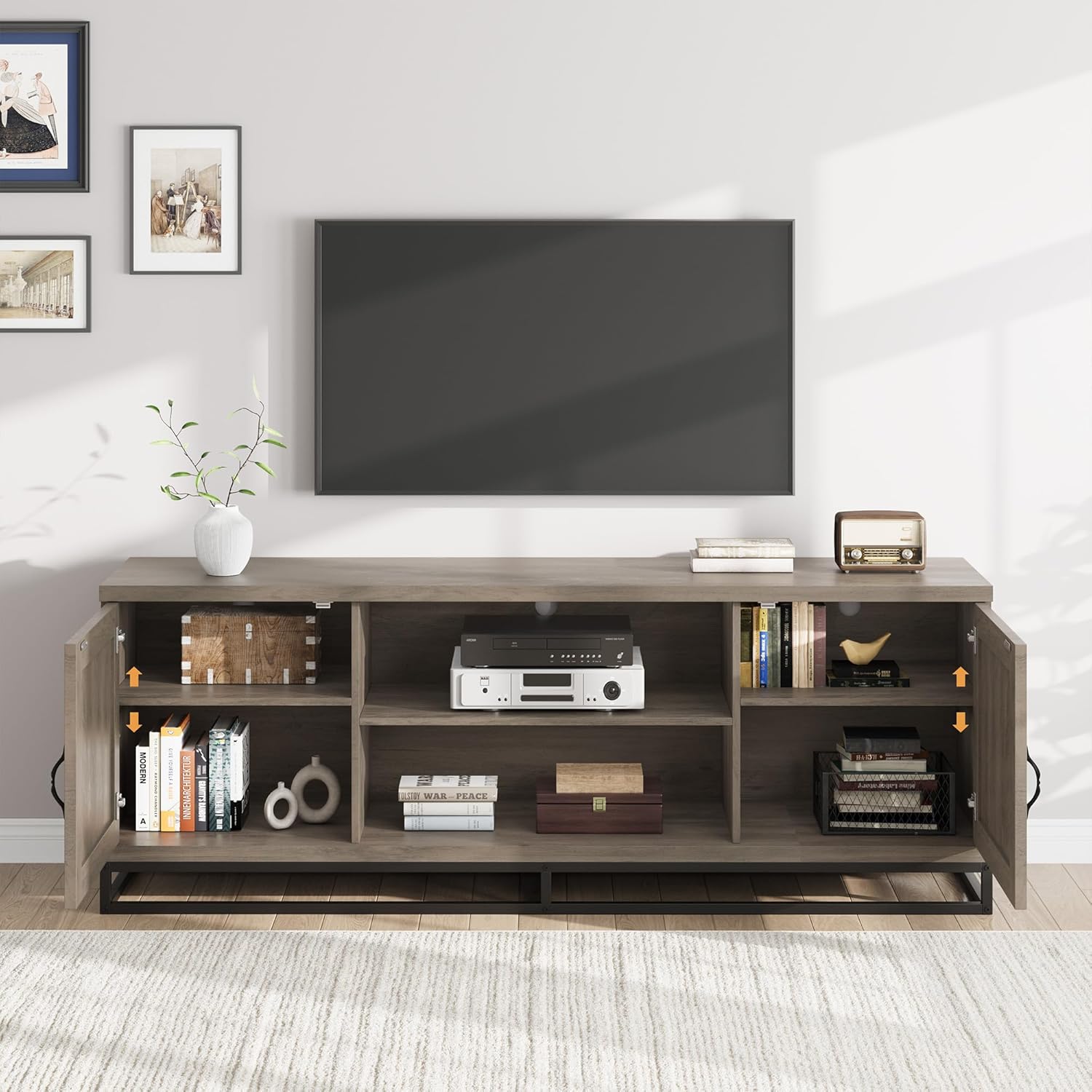
Image 2.1: The TV stand with its cabinet doors open, illustrating the adjustable shelves within the storage compartments.

Image 2.2: A visual representation of the TV stand's overall dimensions, including width, depth, and height.
3. Operating Instructions
The Garvee Farmhouse TV Stand is designed for straightforward use as an entertainment center.
3.1 Placing Your Television
- Carefully place your television on the top surface of the stand. Ensure the TV's base is fully supported and centered for stability.
- This stand is suitable for TVs ranging from 65 inches to 80 inches.
3.2 Utilizing Storage and Cable Management
- Use the open shelves for media devices such as soundbars, gaming consoles, or streaming boxes.
- Store DVDs, books, or other items in the closed cabinets to maintain a tidy appearance.
- Utilize the pre-drilled cable holes on the back panel to route and organize power cords and AV cables, preventing tangles and improving aesthetics.
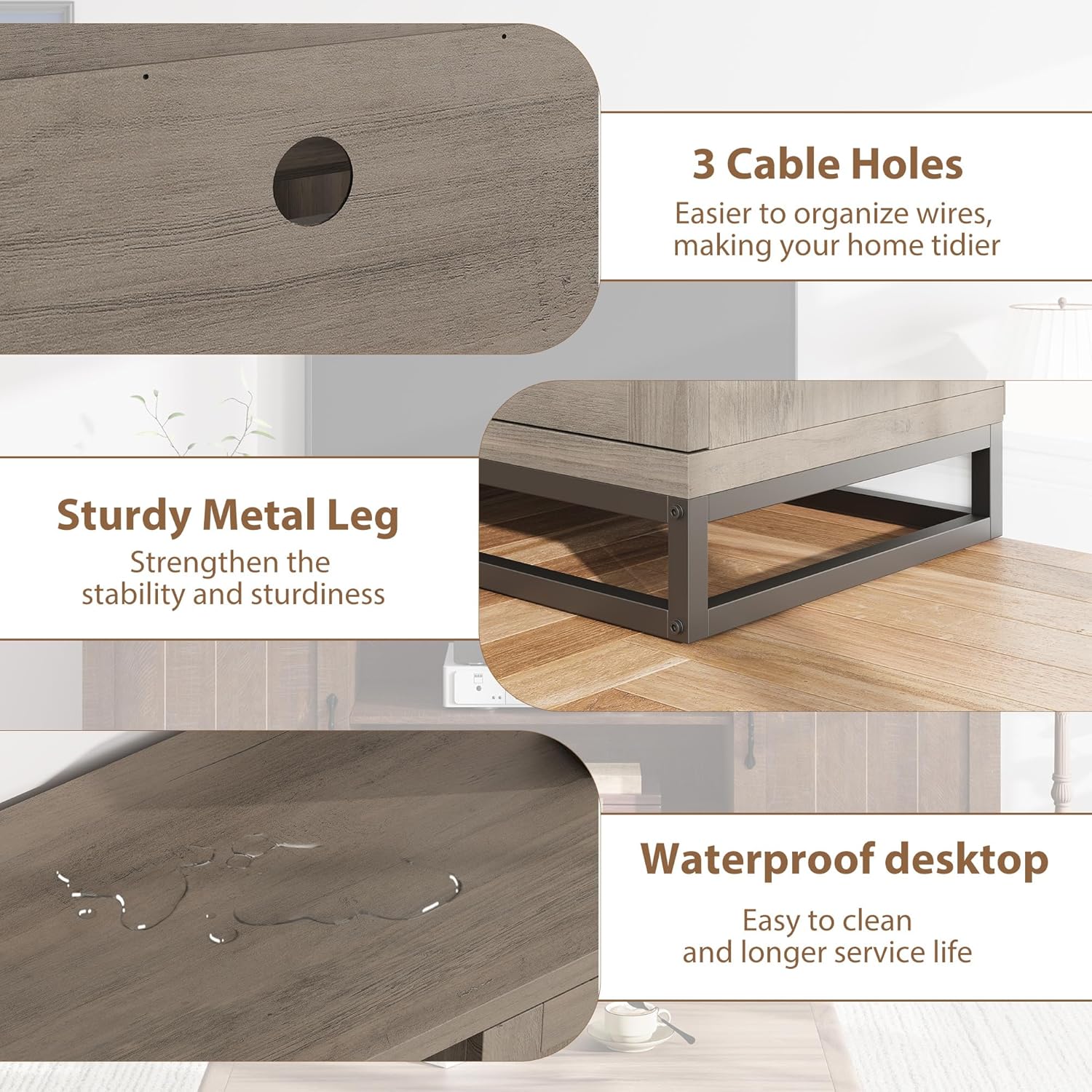
Image 3.1: Detailed view highlighting the three cable holes for wire organization, the sturdy metal leg for stability, and the waterproof desktop surface.
4. Maintenance and Care
Proper maintenance will ensure the longevity and appearance of your Garvee Farmhouse TV Stand.
4.1 Cleaning Instructions
- For general cleaning, wipe surfaces with a soft, damp cloth.
- The desktop is waterproof; spills can be easily wiped away. Avoid abrasive cleaners or harsh chemicals, as these may damage the finish.
- For stubborn marks, use a mild soap solution and immediately dry the surface thoroughly.
4.2 General Care
- Avoid placing hot items directly on the surface; use coasters or protective pads.
- Keep the TV stand away from direct sunlight and extreme temperature changes to prevent warping or fading.
- Periodically check all screws and fasteners to ensure they remain tight. Retighten if necessary.
5. Troubleshooting
This section addresses common issues you might encounter with your TV stand.
5.1 Stability Issues
- Issue: The TV stand feels wobbly or unstable.
- Solution: Ensure all assembly screws are securely tightened. Verify that the stand is placed on a flat, level surface. Adjust any leveling feet if present.
5.2 Missing or Damaged Parts
- Issue: Components are missing or damaged upon arrival.
- Solution: Refer to the contact information in the Support section to reach out to Garvee customer service for assistance with replacement parts.
5.3 Doors Not Aligning
- Issue: Cabinet doors do not close properly or are misaligned.
- Solution: Check the hinge attachments and adjust them if necessary. Ensure the stand is on a level surface, as an uneven floor can affect door alignment.
6. Specifications
Detailed specifications for the Garvee Farmhouse TV Stand.
| Feature | Detail |
|---|---|
| Brand | Garvee |
| Model Number | TV Stand |
| Color | Grey |
| Style | Farmhouse |
| Material Type | Engineered Wood |
| Item Dimensions (L x W x H) | 63 x 15.6 x 26 inches |
| Item Weight | 97.2 Pounds |
| Assembly Required | Yes |
| UPC | 820567006013 |
7. Warranty Information
Specific warranty details for the Garvee Farmhouse TV Stand are not provided in this manual. For information regarding warranty coverage, terms, and conditions, please refer to the documentation included with your purchase or contact Garvee customer support directly.
8. Customer Support
If you have any questions, require assistance with assembly, or need to report missing/damaged parts, please contact Garvee customer support.
- Manufacturer: Garvee
- Online Store: Visit the Garvee Store on Amazon for more information and contact options.
- Please have your model number (TV Stand) and purchase details ready when contacting support.