
1. Introduction
Thank you for choosing the Flrrtenv 50.4'' L Shaped Desk. This versatile desk is designed to enhance your workspace with its adaptable configuration, integrated power solutions, and ample storage. Please read this manual carefully before assembly and use to ensure proper setup and long-lasting enjoyment of your new desk.
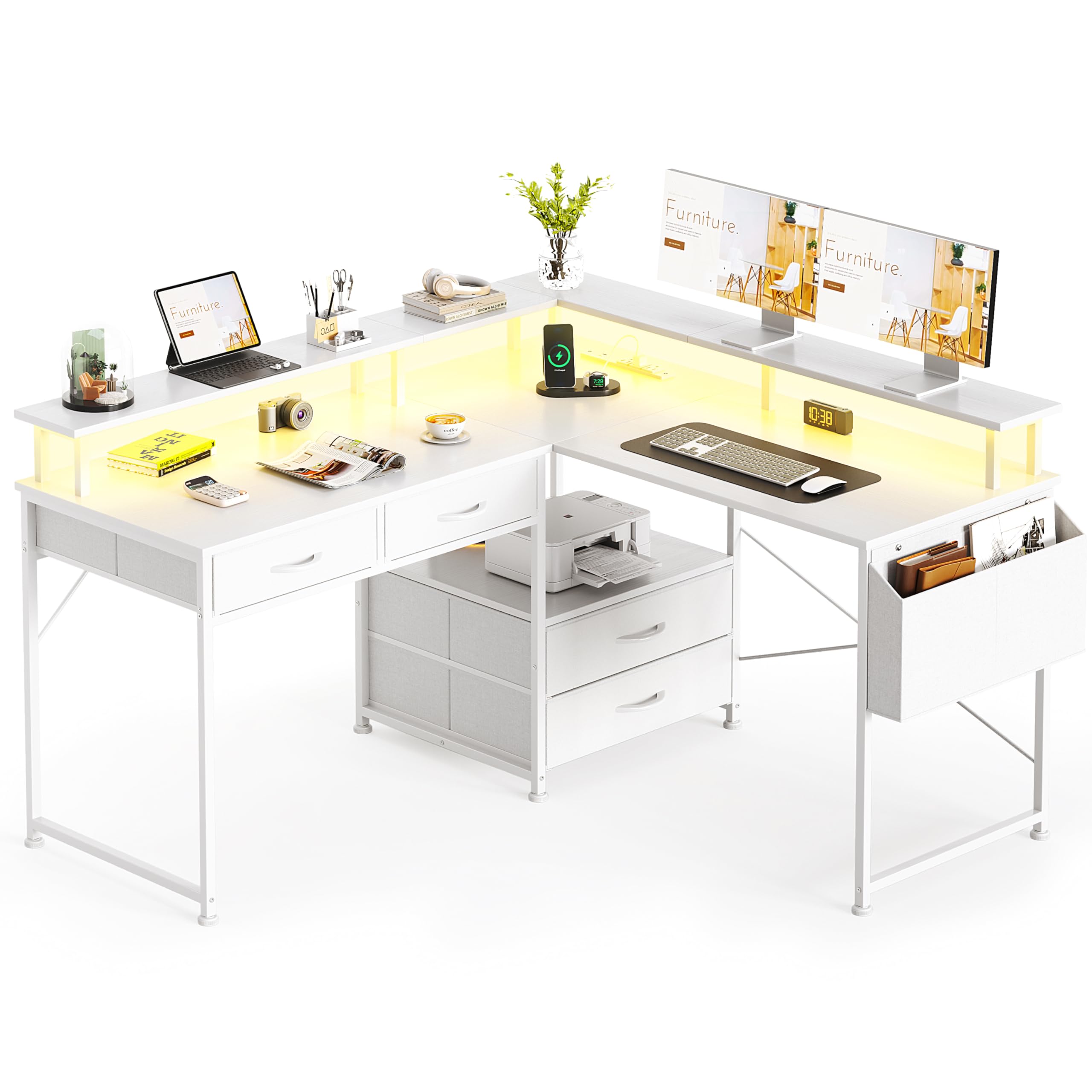
Image: The Flrrtenv 50.4'' L Shaped Desk in white, configured for a home office setup with multiple monitors, a laptop, and various accessories. It highlights the spacious desktop and integrated storage solutions.
2. Product Features
- Reversible L-Shaped Design: The desk can be configured as a 128cm L-shape or a 200cm straight dual-zone workstation, adapting to various room layouts and work needs.
- Integrated Power Outlet: Features 1 Type-C port, 1 USB port, and 2 AC outlets for convenient charging and powering of devices directly from your desktop.
- Vibrant RGB LED Lights: Enhance your ambiance with 16 captivating colors and 4 mesmerizing modes, perfect for gaming or creating a focused work environment.
- Smart Storage Solutions: Includes two varying sizes of drawers, a dedicated space for a printer stand, and a tableside bag to keep your workspace organized and clutter-free.
- Monitor Stand: An elevated monitor stand helps maintain ergonomic viewing angles and frees up desktop space.

Image: Detail of the integrated power outlet on the desk, showing 1 USB port, 3 AC outlets, and 1 Type-C port, with devices charging.
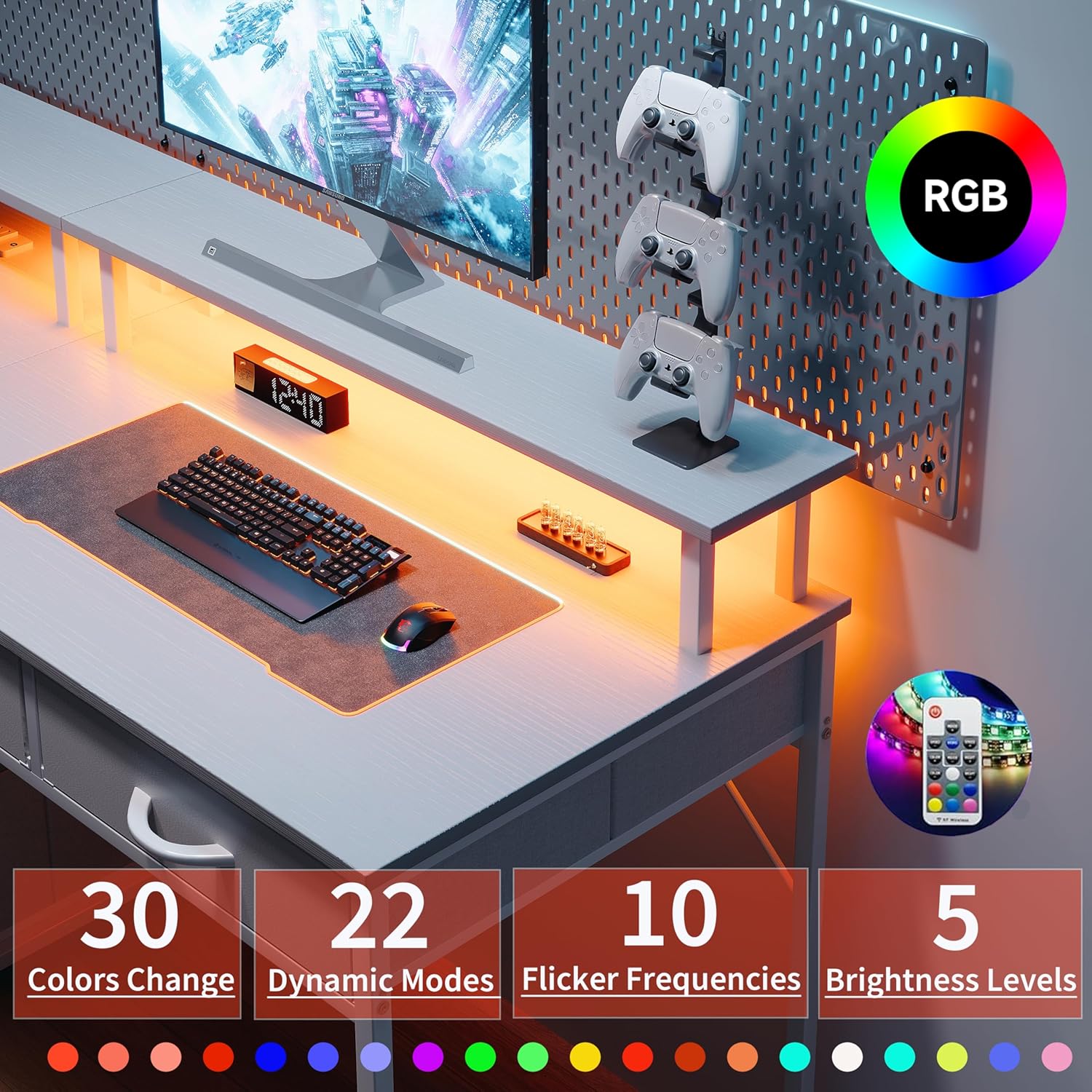
Image: A gaming setup on the desk, highlighting the vibrant RGB LED lights with options for 30 colors, 22 dynamic modes, 10 flicker frequencies, and 5 brightness levels.
3. Package Contents
Please verify that all parts are included and in good condition before beginning assembly. Refer to the parts list provided in your package for specific component identification.
- Desktop Panels (Main L-shaped sections)
- Metal Frame Components
- Monitor Stand Components
- Fabric Drawers (4 units)
- Tableside Storage Bag
- Built-in Power Outlet (1 Type-C, 1 USB, 2 AC)
- RGB LED Light Strip with Remote
- Assembly Hardware (Screws, Allen wrench, etc.)
- Instruction Manual
4. Assembly Instructions
Assembly typically takes 1-2 people about an hour. Follow the detailed instructions and numbered parts provided in your package. For visual guidance, please refer to the assembly video below. Note: The video may feature a similar model from a different seller (AODK-CA), but the assembly steps are generally applicable.
Video: L Shaped Gaming Desk Installation Video. This video provides a step-by-step guide for assembling an L-shaped desk, demonstrating the process of connecting frame components, attaching desktop panels, and installing accessories.
Key Assembly Steps:
- Frame Assembly: Connect the metal frame components using the provided screws and Allen wrench. Ensure all connections are secure.
- Desktop Attachment: Carefully place and secure the desktop panels to the assembled frame.
- Storage Installation: Insert the fabric drawers into their designated slots and attach the tableside storage bag.
- Monitor Stand & Shelf: Assemble and attach the monitor stand and any additional shelves as per the instructions.
- Power Outlet & LED Strip: Install the built-in power outlet and adhere the LED light strip to your preferred location.

Image: Illustration showing multiple installation modes for the desk, including an L-shaped configuration and a long straight desk setup, demonstrating its versatility.
Video: Reversible L Shaped Desk. This short video demonstrates the flexibility of the desk's design, showing how it can be easily reconfigured from an L-shape to a straight desk.
5. Setup & Configuration
Reversible Design:
The Flrrtenv L Shaped Desk offers two primary configurations:
- L-Shape: Ideal for corner spaces, providing a compact yet expansive work area. The L-section can be oriented to the left or right during assembly to suit your room layout.
- Long Straight Desk: For larger rooms or collaborative setups, the desk can be extended into a 200cm straight workstation.
Power Outlet:
Utilize the integrated power strip for convenient access to power. Plug in your monitor, laptop, phone, and other devices directly into the desk's 1 Type-C, 1 USB, and 2 AC outlets.
LED Light Strip:
The RGB LED light strip can be attached to the underside of the monitor stand or any preferred location using its adhesive backing. Use the included remote control to select from 16 colors and 4 dynamic modes to customize your lighting ambiance.
6. Operating Instructions
Once assembled and configured, your Flrrtenv L Shaped Desk is ready for use. Arrange your monitors on the elevated stand for optimal viewing. Utilize the spacious desktop for your keyboard, mouse, and other peripherals. Store documents and supplies in the fabric drawers and use the tableside bag for quick access items.

Image: An aerial view of the desk showcasing its four removable fabric drawers, which are open to reveal organized office supplies and documents. A printer is placed on a dedicated stand beneath the desk.
Video: AODK L Shaped Desk with 4 Tier Drawers. This video highlights the storage capabilities of the desk, focusing on the four-tier drawers and their capacity for organizing various items.
7. Maintenance
- Cleaning: Wipe the desktop surfaces with a soft, damp cloth. Avoid harsh chemicals that may damage the finish.
- Hardware: Periodically check all screws and connections to ensure they remain tight. Tighten if necessary to maintain stability.
- LED Strip: Ensure the LED strip and its connections are free from dust. If the adhesive weakens, re-secure with appropriate tape.
- Drawers: The fabric drawers can be removed and spot cleaned if needed.
8. Troubleshooting
- Desk is Wobbly:
- Ensure all screws are tightened securely.
- Check that the adjustable foot pads are properly leveled on uneven floors. - LED Lights Not Working:
- Verify the LED strip is correctly plugged into the power outlet.
- Check the remote control battery.
- Ensure the power outlet itself is receiving power. - Power Outlets Not Functioning:
- Confirm the desk's main power cord is securely plugged into a working wall outlet.
- Check for any tripped circuit breakers. - Difficulty with Assembly:
- Re-read the instructions carefully, paying attention to part orientation.
- Ensure you have all necessary parts as listed in the package contents.
9. Specifications
- Brand: Flrrtenv
- Model: F-ZJSC-WH-CA-NEW2
- Shape: Rectangular (Reversible L-shape)
- Product Dimensions (L-shape): 120D x 94W x 128H Centimetres (Approx. 50.4'' L-side, 47.25'' W-side, 29.3'' H)
- Color: White
- Power Outlet: 1 Type-C, 1 USB, 2 AC outlets
- LED Lights: RGB, 16 colors, 4 modes
- Storage: 4 fabric drawers, printer stand space, tableside bag

Image: A detailed diagram illustrating the dimensions of the Flrrtenv L Shaped Desk, including lengths of 50.39 inches and 47.25 inches for the desktop sections, a depth of 18.9 inches, and a height of 29.3 inches.
10. Warranty & Support
This product comes with a standard manufacturer's warranty. For specific warranty details, please refer to the documentation included in your package or contact Flrrtenv customer support. If you encounter any issues or have questions regarding your desk, please reach out to our customer service team for assistance.