
1. Introduction
Thank you for choosing the VEVOR 21QT Portable Car Refrigerator. This electric cooler is designed for versatile use, functioning as both a refrigerator and a freezer, ideal for RVs, campsites, boats, camping, fishing, and long road trips. It features a powerful compressor for rapid cooling, precise temperature control via a touchscreen panel or mobile app, and flexible power options (DC 12/24V and AC 100-240V). Please read this manual thoroughly before use to ensure proper operation and maintenance.
2. Safety Instructions
- Ensure the power supply voltage matches the refrigerator's requirements.
- Do not operate the appliance if the power cord is damaged. Contact customer service for replacement.
- Keep the refrigerator away from heat sources and direct sunlight.
- Ensure adequate ventilation around the unit. Do not block ventilation openings.
- Do not immerse the refrigerator in water or expose it to heavy rain.
- Avoid touching internal cooling surfaces with bare hands when the unit is operating at very low temperatures, as this may cause frostbite.
- This appliance is not intended for use by persons (including children) with reduced physical, sensory or mental capabilities, or lack of experience and knowledge, unless they have been given supervision or instruction concerning use of the appliance by a person responsible for their safety.
- Unplug the unit before cleaning or performing any maintenance.
3. Package Contents
Verify that all items listed below are included in your package:
- 1 x VEVOR Car Refrigerator (21QT)
- 1 x DC Power Cord (for 12/24V vehicle use)
- 1 x AC Power Adapter (for 100-240V household use)
- 1 x Cigarette Lighter Cord
- 1 x User Manual

Figure 3.1: Included components with the VEVOR 21QT Car Refrigerator.
4. Setup
4.1 Placement
Place the refrigerator on a flat, stable surface. Ensure there is at least 10 cm (4 inches) of space around all sides for proper ventilation. Avoid placing it in direct sunlight or near heat-emitting appliances.
4.2 Power Connection
The refrigerator can be powered by two methods:
- DC 12/24V (Vehicle Use): Connect the DC power cord to the refrigerator's DC input port and then plug the cigarette lighter end into your vehicle's 12V or 24V cigarette lighter socket.
- AC 100-240V (Household Use): Connect the AC power adapter to the refrigerator's AC input port, then plug the AC power cord into a standard wall outlet.

Figure 4.1: Power supply options for the refrigerator.
4.3 Initial Use
Before first use, clean the interior and exterior of the refrigerator with a damp cloth. For optimal performance, it is recommended to pre-cool the unit for at least 30 minutes before loading food or beverages.
5. Operating Instructions
5.1 Control Panel Overview
The control panel allows you to manage the refrigerator's settings. Refer to the image below for button identification.
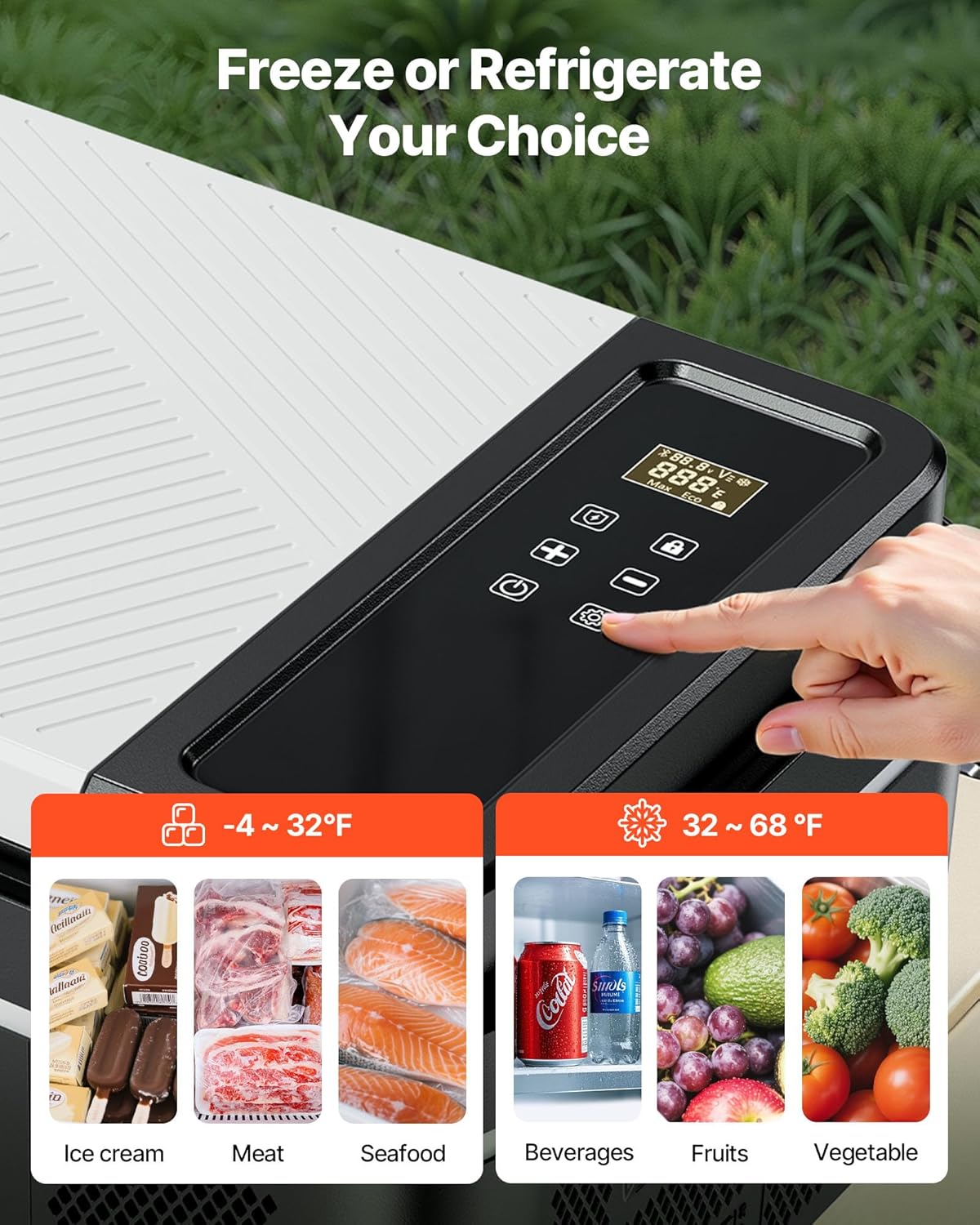
Figure 5.1: Control Panel Layout.
- Temperature Display: Shows the current internal temperature.
- Battery Protection: Adjusts the battery cut-off level to prevent draining your vehicle's battery.
- Child Lock: Prevents accidental changes to settings.
- Temperature Up (+): Increases the target temperature.
- Temperature Down (-): Decreases the target temperature.
- Power Switch: Turns the unit on or off.
- Mode Setting: Toggles between ECO (energy-saving) and MAX (fast cooling) modes.
5.2 Temperature Setting
Press the + or - buttons to adjust the desired temperature. The display will flash the target temperature and then return to the current internal temperature after a few seconds.
5.3 Mode Selection (ECO/MAX)
Press the Mode Setting button to switch between ECO and MAX modes. ECO mode is for energy-efficient operation, while MAX mode provides faster cooling.
5.4 Battery Protection Setting
Press the Battery Protection button to cycle through the battery protection levels (H, M, L - High, Medium, Low). It is recommended to set it to H for vehicle battery protection, especially when using the unit for extended periods without the engine running. Lower settings allow the unit to draw more power before cutting off.
5.5 App Control
This refrigerator supports control via a mobile application. Download the VEVOR app from your smartphone's app store. Follow the in-app instructions to pair your device with the refrigerator via Bluetooth. The app allows you to monitor temperature, adjust settings, and switch modes remotely.

Figure 5.2: Temperature ranges for freezing and refrigeration.
6. Maintenance
6.1 Cleaning
- Always unplug the refrigerator before cleaning.
- Clean the interior and exterior with a damp cloth and mild detergent. Avoid abrasive cleaners or solvents.
- Ensure the drainage hole (if present) is clear to prevent water accumulation.
- Periodically clean the ventilation grilles to ensure proper airflow and prevent overheating.
6.2 Storage
When not in use for an extended period, ensure the refrigerator is clean and dry. Store it in a cool, dry place with the lid slightly ajar to prevent odors and mold growth.
7. Troubleshooting
If you encounter issues with your VEVOR Car Refrigerator, refer to the following common problems and solutions:
| Problem | Possible Cause | Solution |
|---|---|---|
| Refrigerator does not turn on. | No power supply; damaged power cord; blown fuse in vehicle. | Check power connections. Ensure the power outlet is functional. Inspect power cords for damage. Check vehicle's fuse box. |
| Unit is not cooling effectively. | Temperature setting too high; ventilation blocked; excessive ambient temperature; door not sealed properly. | Lower the target temperature. Ensure proper ventilation. Avoid placing in direct sunlight. Check lid seal for obstructions. |
| Display shows an error code. | Internal fault; sensor issue. | Turn off the unit, unplug it for a few minutes, then restart. If the error persists, contact VEVOR customer support. |
| Excessive noise during operation. | Unit not on a flat surface; fan obstruction. | Ensure the unit is on a stable, flat surface. Check for any objects obstructing the fan or ventilation grilles. |
| App control not connecting. | Bluetooth not enabled; app not paired; refrigerator not in pairing mode. | Ensure Bluetooth is active on your phone. Follow app instructions for pairing. Restart the refrigerator and try pairing again. |
8. Specifications
Detailed technical specifications for the VEVOR 21QT Portable Car Refrigerator:
- Model Name: Car Refrigerator
- Model Number: EB18-C
- Capacity: 21 QT / 20 Liters
- Product Dimensions (D x W x H): 24.53" x 14.88" x 11.02" (623 x 378 x 280 mm)
- Item Weight: 22.93 lbs (10.40 kg)
- Voltage: DC 12/24V, AC 100-240V
- Power: 60W
- Adjustable Temperature Range: -4°F to 68°F (-20°C to 20°C)
- Cooling Method: Compressor
- Noise Level: ≤45dB
- Defrost System: Manual
- Special Feature: App Control
- Configuration: Compact Freezer-On-Bottom
- Number of Doors: 1
- Number of Sections: 1
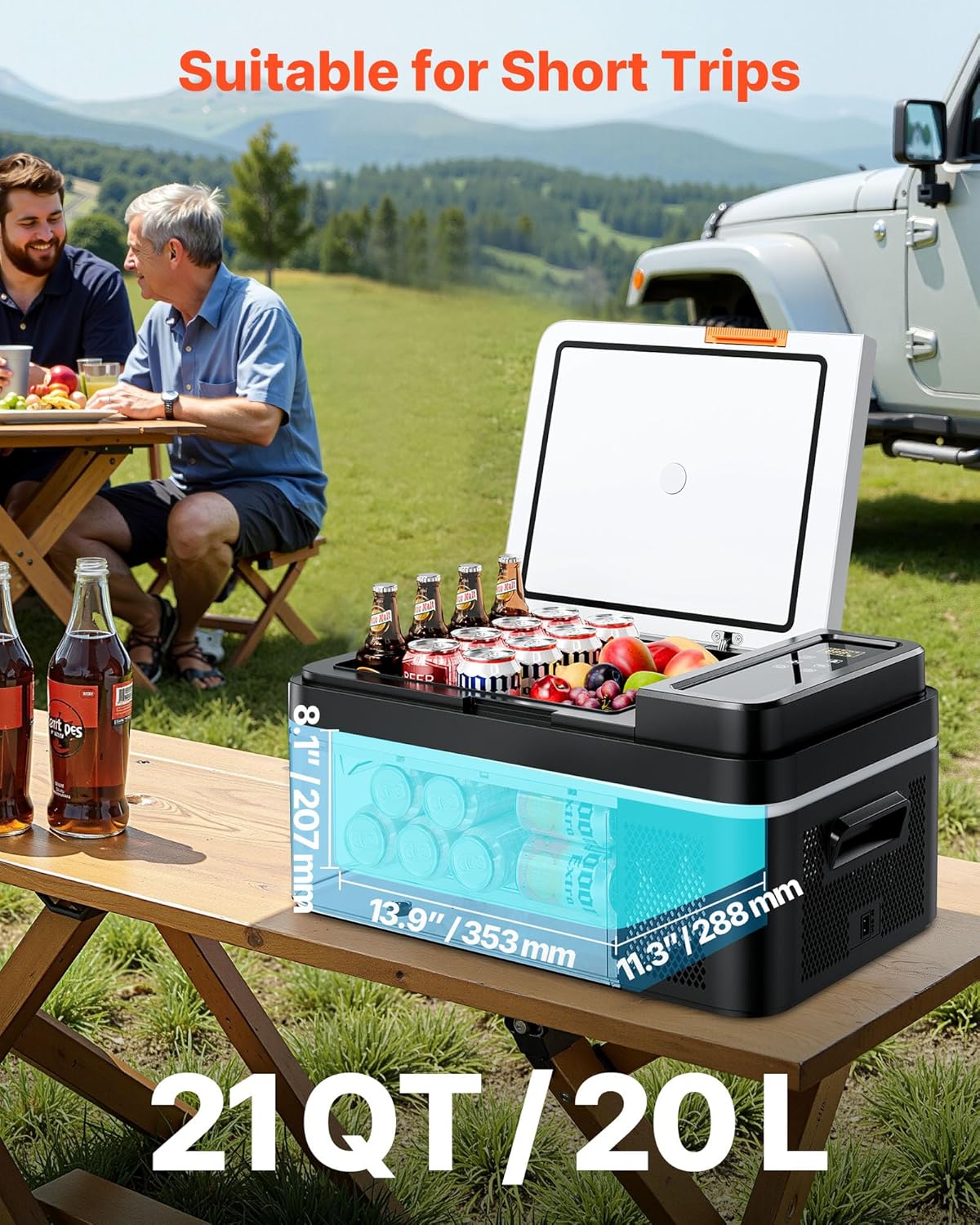
Figure 8.1: Product dimensions and capacity.
9. Warranty and Support
VEVOR products are designed and manufactured to high-quality standards. For warranty information, technical support, or service inquiries, please refer to the warranty card included with your product or visit the official VEVOR website. Please have your model number (EB18-C) and purchase date available when contacting support.
For additional resources and product information, you may visit the VEVOR Store on Amazon.