
1. Introduction
The Amcelooy Car Battery Jump Starter and 200W Power Inverter is a portable, multifunctional device designed for vehicle emergencies and on-the-go power needs. It combines a powerful jump starter for dead vehicle batteries with a versatile power inverter for charging various electronic devices.
This manual provides essential information for the safe and effective use of your Amcelooy device. Please read it thoroughly before operation and retain it for future reference.
2. Important Safety Information
Always observe the following safety precautions to prevent injury or damage to the device or vehicle:
- Read all instructions before using the product.
- Wear eye protection (safety glasses) when working with batteries.
- Keep the device away from children.
- Do not short-circuit the jump starter clamps.
- Do not expose the device to rain or water.
- Ensure proper ventilation during use.
- Do not attempt to jump-start a frozen battery.
- The device features reverse polarity protection to prevent sparks and damage from incorrect connections. However, always double-check connections.
3. Product Overview and Components
Your Amcelooy device includes a main jump starter unit and a separate 200W car power inverter. Familiarize yourself with the components before use.
3.1 Jump Starter Unit

Image: The Amcelooy Car Jump Starter unit with its clamps connected to a vehicle battery, highlighting its capacity to start dead batteries with 2000 Amps, 12 Volts, for up to 8.0L gas and 8.0L diesel engines.
The jump starter unit features:
- Jump Start Port: For connecting the battery clamps.
- 12V DC Outlet (132W): For powering 12V devices.
- USB Ports (2.1A): For charging small electronic devices.
- LED Work Light: For illumination in low-light conditions.
- Battery Status Indicator: Shows the charge level of the jump starter.
3.2 200W Car Power Inverter

Image: The 200W Car Power Inverter connected to a car's 12V outlet, simultaneously charging a laptop, smartphone, and other devices via its AC outlets and USB/Type-C ports.
The 200W Car Power Inverter features:
- Dual 110V AC Outlets: For powering standard household electronics up to 200W.
- Fast-Charging USB Ports (24W): Two ports for quick charging of compatible devices.
- Fast-Charging Type-C Ports (24W): Two ports for quick charging of compatible devices.
- 12V Cigarette Lighter Plug: For connecting to your vehicle's 12V power outlet.
4. Setup and Charging
4.1 Charging the Jump Starter Unit
Before initial use, fully charge the jump starter unit. It is recommended to recharge the unit after each use and every 3-6 months to maintain battery health, even if not used.
- Connect the appropriate charging cable (not specified in product details, typically a wall adapter or car charger) to the jump starter's charging input port.
- Plug the charger into a power source.
- Monitor the battery status indicator until it shows a full charge.
4.2 Connecting the Power Inverter
The 200W power inverter is designed to be powered by your vehicle's 12V cigarette lighter outlet.
- Ensure your vehicle's engine is running or the ignition is in the accessory position to provide power to the 12V outlet.
- Insert the inverter's 12V cigarette lighter plug firmly into your vehicle's 12V power outlet.
- The inverter is now ready to power or charge devices.
5. Operating Instructions
5.1 Using the Jump Starter
Use the jump starter to start vehicles with dead 12V batteries. This unit is suitable for up to 8.0L gas and 8.0L diesel engines.

Image: Close-up of the jump starter clamps connected to a car battery, illustrating the spark-proof and mistake-proof design with reverse polarity protection.
- Prepare the Vehicle: Turn off the vehicle's ignition and all accessories (lights, radio, AC).
- Connect Red Clamp: Connect the RED (+) jump starter clamp to the POSITIVE (+) terminal of the vehicle's dead battery.
- Connect Black Clamp: Connect the BLACK (-) jump starter clamp to the NEGATIVE (-) terminal of the vehicle's dead battery.
- Start Vehicle: Once clamps are securely connected, attempt to start the vehicle. If it doesn't start immediately, wait 30 seconds before trying again. Do not crank for more than 3 seconds per attempt.
- Remove Clamps: Once the vehicle starts, immediately remove the BLACK (-) clamp first, then the RED (+) clamp.
- Recharge: Recharge the jump starter unit as soon as possible after use.
5.2 Using the 200W Car Power Inverter
The inverter provides AC power and fast-charging USB/Type-C ports for your electronic devices.

Image: The 200W Car Power Inverter showcasing its 110V AC socket and multiple USB/Type-C ports, emphasizing its universal compatibility for various devices.
- Connect Inverter: Plug the inverter into your vehicle's 12V cigarette lighter outlet (refer to Section 4.2).
- Power On: Ensure the inverter's power switch (if present) is in the 'ON' position.
- Connect Devices: Plug your devices into the appropriate AC outlets or USB/Type-C ports. Ensure the total power draw does not exceed 200W.
- Monitor Charging: Observe your devices to confirm they are charging.
5.3 Using the LED Work Light
The jump starter unit includes an integrated LED work light for convenience.
- Locate the power button for the LED light on the jump starter unit.
- Press the button to cycle through light modes (e.g., steady on, strobe, SOS, off).
6. Maintenance
Proper maintenance ensures the longevity and performance of your Amcelooy device.
- Recharge After Use: Always recharge the jump starter unit immediately after each use.
- Regular Charging: If not used frequently, charge the jump starter unit every 3-6 months to prevent deep discharge and extend battery life.
- Storage: Store the device in a cool, dry place, away from direct sunlight and extreme temperatures.
- Cleaning: Clean the exterior of the device with a soft, dry cloth. Do not use harsh chemicals or abrasive cleaners.
- Cable Inspection: Periodically inspect the jump starter cables and clamps for any damage, fraying, or corrosion. Replace if necessary.
7. Troubleshooting
If you encounter issues with your Amcelooy device, refer to the following common problems and solutions:
| Problem | Possible Cause | Solution |
|---|---|---|
| Jump starter unit does not turn on or has low power. | Battery is depleted. | Recharge the jump starter unit fully. |
| Vehicle does not start after jump-starting. | Incorrect clamp connection; vehicle battery severely damaged; jump starter unit low on charge. | Ensure clamps are connected correctly (red to positive, black to negative). Recharge jump starter. If issues persist, consult a mechanic. |
| Power inverter is not providing power. | Inverter not properly plugged into 12V outlet; vehicle's 12V outlet is not active; device drawing too much power. | Ensure inverter is fully seated in the 12V outlet. Check if vehicle ignition is on. Reduce total wattage of connected devices (max 200W). |
| LED work light does not turn on. | Battery depleted; light malfunction. | Recharge the jump starter unit. If still not working, contact customer support. |
8. Specifications
8.1 Jump Starter Unit
- Peak Current: 2000 Amps
- Engine Compatibility: Up to 8.0L Gas / 8.0L Diesel Engines
- Battery Type: 240Wh (20Ah AGM Sealed Lead Acid)
- DC Output: 12V (132W)
- USB Output: 2.1A
- Safety Features: Spark-proof, Reverse Polarity Protection
8.2 200W Car Power Inverter
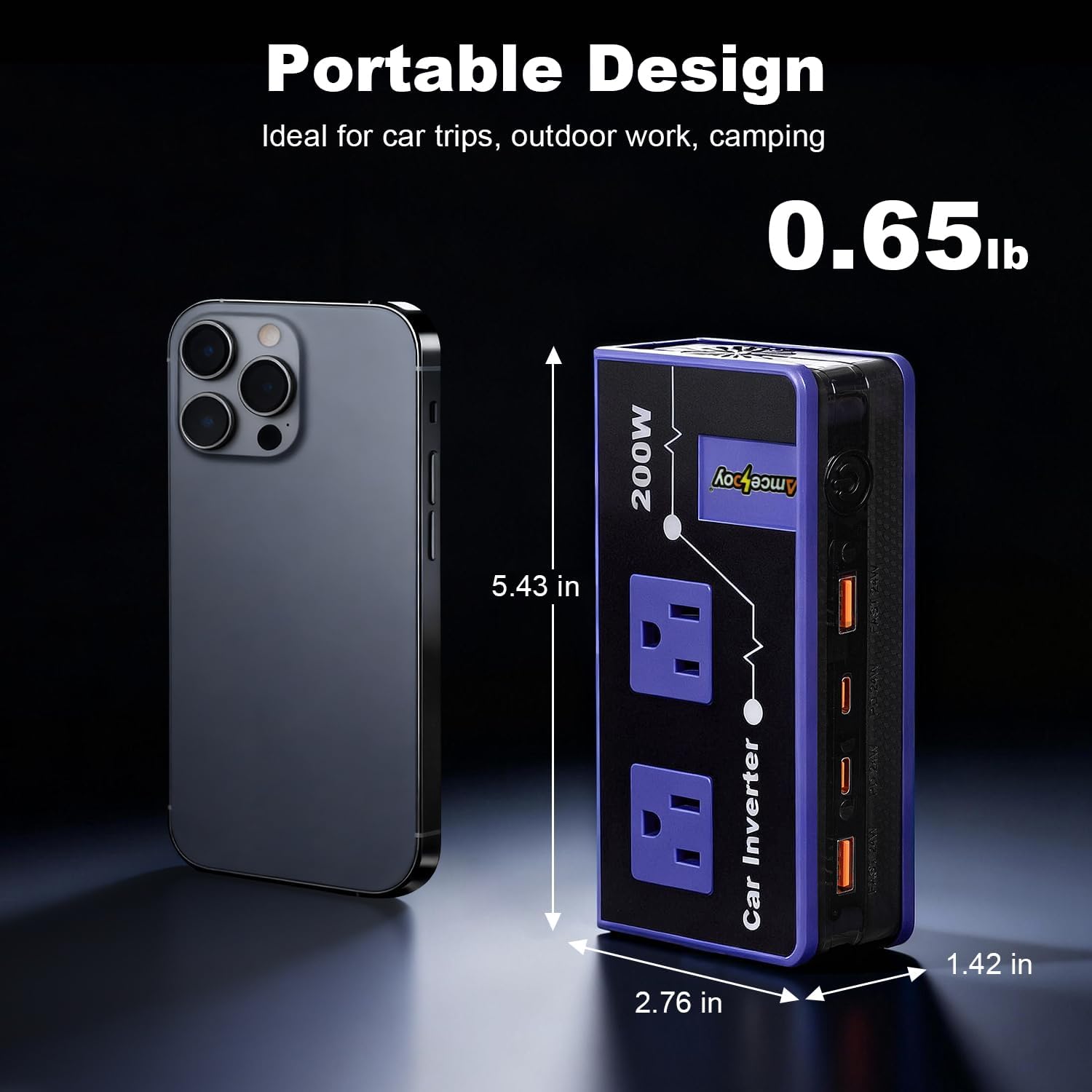
Image: The 200W Car Power Inverter next to a smartphone, illustrating its compact and portable design with dimensions of 5.43 inches (length), 2.76 inches (width), 1.42 inches (height), and a weight of 0.65 lbs.
- Continuous Power: 200W
- AC Output: Dual 110V AC Outlets
- USB Output: 2 x 24W Fast-Charging USB-A Ports
- Type-C Output: 2 x 24W Fast-Charging Type-C Ports
- Input: 12V DC (via cigarette lighter plug)
- Dimensions: Approximately 5.43 in x 2.76 in x 1.42 in
- Weight: Approximately 0.65 lb
9. Warranty and Support
Warranty information for your Amcelooy Car Battery Jump Starter and 200W Power Inverter is typically provided with your purchase documentation or can be found on the manufacturer's official website. Please retain your proof of purchase for warranty claims.
For technical support, troubleshooting assistance beyond this manual, or warranty inquiries, please contact Amcelooy customer service through the retailer where the product was purchased or refer to the contact information provided in your product packaging.