
1. Introduction
Thank you for choosing the Adamson ADPOS8779 Digital Shipping Scale. This manual provides essential information for the safe and efficient operation of your new scale. Please read these instructions carefully before use and retain them for future reference.
Safety Information
- Always place the scale on a hard, flat, and stable surface to ensure accurate measurements.
- Do not overload the scale beyond its maximum capacity of 440 lbs (200 kg).
- Avoid exposing the scale to extreme temperatures, humidity, or direct sunlight.
- Keep the scale away from strong electromagnetic fields.
- Do not immerse the scale in water or use abrasive cleaners.
- This scale is intended for weighing packages, luggage, and similar items. Do not use it for human or animal weighing.
2. Package Contents
Please check the package to ensure all items are present:
- Adamson ADPOS8779 Digital Shipping Scale (Platform and Display Unit)
- USB-C Cable
- 2x AAA Batteries
- User Manual (this document)

Image: The scale's display unit, a USB-C cable, and two AAA batteries, highlighting the dual power capabilities.
3. Setup
3.1 Unpacking and Placement
- Carefully remove all components from the packaging.
- Place the scale platform on a firm, level, and stable surface. Uneven surfaces can affect accuracy.
- Ensure the display unit is connected to the platform via its coiled cable.
3.2 Powering the Scale
The scale can be powered by either the included USB-C cable or AAA batteries.
Using USB-C Cable:
- Connect the USB-C cable to the port on the display unit.
- Plug the other end of the USB-C cable into a compatible USB power adapter (not included) or a powered USB port.
Using Batteries:
- Locate the battery compartment on the back of the display unit.
- Open the compartment cover.
- Insert the 2x AAA batteries, ensuring correct polarity (+/-).
- Close the battery compartment cover securely.
The scale is now ready for operation.
4. Operating Instructions

Image: Detailed view of the scale's control panel, indicating the functions of the On/Off, Unit, Hold, and Tare buttons, along with the LCD display.
4.1 Power On/Off
- To turn on the scale, press the On/Off button (U symbol). The display will light up and show "0.000".
- To turn off the scale, press and hold the On/Off button for a few seconds until the display turns off. The scale will also automatically shut off after a period of inactivity to conserve power.
4.2 Unit Conversion
- With the scale on, press the Mode button (U symbol) to cycle through the available weighing units: pounds (lbs), kilograms (kg), ounces (oz), and pounds:ounces (lb:oz).
- Select your desired unit before weighing.
4.3 Tare Function (Zeroing)
The Tare function allows you to subtract the weight of a container, so you only measure the contents.
- Place the empty container on the scale platform. The display will show its weight.
- Press the Tare button (T symbol). The display will reset to "0.000".
- Now, place the items you wish to weigh into the container. The display will show only the net weight of the items.
- To clear the Tare function, remove all items from the scale, and then press the Tare button again.

Image: A visual guide demonstrating how to use the Tare function: first, place an empty box and press Tare to zero the scale, then add items to weigh only their contents.
4.4 Hold Function
The Hold function locks the weight reading on the display, which is useful when weighing large or awkwardly shaped items that might obscure the display.
- Place the item on the scale platform.
- Once the weight stabilizes, press the Hold button (H symbol). The weight reading will be locked on the display, indicated by a "HOLD" icon.
- You can now remove the item, and the weight will remain displayed for easy recording.
- To release the Hold function, press the Hold button again.
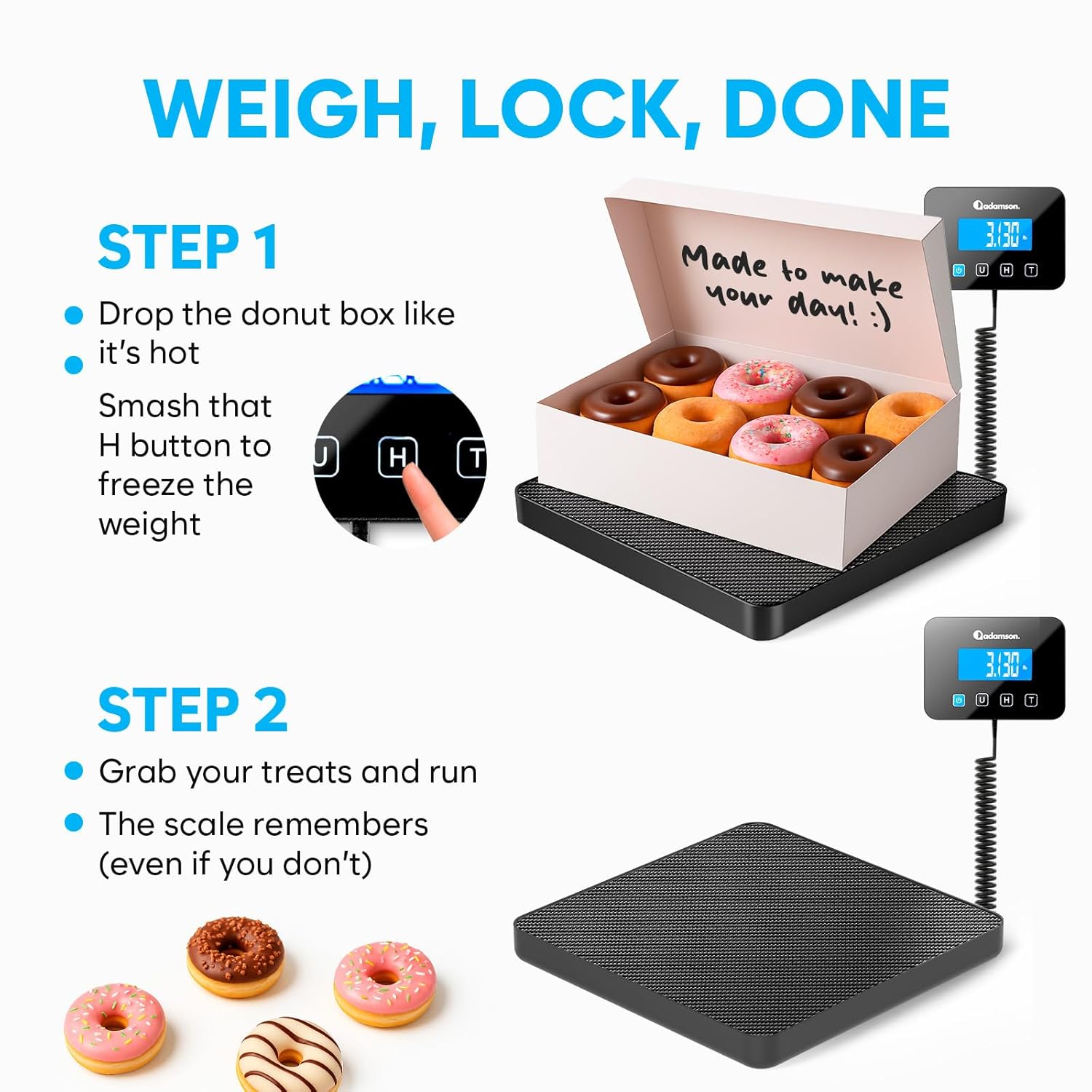
Image: A visual guide demonstrating how to use the Hold function: place an item, press the Hold button to lock the weight, then remove the item while the weight remains displayed.
4.5 General Weighing
- Ensure the scale is on and displaying "0.000".
- Gently place the item to be weighed in the center of the scale platform.
- Wait for the display to stabilize and read the weight.
5. Maintenance
5.1 Cleaning
- Wipe the scale surface with a soft, damp cloth.
- Do not use abrasive cleaners, solvents, or harsh chemicals, as these can damage the finish and internal components.
- Ensure no liquid enters the display unit or the gaps around the platform.
5.2 Storage
- Store the scale in a cool, dry place, away from direct sunlight and extreme temperatures.
- If storing for an extended period, remove the batteries to prevent leakage.
6. Troubleshooting
| Problem | Possible Cause | Solution |
|---|---|---|
| Scale does not turn on | Low or dead batteries; No power from USB-C; Incorrect battery installation. | Replace batteries or ensure USB-C cable is properly connected to a power source. Check battery polarity. |
| Inaccurate readings | Scale on an uneven surface; Overloaded scale; Item not centered; Strong vibrations. | Place scale on a flat, stable surface. Do not exceed maximum capacity. Center the item. Avoid vibrations during weighing. |
| "Err" or "O-Ld" displayed | Scale overloaded. | Remove the item immediately. Do not exceed the maximum weight capacity. |
| Display flickers or is unstable | Low battery; Unstable surface; Electromagnetic interference. | Replace batteries. Move scale to a stable surface. Relocate scale away from other electronic devices. |
7. Specifications
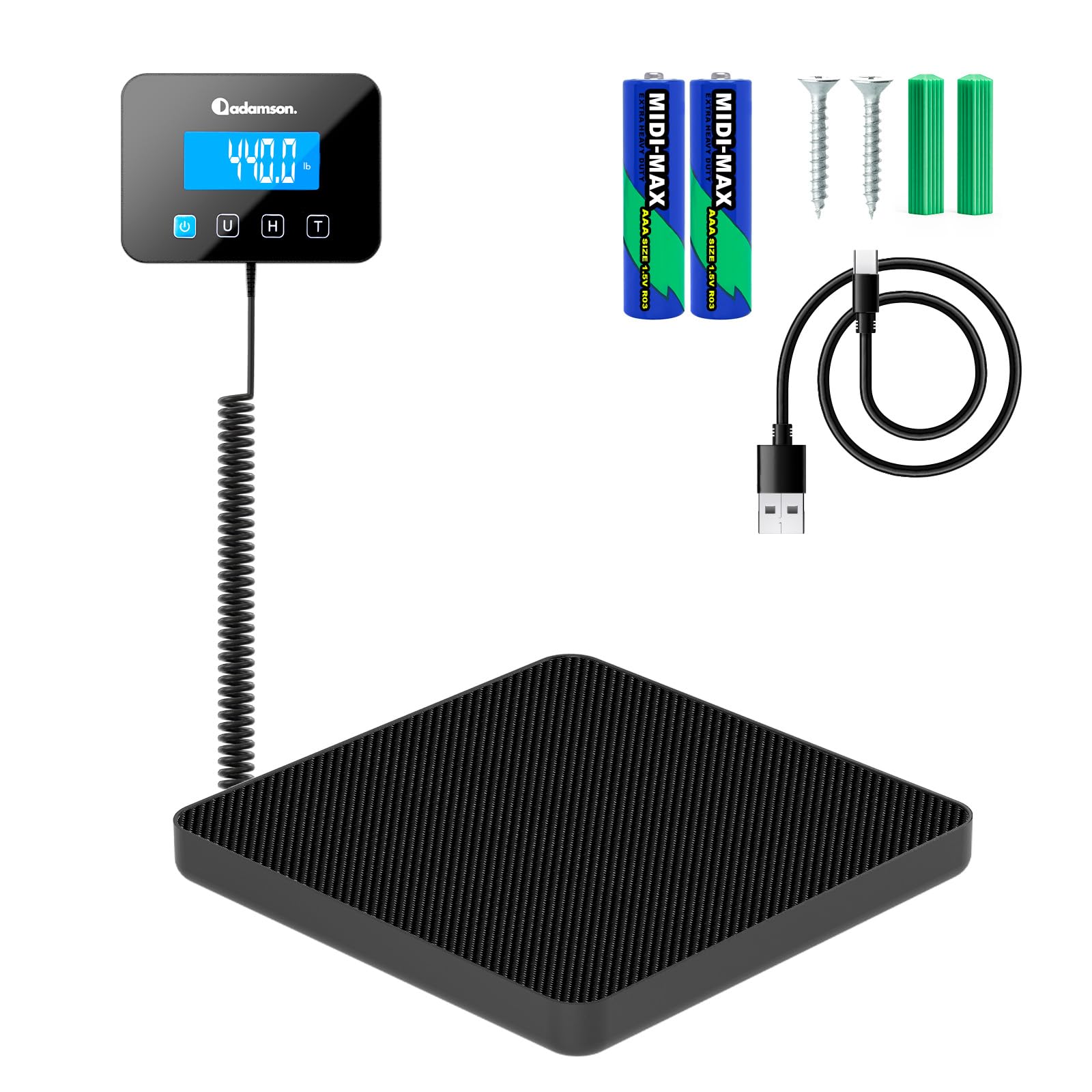
Image: The Adamson Digital Shipping Scale highlighting its compact design and precise measurement capabilities, including its dimensions and weight range.
| Feature | Detail |
|---|---|
| Brand | Adamson |
| Model | ADPOS8779 (Postal Scale) |
| Color | Black |
| Maximum Weight Capacity | 440 Pounds (200 kg) |
| Minimum Weighing Capacity | 0.132 lbs (60 g) |
| Measurement Accuracy | 0.35 oz (10 g) |
| Weighing Units | lbs, kg, oz, lb:oz |
| Display Type | Digital LCD (backlit) |
| Special Features | High Weight Capacity, Large Display, Multiple Functions (Tare, Hold), Unit Convert |
| Power Source | USB-C Cable (included) or 2x AAA Batteries (included) |
| Item Weight | 1.25 Kilograms |
| Recommended Uses | Envelopes, Luggage, Packages |

Image: The scale demonstrating its ability to handle heavy loads, with a large sack labeled '440 LB' placed on the platform.
8. Warranty Information
The Adamson ADPOS8779 Digital Shipping Scale comes with a standard manufacturer's warranty. Please refer to the warranty card included in your package or contact Adamson customer support for specific details regarding warranty coverage, terms, and conditions.
9. Customer Support
If you have any questions, encounter issues not covered in this manual, or require technical assistance, please contact Adamson customer support. Contact information can typically be found on the product packaging, the official Adamson website, or through your retailer.