
Introduction
This manual provides detailed instructions for the safe and effective use of your CIUZL T60 Dual-Channel Dog Training Collar. Designed for training two dogs simultaneously, this system offers three humane and effective training modes: Beep, Vibration, and Safe Shock, along with a built-in light for visibility. Please read this manual thoroughly before operation to ensure proper setup and usage.
Package Contents
Before you begin, please verify that all items are present in your package:
- 1x Remote Control
- 2x Receiver Collars
- 1x Charging Cable (2-in-1)
- 4x Short Metal Probes
- 4x Long Metal Probes
- 4x Short Silicone Covers
- 4x Long Silicone Covers
- 1x Test Blub Tool
- 1x Wrist Strap
- 1x User Manual

Setup
1. Charging the Devices
Before first use, fully charge both the remote control and the receiver collars. Use the provided 2-in-1 charging cable. A full charge typically takes 2 hours. The remote control offers up to 45 days of standby time, and the e-collar offers up to 15 days of standby time.

2. Attaching Contact Points
Select the appropriate metal probes (short for short-haired dogs, long for long-haired dogs) and attach them to the receiver collar. For added comfort and to prevent skin irritation, place the silicone covers over the metal probes. Ensure the probes make proper contact with your dog's skin.

3. Fitting the Collar
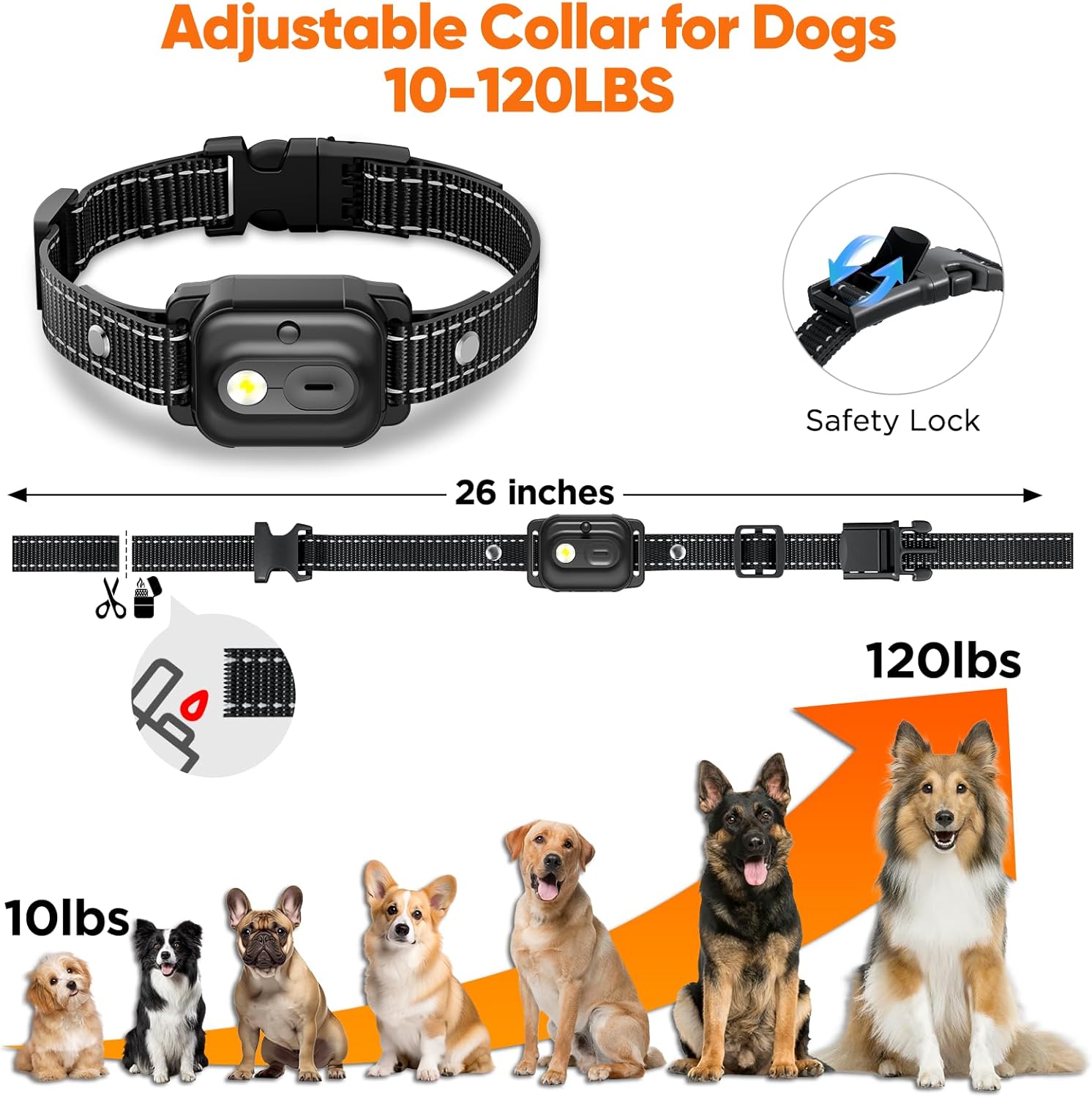
Proper collar fit is crucial for effectiveness and your dog's comfort. The collar should be snug enough for the contact points to touch the skin, but loose enough to allow two fingers to fit comfortably between the strap and your dog's neck. Avoid overtightening. The collar is suitable for dogs with neck sizes from 6 to 26 inches and weighing between 8 and 120 lbs.
Operating Instructions
1. Remote Control Overview
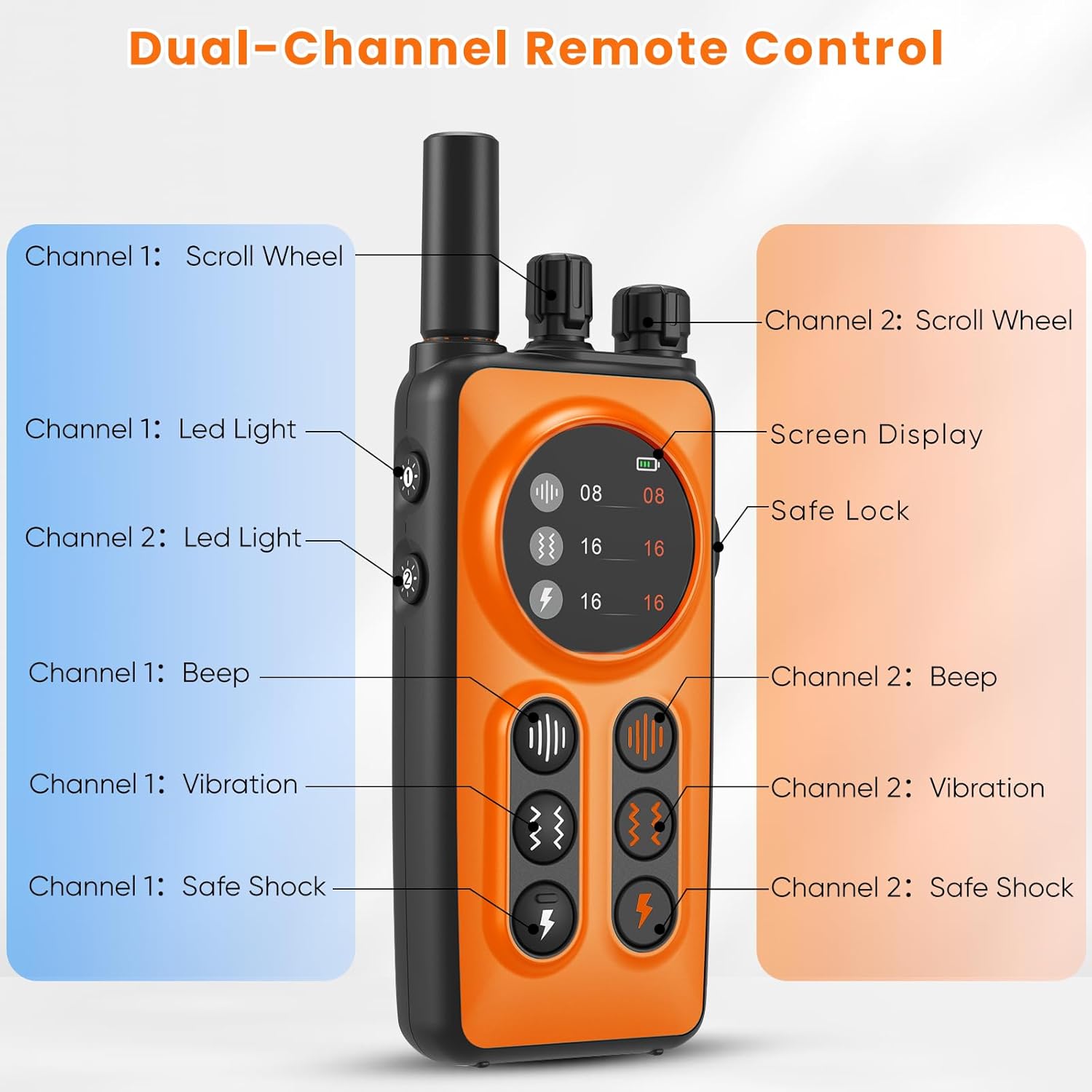
The remote control is designed for real-time, dual-channel operation, allowing you to control two receiver collars simultaneously without switching channels. Each channel has dedicated buttons for Beep, Vibration, and Safe Shock, and independent level adjustment dials.

2. Training Modes
The system offers three distinct training modes:
- Beep Mode: Provides an audible tone. Adjustable from levels 1-8.
- Vibration Mode: Delivers a tactile vibration. Adjustable from levels 1-16.
- Safe Shock Mode: Emits a static correction. Adjustable from levels 0-16. Start at the lowest effective level.
Use the scroll wheels on the remote to adjust the intensity level for each mode and channel independently. The screen display will show the current levels.

3. Dual-Channel Operation
The remote features two distinct sets of buttons, one for each receiver collar (Channel 1 and Channel 2). This allows for instant correction and training of two dogs simultaneously without needing to switch between channels.

4. Remote Range
The training collar system provides an impressive remote control range of up to 3300 feet (approximately 1000 meters), offering ample freedom for your dogs while maintaining control during outdoor activities.

5. Safety Lock
The remote control is equipped with a safety lock feature to prevent accidental activation of training modes. Slide the lock switch to engage or disengage the controls, ensuring peace of mind when carrying the remote.

6. Built-in Light Modes
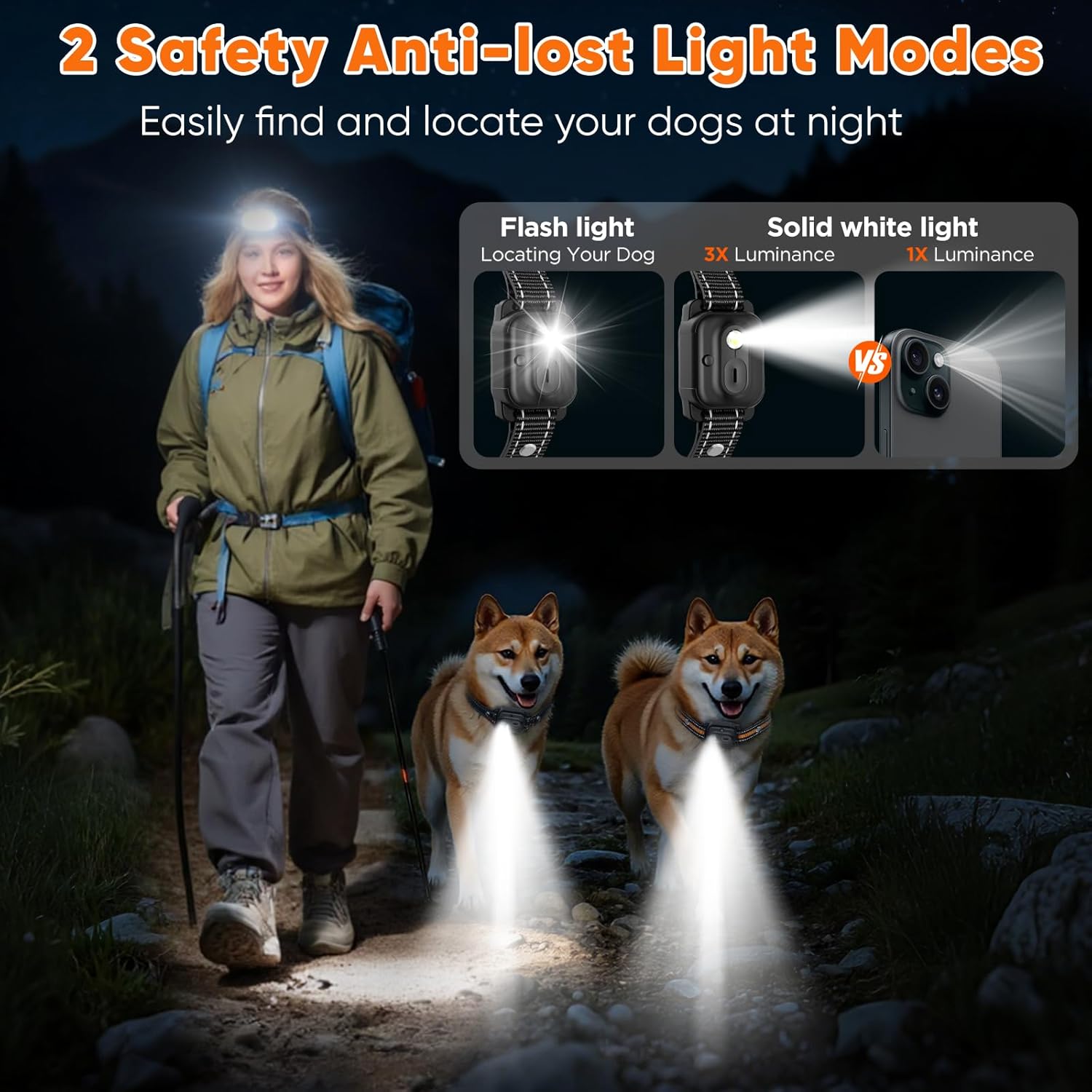
Each receiver collar includes a built-in light feature to help locate your dog in low-light conditions or during nighttime outings. The light can be activated from the remote control.
7. Instructional Video: CIUZL T60 Dual-Channel Dog Training Collar
Maintenance
1. Waterproofing
The receiver collars are IPX7 waterproof, meaning they can withstand immersion in water up to 1 meter for 30 minutes. This makes them suitable for use in rain or during swimming activities. Ensure the charging port cover is securely closed when exposed to water.
2. Cleaning and Skin Care
Regularly inspect your dog's neck for any signs of irritation or sores from the contact points. Clean the contact points and the area around them on the collar with a damp cloth periodically. It is recommended to remove the collar for several hours each day, especially when your dog is sleeping, to allow the skin to breathe and prevent pressure sores.
Troubleshooting
If you encounter any issues with your CIUZL T60 training collar, please refer to the following common solutions:
- No response from collar: Ensure both the remote and collar are charged and powered on. Check if the remote's safety lock is disengaged. Verify the collar is properly paired with the remote.
- Weak or inconsistent stimulation: Ensure the contact points are making good contact with your dog's skin. Adjust the collar for a snug fit. Consider using longer metal probes if your dog has thick fur.
- Remote not controlling both collars: Confirm both collars are powered on and within range. Check the remote's display to ensure both channels are active and not locked.
- Short battery life: Ensure devices are fully charged before use. Extreme temperatures can affect battery performance.
For further assistance, please contact customer support.
Specifications
| Feature | Detail |
|---|---|
| Model Number | T60 |
| Remote Range | Up to 3300 feet (1000 meters) |
| Training Modes | Beep (1-8 levels), Vibration (1-16 levels), Safe Shock (0-16 levels) |
| Waterproof Rating | IPX7 (Receiver Collars) |
| Collar Fit | Neck sizes 6-26 inches |
| Dog Weight Range | 8-120 lbs |
| Collar Battery Standby | Up to 15 days |
| Remote Battery Standby | Up to 45 days |
| Charging Time | Approx. 2 hours |
| Material | Acrylonitrile Butadiene Styrene (ABS) |
| Included Components | Remote Control, 2 Receiver Collars, Charging Cable, Contact Points, Silicone Covers, Test Tool, Wrist Strap |
Warranty and Support
Your CIUZL T60 Dual-Channel Dog Training Collar comes with a 2-year warranty. This warranty covers manufacturing defects and ensures the product functions as intended under normal use. For warranty claims, technical support, or any questions regarding your product, please contact CIUZL customer service through the retailer's platform or the official CIUZL website. Please retain your proof of purchase for warranty validation.