
1. Overview
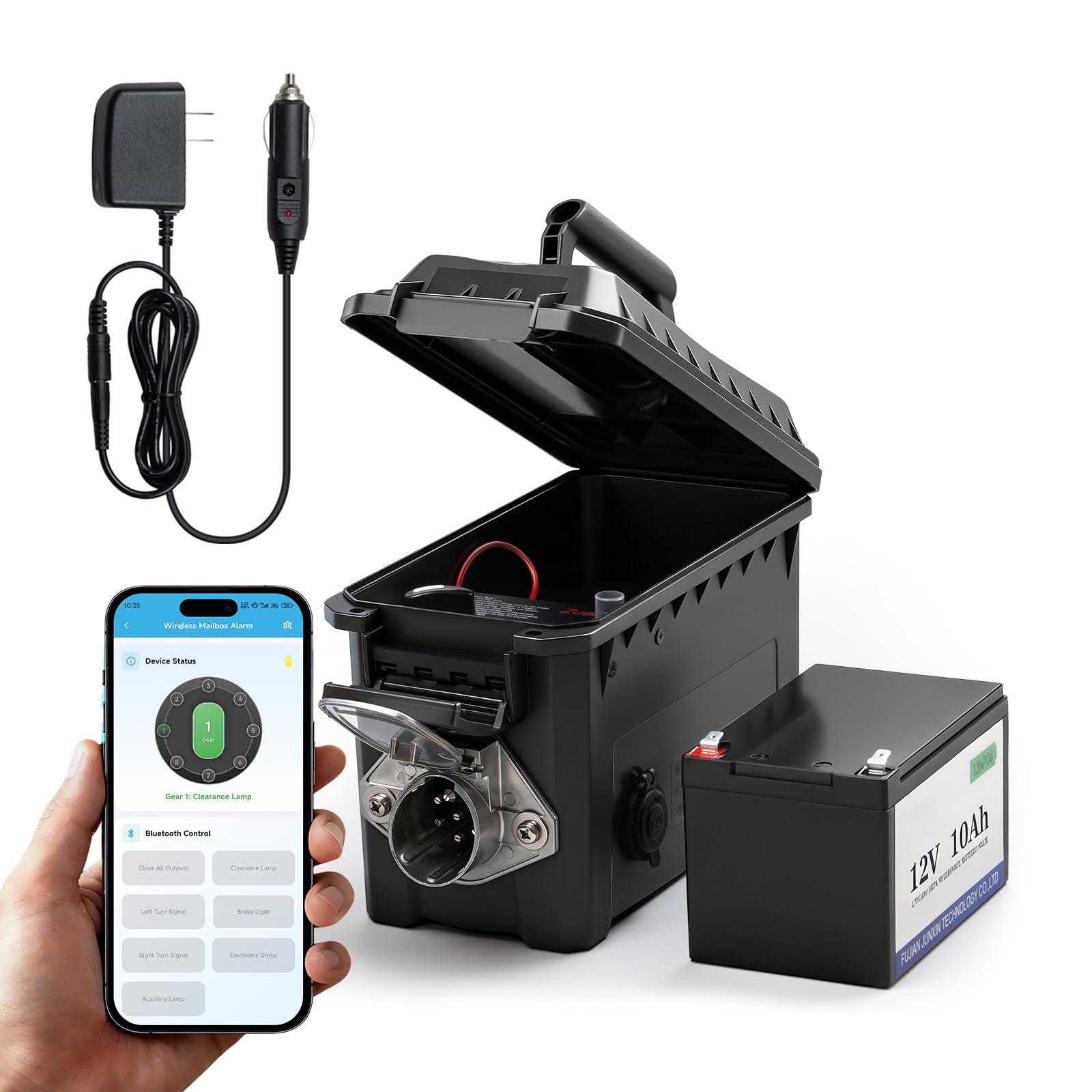
The Zuomeng HY-093 Trailer Light Tester Box is a portable and robust solution for verifying the electrical functionality of trailers. This device integrates a 12V 10Ah LiFePO4 rechargeable battery, an IP68 waterproof carrying case, and Bluetooth connectivity for remote operation via the GeniLife mobile application. It is designed for compatibility with 7-way round pin trailer plugs, ensuring comprehensive testing of various trailer types.
Key Features:
- Wireless Remote Operation: Connects to the GeniLife App via Bluetooth for remote control, eliminating the need for manual button presses at the unit.
- Integrated Power Source: Features a built-in 12V 10Ah LiFePO4 battery, enabling testing in locations without external power.
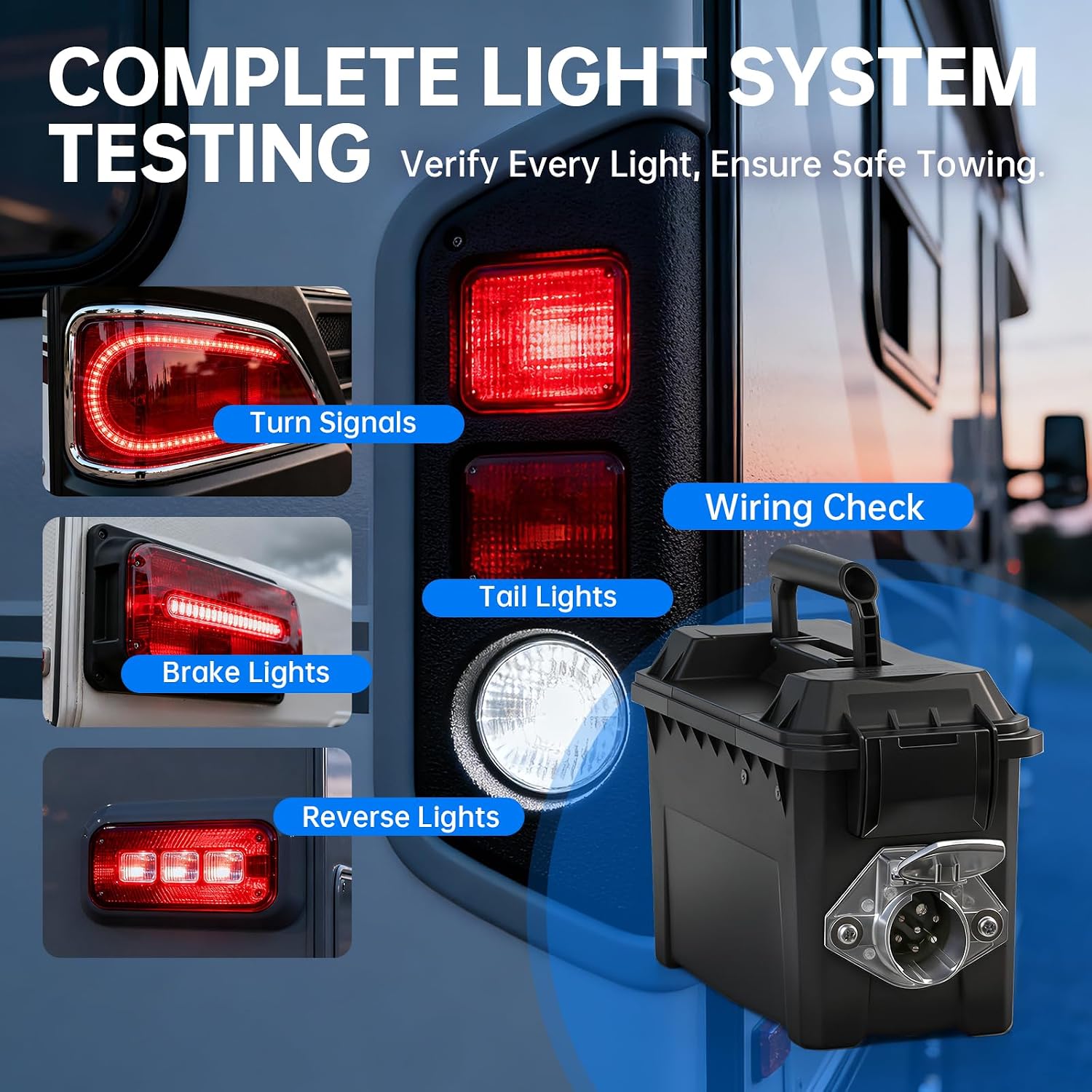
- Comprehensive Testing: Capable of checking all trailer lighting functions, including turn signals, brake lights, tail lights, and reverse lights, along with wiring configurations.
- Enhanced Safety: Equipped with short-circuit and overload protection to safeguard the device and ensure secure operation.
- Durable Construction: Housed in an IP68 waterproof, sun-resistant, drop-resistant, heat-resistant, and shockproof carrying case with a metal 7-pin trailer socket.

2. Setup
2.1 Unboxing and Initial Inspection
Carefully remove the tester box and all accessories from the packaging. Inspect the unit for any signs of damage. Ensure all components listed in the packing list are present.
2.2 Charging the Battery
The tester box is equipped with a built-in 12V 10Ah LiFePO4 rechargeable battery. Before first use, or if the battery level is low, charge the unit using the provided trickle charger. Connect the charger to the charging port on the tester box and plug it into a suitable power source. The app provides real-time battery visualization.

2.3 GeniLife App Installation
The Zuomeng Trailer Light Tester Box operates wirelessly via the GeniLife App. Download the app from your device's respective app store (Google Play Store for Android, Apple App Store for iOS).
2.4 Bluetooth Pairing
- Ensure Bluetooth is enabled on your smartphone.
- Open the GeniLife App. The app will prompt you to enable Bluetooth and grant necessary permissions if not already done.
- Follow the on-screen instructions within the app to search for and connect to the HY-093 Trailer Light Tester Box.
- Once connected, the app will display the device status.
2.5 App Installation and Pairing Videos:
Video 1: Instructions on how to install and use the GeniLife App for Android devices, including Bluetooth pairing steps.
Video 2: Instructions on how to install and use the GeniLife App for iOS devices, including Bluetooth pairing steps.
3. Operating Instructions
3.1 Connecting to a Trailer
Ensure the tester box is powered on. Connect the 7-way round pin connector of the tester box to the corresponding receptacle on your trailer. Ensure a secure connection.

3.2 Using the GeniLife App for Testing
Once connected via Bluetooth, use the GeniLife App to control and monitor the trailer lights. The app interface allows you to activate individual lighting functions and observe their status.
- Turn Signals: Select 'Left Turn Signal' or 'Right Turn Signal' to test the respective indicators.
- Brake Lights: Select 'Brake Light' to activate the trailer's brake lights.
- Tail Lights: Select 'Tail Light' or 'Clearance Lamp' to test the running lights.
- Reverse Lights: Select 'Auxiliary Lamp' or 'Reverse Light' (if available) to test reverse lights.
- Wiring Check: The app provides feedback on wiring integrity.
3.3 Using the Physical Control Panel
The tester box also features a physical control panel for direct operation. Use the rotary switch and buttons to activate different light functions. Refer to the labels on the panel for specific controls.

3.4 Understanding Light Indicators
The tester box and app provide visual feedback on the status of the lights. A green LED typically indicates proper function, while a red LED or lack of illumination may indicate an issue. The app will also display error messages or warnings.
4. Maintenance
4.1 Battery Care
- Charging: Regularly charge the 12V 10Ah LiFePO4 battery to maintain its health. Avoid deep discharge cycles.
- Storage: If storing the unit for an extended period, ensure the battery is charged to approximately 50-80% and store in a cool, dry place. Recharge every 3-6 months to prevent self-discharge.
4.2 Cleaning the Unit
Wipe the exterior of the tester box with a damp cloth. Ensure the 7-way connector pins are clean and free of debris to maintain good electrical contact. Do not use harsh chemicals or abrasive cleaners.
4.3 IP68 Waterproof Case Care
The IP68 rating ensures protection against dust and water immersion. While durable, avoid unnecessary exposure to extreme conditions. Ensure the case latches are securely closed when not in use or during transport to maintain its waterproof integrity.

5. Troubleshooting
| Problem | Possible Cause | Solution |
|---|---|---|
| App cannot connect to the tester box. | Bluetooth is off on phone or tester; App permissions not granted; Tester box is off or out of range. | Ensure Bluetooth is enabled on both devices. Grant all necessary permissions to the GeniLife App. Power on the tester box and keep it within Bluetooth range. |
| Trailer lights do not respond during testing. | Loose connection; Blown fuse on trailer; Short-circuit or overload protection activated on tester. | Check the connection between the tester and trailer. Inspect trailer fuses. If short-circuit/overload protection activates (indicated by red LED or app warning), disconnect, resolve the wiring issue on the trailer, and then retry. |
| Low battery warning in app. | Battery charge is below 20%. | Charge the tester box using the provided trickle charger. |
| App buttons seem mixed up or unresponsive. | App software anomaly; Temporary glitch. | Restart the GeniLife App. Disconnect and reconnect Bluetooth. Ensure the app is updated to the latest version. If issues persist, contact customer support. |

6. Specifications
| Feature | Detail |
|---|---|
| Brand | Zuomeng |
| Model | HY-093 |
| Power Source | 12V 10Ah LiFePO4 Rechargeable Battery |
| Connectivity | Bluetooth App Connection (GeniLife App) |
| Compatibility | 7-Way Round Pin Trailer Plugs |
| Protection | Short-circuit, Overload |
| Waterproof Rating | IP68 |
| Dimensions (L x W x H) | 10.8 x 5.5 x 6.9 inches |
| Color | Black |
| Warranty | 2 Years |

7. Warranty Information
The Zuomeng HY-093 Trailer Light Tester Box comes with a 2-year warranty from the date of purchase. This warranty covers manufacturing defects and material faults under normal use. It does not cover damage caused by misuse, accidents, unauthorized modifications, or improper maintenance. Please retain your proof of purchase for warranty claims.
8. Customer Support
For technical assistance, troubleshooting, or warranty inquiries regarding your Zuomeng HY-093 Trailer Light Tester Box, please contact Zuomeng customer support. Refer to the product packaging or the official Zuomeng website for the most current contact information.