
1. Introduction
The taopodo ME912 AI Translation Earbuds are designed to facilitate real-time communication across multiple languages. These earbuds integrate advanced artificial intelligence for accurate and efficient translation, supporting up to 144 languages. They also function as standard wireless headphones for music playback and call management, offering an extended playtime of up to 80 hours with the charging case.
2. Package Contents
Verify that all items are present in the package:
- AI Translation Earbuds (Left and Right)
- Charging Case
- USB-C Charging Cable
- User Manual
- Multiple Sizes of Eartips
3. Product Overview
Familiarize yourself with the components of your taopodo ME912 AI Translation Earbuds.
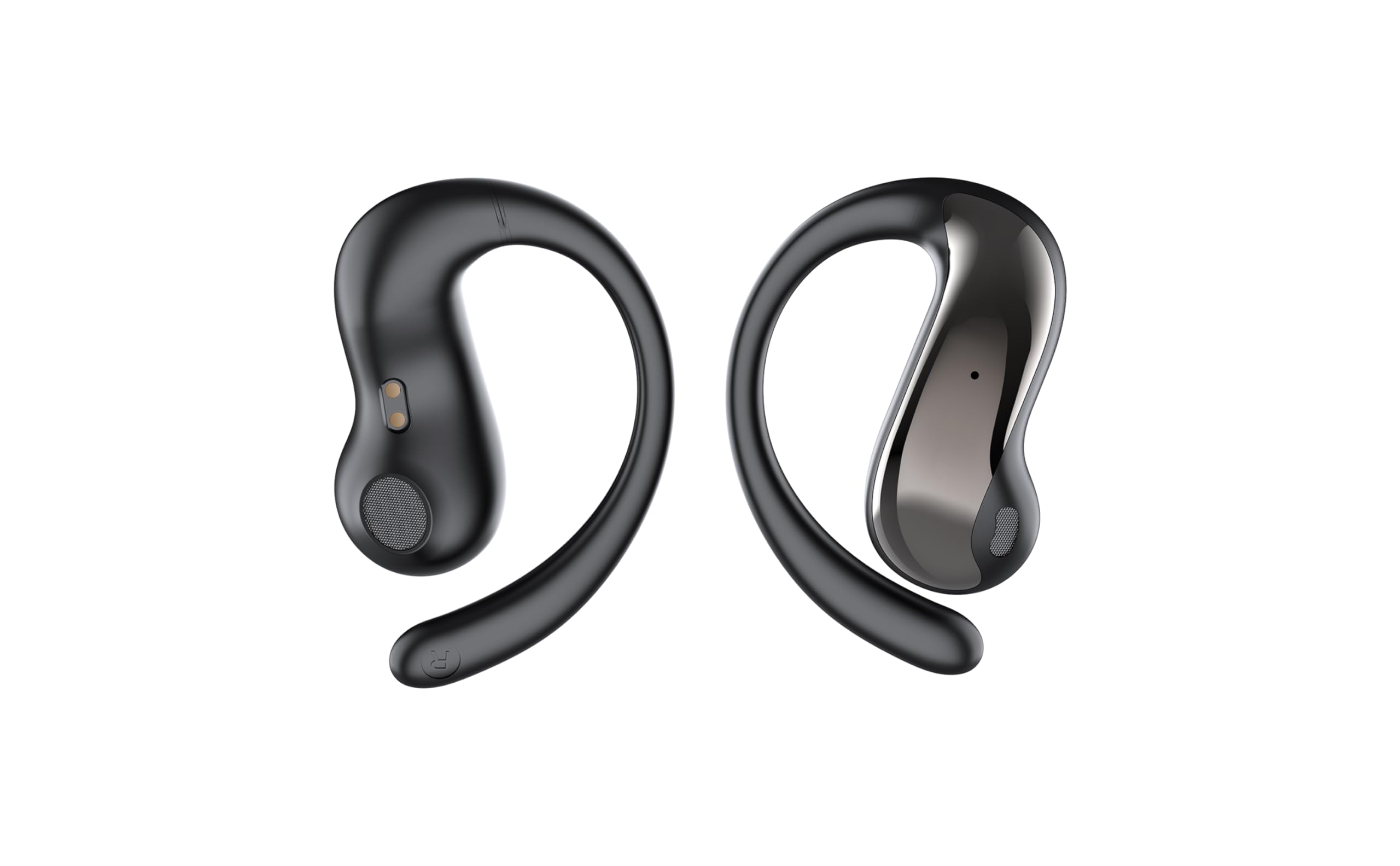
Image 3.1: taopodo ME912 AI Translation Earbuds and Charging Case. This image displays the black earbuds nestled within their compact charging case, illustrating their design and portability.
Earbud Components:
- Touch Control Area: For managing playback, calls, and translation modes.
- Microphone: For voice input during calls and translation.
- Speaker: For audio output.
- Charging Contacts: Connects with the charging case.
Charging Case Components:
- Earbud Charging Slots: Holds and charges the earbuds.
- USB-C Charging Port: For charging the case.
- LED Indicator: Displays charging status and battery level.
4. Setup
4.1 Initial Charging
- Place both earbuds into the charging case.
- Connect the USB-C charging cable to the charging port on the case and a power source.
- The LED indicator on the case will illuminate to show charging status. Allow approximately 1.5 hours for a full charge.
4.2 Pairing with Your Device
- Ensure the earbuds are charged. Open the charging case. The earbuds will automatically enter pairing mode.
- On your smartphone (iPhone or Android), go to Settings > Bluetooth.
- Select "ME912" from the list of available devices.
- Once connected, a voice prompt will confirm successful pairing.
4.3 App Installation (for Translation Features)
To utilize the full translation capabilities, download the dedicated taopodo translation app.
- Scan the QR code provided in the quick start guide or search for "taopodo Translator" in your device's app store (App Store for iOS, Google Play Store for Android).
- Install the application.
- Open the app and follow the on-screen instructions to connect your ME912 earbuds.
5. Operating Instructions
5.1 Power On/Off
- Power On: Open the charging case, or take the earbuds out of the case. They will automatically power on and attempt to connect to the last paired device.
- Power Off: Place the earbuds back into the charging case and close the lid. They will automatically disconnect and power off.
5.2 Music Playback
- Play/Pause: Tap the touch control area on either earbud once.
- Next Track: Double-tap the right earbud.
- Previous Track: Double-tap the left earbud.
- Volume Up: Triple-tap the right earbud.
- Volume Down: Triple-tap the left earbud.
5.3 Call Functions
- Answer/End Call: Tap the touch control area on either earbud once.
- Reject Call: Press and hold the touch control area on either earbud for 2 seconds.
5.4 Translation Modes (via taopodo Translator App)
Ensure the earbuds are connected to your phone and the taopodo Translator app is open.
- Simultaneous Interpretation Mode:
In this mode, one person wears the earbuds, and the other speaks into the phone's microphone. The app translates the speech in real-time, and the translation is heard through the earbuds. This is ideal for one-on-one conversations.
- Select "Simultaneous Interpretation" in the app.
- Choose the source and target languages.
- Speak into the phone's microphone, and the translation will be played in the earbuds.
- Touch Translation Mode:
Both individuals wear an earbud. One person speaks, and the other hears the translation. This mode is suitable for two-way conversations.
- Select "Touch Translation" in the app.
- Assign languages to each earbud (e.g., Left earbud for English, Right for Spanish).
- To speak, tap and hold the touch control area on your earbud. Release to hear the translation.
- Speaker Mode:
One person wears the earbuds, and the app translates their speech, playing the translation through the phone's speaker. The other person speaks into the phone's microphone, and the translation is heard through the earbuds. Useful for small groups.
- Select "Speaker Mode" in the app.
- Choose the source and target languages.
- Speak into your earbud's microphone, and the phone will output the translation. The other person speaks into the phone's microphone, and you hear the translation in your earbud.
6. Charging
6.1 Charging the Earbuds
Place the earbuds into the charging case. They will automatically begin charging. The LED indicators on the earbuds (if present) or case will show charging status.
6.2 Charging the Case
Connect the provided USB-C cable to the charging port on the case and a standard USB power adapter (not included). The LED indicator on the case will show the charging progress. A full charge provides multiple recharges for the earbuds, extending total playtime up to 80 hours.
7. Maintenance
- Cleaning: Use a soft, dry, lint-free cloth to clean the earbuds and charging case. Do not use abrasive cleaners or solvents.
- Storage: When not in use, store the earbuds in their charging case to protect them and keep them charged.
- Water Resistance: The earbuds are designed for daily use and may resist light splashes, but they are not waterproof. Avoid submerging them in water or exposing them to heavy rain.
- Temperature: Avoid exposing the device to extreme temperatures (hot or cold) as this can affect battery life and performance.
8. Troubleshooting
8.1 Earbuds Not Pairing
- Ensure both earbuds are fully charged.
- Place earbuds back in the case, close the lid, wait 5 seconds, then open the lid again.
- Turn off and on your device's Bluetooth.
- Forget "ME912" from your device's Bluetooth list and attempt to pair again.
8.2 No Sound or Poor Audio Quality
- Check the volume level on your device and the earbuds.
- Ensure the earbuds are properly seated in your ears. Try different eartip sizes.
- Reconnect the earbuds to your device.
- Clean any debris from the earbud speakers.
8.3 Translation Not Working
- Ensure the earbuds are connected to the taopodo Translator app.
- Verify that the correct source and target languages are selected in the app.
- Check your internet connection, as most translation features require online access.
- Ensure the microphone on the earbuds or phone is not obstructed.
- Speak clearly and at a moderate pace.
8.4 Charging Case Not Charging
- Ensure the USB-C cable is securely connected to both the case and the power source.
- Try a different USB-C cable or power adapter.
- Clean the charging port on the case for any debris.
9. Specifications
| Feature | Detail |
|---|---|
| Model | ME912 |
| Brand | taopodo |
| Color | Black |
| Translation Languages | Up to 144 (via app) |
| Playtime | Up to 80 hours (with charging case) |
| Connectivity | Bluetooth (compatible with iPhone & Android) |
| Charging Port | USB-C |
| Parcel Dimensions | 10.11 x 9.6 x 3.71 cm |
| Item Weight | 118 g |
10. Safety Information
- Do not disassemble or modify the device.
- Keep away from extreme temperatures, direct sunlight, and open flames.
- Avoid exposing the device to water or high humidity.
- Keep out of reach of children and pets.
- Use only the provided or certified charging cables and adapters.
- Prolonged listening at high volume levels can cause hearing damage.
11. Warranty and Support
For warranty information and technical support, please refer to the warranty card included in your package or visit the official taopodo website. Please retain your proof of purchase for any warranty claims.