
1. Introduction
Thank you for choosing the FUNMILY VC90 Walking Pad Treadmill. This compact and portable under-desk treadmill is designed to help you integrate physical activity into your daily routine, whether at home or in the office. Featuring a powerful yet quiet motor, a shock-absorbing running belt, and an intuitive LED display, the VC90 offers a convenient way to walk or jog. Please read this manual thoroughly before use to ensure safe and effective operation.
2. Important Safety Information
To reduce the risk of serious injury, read all instructions before using the FUNMILY VC90 Walking Pad Treadmill. Keep this manual for future reference.
- Always place the treadmill on a flat, stable surface.
- Ensure adequate clear space (at least 2 feet) around the treadmill during operation.
- Do not allow children or pets near the treadmill while it is in use.
- The maximum user weight capacity is 350 lbs (159 kg). Do not exceed this limit.
- Wear appropriate athletic footwear. Do not operate the treadmill barefoot or in socks.
- If you experience dizziness, nausea, chest pain, or any other abnormal symptoms, stop your workout immediately and consult a physician.
- Keep hands and feet clear of all moving parts.
- Unplug the treadmill from the power outlet when not in use, before cleaning, or before performing any maintenance.
- Do not use the treadmill if the power cord is damaged. Contact customer support for assistance.
- This treadmill is for indoor use only. Do not expose it to water or excessive humidity.
3. Package Contents
Carefully unpack all items from the box and ensure you have received the following components:
- Treadmill x 1
- Power Cord x 1
- Tool Kit x 1
- Lubricant x 1
- User Manual x 1
- Remote Control x 1
- CR2032 Battery x 1 (for remote control)

Image: Contents of the FUNMILY VC90 Walking Pad Treadmill package.
4. Setup and Initial Use
The FUNMILY VC90 Walking Pad Treadmill requires no assembly. It is ready to use right out of the box.
- Placement: Choose a flat, stable surface for the treadmill, ensuring sufficient space around it for safe movement.
- Power Connection: Plug the power cord into the treadmill's power port and then into a grounded electrical outlet.
- Remote Control Battery: Open the battery compartment on the remote control and insert the provided CR2032 battery, observing the correct polarity.
- Power On: Flip the main power switch located on the front of the treadmill to the 'ON' position. The LED display will illuminate.

Image: The FUNMILY VC90 Walking Pad Treadmill in a typical usage environment.
5. Operating Instructions
5.1 Remote Control Functions
The treadmill is operated using the wireless remote control.
- Start Key: Press to begin the treadmill belt movement. There will be a 3-second countdown before the belt starts at a low speed.
- Stop Key: Press to stop the treadmill belt.
- Speed +: Press to increase the speed of the treadmill.
- Speed -: Press to decrease the speed of the treadmill.

Image: The LED display and remote control for the FUNMILY VC90 Walking Pad Treadmill.
5.2 LED Display
The integrated LED display shows real-time workout data, cycling through various metrics:
- Time: Duration of your workout.
- Speed: Current speed in miles per hour (MPH).
- Distance: Total distance covered during the workout.
- Calories: Estimated calories burned.

Image: The LED Smart Display Screen tracking workout data.
5.3 Speed Ranges and Programs
The treadmill offers a speed range of 0.5-4 MPH. It also includes 12 built-in scientific training programs to suit various fitness levels.
- Working/Light Walking: 0.5-1.5 MPH
- Leisurely Walking: 1.5-2.5 MPH
- Brisk Walking/Jogging: 2.5-4.0 MPH

Image: Visual guide for different activity levels on the treadmill.
5.4 Product Video Overview
Video: An overview of the FUNMILY Walking Pad Treadmill, demonstrating its features, operation, and portability. This video highlights the quiet motor, shock absorption, and ease of use.
6. Key Features
- Maximum Weight Capacity: Built with a reinforced steel frame, the treadmill supports users up to 350 lbs (159 kg), ensuring stability and durability.
- Powerful and Silent Motor: Equipped with a 3.0 HP silent motor, it operates quietly (below 45 dB), making it suitable for office or home use without causing disturbance. The speed range is 0.5-4 MPH.

Image: Illustration of the powerful and quiet 3.0 HP motor.

Image: Demonstrating the low noise level of the treadmill during operation.
- 7-Layer Anti-Slip Shock-Absorbing Running Belt: The 16" x 40" running area features a multi-layer belt combined with 6 silicone shock absorbers and 2 soft rubber pads to reduce impact on joints.

Image: Cross-section view of the 7-layer anti-slip running belt.
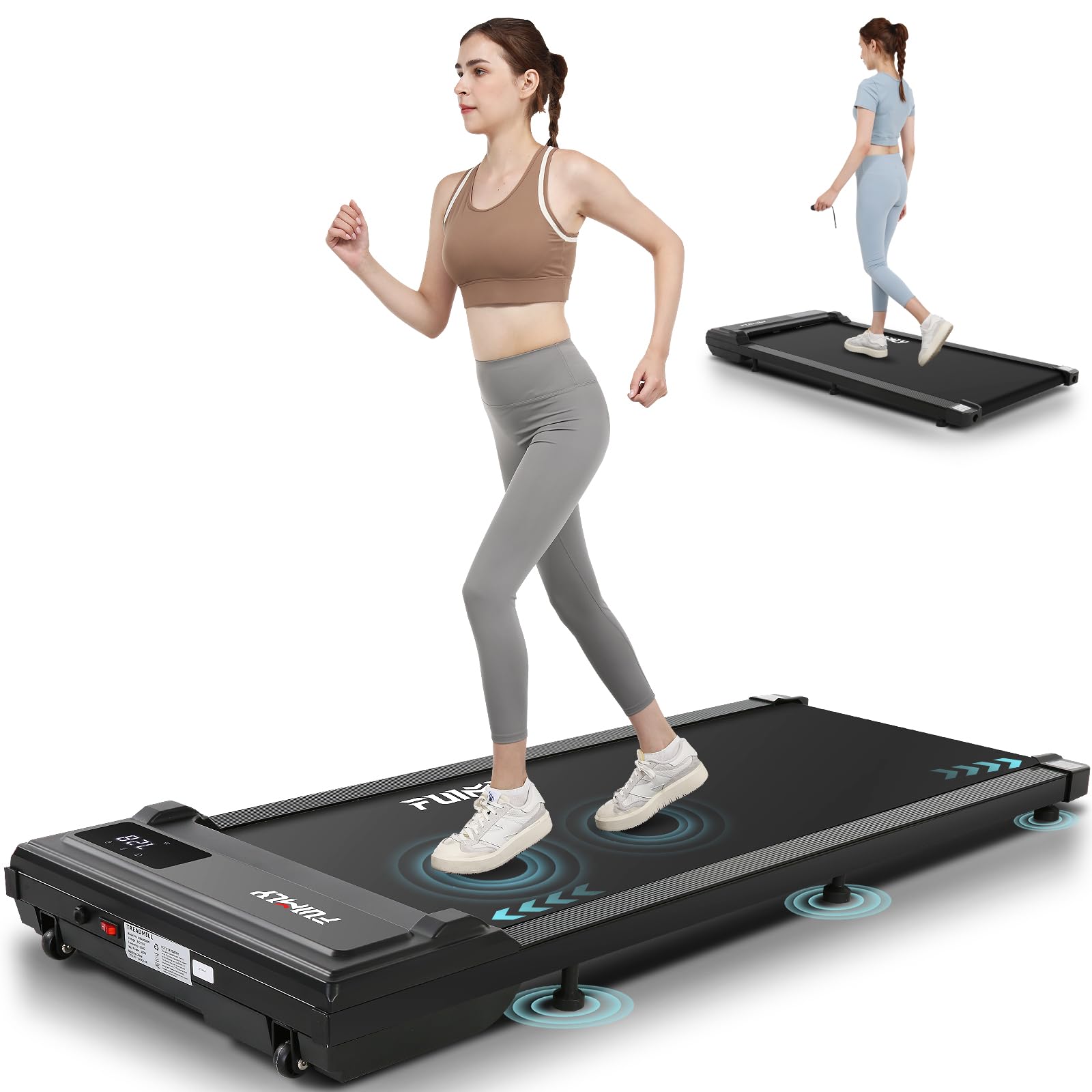
Image: Visual representation of the treadmill's knee protection and shock absorption system.
- Compact and Portable Design: With an ultra-slim profile (5.71" H) and built-in transport wheels, the treadmill is easy to move and store under a desk, sofa, or bed.

Image: The treadmill's ultra-slim design and transport wheels for convenient storage.
7. Maintenance
Regular maintenance ensures the longevity and optimal performance of your treadmill.
- Cleaning: Wipe down the treadmill surface with a damp cloth after each use. Do not use abrasive cleaners or solvents.
- Lubrication: The running belt requires periodic lubrication to reduce friction and extend its lifespan. Refer to the included lubricant instructions for proper application frequency (typically every 3-6 months depending on usage).
- Belt Adjustment: If the running belt starts to slip or move off-center, refer to the troubleshooting section or contact customer support for adjustment instructions.
- Storage: When not in use, store the treadmill in a dry, cool place, ideally under a desk or bed using its transport wheels.
8. Troubleshooting
If you encounter any issues with your FUNMILY VC90 Walking Pad Treadmill, please refer to the common problems and solutions below:
| Problem | Possible Cause | Solution |
|---|---|---|
| Treadmill does not power on. | Power cord not properly connected; Main power switch off; No power from outlet. | Ensure power cord is securely plugged in. Check if the main power switch is ON. Test the outlet with another device. |
| Belt stops or slips during use. | Belt too loose; Insufficient lubrication. | Adjust the belt tension (refer to specific instructions in the full manual or contact support). Apply lubricant as per maintenance guidelines. |
| Remote control not working. | Battery depleted or incorrectly inserted. | Replace the CR2032 battery, ensuring correct polarity. |
| Unusual noise from the treadmill. | Loose parts; Lack of lubrication; Foreign object. | Inspect for any loose screws or components. Lubricate the belt. Check for any objects caught under the belt. If noise persists, discontinue use and contact support. |
If the problem persists after attempting these solutions, please contact FUNMILY customer support.
9. Product Specifications
| Feature | Detail |
|---|---|
| Brand | FUNMILY |
| Model Name | VC90 Treadmill |
| Product Dimensions (LxWxH) | 51.57" x 22.83" x 5.71" |
| Item Weight | 46 Pounds |
| Material | Alloy Steel |
| Maximum Speed | 4 Miles per Hour |
| Maximum Horsepower | 3 Horsepower |
| Maximum Weight Recommendation | 350 Pounds |
| Special Features | Compact Design, Lightweight, Portable, Preloaded Workout Programs |
| Metrics Measured | Calories Burned, Distance, Speed, Time |
| Assembly Required | No |
10. Warranty and Customer Support
FUNMILY provides a 365-day standard warranty service for the VC90 Walking Pad Treadmill, covering free repair and replacement of all core components. Our technical support team is available to assist you with any questions or issues you may encounter.
For warranty claims, technical assistance, or general inquiries, please refer to the contact information provided on the FUNMILY official website or your purchase documentation. Please have your model number (VC90) and proof of purchase ready when contacting support.