
1. Product Overview
The SWZEC Livup Smart Ring is a lightweight and comfortable wearable device designed for athletes and fitness enthusiasts. It provides comprehensive health monitoring and activity tracking, seamlessly integrating into your active lifestyle without distraction.
Key features include:
- Empowering Athletes: Provides insights into body changes for smarter training.
- Comprehensive Health Monitoring: Tracks vital signs to support peak performance.
- Ultra-light and Comfortable: Designed for all-day wear, even during high-intensity training.
2. Setup Guide
2.1. Determine Your Ring Size
Before ordering, accurately measure your finger size to ensure a comfortable and effective fit. Use a thin, inelastic string to wrap around your finger, mark the overlap, and then measure the string against a ruler.

Image: This image illustrates the process of measuring your finger using a string and provides a detailed size comparison table. The table lists ring sizes (6# to 14#) with corresponding inner diameters in millimeters and inches, and circumferences in millimeters and inches. This helps users select the correct ring size for optimal fit and performance.
2.2. Initial Setup Steps
Follow these steps to set up your Livup Smart Ring:
- Step 1: Measure Your Finger Size
Use a thin string to mark your finger size as described above. - Step 2: Order the Smart Ring
Confirm your ring size and order the appropriate Livup Smart Ring. - Step 3: Download and Install the SmartHealth App
Download the 'SmartHealth' application from the Apple App Store for iOS devices or Google Play Store for Android devices. - Step 4: Connect the Smart Ring
Connect the Smart Ring with your smartphone via the SmartHealth App. Do not attempt to connect directly through your phone's Bluetooth settings; use the app for pairing.

Image: This image visually guides users through the four essential setup steps: measuring finger size, selecting and ordering the smart ring, downloading the dedicated 'SmartHealth' application, and finally, connecting the smart ring to the smartphone through the app's interface, emphasizing not to use the phone's native Bluetooth settings.
3. Operating Instructions
3.1. Health Monitoring
The Livup Smart Ring continuously tracks various vital signs to provide a comprehensive overview of your health. Data is accessible through the SmartHealth app, allowing you to monitor your progress and make informed decisions about your well-being.
- Heart Rate: Monitors your heart rate throughout the day.
- SpO2: Measures blood oxygen saturation levels.
- Blood Pressure: Provides blood pressure readings.
You can also link family or friends' accounts within the app to access health data anytime, anywhere, facilitating shared health goals and monitoring.
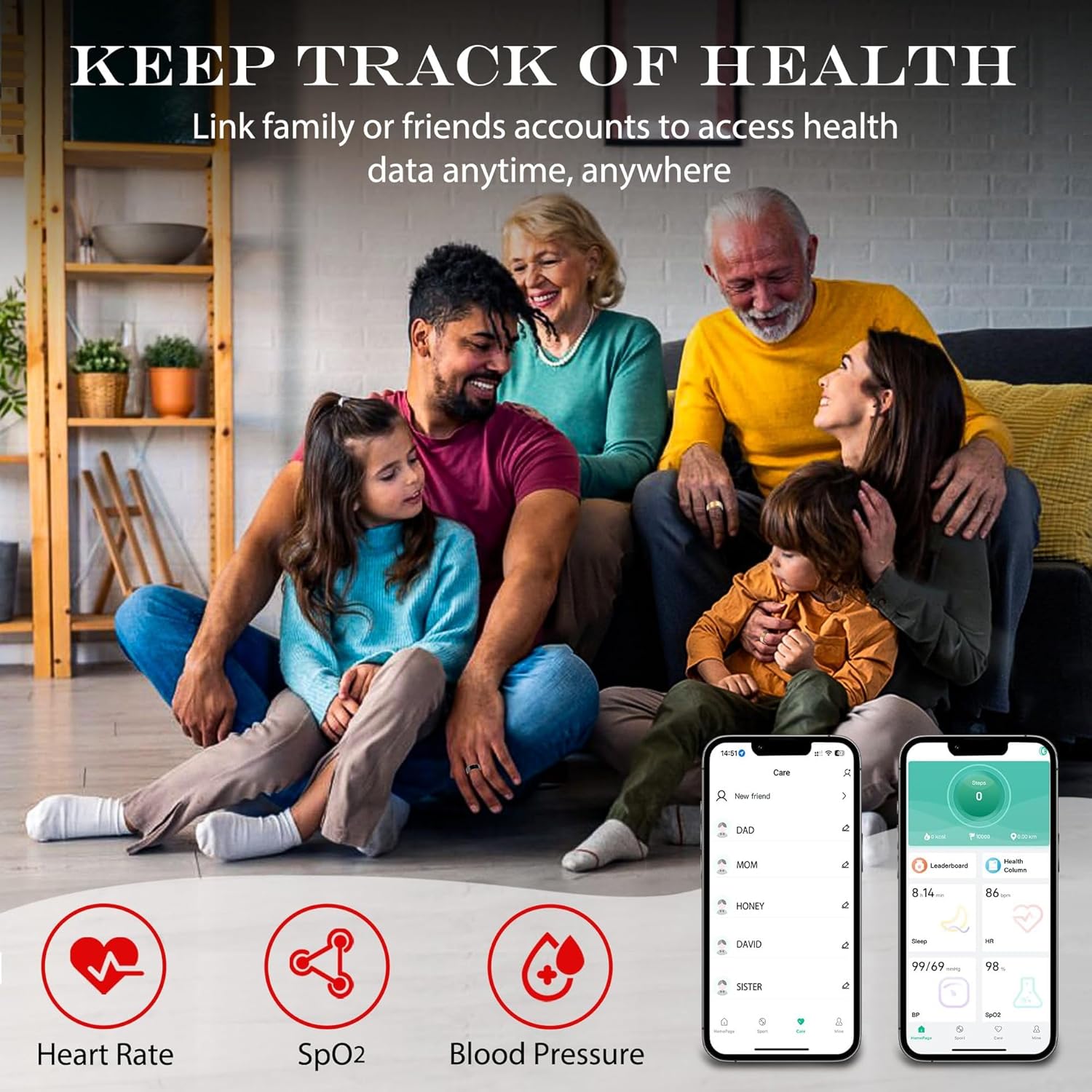
Image: This image highlights the health tracking capabilities of the Livup Smart Ring, including Heart Rate, SpO2, and Blood Pressure monitoring. It also shows how users can link accounts to share and view health data, with visual examples of the app's interface displaying these metrics.
3.2. Multiple Sports Modes
The smart ring supports various sports modes, allowing you to track specific metrics relevant to your activities. This helps in analyzing performance and optimizing training routines.
- Heart Rate: Monitor cardiovascular effort during exercise.
- Calories: Track calories burned during workouts.
- Distance: Record the distance covered in activities.
- Pace: Measure your speed during running or cycling.
- Steps: Count daily steps and activity levels.

Image: This image showcases the Livup Smart Ring's ability to track multiple sports modes. It features icons and text for Heart Rate, Calories, Distance, Pace, and Steps, demonstrating its utility for various physical activities. The image also displays the sleek design of the smart ring in both black and gold variants.
3.3. Smart Sleep Monitoring
The Livup Smart Ring monitors your sleep quality, providing detailed insights into your sleep patterns. This information can help you develop healthier sleep habits for improved rest and overall well-being.
The ring tracks different sleep stages:
- Deep Sleep
- Light Sleep
- Awake periods
- Rapid Eye Movement (REM)

Image: This image demonstrates the smart sleep monitoring capabilities of the Livup Smart Ring. It displays a graphical representation of sleep cycles over time, along with a breakdown of sleep duration into Deep Sleep, Light Sleep, Awake time, and Rapid Eye Movement (REM) sleep, helping users understand their sleep quality.
4. Maintenance
4.1. Water Resistance
The Livup Smart Ring is IP68 waterproof, making it suitable for various water-related activities. You can wear it while raining, swimming, or taking a shower without concern for damage.

Image: This image visually confirms the Livup Smart Ring's IP68 waterproof rating. It depicts the ring being splashed with water and includes icons representing its suitability for use during rain, swimming, and showering, highlighting its durability in wet conditions.
4.2. Cleaning
To clean your smart ring, gently wipe it with a soft, damp cloth. Avoid using harsh chemicals or abrasive materials that could damage the finish or sensors.
5. Troubleshooting
5.1. Connection Issues
- Ensure Bluetooth is enabled on your smartphone.
- Make sure the SmartHealth app is open and running in the foreground or background.
- Restart your smartphone and the smart ring (if applicable, by placing it on its charger).
- Ensure you are connecting through the SmartHealth app, not directly via your phone's Bluetooth settings.
5.2. Inaccurate Readings
- Ensure the ring is worn snugly on your finger, but not uncomfortably tight.
- Clean the sensors on the inside of the ring to remove any dirt or debris.
- Avoid extreme temperatures or environments that might affect sensor performance.
5.3. App Not Responding
- Close and reopen the SmartHealth app.
- Check for app updates in your phone's app store.
- Ensure your phone's operating system is up to date.
6. Specifications
| Feature | Detail |
|---|---|
| Model Number | CNN68D6 |
| Brand | SWZEC |
| Wearable Computer Type | Smart Ring |
| Color | Black |
| Special Feature | Lightweight |
| Connectivity Technology | Bluetooth |
| Wireless Communication Standard | Bluetooth |
| Battery Cell Composition | NiMH |
| GPS | No GPS |
| Shape | Round |
| Water Resistance Level | Water Resistant (IP68) |
| Supported Application | Fitness Tracker |
| Metrics Measured | Heart Rate Monitor, Step Counter |
| Compatible Devices | Smartphone (iOS and Android) |
| Display Type | No Display |
7. Warranty Information
Please note that this product comes with No Warranty as per manufacturer specifications. For any concerns, please refer to the return policy of your retailer.
8. Support
For further assistance or inquiries regarding your SWZEC Livup Smart Ring, please contact the retailer where the product was purchased. Ensure you have your purchase details and product model number (CNN68D6) available when seeking support.