
1. Introduction
This manual provides comprehensive instructions for the GNCC GC3 Indoor WiFi 1080P Fixed Surveillance Camera. It covers product features, setup procedures, operational guidelines, maintenance tips, troubleshooting solutions, and detailed specifications. Please read this manual thoroughly before using the device to ensure proper operation and safety.
2. Package Contents
Verify that all items are present in your package:
- GNCC GC3 Indoor WiFi Camera
- Power Adapter
- Mounting Screws
- User Manual (this document)
3. Product Overview
The GNCC GC3 is a compact indoor surveillance camera designed for monitoring various indoor environments. It features 1080P video resolution, infrared night vision, two-way audio, and flexible storage options.

Image: A small white circular indoor security camera is positioned on a wooden surface near a window, with large pinecones in the foreground. The camera features a dark lens and is connected via a cable.
4. Setup Guide
4.1. App Installation
The GNCC GC3 camera operates with the Osaio app. Download the Osaio app from your smartphone's app store (Google Play Store for Android or Apple App Store for iOS).
4.2. Power On and Device Pairing
- Connect the camera to a power source using the provided power adapter. The camera will power on automatically.
- Ensure your smartphone is connected to a 2.4 GHz WiFi network and has Bluetooth enabled.
- Open the Osaio app. Follow the on-screen instructions to add a new device. The app will guide you through the pairing process, which typically involves scanning a QR code on the camera or using Bluetooth for quick connection.
- Once paired, assign a name to your camera for easy identification.
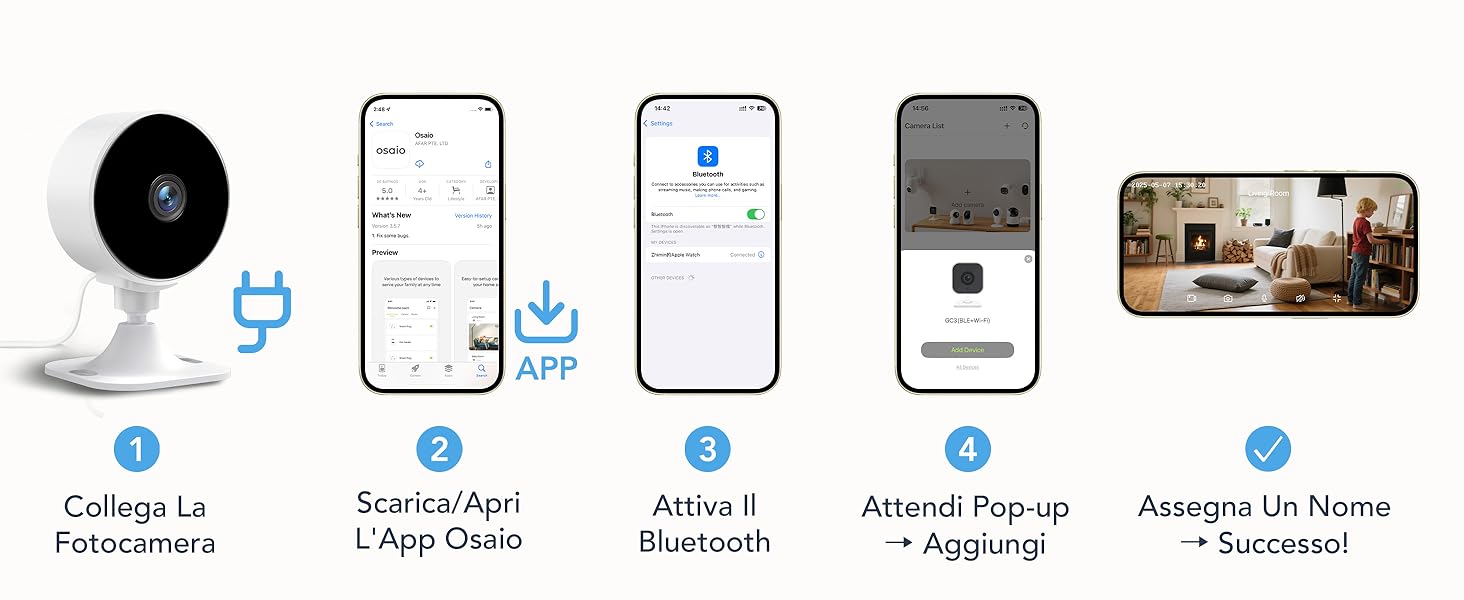
Image: A sequence of mobile app interface screenshots illustrating the setup steps for the smart device, including Bluetooth connection, app installation, and live view configuration screens.
4.3. Mounting the Camera
The GC3 camera offers flexible mounting options:
- Adhesive Mounting: Use the included adhesive tape for tool-free installation on smooth, clean surfaces like walls or ceilings.
- Screw Mounting: For a more secure installation, use the provided screws to mount the camera.
The camera features a manual rotation angle, allowing you to adjust the viewing direction after installation to achieve the desired coverage.
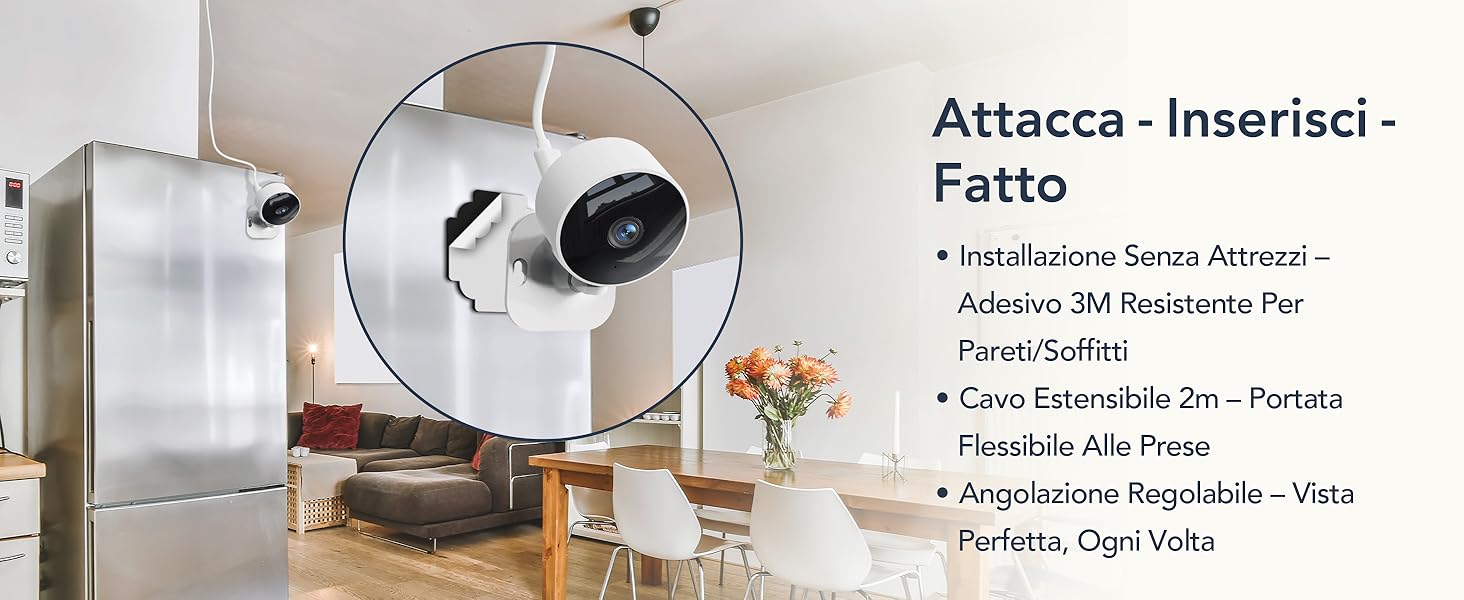
Image: An illustration showing the simple installation process of the camera, with text indicating 'Attach - Insert - Done'. The image highlights tool-free installation with 3M adhesive, a 2m extended cable for flexible power access, and adjustable angling for optimal view.
5. Operating Instructions
5.1. Live View and Two-Way Audio
Access the live video feed of your camera through the Osaio app. The integrated two-way audio feature allows you to listen to the environment around the camera and speak through the camera's speaker from your smartphone.

Image: A woman is shown interacting with her smartphone, which displays the camera's live feed and two-way audio functionality, allowing her to listen and speak remotely.
5.2. Night Vision
The GC3 camera is equipped with 6 advanced infrared LEDs, providing clear black and white night vision up to 10 meters. This feature activates automatically in low-light conditions, ensuring continuous monitoring day and night.

Image: A dog is shown sleeping, illustrating the camera's night vision capability to monitor pets or family members in total darkness.
5.3. Motion and Sound Detection
The camera features intelligent motion and sound detection. When activity is detected, the Osaio app will send instant notifications to your smartphone, keeping you informed of any events.
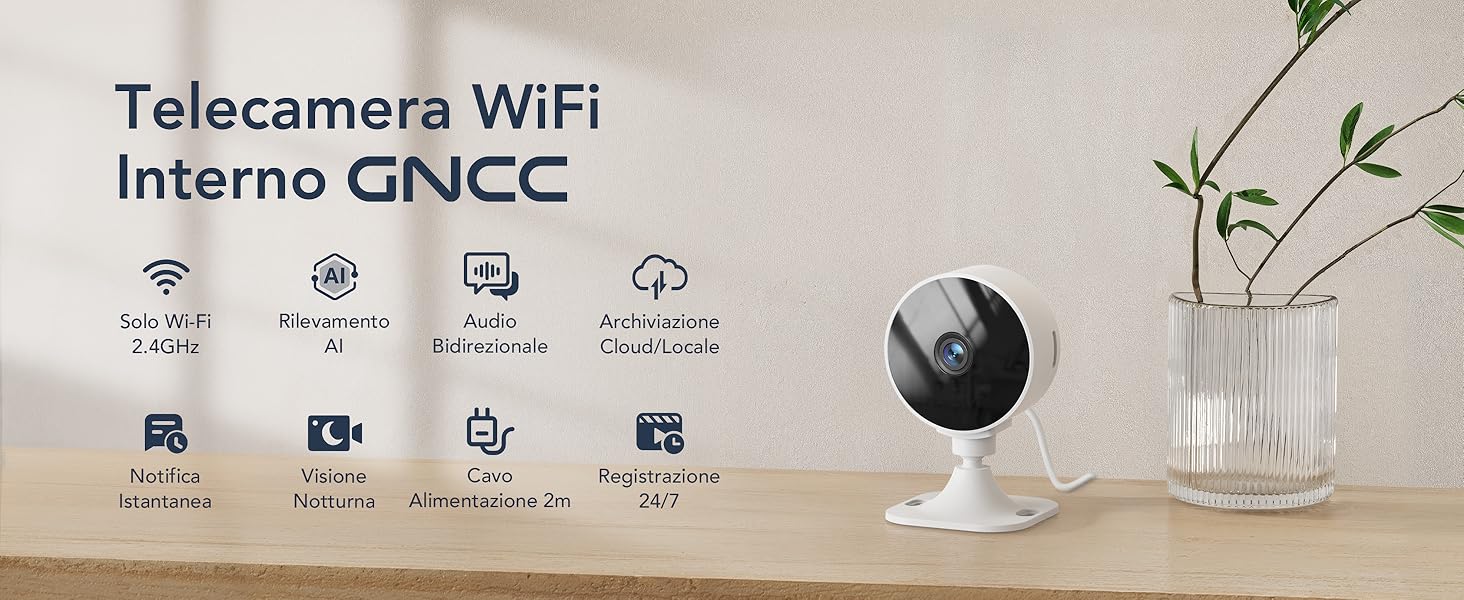
Image: A small dog is running in a living room, with an overlay indicating smart alerts for human, pet, or sound detection, and instant notifications from the Osaio app.
5.4. Storage Options
The GC3 camera offers two storage methods for your recordings:
- Local Storage: Supports continuous 24/7 recording to a microSD card (up to 128GB, not included).
- Cloud Storage: The Osaio app provides secure, encrypted cloud storage (subscription required) with a 14-day free trial per camera per account. You have full control over your storage choice.
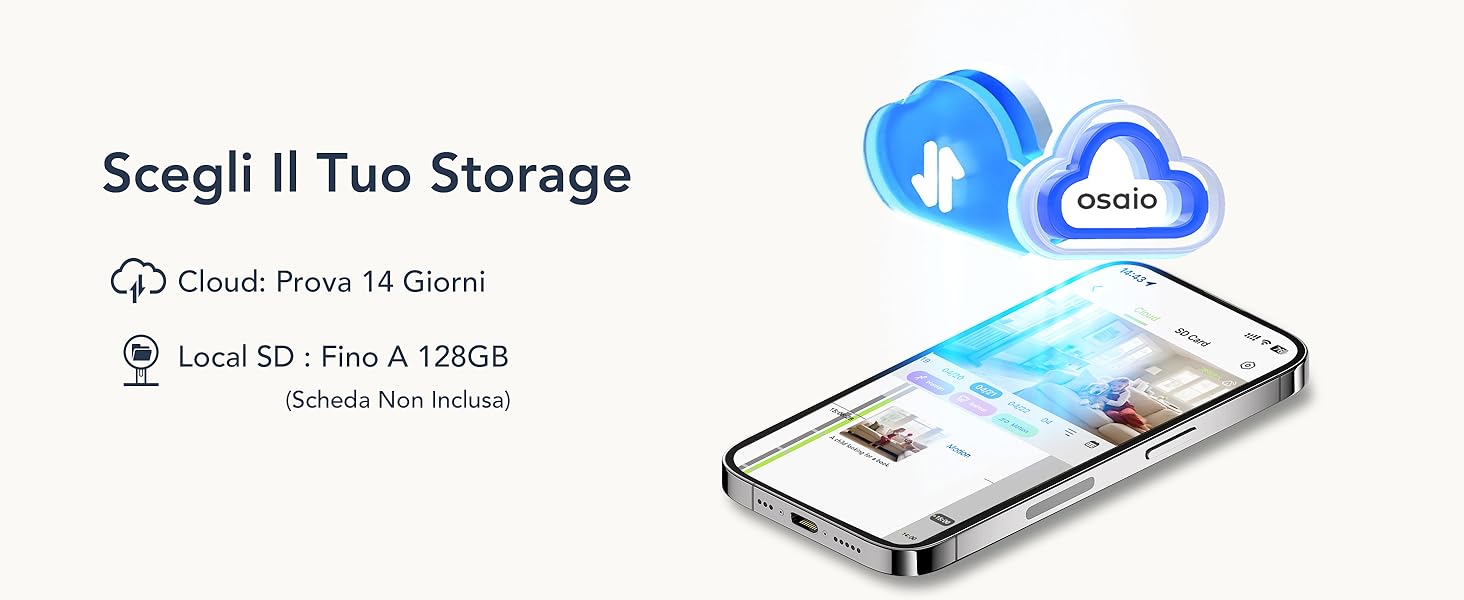
Image: A smartphone screen displays options for cloud storage (with a 14-day trial) and local SD card storage (up to 128GB), emphasizing user choice in how videos are saved.
5.5. Privacy Mode
To protect your privacy, you can remotely turn off the GC3 camera and stop recordings at any time via the Osaio app with a single tap. This ensures no recording or sharing occurs when privacy is desired.

Image: A screenshot of the mobile app interface next to a spherical device, demonstrating privacy and security features, with text reading: 'Secure When Needed, Private When Not'.
5.6. Sharing Camera Access and Smart Home Integration
You can securely share access to your GC3 camera with up to 3 family members through the Osaio app. The camera is also compatible with Amazon Alexa and Google Assistant, allowing you to view the live feed using voice commands. Note that each account can be linked to only one mobile device at a time.
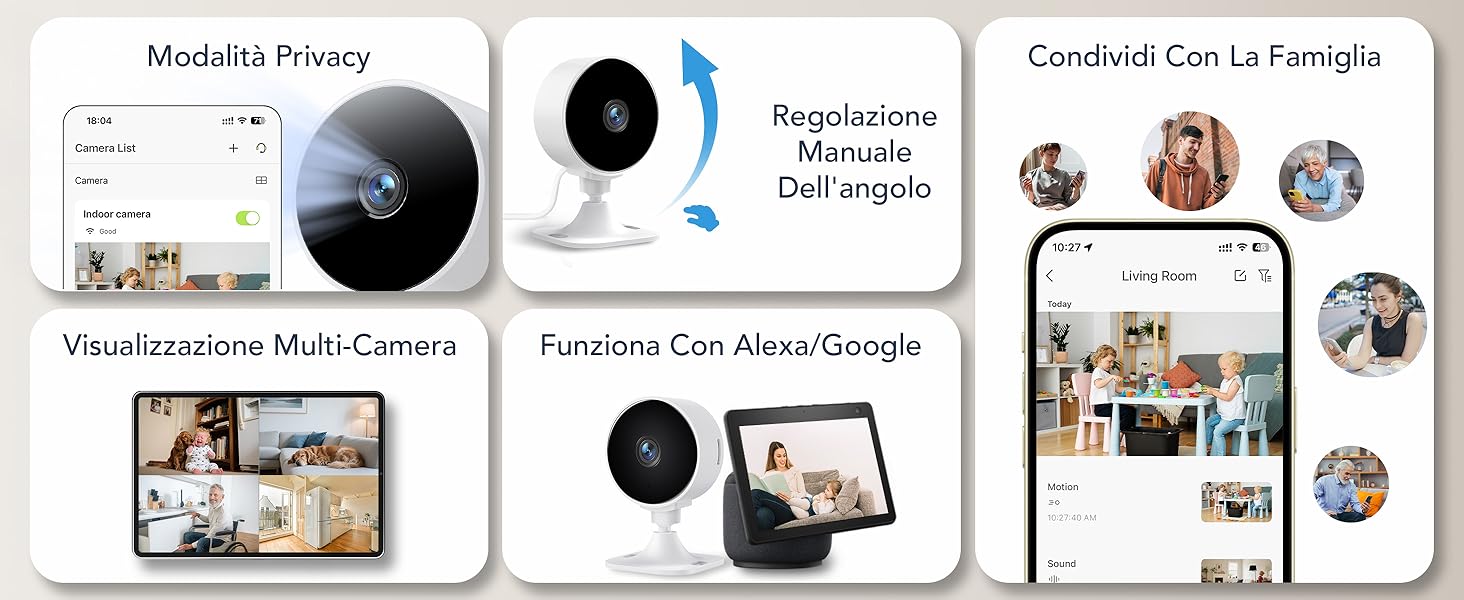
Image: Interface screenshots showcasing multi-camera monitoring system features, including 'Privacy Mode', 'Share with Family', 'Multi-Camera' view, and integration with Google services and Alexa.
6. Maintenance
- Cleaning: Use a soft, dry cloth to clean the camera lens and body. Avoid using harsh chemicals or abrasive materials.
- Firmware Updates: Regularly check the Osaio app for available firmware updates to ensure optimal performance and security.
- Placement: Ensure the camera is placed in a stable location and protected from extreme temperatures or direct moisture, as it is not water-resistant.
7. Troubleshooting
If you encounter issues with your GNCC GC3 camera, refer to the following common solutions:
| Problem | Solution |
|---|---|
| Camera fails to connect to WiFi | Ensure your WiFi network is 2.4 GHz. Check WiFi signal strength. Restart your router and the camera. Re-attempt pairing via the Osaio app. |
| No notifications received | Verify app notification settings are enabled on your phone and within the Osaio app. Check motion/sound detection sensitivity settings. |
| Poor video quality | Ensure sufficient lighting. Check your internet connection speed. Clean the camera lens. |
| Two-way audio not working | Check microphone and speaker permissions for the Osaio app on your phone. Ensure volume levels are adequate. |
| MicroSD card not recording | Ensure the microSD card is correctly inserted and formatted within the app. Check if the card is full or corrupted. Use a card up to 128GB. |
8. Specifications
Detailed technical specifications for the GNCC GC3 camera:
| Feature | Detail |
|---|---|
| Brand | GNCC |
| Model Name | GC3 Telecamera WiFi Interno (GC3 Indoor WiFi Camera) |
| Connectivity Technology | Wired, 2.4 GHz WiFi Only |
| Special Features | Two-way audio, Sound-activated recording, Local recording, Cry detection, HD Resolution |
| Indoor/Outdoor Use | Indoor |
| Compatible Devices | Smartphone |
| Control Unit Type | Amazon Alexa, Google Assistant |
| Color | Black |
| Installation Method | Freestanding |
| Material Type | Acrylonitrile Butadiene Styrene (ABS), Polycarbonate (PC) |
| Water Resistance Level | Not Water Resistant |
| Alarm Type | Audio and Motion |
| Room Type | Nursery, Kitchen, Laundry Room, Study, Office |
| Light Source Type | Infrared |
| Still Image Resolution | 2 MP |
| Control Method | App |
| Connectivity Protocol | Wi-Fi |
| Wireless Technology | Wi-Fi |
| Video Capture Resolution | 1080p |
| Frame Rate | 15 fps |
| Viewing Angle | 88 Degrees |
| Optical Zoom | 4x |
| Optical Sensor Technology | CMOS |
| Item Dimensions | 6.5 x 7 x 9 cm |
| Item Weight | 154 Grams |
| Power Source | Corded Electric |
| Voltage | 5 Volts |
| Wattage | 5 Watts |
| Batteries Required | No |
| Number of Channels | 1 |
| Video Capture Format | MP4 |
| Audio-Visual Recording Features | Video |
| Night Vision Range | 10 Meters |
| Number of IR LEDs | 6 |
| Flash Memory Type | Micro SD |
| Max Supported Flash Memory Size | 128 GB |
| UPC | 850070296922 |
| GTIN | 850070296922 |
9. Warranty and Support
For warranty information, technical support, or further assistance, please refer to the official GNCC website or contact customer support through the Osaio app. Keep your purchase receipt for warranty claims.


