
1. Product Overview
The FitStand Standing Desk 6331 is a large, height-adjustable electric desk designed for home and office use. It features a spacious desktop, convenient accessories, and a robust frame for stable operation. This manual provides essential information for assembly, operation, maintenance, and safety.
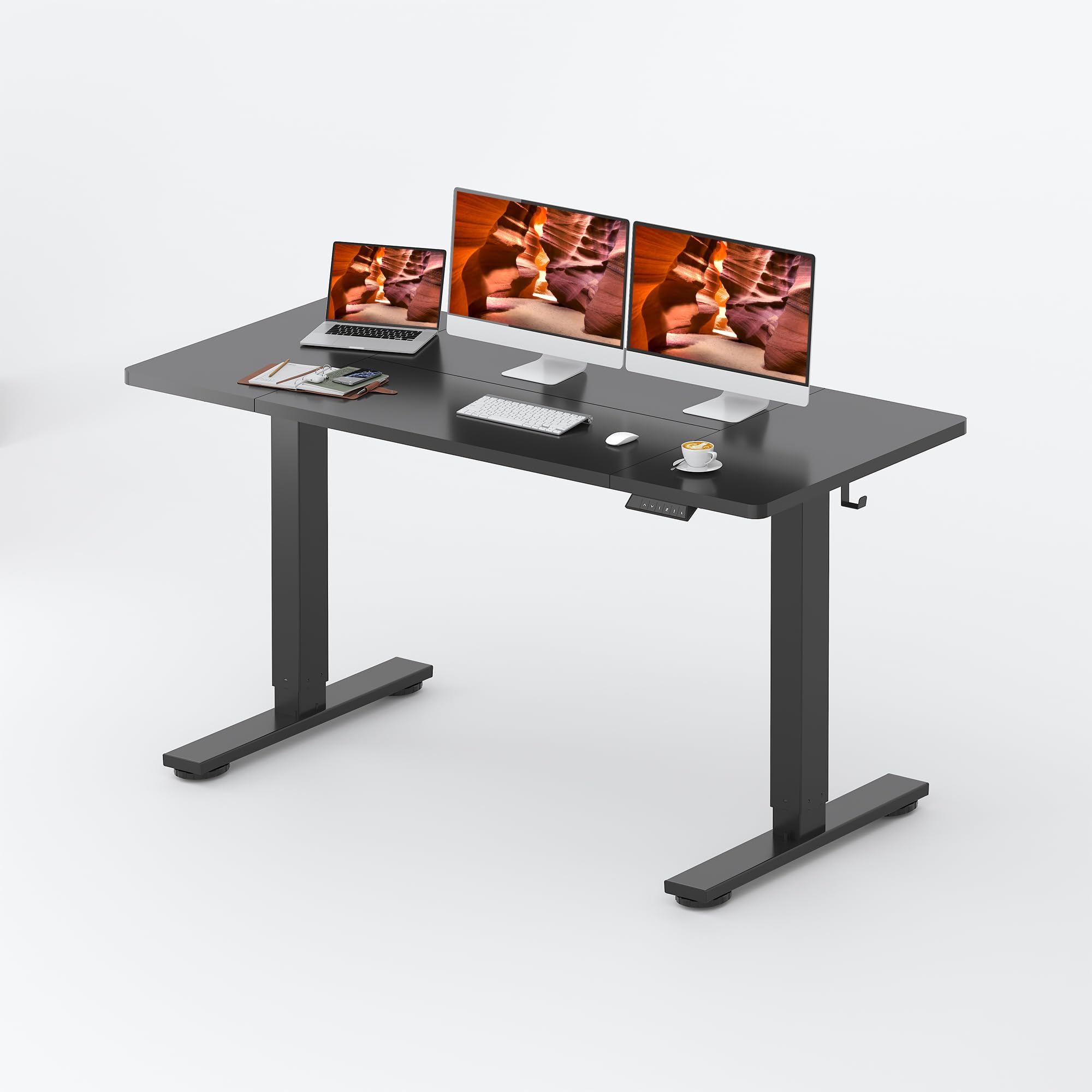
Image: FitStand Standing Desk in a home office environment.
2. Key Features
- Spacious Desktop: A large 63"x31" wooden desktop provides ample space for multiple monitors, devices, and work essentials.
- Practical Accessories: Includes a cup holder, cable management box, and hooks for organization and convenience.
- Effortless Height Adjustment: Electric motor allows smooth transitions between 28.9" and 46.5" with four memory preset options.
- Durable and Quiet Operation: Robust frame supports up to 162 lbs with a motor operating under 50dB.
- Anti-Collision System: Automatically stops movement upon detecting obstacles.
2.1 Dimensions and Capacity

Image: Product dimensions and weight capacity.
2.2 Integrated Accessories

Image: Detailed view of the cup holder, cable management box, and desk hooks.
2.3 Digital Control Panel

Image: Digital control panel for height adjustment and memory presets.
3. Setup and Assembly
Your FitStand Standing Desk is designed for straightforward assembly. Please ensure all components are present before beginning. Note that the desk may arrive in two separate packages, which might not be delivered simultaneously.
3.1 Unpacking and Parts Check
- Carefully unpack all components and place them on a soft, clean surface to prevent scratches.
- Refer to the included parts list to verify that all items are present.
3.2 Assembly Steps
Follow the detailed instructions provided in the separate assembly manual included with your product. General steps typically involve:
- Attaching the lifting columns to the desktop.
- Securing the bottom beam and desk feet.
- Installing the control panel and connecting necessary cables.
- Attaching the cup holder, cable management box, and hooks as desired.
It is recommended to have a second person assist with assembly due to the size and weight of the desk components.
4. Operating Instructions
4.1 Adjusting Height
- To raise the desk, press and hold the Up arrow button on the digital control panel.
- To lower the desk, press and hold the Down arrow button on the digital control panel.
- Release the button when the desired height is reached.
4.2 Using Memory Presets
The desk features four memory preset buttons (1, 2, 3, 4) to save and recall your preferred sitting and standing heights.
- Adjust the desk to your desired height using the Up/Down buttons.
- Press the M button, then immediately press one of the number buttons (1, 2, 3, or 4) to save the current height. The LED display will confirm the setting.
- To recall a saved height, simply press the corresponding number button (1, 2, 3, or 4). The desk will automatically move to the saved position.
4.3 Anti-Collision System
The anti-collision system is designed to prevent damage by automatically stopping the desk's movement if it encounters an obstacle during height adjustment. If the desk stops unexpectedly, check for obstructions and clear them before resuming operation.
4.4 Using Accessories
- Cup Holder: Attach the cup holder to the side of the desktop for convenient access to beverages, preventing spills on your work surface.
- Cable Management Box: Use the integrated cable management box to route and conceal power cords and other cables, maintaining a tidy workspace.
- Desk Hooks: Utilize the provided hooks to hang headphones, bags, or other small items, keeping your desktop clear and organized.
5. Maintenance and Safety
5.1 Cleaning
- Wipe the desktop and frame with a soft, damp cloth.
- Avoid using harsh chemicals or abrasive cleaners, as these may damage the finish.
- Ensure the desk is unplugged before cleaning electrical components.
5.2 Safety Guidelines
- WARNING: Always ensure the desk is properly anchored to the floor to prevent tipping.
- WARNING: Do not exceed the maximum weight limit of 162 LBS (73.5 KG). Overloading can cause damage or injury.
- Keep children and pets away from the desk during height adjustments.
- Do not place liquids directly on the desktop without using the cup holder or other protective measures.
- Regularly check all screws and connections to ensure they are tight.
6. Troubleshooting
If you encounter any issues with your FitStand Standing Desk, please refer to the following common solutions:
- Desk not moving: Check if the power cord is securely plugged into both the desk and a working power outlet. Ensure no cables are pinched.
- Uneven movement or noise: Verify that all assembly screws are tightened. Ensure the desk is on a level surface.
- Anti-collision system triggered: Remove any objects obstructing the desk's path and try adjusting the height again.
- Memory presets not working: Re-program the memory presets by following the instructions in Section 4.2.
If the problem persists after attempting these solutions, please contact customer support.
7. Product Specifications
| Feature | Detail |
|---|---|
| Brand | FitStand |
| Model | 6331 |
| Shape | Rectangular |
| Desk Design | Standing Desk |
| Product Dimensions (D x W x H) | 31"D x 63"W x 29"H |
| Color | Black |
| Style | Modern |
| Base Material | Metal |
| Top Material Type | Engineered Wood |
| Finish Type | Lacquered |
| Minimum Height | 28.9 Inches |
| Maximum Height | 46.5 Inches |
| Maximum Weight Recommendation | 162 Pounds |
| Included Components | Cup Holder, Cable Management Box, Hook |
| Required Assembly | Yes |
| UPC | 840521531351 |
8. Warranty and Support
8.1 Limited Warranty
The FitStand Standing Desk 6331 comes with a limited warranty. Please refer to the warranty card included in your product packaging for specific terms, conditions, and duration of coverage.
8.2 Customer Support
For any questions, technical assistance, or warranty claims, please contact FitStand customer support through the retailer where the product was purchased or visit the official FitStand website for contact information.