
1. Introduction
The MOVA ViAX 250 Robotic Lawnmower, bundled with its protective Garage, offers an advanced solution for automated lawn care. This manual provides essential information and detailed instructions for the safe and efficient setup, operation, and maintenance of your robotic lawnmower system.
2. Safety Information
Read all safety warnings and instructions carefully before operating the robotic lawnmower. Failure to follow these instructions may result in electric shock, fire, and/or serious injury.
- Keep hands and feet away from the cutting blades.
- Do not operate the lawnmower in wet conditions or during rain.
- Ensure children and pets are clear of the mowing area when the robot is operating.
- Turn off the power switch before performing any maintenance or cleaning.
- Use only original replacement parts and accessories provided by Mova.
- Do not modify the robotic lawnmower or its components.
3. Product Overview
3.1 MOVA ViAX 250 Robotic Lawnmower
The ViAX 250 is designed for efficient lawn maintenance up to 250 m². It features a wireless perimeter setup and AI-powered UltraEyes 1.0 technology for automatic lawn mapping and obstacle detection. The lawnmower utilizes a U-path mowing strategy and dual-mode edge cutting for comprehensive coverage.
3.2 MOVA Robotic Lawnmower Garage
The included garage provides essential protection for your robotic lawnmower. It shields the device from adverse weather conditions, such as rain, and prolonged exposure to direct sunlight, thereby contributing to the longevity of the lawnmower.
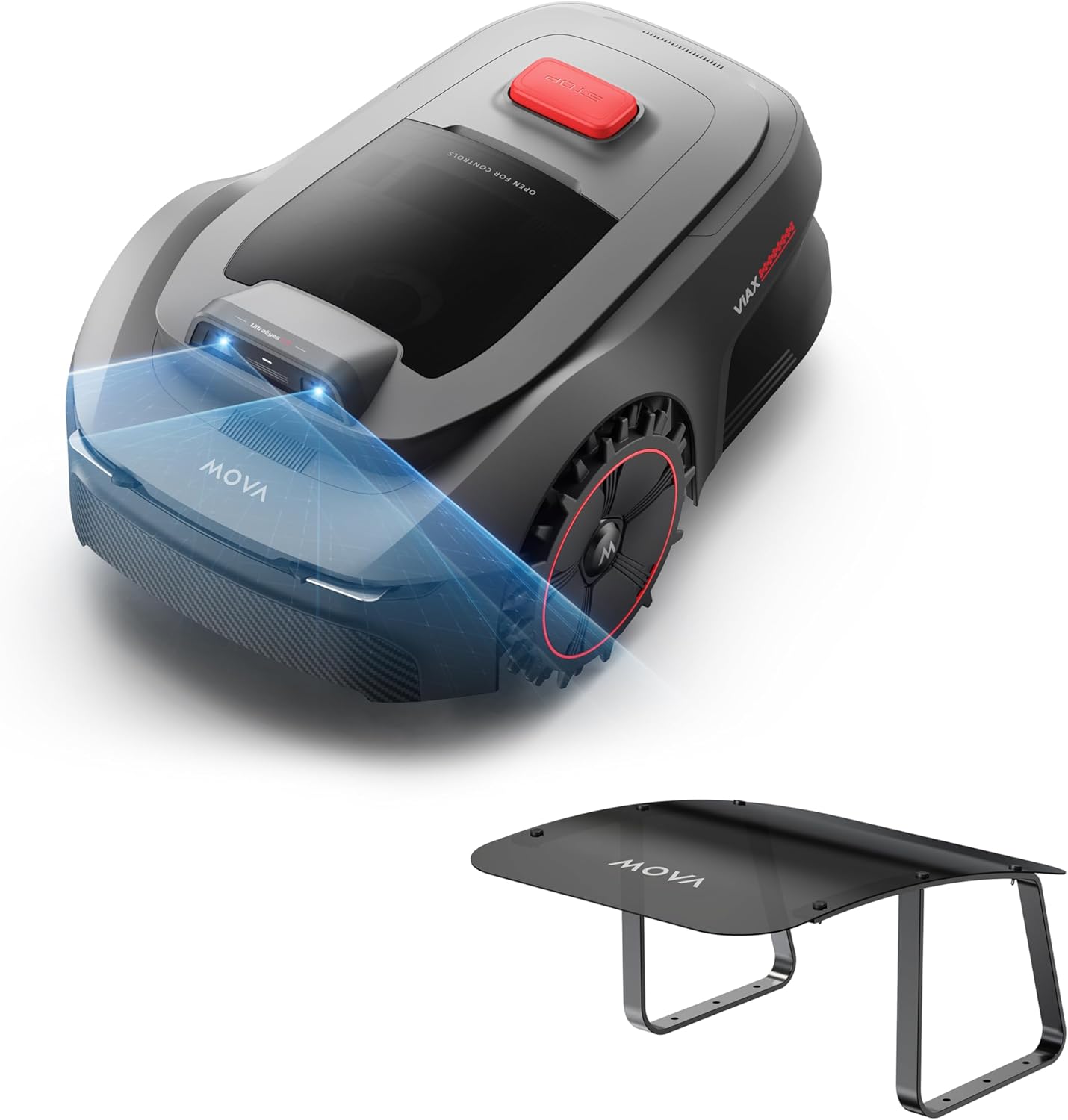
This image shows the MOVA Robotic Lawnmower Garage, designed to protect the ViAX 250 from environmental elements.
4. Package Contents
Verify that all items are present in the package:
- MOVA ViAX 250 Robotic Lawnmower
- MOVA Robotic Lawnmower Garage (components for assembly)
- Charging Station
- Power Adapter
- Replacement Blades
- User Manual
5. Setup
5.1 Lawnmower Installation and Mapping
The ViAX 250 utilizes UltraEyes 1.0 for automatic lawn mapping and virtual boundary establishment, eliminating the need for physical perimeter wires or RTK stations. The initial setup involves guiding the mower to map the designated mowing area. This process is detailed within the accompanying MOVA application.
5.2 Garage Assembly
The garage is designed for straightforward assembly. Follow the instructions provided with the garage components to construct and position it over the charging station. Ensure the garage is securely anchored to provide stable shelter for the robotic lawnmower.

This image displays the components of the MOVA Robotic Lawnmower Garage, ready for assembly.
6. Operating Instructions
6.1 Mowing Strategy
The ViAX 250 employs a precise U-path mowing strategy to ensure efficient and complete coverage of your lawn. Additionally, its dual-mode edge cutting function maintains neat and tidy lawn borders, reducing the need for manual trimming.
6.2 Smart Navigation
UltraEyes 1.0 integrates HDR imaging with intelligent algorithms to provide wide-angle and millimeter-level perception for accurate mapping and obstacle detection. This system ensures precise and resilient navigation across the lawn, even in the absence of external GPS signals.
6.3 App Control
Manage your robotic lawnmower using the dedicated MOVA application. The app allows you to schedule mowing times, monitor the lawnmower's progress, and adjust various settings from your smartphone.
7. Maintenance
7.1 Blade Replacement
The cutting blades of the ViAX 250 are designed for easy replacement. Regularly inspect the blades for wear and replace them as needed to maintain optimal cutting performance. Refer to the MOVA app or the detailed user manual for specific instructions on blade replacement.
7.2 Cleaning
Periodically clean the robotic lawnmower, especially the cutting deck and sensors, to ensure proper function and longevity. Remove any grass clippings, dirt, or debris.
7.3 Garage Protection
The garage plays a crucial role in protecting the lawnmower from environmental elements such as rain and direct sunlight. Ensure the garage remains in good condition and properly positioned over the charging station to maximize its protective benefits.
8. Troubleshooting
This section addresses common issues you might encounter. For more detailed troubleshooting, consult the MOVA app or the full user manual.
- Navigation Issues: If the lawnmower struggles with navigation or obstacle detection, ensure the UltraEyes sensors are clean and unobstructed. Check for any new or moved obstacles in the mowing area.
- Charging Problems: Verify that the charging station is correctly connected to power and that the lawnmower is docking properly. Clean the charging contacts on both the mower and the station.
- Uneven Mowing: Confirm that the mowing height settings are appropriate for your lawn type and condition. Ensure blades are sharp and correctly installed.
- Garage Stability: If the garage appears unstable after assembly, re-check all connections and ensure it is securely anchored to the ground.
9. Specifications
- Model: MOVA ViAX 250 + Garage
- Recommended Lawn Area: Up to 250 m²
- Mapping Technology: UltraEyes 1.0 AI-powered automatic mapping
- Perimeter System: Wireless
- Vision System: Dual Vision with HDR Imaging
- Field of View (FOV): 120°×70°
- Detection Range: 50 m
- Mowing Strategy: U-path, Dual-mode edge cutting
- Protection: Included Garage for weather and sun protection
10. Warranty and Support
For detailed warranty information, product registration, and technical assistance, please visit the official MOVA website or contact MOVA customer support. Keep your purchase receipt as proof of purchase for any warranty claims.


