
Introduction
This manual provides detailed instructions for the installation, operation, and maintenance of your Noorio D110 Wireless Doorbell Camera. Please read this manual thoroughly before using the device to ensure proper functionality and safety.
What's in the Box
- Video Doorbell Camera x1
- Brackets x2
- Screw Pack x1
- 3.28Ft Type C Charging Cable x1
- Quick Guide x1
Product Overview
The Noorio D110 Wireless Doorbell Camera is designed for outdoor security, offering 2K+ resolution, two-way audio, color night vision, and AI motion detection. It operates wirelessly with a rechargeable battery and is compatible with Alexa.
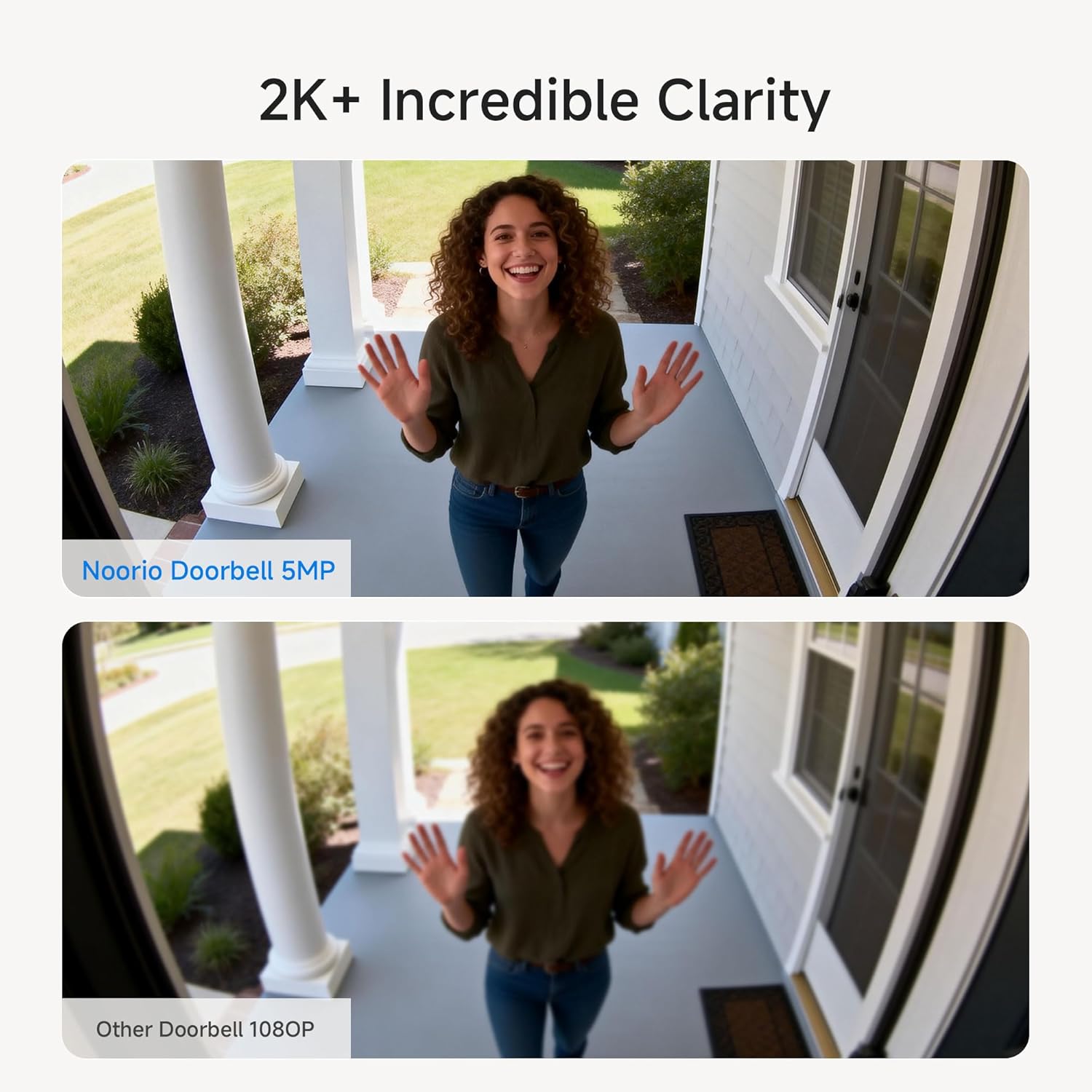
Image: Front view of the Noorio D110 Wireless Doorbell Camera.
Video: Overview of the Noorio Doorbell Camera features, including night vision, 2K+ resolution, instant notifications, 2-way audio, AI recognition, dual motion detection, and package protection.
Setup
1. Initial Charging
Before first use, fully charge the doorbell camera for at least 2 hours using the provided 3.28ft Type C charging cable and a 5V 2A power adapter (not included). A full charge ensures optimal performance and initial pairing.

Image: Step 1 of installation showing the doorbell being charged via a USB-C cable.
2. App Installation and Pairing
- Download the Noorio app from your device's app store.
- Create an account or log in.
- Follow the in-app instructions to add your D110 doorbell camera. This typically involves scanning a QR code on the device.

Image: The Noorio app interface displaying live alerts, two-way talk functionality, and instant reply options.
3. Mounting the Doorbell
The Noorio D110 offers multiple installation methods. Choose a location that provides a clear view of your entrance. Use the provided brackets and screw pack for secure wall mounting.

Image: Illustration of the doorbell being attached to its mounting bracket on a wall.
Operating Instructions
Live View and Notifications
Access live video feed from your doorbell camera anytime, anywhere through the Noorio app. Receive instant notifications on your smartphone when motion is detected or the doorbell is pressed.

Image: A person viewing the doorbell camera feed on a laptop and smartphone, demonstrating remote access.
Two-Way Audio
Engage in real-time conversations with visitors at your door using the built-in microphone and speaker. This feature allows you to communicate with delivery personnel or guests directly from your phone.

Image: A delivery person at the door and a user communicating through the Noorio app's two-way audio feature.
Motion Detection and AI Recognition
The D110 features advanced AI-enhanced human recognition, along with radar and PIR motion sensors, to accurately detect subjects and reduce false alarms by up to 95%. Customize sensitivity and motion detection zones within the app.

Image: Visual representation of the Noorio Doorbell Camera's AI detection capabilities for people, pets, and packages.
The system can distinguish between people, pets, and packages, providing specific alerts for each. Enable or disable these detection types in the app settings.
Color Night Vision
The D110 provides enhanced color night vision up to 33 feet, ensuring clear and detailed monitoring even in low-light conditions, surpassing traditional black-and-white night vision.

Image: A side-by-side comparison showing the clarity of Noorio's color night vision versus a standard doorbell's night vision.
Local Storage
The doorbell camera includes 16GB of built-in local storage, capable of storing up to 6,000 video clips without any subscription fees. Cloud storage is an optional feature.
Maintenance
Battery Charging
The built-in rechargeable battery provides up to 180 days of operation on a single charge. When the battery level is low, you will receive a notification. Recharge the device using the Type C charging cable.
Cleaning
Wipe the camera lens and body with a soft, damp cloth to remove dust and debris. Avoid using harsh chemicals or abrasive materials that could damage the device.
Weather Protection
The Noorio D110 is IP65 rated, providing protection against dust and water jets. While designed for outdoor use, ensure it is securely mounted to withstand various weather conditions.

Image: The Noorio Doorbell Camera shown enduring various weather conditions, illustrating its IP65 rating for protection against sun, snow, rain, and dust.
Troubleshooting
| Issue | Possible Cause | Solution |
|---|---|---|
| Doorbell not connecting to Wi-Fi | Incorrect Wi-Fi password, weak signal, 5GHz network. | Ensure correct 2.4GHz Wi-Fi password. Move doorbell closer to router. Confirm router supports 2.4GHz. |
| Short battery life | Frequent motion detection, extreme temperatures, high activity. | Reduce motion detection sensitivity or activity zones. Ensure full charge. Avoid extreme temperatures. |
| No motion detection alerts | Motion detection disabled, incorrect sensitivity, app notifications off. | Enable motion detection in app. Adjust sensitivity. Check app notification settings. |
| Poor video quality | Dirty lens, weak Wi-Fi signal. | Clean the camera lens. Improve Wi-Fi signal strength. |
Specifications
| Feature | Detail |
|---|---|
| Model Name | D110 |
| Resolution | 5MP (2K+), 1600P Video Capture |
| Connectivity | Wireless, 2.4GHz Wi-Fi |
| Power Source | Battery Powered (Rechargeable) |
| Night Vision | Color Night Vision, up to 16.4 feet |
| Audio | 2-Way Audio |
| Motion Detection | AI Human Recognition, Radar & PIR Sensors |
| Storage | 16GB Local Storage (Built-in) |
| Weather Resistance | IP65 Waterproof Rating |
| Viewing Angle | 170 Degrees |
| Compatible Devices | Smartphone, Amazon Alexa |
| Item Dimensions | 7.67 x 3.66 x 2.5 inches |
Warranty and Support
Noorio offers a 1-year warranty for return and replacement due to quality issues. Lifetime technical support is also provided. Expect a reply to inquiries within minutes to 24 hours.
For further assistance, please visit the official Noorio website or contact customer support.


