
1. Introduction
Thank you for choosing the Ocypus Iota L24 AIO CPU Liquid Cooler. This 240mm all-in-one liquid cooling system is designed to provide efficient thermal management for your CPU, featuring a digital display for real-time temperature monitoring, ARGB lighting control, and low-noise PWM fans. This manual provides essential information for installation, operation, and maintenance to ensure optimal performance and longevity of your cooler.
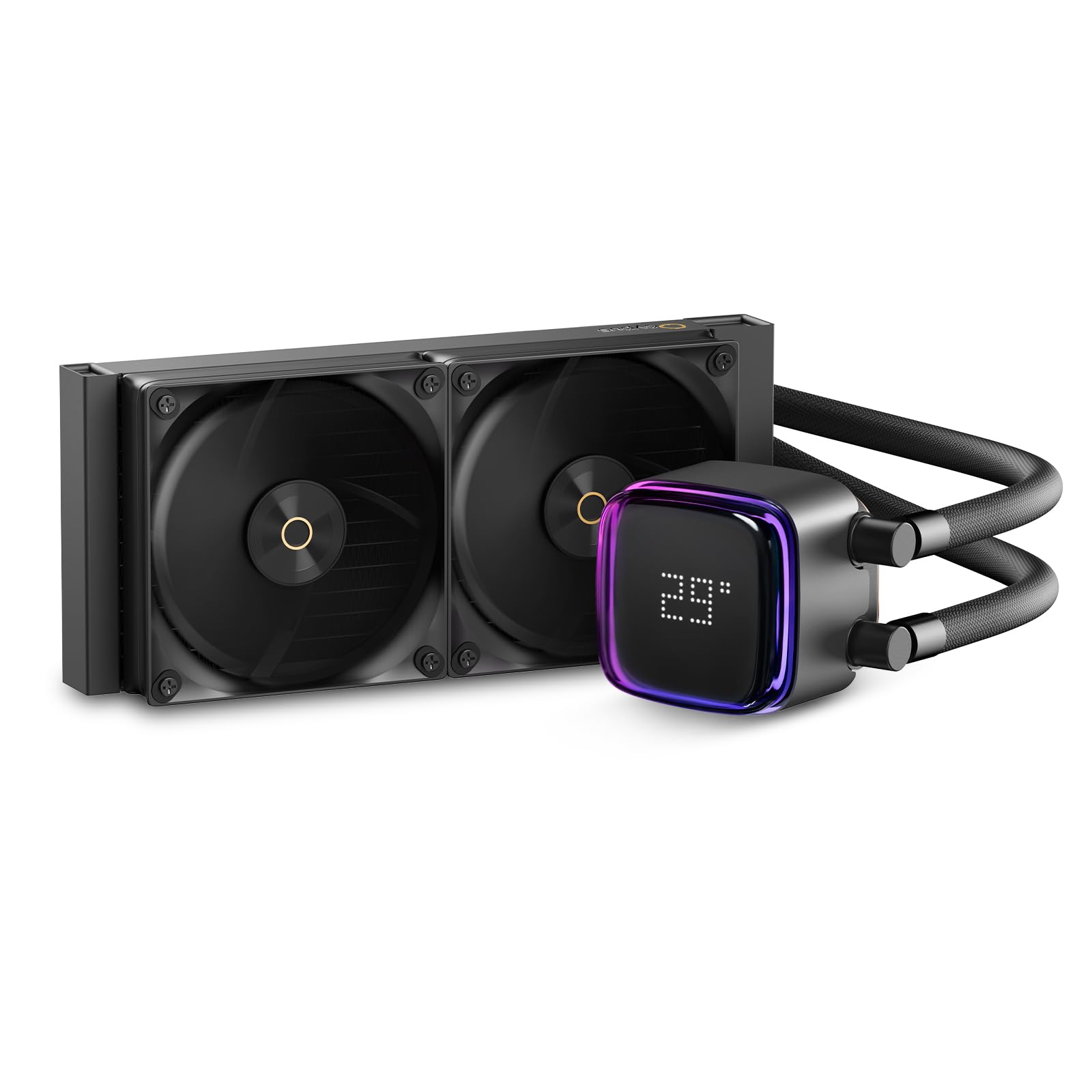
Image 1.1: The Ocypus Iota L24 AIO CPU Liquid Cooler, showcasing the pump block with its digital display and the dual 120mm fans attached to the radiator.
2. Safety Information
Please read and understand all safety instructions before installing or operating this product. Failure to do so may result in damage to the product, other components, or personal injury.
- Ensure your computer system is powered off and unplugged from the wall outlet before installation.
- Handle components with care to avoid damage.
- Wear anti-static gloves or use an anti-static wrist strap to prevent electrostatic discharge (ESD) damage to sensitive components.
- Do not open the pump or radiator; it contains liquid coolant that is not user-serviceable.
- Keep out of reach of children.
- If any liquid leakage is observed, immediately power off your system and contact customer support.
3. Package Contents
Verify that all items are present in your package:
- 1 x Liquid CPU Cooler (Radiator, Pump, and Fans pre-assembled)
- 1 x Thermal Paste tube
- 2 x Installation Tools (Mounting brackets and screws for Intel and AMD platforms)
4. Specifications
| Feature | Specification |
|---|---|
| Product Dimensions | 15.15"L x 6.3"W x 7.48"H (38.5cm L x 16cm W x 19cm H) |
| Brand | Ocypus |
| Power Connector Type | 3-Pin (Pump), PWM (Fans) |
| Voltage | 12 Volts (DC) |
| Wattage | 3.6 watts (Pump) |
| Cooling Method | Liquid (Water) |
| Compatible Devices | Desktop PCs |
| Noise Level (Fans) | ≤29 dB(A) |
| Material | Aluminum (Radiator), Copper (Cold Plate), Rubber (Tubing) |
| Maximum Rotational Speed (Fans) | 2000 RPM (±10%) |
| Air Flow Capacity (Fans) | 77 Cubic Feet Per Minute (CFM) |
| Air Pressure (Fans) | 4.65 mmH2O (MAX) |
| Pump Dimensions | 70mm x 70mm x 65mm |
| Platform Compatibility | Intel LGA: 115X/1200/1700/1851, AMD: AM4/AM5 |

Image 4.1: Product dimensions for the Ocypus Iota L24 radiator and pump block.
5. Setup and Installation
The Ocypus Iota L24 is designed for simple installation on both Intel and AMD mainstream platforms. Follow these general steps:
5.1 Prepare Your System
- Power off your computer and unplug it from the power source.
- Open your computer case to access the motherboard and CPU area.
- Remove any existing CPU cooler. Clean the CPU surface thoroughly to remove old thermal paste.
5.2 Install Mounting Hardware
Select the appropriate mounting brackets for your CPU socket (Intel LGA or AMD AM4/AM5). The cooler comes with all-metal mounting hardware for secure installation.

Image 5.1: Included all-metal mounting brackets for Intel and AMD platforms, along with general installation tools.
- Attach the correct backplate to the rear of your motherboard (if required by your socket type).
- Secure the standoffs to the motherboard through the CPU socket holes.
- Apply a small amount of the provided thermal paste to the center of your CPU's integrated heat spreader (IHS).
5.3 Mount the Pump Block and Radiator
- Carefully place the pump block onto the CPU, aligning the mounting holes with the standoffs.
- Secure the pump block with the provided thumb screws or nuts, tightening them in a diagonal pattern until snug. Do not overtighten.
- Mount the 240mm radiator to an available fan mounting location in your PC case (e.g., top, front, or rear). Ensure proper airflow direction.
5.4 Connect Cables
- Connect the pump's 3-pin power cable to an available CPU_FAN or AIO_PUMP header on your motherboard.
- Connect the fans' PWM cables to the CPU_FAN or other fan headers on your motherboard.
- Connect the ARGB cable from the pump to a compatible 5V ARGB header on your motherboard for lighting control.
- Connect the USB 2.0 cable from the pump to an available internal USB 2.0 header on your motherboard for digital display functionality.

Image 5.2: The Ocypus Iota L24 installed in a PC, demonstrating the ease of assembly.
6. Operating Instructions
6.1 Digital Display
The Ocypus Iota L24 features a floating visual digital display on the pump block that shows real-time CPU or GPU temperature. This display requires a connection to an internal USB 2.0 header on your motherboard and the Ocypus Digital software.

Image 6.1: The pump block's digital display showing CPU temperature.
6.2 ARGB Lighting Control
The cooler supports ARGB independent control, allowing you to customize the lighting effects of the pump and fans. Connect the ARGB cable to a compatible 5V ARGB header on your motherboard and use your motherboard's lighting control software (e.g., ASUS Aura Sync, MSI Mystic Light, Gigabyte RGB Fusion, ASRock Polychrome Sync) to manage the lighting effects.

Image 6.2: The pump block with its curved arc outlook design and ARGB halo ambient light strip.
6.3 Ocypus Digital Software
To utilize the full functionality of the digital display, including switching between Celsius and Fahrenheit and monitoring CPU/GPU temperatures, install the Ocypus Digital software. This software supports Windows 10 and Windows 11.
- To obtain the software, search for "Ocypus" in your browser or refer to the product manual for the official Ocypus website.
- Locate "Ocypus Digital" on the website and download the installation package.
- During installation, it is recommended to add the software to your antivirus whitelist.
- Ensure the USB 2.0 connection from the pump to the motherboard is correctly established for the software to function.

Image 6.3: The Ocypus Digital software interface for temperature display and settings.
7. Maintenance
Regular maintenance helps ensure the longevity and optimal performance of your Ocypus Iota L24 AIO cooler.
- Dust Cleaning: Periodically clean the radiator fins and fan blades with compressed air to remove dust buildup. Dust can impede airflow and reduce cooling efficiency.
- Cable Management: Ensure all cables (power, ARGB, USB) are securely connected and not obstructing airflow or fan movement.
- Visual Inspection: Occasionally inspect the tubing for any signs of wear, kinks, or leaks. While rare, early detection can prevent potential issues.
- Software Updates: Keep the Ocypus Digital software updated to the latest version for improved features and stability.
8. Troubleshooting
If you encounter issues with your Ocypus Iota L24, refer to the following common troubleshooting steps:
| Problem | Possible Cause | Solution |
|---|---|---|
| Digital display is off or not showing temperature. | USB 2.0 cable not connected or loose; Ocypus Digital software not installed or running; software conflict. | Ensure USB 2.0 cable is securely connected to both the pump and motherboard. Install/reinstall Ocypus Digital software. Check for software conflicts or add to antivirus whitelist. |
| Fans are not spinning or spinning slowly. | Fan PWM cables not connected; fan headers disabled in BIOS; fan speed set too low. | Verify fan cables are connected to appropriate motherboard headers. Check BIOS settings for fan control. Adjust fan curves in BIOS or motherboard software. |
| Pump is not working. | Pump power cable not connected; pump header disabled in BIOS. | Ensure pump's 3-pin power cable is connected to a CPU_FAN or AIO_PUMP header. Check BIOS settings to ensure the header is enabled and providing power. |
| High CPU temperatures. | Insufficient thermal paste; improper pump block mounting; dust buildup on radiator; fans not spinning optimally. | Reapply thermal paste and remount the pump block, ensuring even pressure. Clean radiator fins. Check fan connections and speeds. Ensure proper case airflow. |
| ARGB lighting not working or incorrect colors. | ARGB cable not connected to 5V header; incompatible motherboard software; incorrect software settings. | Verify ARGB cable is connected to a 5V ARGB header (not 12V RGB). Use compatible motherboard lighting software. Check software settings for desired effects. |
9. Warranty and Support
The Ocypus Iota L24 AIO CPU Liquid Cooler comes with a THREE-YEAR WARRANTY from the date of purchase.
This warranty covers defects in materials and workmanship under normal use. It does not cover damage caused by improper installation, accident, abuse, misuse, natural disaster, or unauthorized modification.
For technical support, warranty claims, or any questions regarding the use of your product, please contact Ocypus customer service through the official Ocypus website or your retailer's support channels. Please have your proof of purchase ready when contacting support.
