1. Introduction
Thank you for purchasing the SPORTNOW Electronic Dartboard. This manual provides essential information for the safe and efficient use of your dartboard. Please read it thoroughly before installation and operation, and retain it for future reference.
This electronic dartboard is designed for up to 8 players and includes 34 games with 369 variations, offering a total of 2235 multiplayer options. It features an illuminated target, a 14.4 cm LED display, and rechargeable batteries for cordless operation.
2. Safety Information
- This product is intended for recreational use.
- Use only the provided soft-tip darts. Do not use steel-tip darts, as they can damage the dartboard and pose a safety risk.
- Ensure the dartboard is securely mounted before use to prevent it from falling.
- Keep children and pets away from the throwing area during play.
- Do not expose the dartboard to extreme temperatures or moisture.
- Do not attempt to disassemble or repair the dartboard yourself. Contact customer support if issues arise.
- Use only the specified Type-C cable for charging the batteries.
3. Package Contents
Verify that all components are present in the package:
- 1 x Electronic Dartboard
- 6 x Soft-Tip Darts
- 24 x Replacement Soft Tips
- 1 x Type-C Charging Cable
- 1 x User Manual (this document)
4. Setup
4.1 Charging the Batteries
The dartboard is powered by 2 rechargeable 2000 mAh Lithium-Ion batteries. Before first use, ensure the batteries are fully charged.
- Locate the Type-C charging port on the dartboard.
- Connect the provided Type-C cable to the dartboard and to a suitable USB power source (e.g., USB wall adapter, computer USB port).
- The LED display may indicate charging status. Charge until the indicator shows full charge.
The dartboard can be easily mounted on a wall, suitable for different indoor environments like a home, office, or entertainment area.
4.2 Mounting the Dartboard
The dartboard can be installed on a wall using either traditional mounting hardware (not included) or the included hook-and-loop fasteners.
- Wall Mounting (Hardware): Choose a suitable wall location. Ensure the center of the dartboard is 1.73 meters (5 feet 8 inches) from the floor. Use appropriate screws and anchors for your wall type to securely fasten the dartboard.
- Hook-and-Loop Fasteners: Clean the wall surface where you intend to mount the dartboard. Apply the adhesive side of the hook-and-loop strips to the back of the dartboard and the corresponding strips to the wall. Press firmly to ensure a secure attachment.
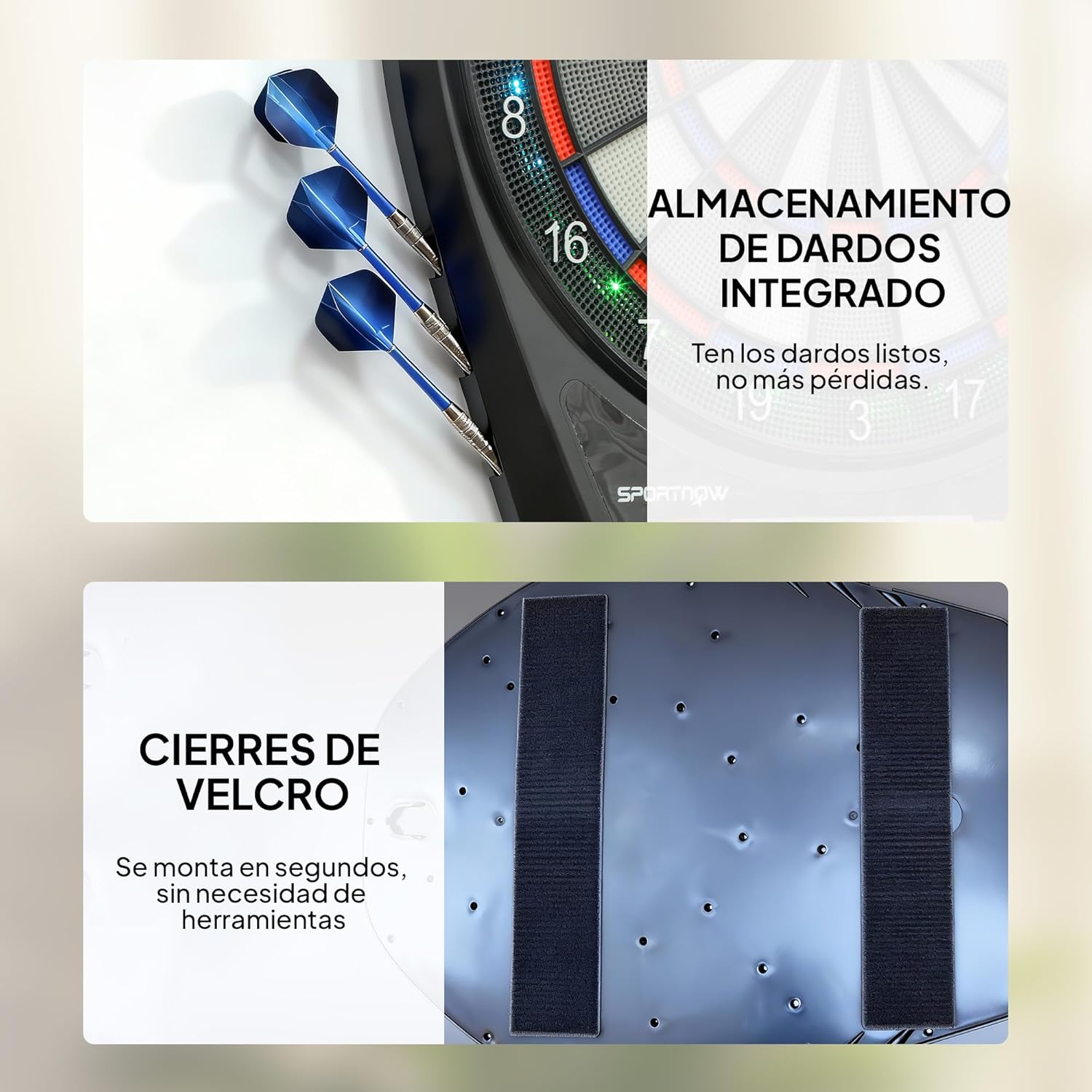
The dartboard includes integrated storage for darts and uses Velcro fasteners for quick and tool-free wall mounting.
4.3 Assembling Darts
The dartboard comes with soft-tip darts and replacement tips.
- Screw the soft tips onto the dart barrels.
- Ensure tips are securely fastened before playing.
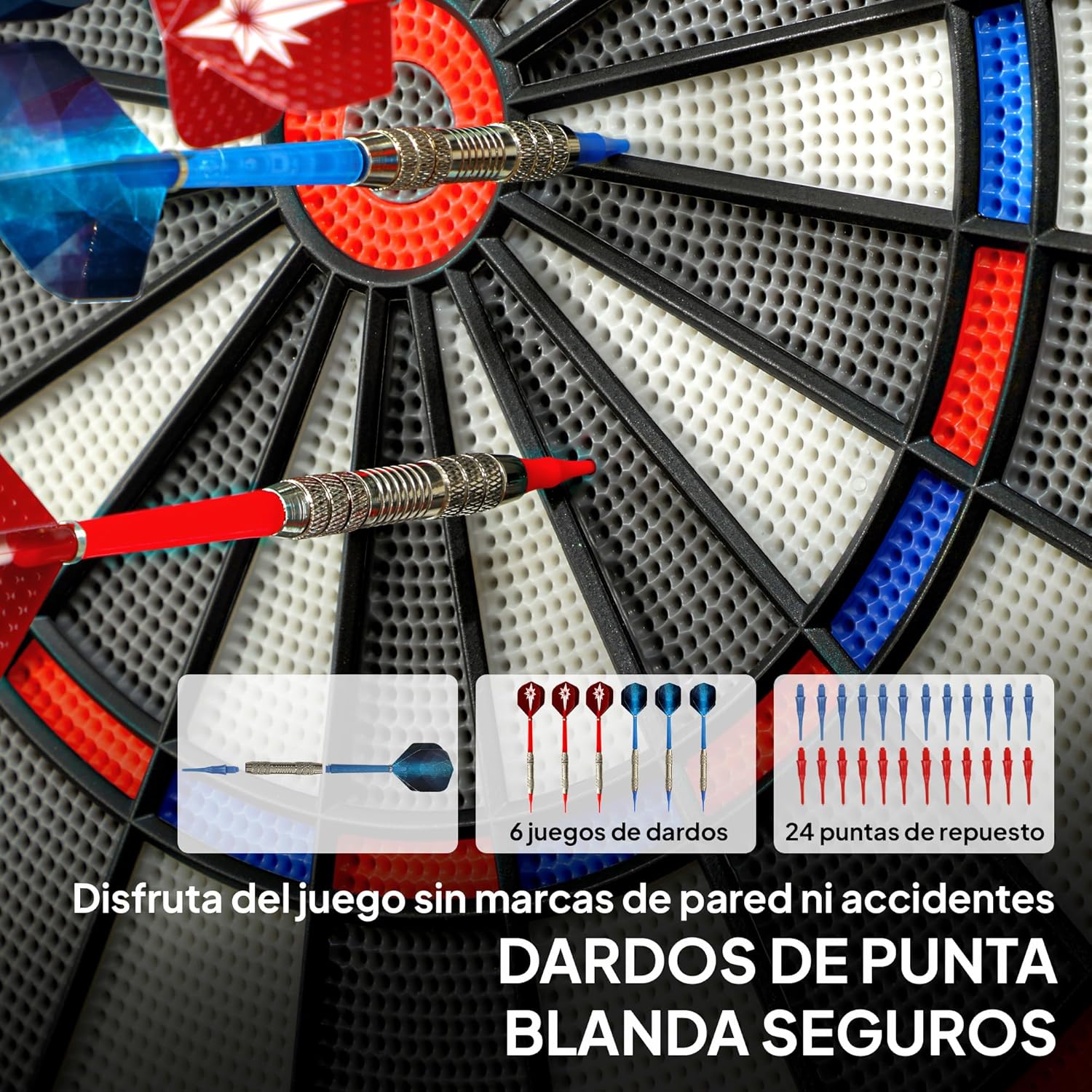
The package includes six soft-tip darts and 24 spare soft tips, ensuring safe play and extended use.
5. Operating Instructions
5.1 Power On/Off
Press the ON/OFF button on the control panel to turn the dartboard on or off.
5.2 Player Selection
The dartboard supports up to 8 players. Use the PLAYER button to select the number of players for your game.
5.3 Game Selection
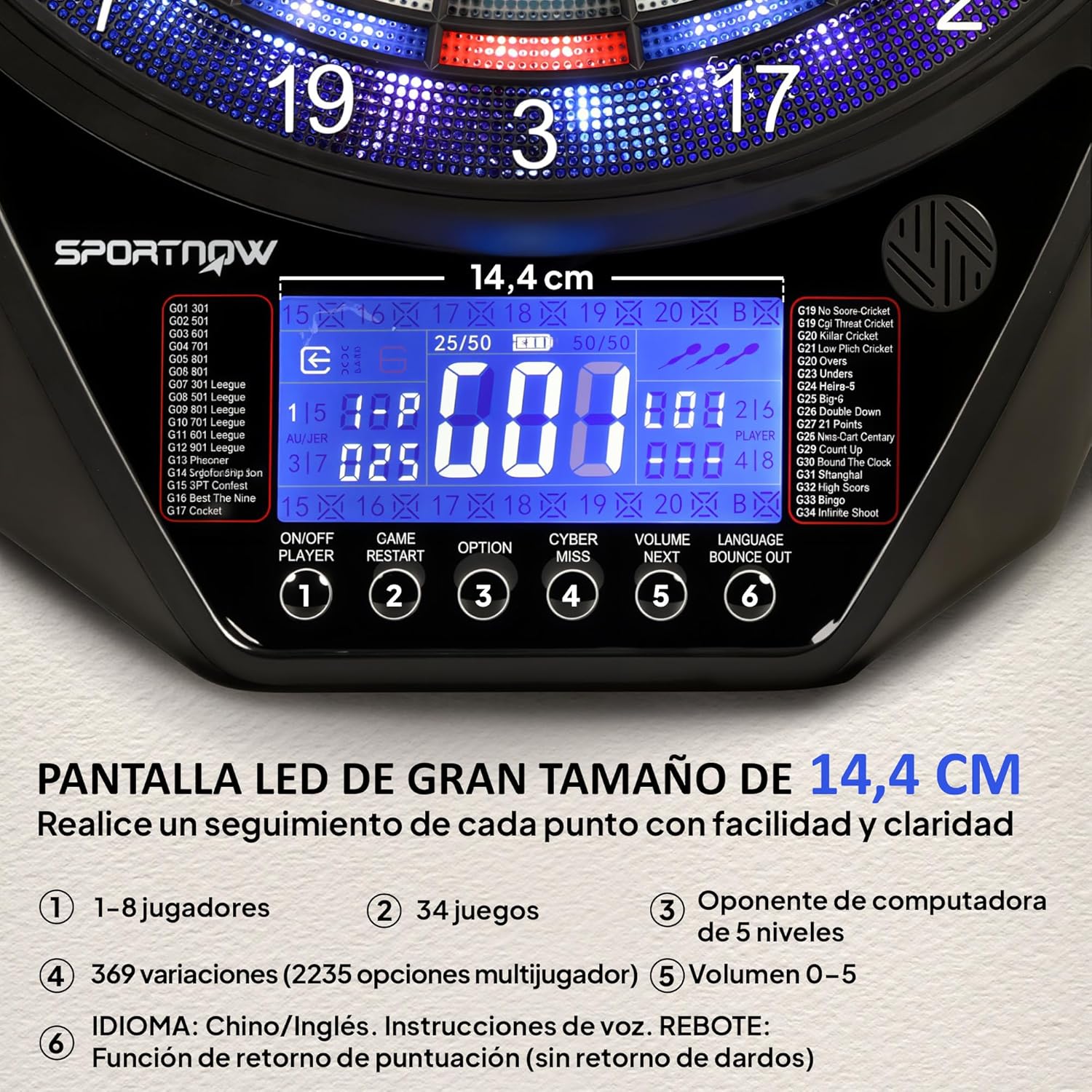
The dartboard offers 34 games and 369 variations. Use the GAME button to cycle through the available games. The LED display will show the game number and name.
5.4 Computer Opponent
For solo play, you can engage a computer opponent with five difficulty levels. Select the desired level using the CYBER MISS button.
5.5 Volume Control
Adjust the voice prompt volume (levels 0-5) using the VOLUME button.
5.6 Language Selection
Switch between English and Chinese voice prompts using the LANGUAGE button.
5.7 LED Display and Scoring
The 14.4 cm LED display automatically tracks scores and provides game information. Voice prompts assist players during gameplay.

The 14.4 cm LED display shows scores, game information, and player status. Control buttons for power, game restart, options, cyber miss, volume, language, and bounce out are clearly visible.

The dartboard features an illuminated target and a digital ring, enhancing visibility and game experience, especially in low-light conditions.
6. Maintenance
6.1 Cleaning
Wipe the dartboard surface with a soft, dry cloth. Do not use abrasive cleaners or solvents, as they may damage the finish or electronic components.
6.2 Battery Care
To prolong battery life, avoid fully discharging the batteries frequently. Recharge them regularly, especially if the dartboard will not be used for an extended period.
6.3 Dart Tip Replacement
If a dart tip becomes damaged or worn, unscrew it from the dart barrel and replace it with a new soft tip from the included spares.
7. Troubleshooting
- Dartboard does not power on: Ensure batteries are charged. Connect the Type-C charging cable and try again.
- Darts not registering: Ensure soft tips are securely attached. Check if the dartboard segments are clear of debris.
- Display issues: Try turning the dartboard off and on again. If the problem persists, contact customer support.
- Darts bouncing out frequently: Ensure soft tips are not worn. The dartboard features a thin spider net design and an extended catch area to minimize bounce-outs.

The specially designed PP target features concave holes and thin segment borders to reduce bounce-outs, along with an extended catch area for improved accuracy.
8. Specifications
| Model Number | A70-120V00MX |
| Dimensions (L x W x D) | 60.5 cm x 45.5 cm x 3.6 cm |
| Weight | 2 kg |
| Material | Polypropylene (PP) |
| Power Source | 2 x 2000 mAh Lithium-Ion Rechargeable Batteries |
| Charging | Type-C USB Cable |
| Max Players | 8 |
| Games / Variations | 34 Games / 369 Variations (2235 multiplayer options) |
| Display | 14.4 cm LED Screen |
| Darts Included | 6 Soft-Tip Darts, 24 Replacement Soft Tips |
| Features | Illuminated Target, Thin Spider Net Design, Wide Catch Area, Voice Prompts (English/Chinese), 5-level Computer Opponent |

This image illustrates the physical dimensions of the dartboard, measuring 60.5 cm in height, 45.5 cm in width, and 3.6 cm in depth.


