Introduction
Thank you for choosing the Tangxi Dual Wireless TV Headphones. This manual provides comprehensive instructions for the proper setup, operation, and maintenance of your device. Please read this manual carefully before use to ensure optimal performance and longevity of your headphones.
These headphones are designed to provide an immersive audio experience for TV viewing, featuring low latency wireless transmission and a convenient charging base. They are particularly suitable for users who desire clear dialogue and independent volume control without disturbing others.
Package Contents
Please check the package for the following items:
- 2 x Wireless Headphones
- 1 x Transmitter Charging Base
- 1 x 3.5mm Audio Cable
- 1 x RCA Audio Cable
- 1 x Optical Audio Cable
- 1 x USB Power Supply Cable
- 1 x Instruction Manual (this document)

Image: All components included in the Tangxi Dual Wireless TV Headphones package, including two headphones, the transmitter charging base, and various audio and power cables.
Product Overview
The Tangxi Dual Wireless TV Headphones system consists of two wireless headphones and a central transmitter base that also functions as a charging station. The transmitter connects to your TV or audio source, sending audio wirelessly to the headphones.

Image: A user wearing the Tangxi wireless headphones, with insets showing the soft padding, easy recharge options, and foldable design. The image highlights comfort and ease of use.
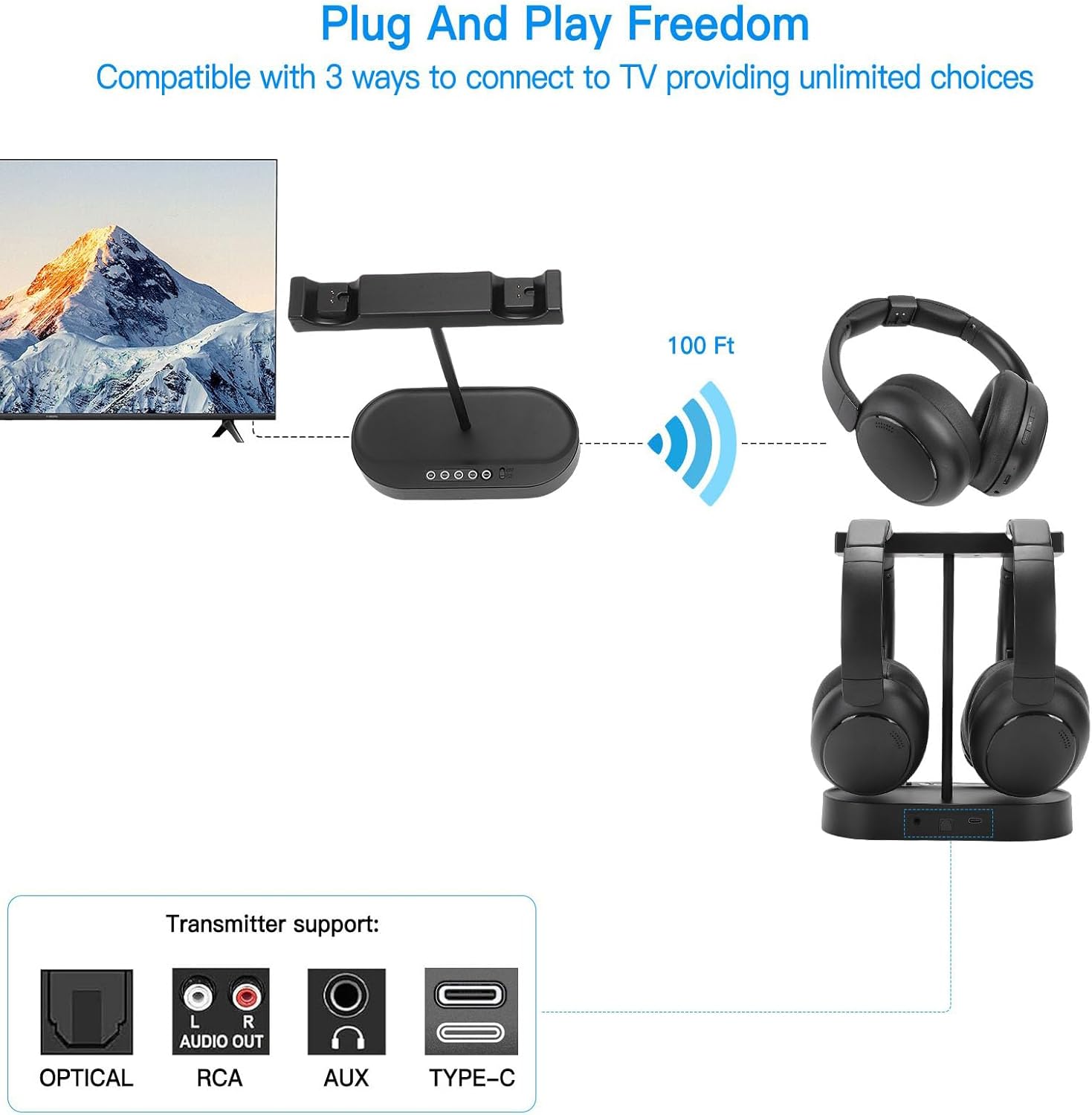
Image: Diagram illustrating the "Plug And Play Freedom" of the Tangxi system, showing the transmitter base connected to a TV and wirelessly transmitting audio up to 100 feet to the headphones. The diagram also details the Optical, RCA, AUX, and Type-C input options on the transmitter.
Setup Instructions
- Power Connection:
Connect the USB Power Supply Cable to the transmitter charging base and plug the other end into a power adapter (not included) or a USB port on your TV. The base should power on, indicated by an LED light.
- Audio Source Connection:
Choose one of the following methods to connect the transmitter base to your TV or audio source:
- Optical Cable: Connect the Optical Audio Cable from the transmitter's OPTICAL input to your TV's optical audio output (often labeled "Digital Audio Out" or "Optical Out"). This is recommended for high-quality digital audio.
- 3.5mm AUX Cable: Connect the 3.5mm Audio Cable from the transmitter's AUX input to your TV's 3.5mm headphone jack or audio output.
- RCA Audio Cable: If your TV has RCA audio output ports (red and white), connect the RCA Audio Cable from the transmitter's RCA input to these ports. Ensure the colors match.
Note: Ensure your TV's audio output settings are configured correctly for the chosen connection type. Some TVs require you to enable the optical or analog audio output in their sound settings.
- Headphone Charging:
Place the headphones onto the charging posts of the transmitter base. Ensure the charging contacts align. The headphones will begin charging automatically. A full charge provides up to 40 hours of playtime.
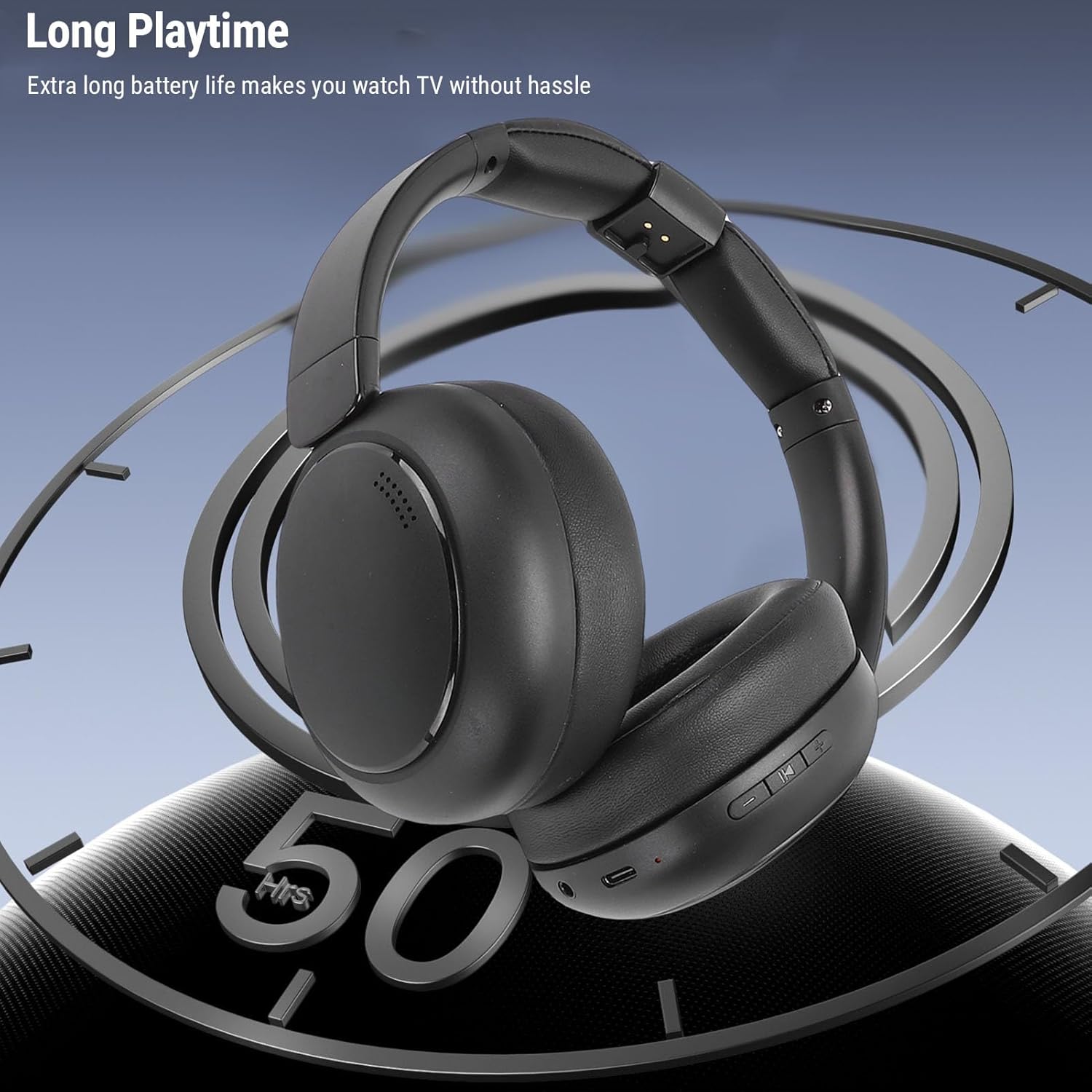
Image: A close-up of the Tangxi wireless headphones, emphasizing their long playtime capability. The headphones are shown in a sleek, black design.
- Initial Use:
Once the transmitter is connected and powered, and the headphones are charged, simply remove the headphones from the base. They will automatically connect to the transmitter. No complicated pairing steps are required.
Operating Instructions
- Wearing the Headphones:
Adjust the headband for a comfortable fit. The soft ear cushions are designed for extended wear without fatigue. Ensure the earcups fully cover your ears for optimal sound isolation and quality.
- Powering On/Off:
The headphones power on automatically when removed from the charging base and power off when placed back on the base or after a period of inactivity.
- Volume Control:
Use the volume control buttons located on the headphones to adjust the audio level to your preference. Each headphone has independent volume control.
- Wireless Range:
The headphones operate within a range of approximately 30 meters (98.4 feet) from the transmitter. Performance may vary depending on environmental factors and obstacles.
- Battery Level Display:
For iOS devices, the battery level of the headphones may be displayed on your device.
Maintenance
- Cleaning: Use a soft, dry cloth to clean the headphones and transmitter base. Do not use abrasive cleaners or solvents.
- Storage: When not in use, store the headphones on the charging base to keep them charged and ready. Store in a cool, dry place away from direct sunlight and extreme temperatures.
- Battery Care: To prolong battery life, avoid fully discharging the headphones frequently. Recharge them regularly.
- Avoid Water: Do not expose the headphones or transmitter to water or excessive moisture.
Troubleshooting
| Problem | Possible Cause | Solution |
|---|---|---|
| No sound from headphones. |
|
|
| Sound is distorted or intermittent. |
|
|
| Headphones not charging. |
|
|
Specifications
| Feature | Detail |
|---|---|
| Model Name | Tangxiui83t10faz |
| Brand | Tangxi |
| Headphone Battery | Built-in Li Battery, 800mAh x 2 |
| Wireless Transmission | Wireless 2.4G, 5.4 (Bluetooth version) |
| Wired Connection Options | Optical, 3.5mm AUX, RCA |
| Transmission Range | ≥30m / 98.4ft |
| Supported Protocols | V5.4, V5.3, V5.2, V5.0, V4.2, V4.2 LE, V4.0, V3.0, V2.1 and EDR |
| Speaker Impedance | 32Ω |
| Frequency Response | 20-20kHz |
| Speaker Sensitivity | 115dB |
| Battery Life | Up to 40 hours |
| Ear Placement | Over-Ear |
| Form Factor | Over-Ear |
Warranty and Support
Manufacturer Warranty: This product comes with a manufacturer warranty for 90 days from the date of purchase.
Extended Protection Plans: Additional protection plans are available for purchase separately:
- 2-Year Protection Plan
- 3-Year Protection Plan
- Complete Protect (monthly renewal)
For technical support or warranty claims, please refer to the contact information provided with your purchase or visit the official Tangxi website.
