
1. Important Safety Information
Please read and understand this entire owner's manual, including all safety information, before plugging in or using this product. Failure to do so could result in fire, electric shock, or serious personal injury.
- Overheat Protection: This fireplace is equipped with multiple safety features, including an auto shut-off mechanism if it detects an object too close or overheating.
- Heat Vent Warning: The heat is expelled from the top vents of the unit. Ensure these vents are not obstructed. The surface around the vents can become warm; exercise caution when operating.
- Always ensure the fireplace is plugged into a grounded outlet.
- Do not operate the fireplace with a damaged cord or plug, or after the heater malfunctions, has been dropped or damaged in any manner.
- Keep combustible materials, such as furniture, pillows, bedding, papers, clothes, and curtains at least 3 feet (0.9 m) from the front of the heater.
2. Product Overview
The RecPro 40" Black Electric Fireplace Heater offers both aesthetic appeal and functional heating. It features adjustable flame and log lighting settings, providing a customizable ambiance for any space. The unit can be controlled via a user-friendly touchscreen panel or a remote control.
Key Features:
- Adjustable Flame & Log Lighting: Multiple settings for flame intensity and log lighting colors to create various atmospheres.
- Superior Heating: 1500W heat output with multiple heating settings to effectively warm areas up to 400 sq. ft.
- Easy to Use: Intuitive touchscreen controls on the unit and a convenient remote control for adjustments from a distance.
- Top Safety: Equipped with auto shut-off for overheating protection.
- Easy Maintenance: Features an easily removable front panel for simple cleaning and upkeep.
Product Views:

Figure 2.1: Front view of the RecPro 40" Electric Fireplace Heater, showcasing the flame and log insert.
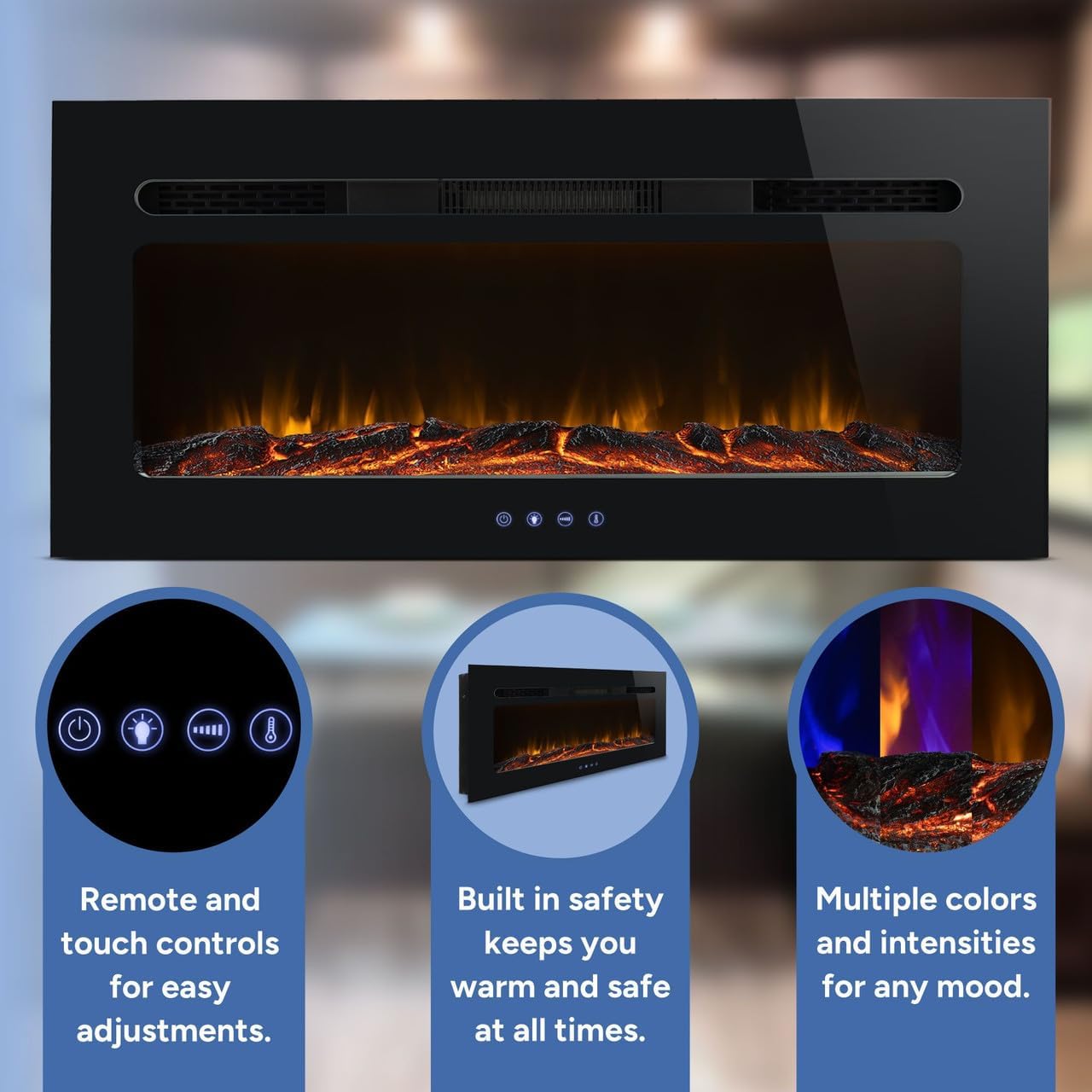
Figure 2.2: Overview of the fireplace highlighting remote and touch controls, built-in safety features, and multiple color/intensity options for flames.

Figure 2.3: Key features including the removable tempered glass panel for maintenance, realistic fire with crystal insert, and easy plug-in to a standard outlet.

Figure 2.4: Rear view of the electric fireplace, showing the mounting points and power cord connection.
3. Specifications
| Feature | Description |
|---|---|
| Brand | RecPro |
| Model Name | RP-FP-40L |
| Product Dimensions | 6.2"D x 17.7"W x 36"H |
| Color | Black |
| Power Source | Corded Electric |
| Heat Output | 1500 Watts |
| Installation Type | Wall Mount, Recessed |
| Special Features | Adjustable Flame, Adjustable Thermostat, LED Flame, Overheat Protection |
| UPC | 193652115991 |

Figure 3.1: Detailed dimensions for the RecPro 40" Electric Fireplace Heater, including wall cutout size for recessed installation.
4. Setup and Installation
The RecPro electric fireplace offers versatile installation options: it can be wall-mounted or recessed into a wall. The installation process is designed to be straightforward, typically taking only a few minutes to secure the necessary mounting hardware.
Installation Options:
- Wall-Mounted: The unit can be securely hung on a wall using the provided brackets.
- Recessed: For a flush look, the fireplace can be recessed into a wall. Ensure the wall cutout meets the specified dimensions (refer to Figure 3.1).
General Steps:
- Choose your desired installation location and method (wall-mount or recessed).
- Measure and mark the installation area according to the provided dimensions in the instruction manual.
- Install the mounting brackets or prepare the recessed opening.
- Carefully place the fireplace unit into position and secure it.
- Plug the unit into a standard grounded electrical outlet.
Video 4.1: This video demonstrates the versatility of the electric fireplace, showing both recessed and wall-mounted installation options. It highlights how the unit can be integrated into various home designs, providing a clean and modern look.

Figure 4.1: The electric fireplace seamlessly integrated into an RV living space, demonstrating a typical recessed installation.
5. Operating Instructions
The RecPro electric fireplace can be operated using the touchscreen controls located on the unit or the included remote control. Both methods provide access to all functions for customizing your experience.
Touchscreen Controls:
The touchscreen panel on the front of the fireplace illuminates when touched, displaying various icons for control. The display will show the current temperature setting.
- Power Button: Press to turn the fireplace ON or OFF.
- Flame Brightness: Adjust the flame brightness through 5 different levels.
- Flame Color: Cycle through 15 different flame colors.
- Log/Base Color: Cycle through 15 different base colors for the log insert.
- Heat Settings: Select between two heat settings (Low/High) or turn the heat off. The fan speed adjusts with the heat setting.
- Temperature Adjustment: Increase or decrease the desired room temperature. The display shows the set temperature (e.g., 66°F).
- Timer: Set an automatic shut-off timer from 30 minutes up to 12 hours.
Remote Control:
The remote control provides convenient access to all functions from a distance. It includes buttons for power, flame settings, heat, temperature, timer, and additional features like Celsius/Fahrenheit toggle and a child lock.

Figure 5.1: Layout of the remote control, showing buttons for Fahrenheit/Celsius, Power, Flame Intensity, Timer, Increase/Decrease Temperature.
- Power (Red Button): Turns the fireplace ON/OFF.
- Temperature Unit (C/F): Toggles between Celsius and Fahrenheit display for temperature.
- Flame Intensity: Adjusts the brightness of the flames.
- Flame Color: Changes the color of the flames.
- Log/Base Color: Changes the color of the log bed.
- Heat: Activates or deactivates the heating function and cycles through heat levels.
- Timer: Sets the automatic shut-off timer.
- Child Lock: Engages a child lock to prevent unintended changes to settings.
Video 5.1: This video showcases the various flame and log bed color options available, demonstrating how to cycle through them using the controls. It also highlights the heating function and timer settings.
6. Maintenance
Regular maintenance ensures the longevity and optimal performance of your electric fireplace. The design allows for easy access to internal components for cleaning.
- Cleaning: The front panel is easily removable, allowing for convenient cleaning of the interior and exterior surfaces. Use a soft, damp cloth for cleaning. Do not use abrasive cleaners.
- Dust Removal: Periodically dust the vents and interior components to prevent buildup that could affect performance.
- Always unplug the unit before performing any cleaning or maintenance.
7. Troubleshooting
If you encounter any issues with your RecPro electric fireplace, refer to the following common troubleshooting steps:
- No Power:
- Ensure the power cord is securely plugged into a grounded outlet.
- Check the circuit breaker for your home.
- Verify the power button on the unit or remote is pressed.
- No Heat:
- Check if the heat function is activated on the control panel or remote.
- Ensure the thermostat setting is higher than the current room temperature.
- The overheat protection may have activated; unplug the unit, wait 10-15 minutes, and plug it back in.
- Flames Not Working:
- Ensure the flame effect is turned on via the control panel or remote.
- Check the brightness settings.
- Remote Control Not Working:
- Replace the batteries in the remote control.
- Ensure there are no obstructions between the remote and the fireplace sensor.
If problems persist after following these steps, please contact RecPro customer support.
8. Warranty and Support
For warranty information, product registration, or technical support, please refer to the documentation included with your purchase or visit the official RecPro website. Keep your purchase receipt as proof of purchase for any warranty claims.
Contact Information: Please refer to the original packaging or the manufacturer's website for the most up-to-date contact details for customer support.
