
1. Introduction
Thank you for choosing the LYNCAST X7AR Smart Projector. This manual provides essential information for setting up, operating, and maintaining your projector to ensure optimal performance and longevity. The LYNCAST X7AR is a native 1080P UHD projector with 4K support, 2000 ANSI lumens, and an advanced Android 14 OS, designed for a superior home and outdoor entertainment experience.
2. What's in the Box
Please check the package contents upon unboxing:
- LYNCAST X7AR Smart Projector
- Smart Remote: Air Mouse & Voice Assistant (Batteries NOT Included)
- HDMI Cable
- Power Cord
- User Manual
- Cleaning Kit

Image: Contents of the LYNCAST X7AR Smart Projector package, including the projector, remote, cables, and manual.
3. Product Overview
The LYNCAST X7AR is a versatile smart projector designed for high-quality visual and audio experiences. Its compact design and advanced features make it suitable for various environments, from home cinema to outdoor presentations.
Key Features:
- High Brightness & Contrast: 2000 ANSI Lumens with an 18000:1 contrast ratio and 93% color gamut for vivid visuals.
- Native 1080P with 4K/8K Support: Delivers crisp Full HD images, supporting higher resolution inputs for enhanced detail.
- Android 14 OS: Integrated smart TV experience with built-in Play Store and direct access to streaming apps like Netflix, Prime Video, and YouTube.
- AI Visual Calibration: Automatic focus, keystone correction, obstacle avoidance, screen fitting, and orientation detection for effortless setup.
- Immersive Audio: Dual 20W HiFi speakers with Dolby Atmos and Hi-Res Audio support.
- Advanced Connectivity: Ultra-fast WiFi 6 and Bi-directional Bluetooth 5.4, along with HDMI, USB, and 3.5mm Audio ports.
- Smart Remote: Features Air Mouse and Voice Assistant for intuitive control.
- Flexible Installation: Supports tabletop, wall, tripod, and ceiling mounting.
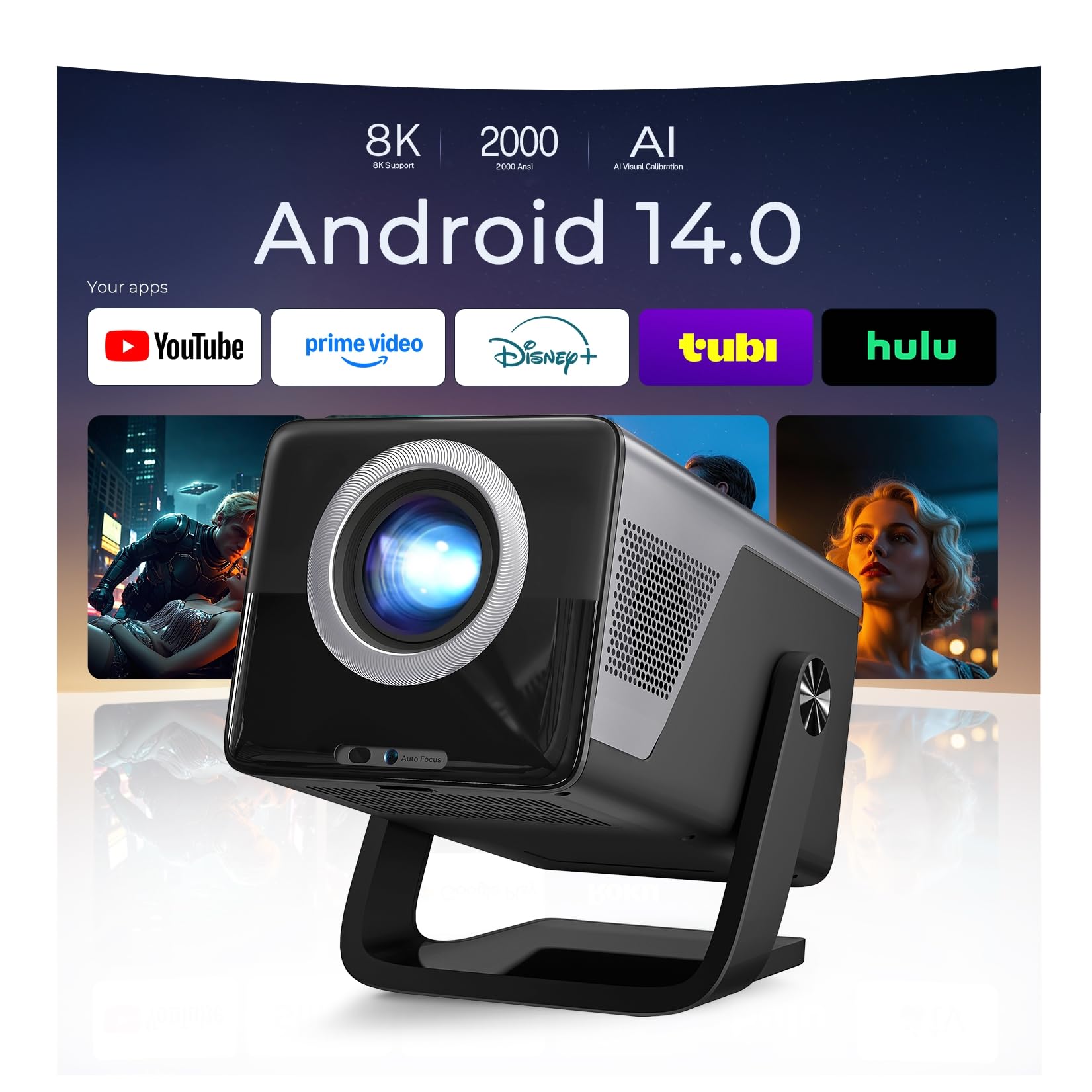
Image: The LYNCAST X7AR Smart Projector in its sleek black and slate gray finish.
4. Setup Instructions
Follow these steps to set up your LYNCAST X7AR Smart Projector:
- Unpack: Carefully remove all components from the packaging.
- Placement: Place the projector on a stable surface. The integrated stand allows for 180° rotation, enabling projection on walls or ceilings.
- Power Connection: Connect the power cord to the projector and then to a power outlet.
- Power On: Press the power button on the projector or the remote control to turn it on.
- AI Visual Calibration: The projector features AI Auto Focus, Keystone Correction, and Obstacle Avoidance. It will automatically adjust the image for clarity and correct geometry. Manual adjustments can be made via the settings menu if needed.
- Network Connection: Navigate to the settings menu to connect to your Wi-Fi 6 network for internet access and streaming.
- Remote Setup: Insert 2 AAA batteries (not included) into the Smart Remote. The remote is pre-paired; if not, follow the on-screen instructions for pairing.

Image: The LYNCAST X7AR Projector highlighting its AI Visual Calibration capabilities, including auto focus, auto keystone, and obstacle avoidance.
Video: An unboxing video of the LYNCAST X7AR Smart Projector, demonstrating the contents and initial setup.
5. Operating Instructions
Navigating Android 14 OS:
The LYNCAST X7AR runs on Android 14 TV OS, providing a user-friendly interface. Use the Smart Remote's Air Mouse function to navigate the screen like a computer mouse, or use the directional pad for traditional navigation. The Voice Assistant can be activated by pressing and holding the voice button on the remote to issue commands.

Image: The LYNCAST Smart Remote, showcasing its Air Mouse and Voice Assistant capabilities for easy navigation and control.
Streaming Apps:
Access pre-installed streaming applications such as Netflix, Prime Video, YouTube, Tubi, and Disney+ directly from the home screen. You can download additional apps from the built-in Play Store.

Image: The LYNCAST X7AR Projector displaying its Android 14 TV OS interface with popular streaming applications like Netflix, YouTube, Prime Video, and Disney+.
Connecting External Devices:
The projector supports various external devices via its HDMI, USB, and 3.5mm Audio ports. Connect laptops, smartphones, tablets, USB drives, and gaming consoles (Switch/PS5) for diverse content playback.
- HDMI: For high-definition video and audio input from devices like laptops or gaming consoles.
- USB: For playing media directly from USB drives.
- 3.5mm Audio: For connecting external speakers or headphones.
- Wireless Casting: Use WiFi 6 for ultra-fast streaming from iOS, Android, and Windows devices via Miracast, AirPlay, or Transcreen.
- Bluetooth: Connect to Bluetooth speakers for enhanced audio or headphones for private listening.
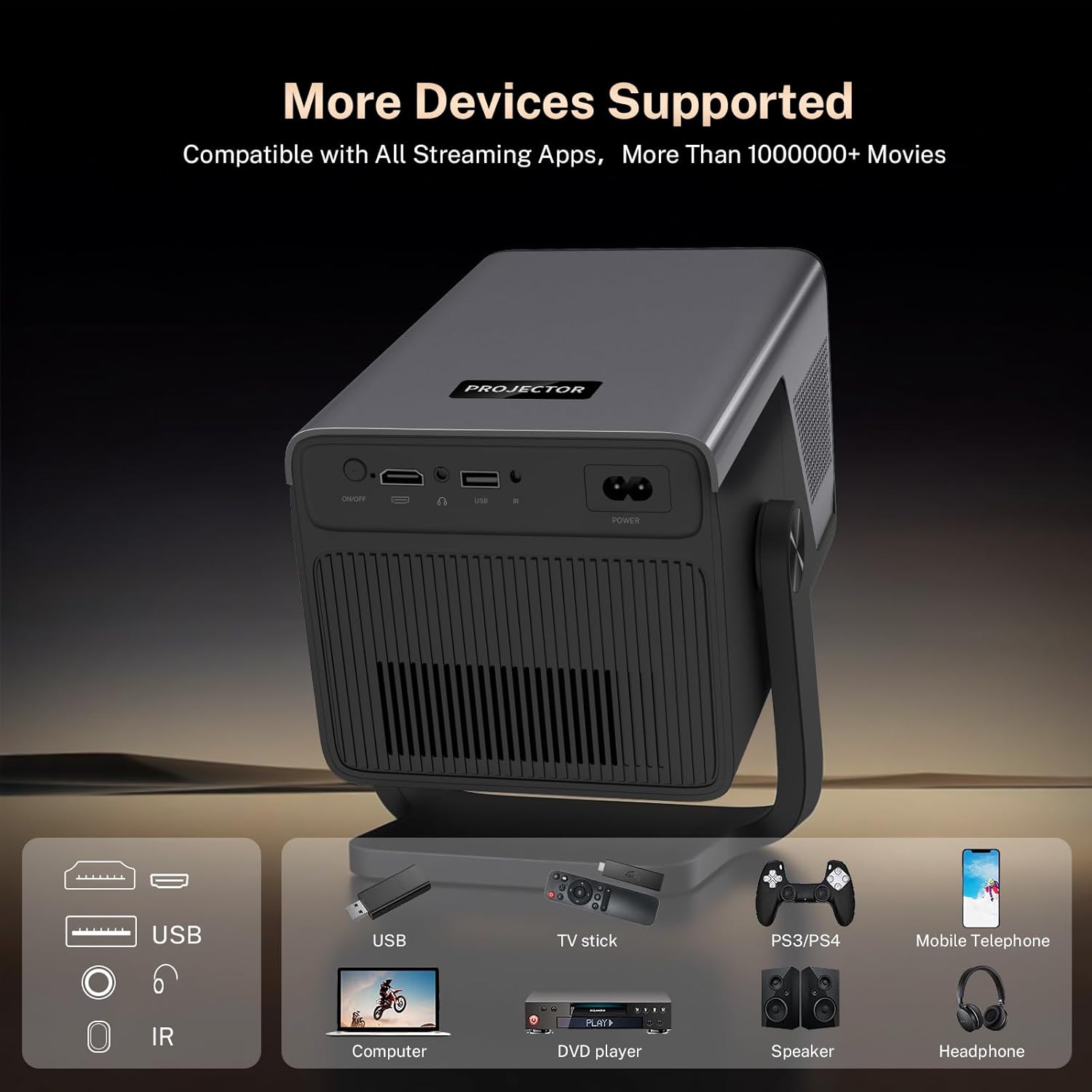
Image: The LYNCAST X7AR Projector connected to various devices, illustrating its versatile connectivity options including HDMI, USB, and wireless casting.
6. Specifications
| Feature | Description |
|---|---|
| Brand | LYNCAST |
| Model Name | X7AR |
| Display Resolution | Native 1920 x 1080P (Full HD) |
| Display Resolution Maximum | 7680 x 4320 Pixels (8K Supported) |
| Brightness | 2000 ANSI Lumens |
| Contrast Ratio | 18000:1 |
| Operating System | Android 14 OS |
| Connectivity Technology | Wi-Fi 6, Bluetooth 5.4, HDMI, USB, 3.5mm Jack |
| Special Features | AI Visual Calibration (Auto Focus, Keystone, Obstacle Avoidance), Dual 20W HiFi Speakers (Dolby Atmos & Hi-Res Audio), Smart Remote (Air Mouse & Voice Assistant) |
| Light Source Operating Life | 100,000 Hours |
| Maximum Image Size | 200 Inches |
| Item Dimensions (L x W x H) | 8.6" x 5.7" x 7" |
| Item Weight | 1.8 Kilograms |
7. Maintenance
Proper maintenance ensures the longevity and optimal performance of your projector:
- Lens Cleaning: Use the provided cleaning kit to gently wipe the projector lens. Avoid abrasive materials that could scratch the lens.
- Dust Removal: Regularly clean the air vents to prevent dust buildup, which can affect cooling and performance.
- Storage: When not in use, store the projector in a cool, dry place away from direct sunlight and extreme temperatures.
8. Troubleshooting
If you encounter issues with your LYNCAST X7AR projector, refer to the following common solutions:
- Image is Blurry: Ensure the projector is placed perpendicular to the wall. The AI Auto Focus should correct blurriness automatically. If not, manually adjust focus via settings.
- Remote Not Functioning: Check if batteries are correctly installed (2 AAA batteries required). Ensure the remote is pointed directly at the projector's IR receiver.
- Fan Noise is Loud: The fan runs to exhaust hot air. Ensure vents are not obstructed. If possible, place the projector in a well-ventilated area to reduce fan noise.
- Image Not Bright: For the best viewing experience, use the projector in a dark environment. Ensure the projector is not in Eco mode if available.
- No Image/Signal: Verify that the correct input source (HDMI, USB, etc.) is selected. Check all cable connections.
9. Warranty and Support
LYNCAST offers a comprehensive warranty for your peace of mind:
- Return Policy: Full refund available for quality issues within 30 days of purchase.
- Manufacturer: LYNCAST
- Seller: Lyncast Inc.
For further assistance or warranty claims, please contact Lyncast Inc. directly through your purchase platform or refer to the contact information provided with your product documentation.