
1. Introduction and Overview
The VRURC 10000mAh Portable Charger (Model T1173) is a compact and versatile power bank designed to provide on-the-go charging for a variety of electronic devices. It features a 10,000mAh battery capacity, 22.5W fast charging capabilities, and an intelligent LED display for real-time battery status. This device integrates multiple built-in cables, eliminating the need to carry additional charging accessories.
Key features include:
- Integrated Multi-Cable Solution: Includes built-in USB-C, Lightning (for iPhone), Micro-USB, and a USB-A input cable for broad compatibility.
- 22.5W PD & QC Fast Charging: Supports Power Delivery (PD) and Quick Charge (QC) technologies for rapid device charging.
- Compact and Lightweight Design: Measuring approximately 3.6 x 3.23 x 0.71 inches and weighing 7.8 ounces, it is designed for portability.
- Intelligent LED Status Screen: Provides an exact percentage of remaining battery life.
- Safe Multi-Device Charging: Allows simultaneous charging of up to 5 devices with integrated multi-protect circuitry.

Image: The VRURC 10000mAh Portable Charger in orange, showcasing its compact design and built-in cables.
2. Setup and Initial Use
2.1 Charging the Power Bank
Before first use, fully charge the VRURC portable charger. Use the built-in USB-A input cable or the USB-C input port to connect the power bank to a compatible power adapter (not included). The LED display will show the charging progress, indicating 100% when fully charged.

Image: The power bank being recharged, illustrating the various input options and charging times.
2.2 Connecting Devices for Charging
The power bank features three built-in output cables and an additional USB-C output port:
- USB-C Cable: For devices with a USB-C port (e.g., iPhone 15/16/17 Series, Samsung S26).
- Lightning Cable: For Apple devices with a Lightning port (e.g., iPhone 14 & earlier models).
- Micro-USB Cable: For devices with a Micro-USB port.
- Additional USB-C Port: For connecting an external USB-C cable to charge another device.
To charge a device, simply pull out the appropriate built-in cable and connect it to your device. The power bank will automatically begin charging. For the additional USB-C port, connect your device's charging cable to the port.
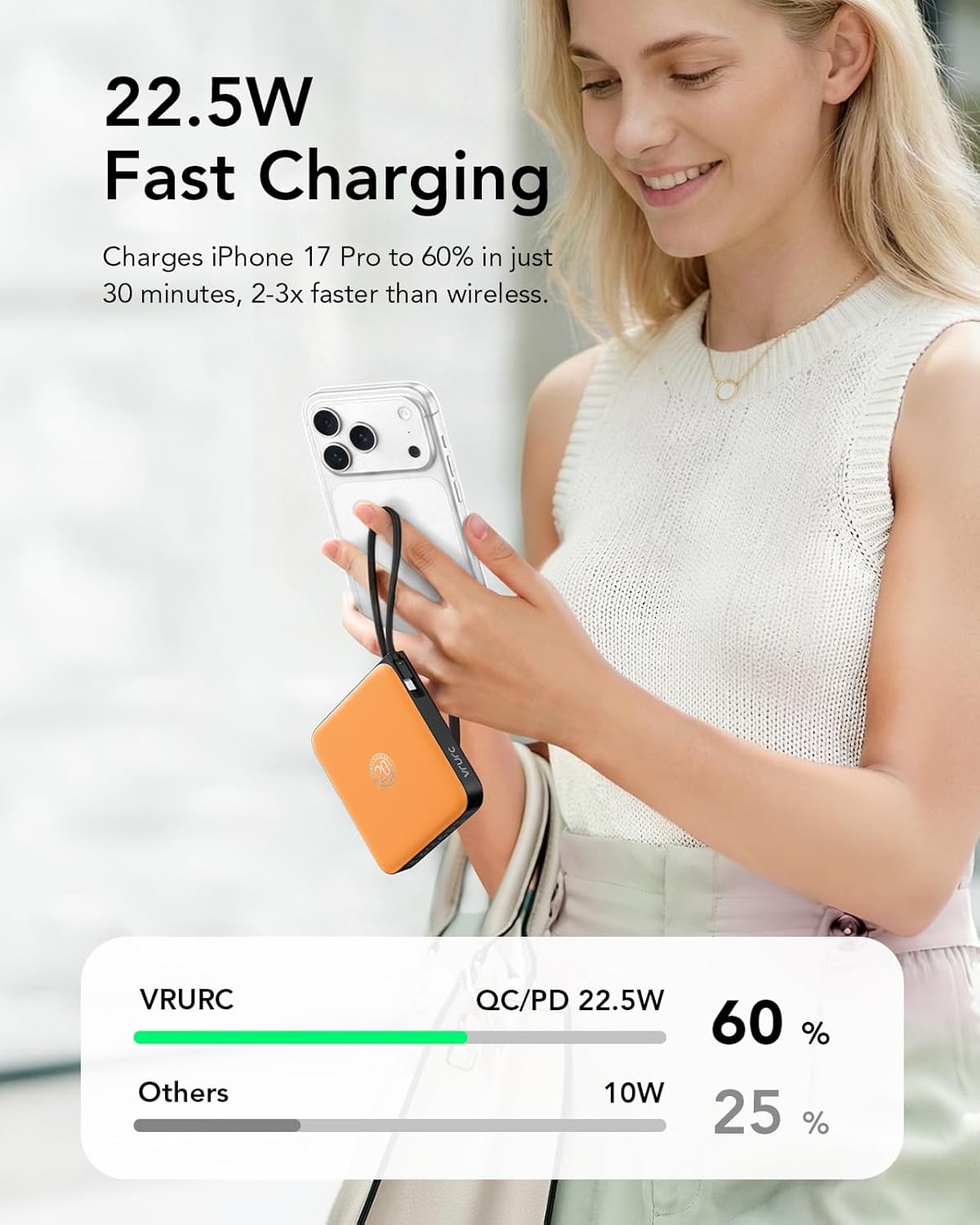
Image: A detailed view of the multiple built-in cables and ports for various devices.
3. Operating Instructions
3.1 Checking Battery Level
The intelligent LED display on the side of the power bank shows the exact remaining battery percentage. Press the power button once to activate the display and check the current charge level.

Image: The LED display showing the battery percentage.
3.2 Fast Charging Functionality
The power bank supports 22.5W Power Delivery (PD) and Quick Charge (QC) for rapid charging. The built-in USB-C cable delivers up to 20W output, capable of charging compatible iPhones from 0% to 60% in approximately 30 minutes. The USB-A port supports up to 22.5W output.
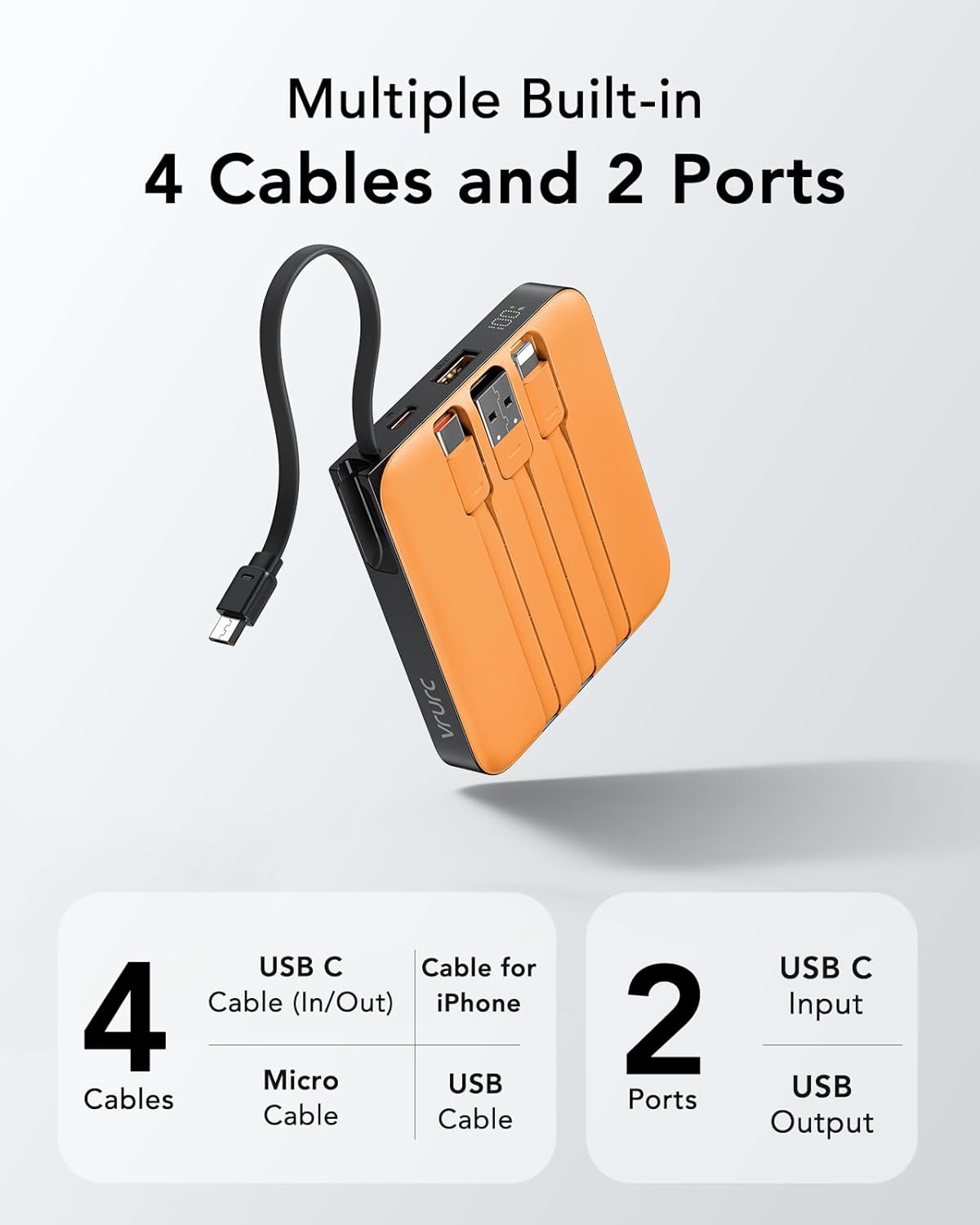
Image: Demonstrating the fast charging speed for an iPhone 17 Pro.
3.3 Simultaneous Charging
The VRURC portable charger can charge up to 5 smart devices simultaneously using its four built-in cables and the additional USB-C port. Ensure that the total output current does not exceed the maximum rated output of the power bank.

Image: The power bank charging multiple devices at once.
4. Maintenance
4.1 General Care
To ensure the longevity and optimal performance of your VRURC portable charger, follow these guidelines:
- Avoid exposing the device to extreme temperatures (hot or cold), direct sunlight, or high humidity.
- Do not drop, puncture, or disassemble the power bank.
- Keep the device away from water and other liquids.
- Store in a cool, dry place when not in use.
4.2 Cleaning
Wipe the exterior of the power bank with a soft, dry cloth. Do not use harsh chemicals or abrasive cleaners. Ensure all ports are free of dust and debris.
5. Troubleshooting
5.1 Power Bank Not Charging
- Ensure the charging cable is securely connected to both the power bank's input port/cable and the power adapter.
- Verify that the power adapter is functioning correctly and plugged into a live power outlet.
- Try using a different charging cable or power adapter.
5.2 Device Not Charging from Power Bank
- Check if the power bank has sufficient charge remaining (refer to the LED display).
- Ensure the built-in cable or external cable is correctly and securely connected to your device.
- Verify that the cable type matches your device's port.
- Try using a different built-in cable or the additional USB-C port.
5.3 Slow Charging
- Ensure your device supports fast charging and that you are using the appropriate cable and port.
- Charging multiple devices simultaneously may reduce the charging speed for individual devices.
- Check if the cables are damaged or worn.
6. Specifications
| Feature | Detail |
|---|---|
| Model Number | T1173 |
| Battery Capacity | 10000 Milliamp Hours (37Wh) |
| Product Dimensions | 3.6 x 3.23 x 0.71 inches |
| Item Weight | 7.8 ounces |
| Built-in Cables | USB-C, Lightning (for iPhone), Micro-USB, USB-A (input) |
| Output (USB-A Port) | Up to 22.5W |
| Output (Built-in USB-C Cable) | Up to 20W |
| Input (USB-C Port) | 18W (QC/PD 3.0) |
| Special Features | Built-in Cable, Digital Display, Fast Charging, Lightweight, Pocket Size |
| Battery Type | 1 Lithium Polymer battery (included) |
7. Safety Information
The VRURC portable charger is equipped with an integrated Multi-Protect system featuring advanced circuitry to prevent common electrical issues. This includes protection against:
- Overcharging
- Overheating
- Short circuits
- Over-discharge
- Over-current
Important Safety Precautions:
- Do not expose the power bank to fire or extreme heat.
- Do not use the power bank if it is damaged or swollen.
- Keep out of reach of children.
- Dispose of the product responsibly according to local regulations.
The 37Wh rating makes this power bank TSA-compliant and approved for in-flight use, making it suitable for travel.

Image: The power bank is shown as airline-approved for travel.
8. Warranty and Support
For warranty information or technical support, please refer to the product packaging or contact VRURC customer service directly. Contact details can typically be found on the manufacturer's official website or through the retailer where the product was purchased.


