
Product Overview
This Bellemave Twin XL Over Twin XL Bunk Bed is designed for maximizing space and functionality. It features integrated storage shelves and drawers, USB charging ports, and an LED light strip. The lower bed is convertible into a sofa, offering versatile use for various living spaces. Constructed from heavy-duty metal, it prioritizes stability and a noise-free experience.

Overall view of the Bellemave Twin XL Over Twin XL Bunk Bed in black.
Setup Instructions
Before beginning assembly, ensure all components are present and undamaged. Refer to the included assembly manual for detailed, step-by-step instructions. All necessary tools and hardware are provided.
Component Identification
Carefully unbox all parts and identify them using the parts list in your assembly manual. Separate hardware by type to streamline the process.
Assembly Steps
- Begin by assembling the main frame components as instructed.
- Attach the guardrails to the upper bunk for safety.
- Install the ladder securely to the bunk bed frame.
- Assemble and integrate the storage shelves and drawers.
- Connect the USB ports and LED light strip according to the electrical diagram.
- Ensure all connections are tight and the structure is stable before use.
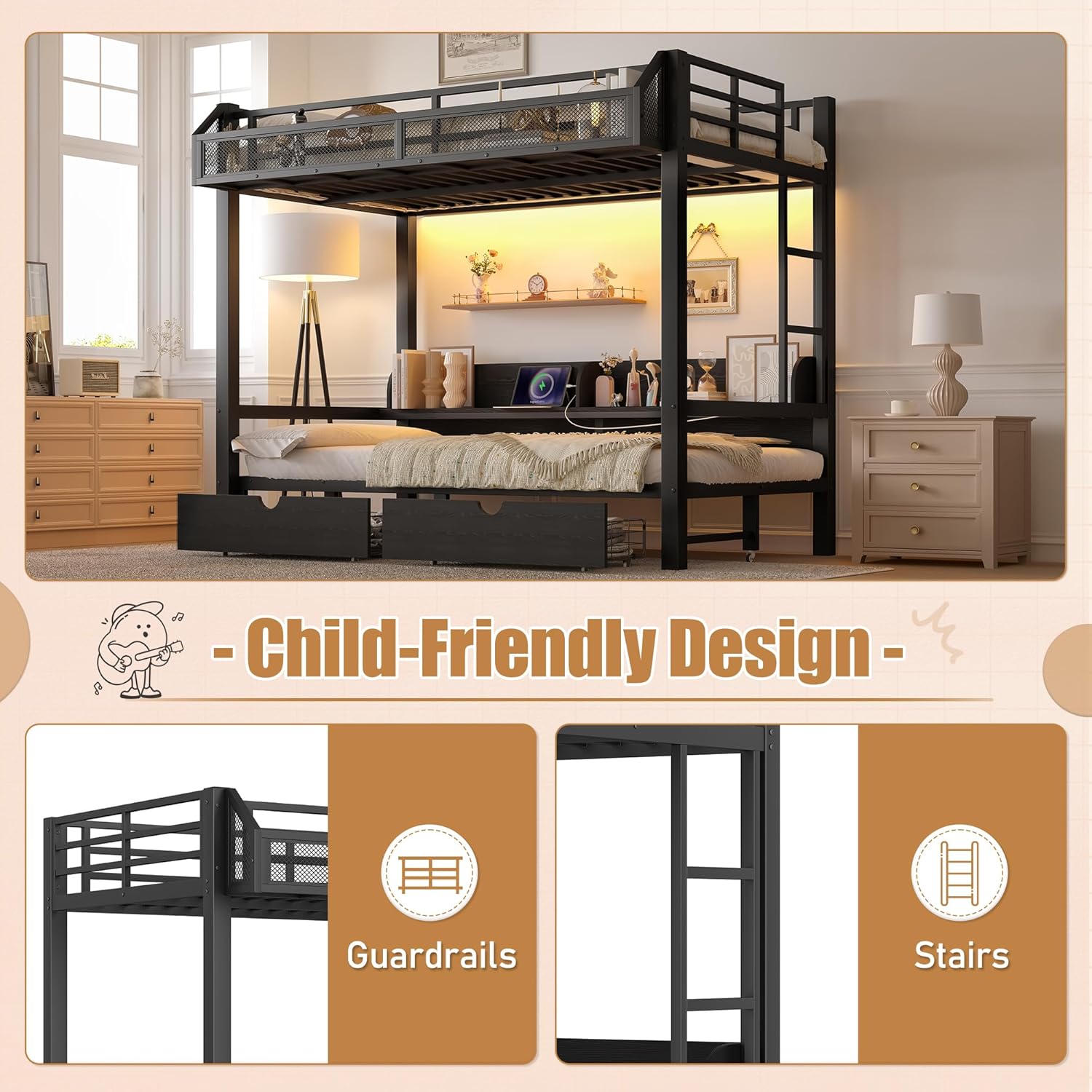
Illustration of the child-friendly design features, including guardrails and stairs.
Dimensions
Refer to the diagram below for detailed product dimensions to ensure proper placement and clearance.

Detailed dimension diagram of the bunk bed, showing length, width, and height measurements in inches.
Operating Instructions
Using Storage Features
- Built-in Shelves: The upper bunk features integrated shelves for displaying books, decor, or personal items.
- Under-bed Drawers: Two spacious drawers are located beneath the lower bed for storing clothing, bedding, or other essentials. These drawers are on wheels for easy access.

Visual representation of the ample storage space, including open shelving, two drawers, and a storage basket.
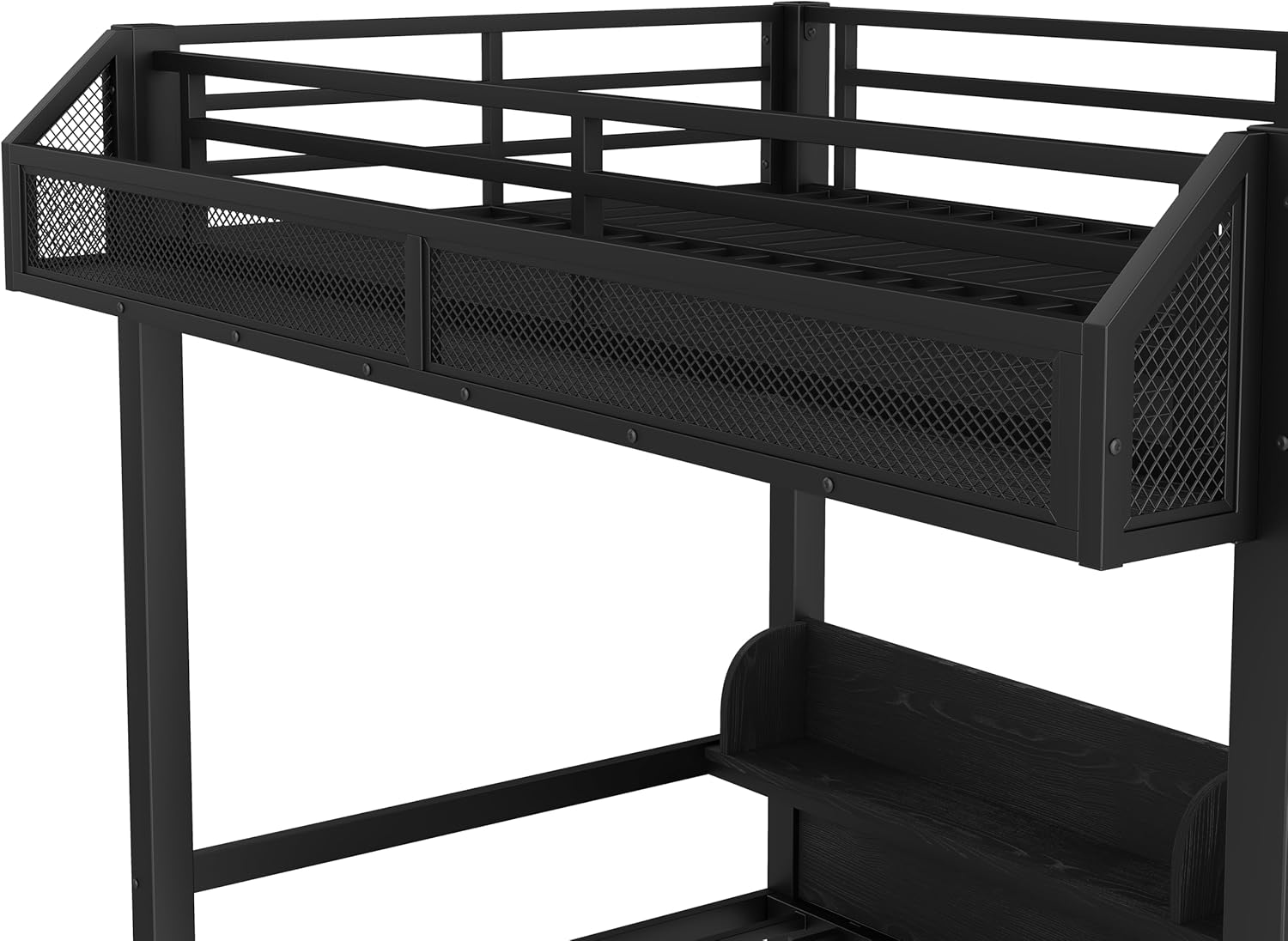
Close-up of the upper bunk's integrated storage shelves, suitable for various items.

Close-up of the lower bunk's integrated shelving, which also houses the USB ports.
USB Charging Ports and LED Lighting
- USB Ports: Located on the lower bunk's shelving unit, these ports allow for convenient charging of electronic devices. Ensure the bed is connected to a power source.
- LED Light Strip: An integrated LED light strip provides ambient lighting. Operate it using the switch provided, typically located near the USB ports.

The bunk bed illuminated by the LED light strip, with a device charging via USB.
Converting Lower Bed to Sofa
The lower bed is designed to convert into a sofa. Follow these general steps:
- Remove any bedding or pillows from the lower bed.
- Locate the conversion mechanism (refer to your assembly manual for specific details).
- Carefully adjust the bed frame to the upright sofa position. Ensure it locks securely into place.
- To revert to a bed, reverse the process, ensuring the frame is fully flat and locked.
Maintenance
To maintain the appearance and longevity of your Bellemave Bunk Bed, follow these simple care instructions:
- Cleaning: Wipe the metal frame and wooden components with a damp cloth. Avoid using harsh chemicals or abrasive cleaners, which can damage the finish.
- Hardware Check: Periodically check all bolts and screws to ensure they remain tight. Tighten any loose hardware to maintain stability and safety.
- Weight Capacity: Adhere to the recommended weight limits for both the upper and lower bunks to prevent structural damage.
Troubleshooting
This section addresses common issues you might encounter with your bunk bed.
Squeaking or Noise
- Ensure all bolts and screws are securely tightened. Loose connections are a common cause of noise.
- Check that the bed is placed on a level surface. Uneven flooring can cause stress on the frame, leading to noise.
USB Ports or LED Light Not Working
- Verify that the bunk bed's power cord is securely plugged into a functional wall outlet.
- Check the power switch for the LED light.
- If issues persist, ensure all internal wiring connections are secure (refer to the assembly manual for wiring diagrams).
Difficulty Converting Lower Bed
- Ensure no obstructions (bedding, items) are preventing the mechanism from moving freely.
- Apply gentle, even pressure when converting. Do not force the mechanism.
- Check for any bent or damaged parts in the conversion mechanism.
Specifications
| Feature | Detail |
|---|---|
| Size | Twin XL / Twin XL |
| Material | Metal |
| Product Dimensions (L x W x H) | 81.89" x 42.52" x 63.39" |
| Style | Modern |
| Special Features | Charging (USB), Converting into sofa, Lighting (LED), Space Saving |
| Included Components | Drawer, LED Light Strip, Storage Basket, Storage Shelves, USB Ports |
| Color | Black |
| Item Weight | 55 Pounds |
| Required Assembly | Yes |
Warranty Information
For specific warranty details regarding your Bellemave Twin XL Over Twin XL Bunk Bed, please refer to the documentation included with your purchase or contact Bellemave customer support directly. Warranty coverage typically addresses manufacturing defects and material flaws under normal use.
Customer Support
If you have any questions, require assistance with assembly, or need to report a missing or damaged part, please contact Bellemave customer support:
- Email: US-VC@bellemavehome.com
Please provide your product model and purchase date when contacting support to ensure efficient service.


