Introduction
Thank you for choosing the SPORTNOW Electronic Dartboard. This manual provides essential information for the safe and efficient operation of your dartboard. Please read it thoroughly before use and retain it for future reference.
Package Contents
Verify that all items listed below are included in your package:
- 1 x Electronic Dartboard
- 6 x Soft-Tip Darts (9g)
- 24 x Spare Soft Tips
- 1 x Type-C Charging Cable
- 1 x Set of Hook-and-Loop Fasteners (Velcro) for mounting
- 1 x Instruction Manual (this document)

Image: Six soft-tip darts and 24 spare tips are included for immediate play.

Image: The dartboard features integrated dart storage and comes with hook-and-loop fasteners for easy installation.
Safety Information
- This product is intended for recreational use.
- Darts are not toys. Adult supervision is recommended, especially when children are playing.
- Ensure the dartboard is securely mounted before use to prevent it from falling.
- Use only soft-tip darts with this electronic dartboard. Hard-tip darts can damage the board.
- Keep the dartboard and accessories away from water and excessive moisture.
- Do not attempt to disassemble or repair the dartboard yourself. Contact customer support for assistance.
- Handle rechargeable batteries according to manufacturer guidelines. Do not expose to extreme temperatures or dispose of in fire.
Setup
1. Charging the Dartboard
The dartboard is equipped with dual 2000 mAh rechargeable batteries. Before first use, or if the battery is low, charge the dartboard using the provided Type-C cable.
- Connect the Type-C cable to the charging port on the dartboard.
- Connect the other end of the cable to a compatible USB power adapter (not included).
- Allow the dartboard to charge fully. An indicator light on the display will show charging status.

Image: The dartboard uses dual rechargeable batteries and charges via a Type-C cable, eliminating the need for disposable batteries.
2. Mounting the Dartboard
The dartboard can be easily installed on a wall using the provided hook-and-loop fasteners (Velcro).
- Choose a suitable location on a wall, ensuring enough space for players to throw darts safely. The recommended throwing distance is 2.37 meters (7 feet 9.25 inches) from the face of the board.
- Clean the wall surface where the dartboard will be mounted.
- Attach the hook-and-loop fasteners to the back of the dartboard and the corresponding positions on the wall. Ensure they are firmly pressed into place.
- Carefully align and press the dartboard onto the wall fasteners until it is securely attached.
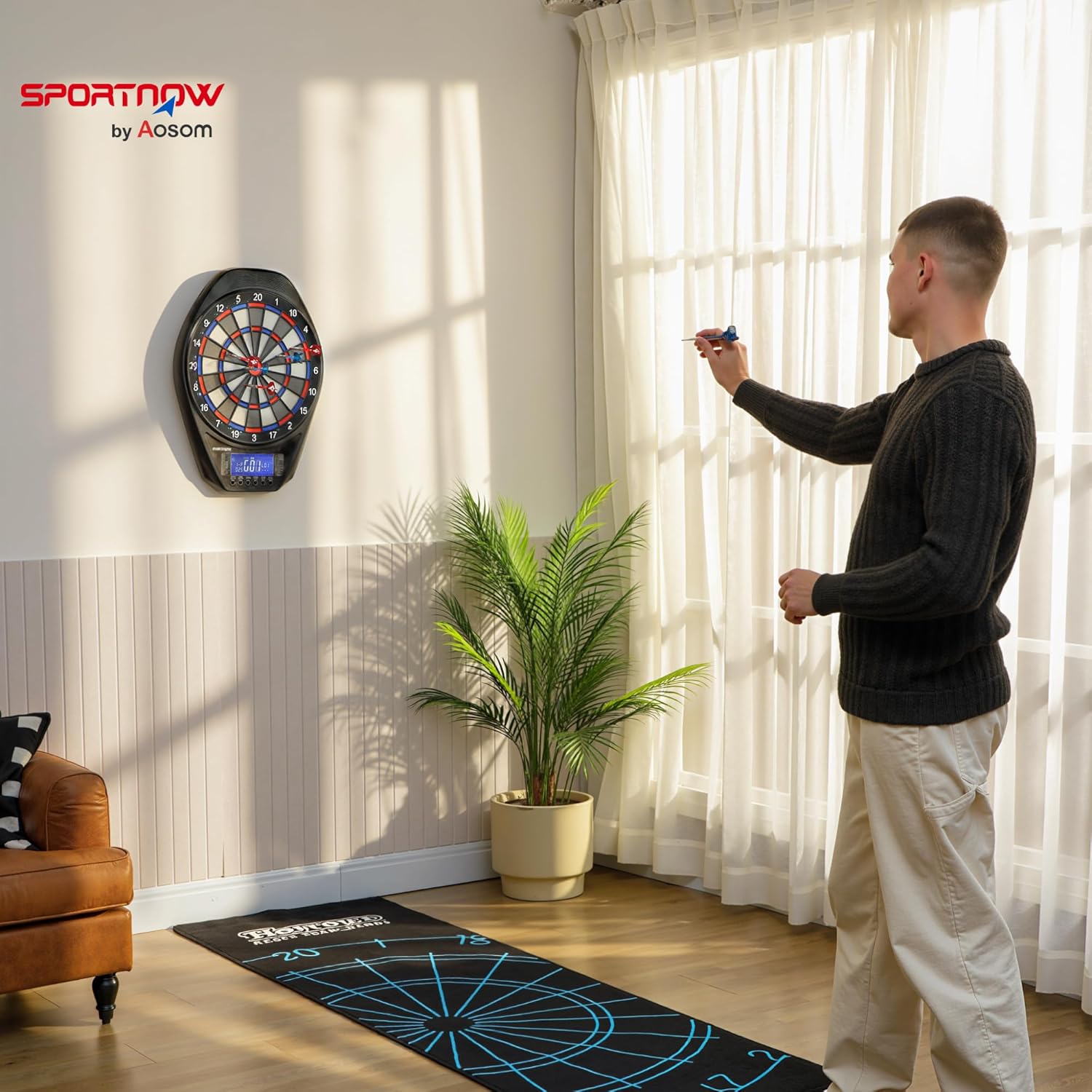
Image: The electronic dartboard mounted on a wall, ready for play.
Operating Instructions
The dartboard features an oversized 14.4 cm LED display and intuitive controls for an engaging playing experience.

Image: The 14.4 cm LED display shows scores and game information, with control buttons below for game settings.
1. Power On/Off
- Press the ON/OFF button to power on the dartboard. The LED display will illuminate.
- Press and hold the ON/OFF button to power off the dartboard.
2. Game Selection
The dartboard offers 34 games with 369 variations, providing up to 2235 multiplayer possibilities.
- After powering on, use the GAME/RESTART button to cycle through the available games. The game number will be displayed on the LED screen.
- Refer to the game list printed on the dartboard's display panel for game names (e.g., G01 301, G02 Cricket, etc.).
3. Player Selection
The dartboard supports up to 8 players.
- Press the PLAYER button to select the number of human players (1-8).
- For single-player mode, you can select an AI opponent. Use the CYBER MISS button to choose from five difficulty levels for the computer opponent.
4. Volume and Language Settings
- Press the VOLUME/NEXT button to adjust the volume of the voice announcements (levels 0-5).
- Press the LANGUAGE button to switch between English and Chinese voice announcements.
5. Scoring and Gameplay
- The dartboard automatically calculates and displays scores.
- Voice announcements provide real-time feedback during gameplay.
- The illuminated target and numerical ring enhance visibility, especially in low-light conditions.

Image: The dartboard features both an illuminated target and an illuminated numerical ring for improved visibility during play.
6. Game List Overview
The dartboard includes a wide variety of games. Some examples include:
- '01 Games: 301, 501, 601, 701, 801, 901
- Cricket: Standard Cricket, No Score Cricket, Killer Cricket
- Count Up: G28 Count Up
- Specialty Games: G10 Golf, G11 Baseball, G12 Bowling, G13 Football, G14 Billiards, G15 Big-6, G16 Shanghai, G17 Shoot Out, G18 Half-It, G19 High Score, G20 Low Score, G21 Overs, G22 Unders, G23 Double Down, G24 21 Points, G25 Round the Clock, G26 Killer, G27 Free Play, G28 Elimination, G29 Scram, G30 Follow the Leader, G31 All Fives, G32 Nine Lives, G33 Battleground, G34 Infinite Shoot
Maintenance
1. Cleaning the Dartboard
- Wipe the surface of the dartboard with a soft, dry cloth.
- For stubborn marks, use a slightly damp cloth with mild soap, then wipe dry immediately.
- Do not use abrasive cleaners or solvents, as they may damage the display or surface.
2. Dart Care
- Regularly check the soft tips of your darts for wear or damage. Replace worn tips with the provided spare tips to ensure proper scoring and prevent damage to the dartboard.
- Store darts in the integrated storage slots on the dartboard when not in use to prevent loss or damage.
3. Battery Care
- To prolong battery life, avoid fully discharging the batteries frequently.
- If the dartboard will not be used for an extended period, charge it periodically to maintain battery health.

Image: The dartboard's PP plastic construction features concave holes, thin segment borders, and an extended catch zone to reduce bounce-outs and improve durability.
Troubleshooting
If you encounter issues with your dartboard, please refer to the following common solutions:
- Dart Not Registering: Ensure the soft tip is not bent or broken. Push the dart firmly into the segment. If the issue persists, try a different dart or replace the tip.
- Dartboard Not Powering On: Check if the dartboard is charged. Connect the Type-C cable and allow it to charge for at least 30 minutes before attempting to power on again.
- Display Issues: If the display is dim or flickering, the battery may be low. Recharge the dartboard. If the display is unresponsive, try resetting the dartboard by powering it off and on again.
- Voice Announcements Not Working: Check the volume setting using the VOLUME/NEXT button. Ensure it is not set to 0.
If these steps do not resolve the issue, please contact SPORTNOW customer support for further assistance.
Specifications
| Feature | Specification |
|---|---|
| Model Number | A70-120V00MX |
| Dimensions (L x H x D) | 60.5 cm x 45.5 cm x 3.6 cm (23.8 in x 17.9 in x 1.4 in) |
| Weight | 2 kg (4.4 lbs) |
| Material | Polypropylene (PP) |
| Display | 14.4 cm Oversized LED |
| Power Source | 2 x 2000 mAh Rechargeable Lithium-ion Batteries (included) |
| Charging Port | Type-C |
| Max Players | 8 |
| Number of Games | 34 |
| Game Variations | 369 (up to 2235 multiplayer possibilities) |
| AI Opponent Levels | 5 |
| Voice Announcements | English / Chinese (Volume 0-5) |

Image: Detailed dimensions of the dartboard, measuring 60.5 cm in length, 45.5 cm in height, and 3.6 cm in depth.
Warranty and Support
SPORTNOW products are designed for quality and reliability. For any questions, technical support, or warranty claims, please contact your retailer or SPORTNOW customer service. Please have your model number (A70-120V00MX) and purchase information ready when contacting support.


