
1. Introduction
This manual provides detailed instructions for the installation, operation, and maintenance of your JOYING JY-TT187N12 Car Radio. This advanced head unit is designed specifically for Toyota Tacoma models from 2013 to 2015, offering a 9.5-inch 2K QLED touchscreen, Android 13 operating system, and comprehensive connectivity features including CarPlay and Android Auto.
2. Product Features
- Dedicated Fit: Designed for Toyota Tacoma 2005-2015 models, ensuring a seamless plug-and-play installation.
- High-Performance Processor: Equipped with a Qualcomm QCM6490 8-Core processor for 5G and Wi-Fi 6E connectivity, powerful computing, and efficient multitasking.
- Memory & Storage: Features 12GB RAM and 256GB internal storage for smooth application performance.
- Display: 9.5-inch 2K QLED Touch Screen with a capacitive touch interface.
- Operating System: Android 13.
- Smartphone Integration: Supports wired and wireless Apple CarPlay and Android Auto for access to phone contacts, maps, music, and messages.
- Connectivity: Dual-band 2.4 & 5G & 6 GHz WiFi, 4G module (SIM card required for internet access, no calls/SMS), Bluetooth, Ethernet, USB.
- Audio: AM/FM radio with 18 preset stations, Stereo audio output.
- Navigation: Supports BeiDou, GLONASS, GPS, Galileo satellite navigation systems.
- Multimedia: HDMI Input/Output, USB Type-C for external devices and screen mirroring.
3. Package Contents
Verify that all items are present in the package before proceeding with installation:
- 9.5" JOYING Car Radio Head Unit (JY-TT187N12) x1
- Single Din Cage x1
- WiFi Antenna x1
- GPS Antenna x1
- 4G Antenna x2
- External Microphone x1
- USB Cable x2
- AR Cable x1
- Screen Ribbon Cable x1
- Power Cable x1
- User Manual x1
4. Setup and Installation
The JOYING JY-TT187N12 is designed for plug-and-play installation in compatible Toyota Tacoma models. No cutting of original vehicle cables is required. Professional installation is recommended.
4.1 Vehicle Compatibility and Wiring Harness Selection
The wiring harness is the only component that differs between product options. All other configurations are identical. Select the correct wiring harness based on your vehicle's model year and whether it is equipped with a JBL amplifier.
- JBL Amplifier Identification: If your OEM radio panel or door speaker grille displays the JBL logo, your vehicle has a JBL amplifier. The absence of this logo indicates no JBL amplifier.
4.2 Retained Original Features
This head unit is designed to retain several original vehicle features:
- Factory USB
- Factory JBL Amplifier (if applicable, with correct harness)
- Factory Reverse Camera (Note: If your vehicle's factory-installed reversing camera displays on the rearview mirror, this product CANNOT transmit the video feed to its screen.)
- Factory Parking Sensor
- Factory Steering Wheel Control
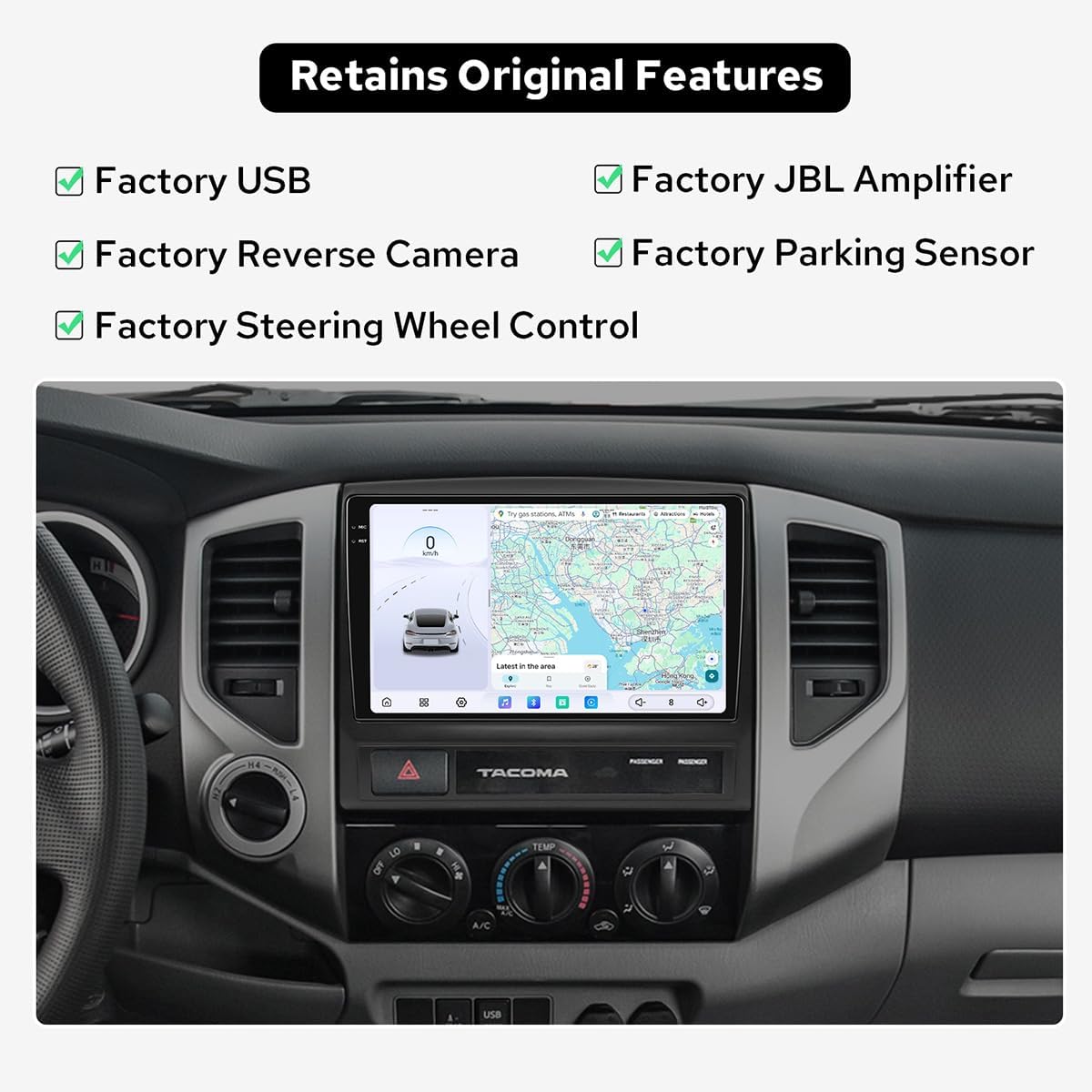
Image: The JOYING head unit integrates seamlessly, retaining key original vehicle functionalities.
4.3 Connecting Rear Interfaces
Familiarize yourself with the rear interfaces of the head unit for proper connection of antennas, cables, and external devices.

Image: Detailed view of the rear connection ports on the JOYING head unit, including HDMI, USB, and antenna connections.
- HDMI Input: Connect external devices like gaming consoles or media players to display content on the head unit screen.
- HDMI Output: Sync the infotainment screen's navigation and media to rear headrest screens for back-seat viewing.
- USB Type-C: Connect a portable screen to mirror the head unit display or achieve dual-screen operation.
Note: HDMI cable and USB Type-C cable are not included in the package.
5. Operating Instructions
5.1 Touchscreen Interface
The 9.5-inch 2K QLED touchscreen provides an intuitive interface for all functions. Tap the "---" icon to switch to the app's interface. Long press on icons to switch between applications.
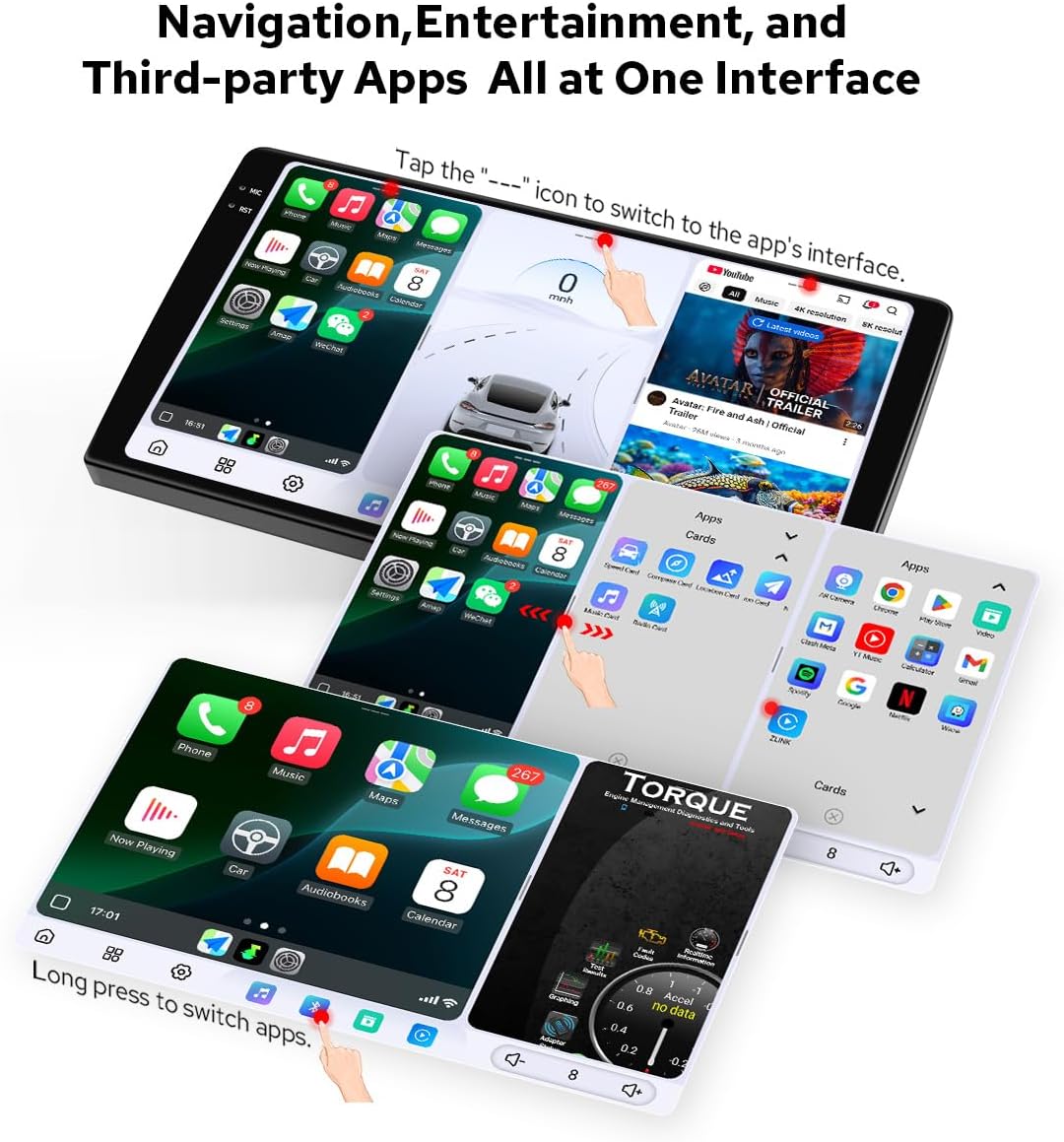
Image: The head unit's interface displaying various navigation, entertainment, and third-party applications.
5.2 CarPlay & Android Auto
The head unit supports both wired and wireless Apple CarPlay and Android Auto. Connect your smartphone to access contacts, maps, music, and messages directly on the car stereo screen. Voice control (Siri or OK Google) is supported.
5.3 Dual-Mode Bluetooth
The dual-mode Bluetooth feature allows for simultaneous connections to two smartphones or a combined link between a phone and an OBD diagnostic dongle, enabling flexible connectivity options.
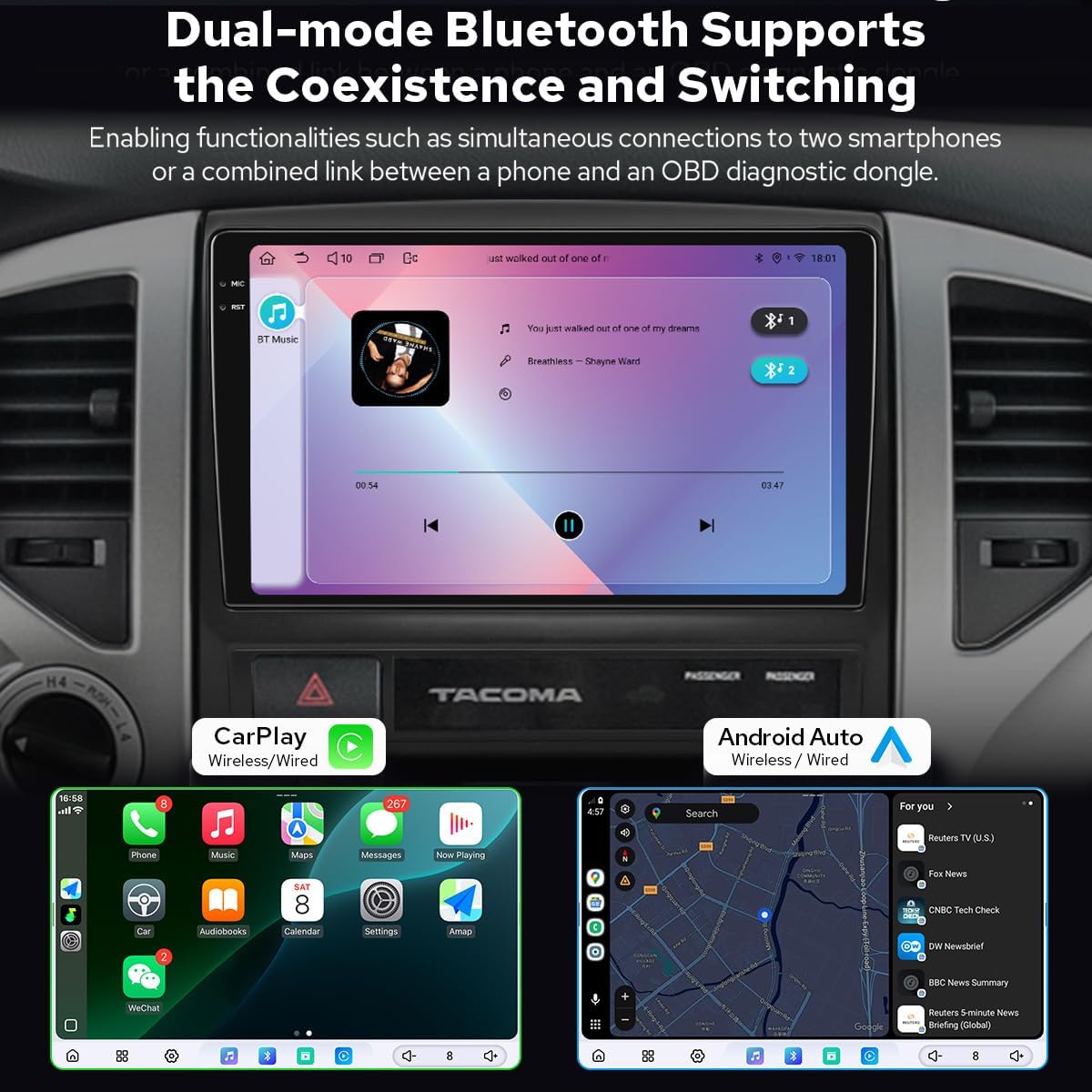
Image: The head unit displaying Bluetooth music playback and separate views of Wireless CarPlay and Android Auto interfaces.
5.4 5G WiFi & 4G Module
The unit supports dual WiFi bands (2.4, 5G, and 6 GHz) for high-speed and stable network signals, reducing interference. A 4G module is integrated; insert a SIM card for internet access. Note that the 4G module does not support phone calls or SMS.
5.5 AM/FM Radio
Preset 18 FM stations to listen to local radio broadcasts, including news, music, and talk shows.
6. Maintenance
To ensure the longevity and optimal performance of your JOYING Car Radio, follow these maintenance guidelines:
- Cleaning: Use a soft, dry cloth to clean the screen and exterior. Avoid abrasive cleaners or solvents that could damage the display or finish.
- Temperature: Avoid exposing the unit to extreme temperatures. Prolonged exposure to direct sunlight or very cold conditions can affect performance and lifespan.
- Software Updates: Periodically check the JOYING official website for available software updates to ensure you have the latest features and bug fixes.
- Cable Connections: Ensure all cables are securely connected. Loose connections can lead to intermittent issues.
7. Troubleshooting
If you encounter issues with your JOYING Car Radio, refer to the following common troubleshooting steps:
- No Power: Check the power cable connection and ensure the vehicle's ignition is on. Verify the fuse in the power cable.
- No Sound: Check speaker connections. Ensure the volume is not muted or set to zero. Verify audio settings in the system menu.
- Touchscreen Unresponsive: Try restarting the unit. If the issue persists, a factory reset might be necessary (note: this will erase user data).
- GPS Signal Loss: Ensure the GPS antenna is properly installed and has a clear view of the sky. Check for obstructions.
- Bluetooth/WiFi Connectivity Issues: Ensure Bluetooth/WiFi is enabled on both the head unit and the connected device. Try re-pairing devices or restarting the head unit.
- CarPlay/Android Auto Not Connecting: Ensure your phone is compatible and the correct USB cable (for wired connection) is used. Try restarting both the phone and the head unit.
- Factory Reverse Camera Not Displaying: Confirm that your factory camera does not display on the rearview mirror. If it does, this unit cannot display its feed. Check camera connections if it's an aftermarket camera.
For persistent issues, contact JOYING customer support or consult a qualified technician.
8. Specifications
| Brand | JOYING |
| Model Name | JY-TT187N12 |
| Operating System | Android 13 |
| Processor | Qualcomm QCM6490 8-Core |
| RAM | 12 GB |
| Memory Storage Capacity | 256 GB |
| Screen Size | 9.5 Inches |
| Display Type | 2K QLED |
| Touch Screen Type | Capacitive |
| Connectivity Technology | Bluetooth, Ethernet, USB, Wi-Fi (2.4/5G/6GHz), 4G Module |
| Special Features | CarPlay, Android Auto, Mirror Link, GPS, AM/FM, HDMI In/Out |
| Supported Satellite Navigation System | BeiDou, GLONASS, GPS, Galileo |
| Audio Output Mode | Stereo |
| Mounting Type | Dashboard Mount |
| Compatible Vehicle Type | Truck (Toyota Tacoma 2005-2015) |
9. Warranty and Support
For warranty information and technical support, please refer to the warranty card included with your product or visit the official JOYING website. Keep your purchase receipt as proof of purchase for any warranty claims.
JOYING Official Website: www.joyingauto.com