
Product Overview
The Aqualix T-CELL-9 is a direct replacement salt cell designed for in-ground pools up to 25,000 gallons. It is compatible with Hayward* T-CELL-9 / W3T-CELL-9 systems, including Goldline AquaRite, AquaRite Pro, SwimPure Plus, AquaPlus, ProLogic P4/PS, OmniLogic, OmniPL, and OmniHub systems using software r1.5 or newer. This unit converts dissolved salt into free chlorine, maintaining clear, soft, and comfortable pool water.
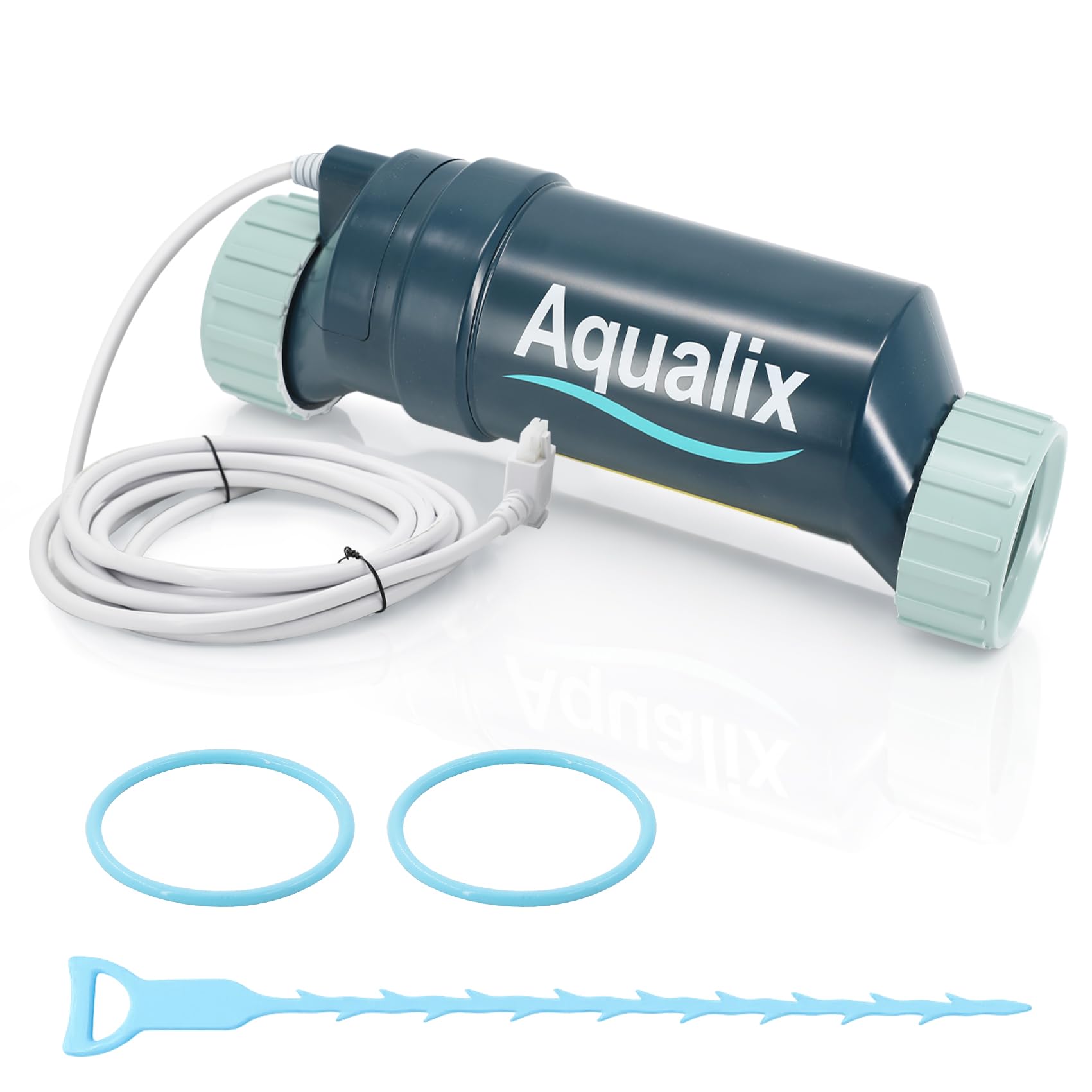
Image: Aqualix T-CELL-9 Salt Cell Replacement unit.
The Aqualix T-CELL-9 features upgraded long-life titanium plates and improved internal sealing for enhanced durability under various pool conditions. Each cell undergoes pressure and electrical testing before shipment, with batch samples subjected to extended life-cycle testing to minimize early failures.
Setup and Installation
Follow these steps for proper installation of your Aqualix T-CELL-9 salt cell:
- Turn off Power: Ensure all power to your pool system is turned off at the circuit breaker before beginning installation.
- Remove Old Cell: Loosen the unions connecting the old salt cell to the plumbing. Carefully remove the old cell.
- Install New Cell: Position the Aqualix T-CELL-9 in the same location as the old cell. Tighten the unions securely to prevent leaks.
- Connect Power Cord: Plug in the 13.5 ft power cord from the new cell to your Hayward controller.
- Configure Controller: Access your Hayward controller settings. Set the salt cell type to "T-9".
- Fine-tune Output: Adjust the output percentage on your controller to match your pump run time, referring to your system's specific setup guide for optimal chlorine production.

Image: Visual guide for installing the Aqualix T-CELL-9 salt cell and configuring the control unit.
Resetting Average Salt Level
The average salt level needs to be reset after initial startup, after a board replacement, following major pool chemistry adjustments, and when a cell is replaced. Refer to your Hayward manual for specific instructions if needed.

Image: Example of a Hayward control panel displaying salt level reset steps.
- Step 1: To reset, move the switch to 'Off' and then back to 'Auto'. Wait for the display to click (5 to 10 seconds).
- Step 2: Press the 'Diagnostics' button 5 times to display the instant salt level. Wait for the number to stabilize.
- Step 3: When the instant salt level is stable (and the negative sign is still present), slide the switch to 'Super Chlorinate' and back to 'Auto'.
- Step 4: It takes about 30 seconds for the unit to settle back on the default reading. It should now reflect the new average salt level.
NOTE: Repeat this process one more time to ensure both polarities are reading within 500ppm of each other.
Operating Instructions
Once installed and configured, the Aqualix T-CELL-9 operates automatically to maintain your pool's chlorine levels. The salt cell converts dissolved salt into free chlorine directly in your plumbing system.
- Automatic Sanitization: The system automatically maintains sanitizer levels, reducing the need for manual chlorine additions.
- Water Quality: Enjoy soft, comfortable saltwater that is gentle on eyes, skin, and swimsuits.
- Monitoring: Regularly check your pool's water chemistry (salt level, pH, stabilizer) to ensure optimal performance and longevity of the cell.

Image: Illustration of comfortable pool water quality provided by the salt cell.
Maintenance
Regular maintenance ensures the longevity and efficient operation of your Aqualix T-CELL-9 salt cell.
Cell Cleaning
When needed, typically indicated by a "Check Cell" alert or reduced chlorine output, clean the salt cell by following these steps:
- Turn off Power: Always turn off power to the pool system before handling the cell.
- Remove Cell: Disconnect the cell from the plumbing.
- Prepare Cleaning Solution: Mix a diluted acid solution (e.g., 1 part muriatic acid to 4 parts water) in a plastic bucket. Always add acid to water, never water to acid. Wear appropriate safety gear (gloves, eye protection).
- Soak Cell: Submerge the cell plates in the solution, ensuring the electrical connection is kept dry. Allow it to soak until bubbling stops and deposits are removed. This usually takes 10-15 minutes.
- Rinse: Thoroughly rinse the cell with fresh water.
- Reinstall: Reinstall the cleaned cell and restore power.
For detailed instructions on cleaning and specific safety precautions, refer to your pool system's manual.
Troubleshooting Guide
This section provides solutions for common issues you might encounter with your Aqualix T-CELL-9 salt cell.
| Error | Check Steps |
|---|---|
| Check Salt & Inspect Cell: flashing or ON |
|
| High Salt: LED ON |
|
| Low Salt: LED ON |
|
| Error: E000 |
|
| Not Work |
|
Product Specifications
| Feature | Detail |
|---|---|
| Brand | Aqualix |
| Model Number | TCELL925 (Manufacturer Part Number: 89420005) |
| Compatibility | Hayward T-CELL-9 / W3T-CELL-9, Goldline AquaRite, AquaRite Pro, SwimPure Plus, AquaPlus, ProLogic P4/PS, OmniLogic, OmniPL, OmniHub (software r1.5 or newer) |
| Pool Capacity | Up to 25,000 gallons |
| Plate Material | Upgraded Long-Life Titanium Plates |
| Product Benefits | Kills Bacteria, Prevents Scales, Prevents Corrosion, Maintains Clean Sanitized Water, Controls Algae |
| Number of Items | 1 |
Warranty Information
The Aqualix T-CELL-9 salt cell is backed by a 3-year warranty. This warranty covers defects in materials and workmanship under normal use and service. For warranty claims or further details, please contact Aqualix support.
Aqualix is an independent brand and is not manufactured, sponsored, or endorsed by Hayward Industries, Inc.
Customer Support
Should you encounter any issues, have questions about installation, operation, or maintenance, or require assistance with troubleshooting, Aqualix support is available to help. Please refer to the contact information provided with your product packaging or visit the official Aqualix website for support resources.
For common alerts like "High Salt", "Low Salt", or "No Flow", refer to the troubleshooting section in this manual. If the issue persists, contact support for further guidance.