
1. Introduction
The LetPot Automatic Watering System (Model LP-D3-GN) provides an intelligent and efficient solution for watering your potted plants, both indoors and outdoors. Featuring Wi-Fi and app control, this drip irrigation kit ensures your plants receive optimal hydration with minimal effort. Key upgrades include an anti-backflow valve, an upgraded 2.0 chip for stable connectivity, and an IP66 waterproof rating.

Image: Overview of LetPot Professional 3.0 Upgrade features, highlighting improved chip, connection stability, anti-backflow, and enhanced hose clamp.
2. What's in the Box
Please ensure all the following components are present in your package:
- LetPot Drip Irrigation Controller x1
- Water Pipe 10m (approx. 33 ft) x1
- Water Pipe Bracket x10
- Tee Connector x10
- Adjustable Dripper x10
- Filter x1
- Power Adaptor x1
- Pipe clip x2
- Fixed clip x1
- Anti-backflow valve x1

Image: The complete contents of the LetPot Automatic Watering System box, including the controller, coiled tubing, various connectors, drippers, and power adapter.
Video: A seller demonstrates the unboxing and initial setup steps of the LetPot Automatic Watering System, highlighting the various components and their functions.
3. Setup Guide
3.1. Connecting the Controller
- Connect the anti-backflow valve to the 'IN' port of the controller. This prevents water from siphoning back into the pump.
- Connect one end of the water pipe to the anti-backflow valve.
- Connect the power adapter to the controller's power port.
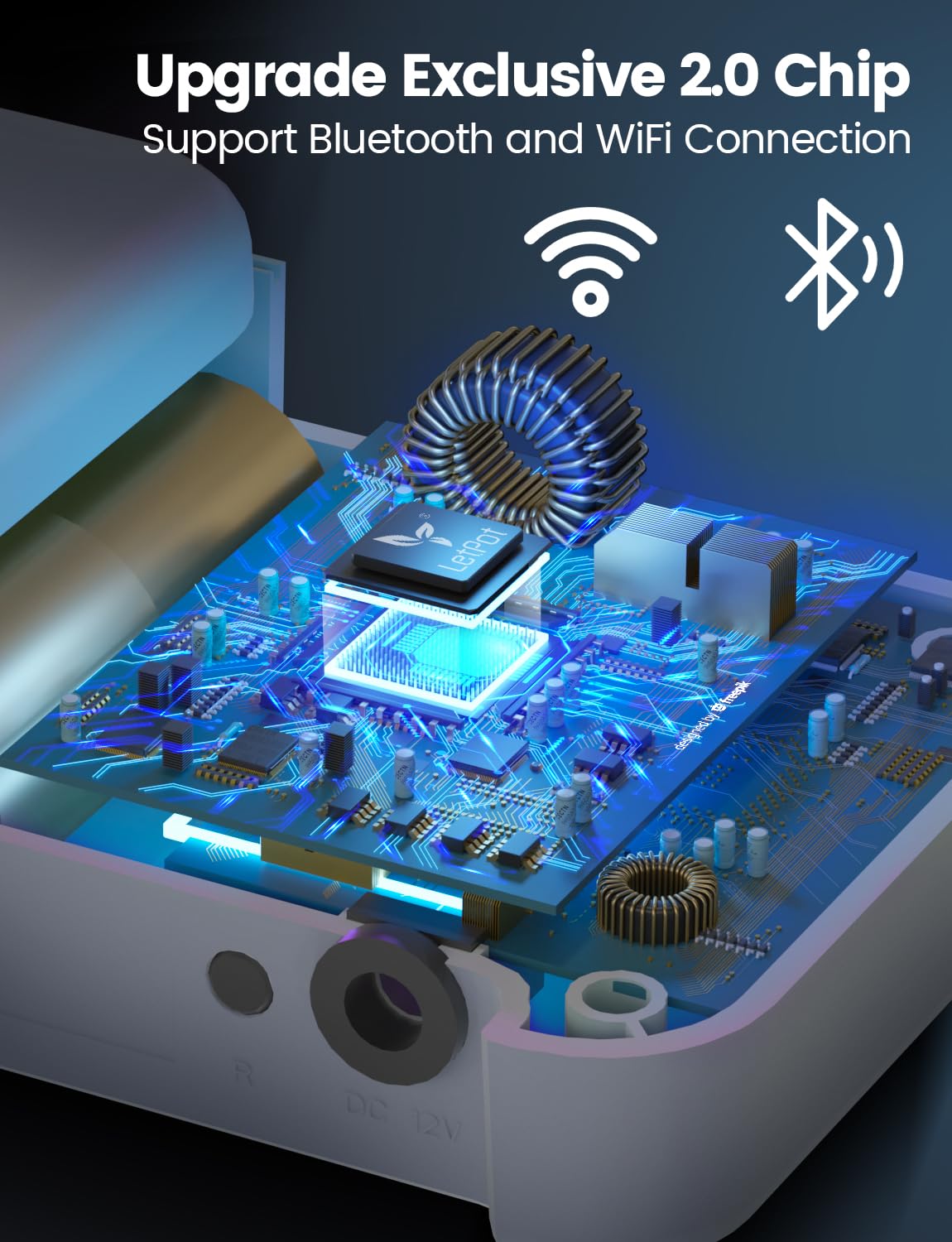
Image: Close-up view of the LetPot controller's ports, showing the 'IN' and 'OUT' connections for water tubing and the power input.
3.2. Preparing the Water Source
- Place the filter end of the water pipe into your chosen water container (not included).
- Ensure the water level in the container is above the filter.
- The controller should be placed above the water level of your water source to ensure proper pump function.

Image: A diagram illustrating the connection of the LetPot controller to a water source and multiple plants, detailing the flow of water and placement of components.
3.3. Installing Tubing and Drippers
- Cut the 10-meter water pipe into desired lengths to reach your plants.
- Use the Tee Connectors to create branches for multiple plants.
- Insert the adjustable drippers into the end of each branch.
- Secure the drippers in the plant soil using the Water Pipe Brackets.

Image: Diagram of the exclusive anti-backflow valve, illustrating how it prevents water siphon effect for stable and efficient irrigation.

Image: Highlighting the adjustable dripper feature, showing how to control water flow from slow dripping to fast dripping.

Image: Demonstrating the system watering up to 10 plants, showcasing the advanced spiral lock for better water pressure retention.
3.4. App Connection (Wi-Fi & Bluetooth)
- Download the LetPot app from your device's app store (available for iOS and Android).
- Follow the in-app instructions to connect your device via Bluetooth.
- Configure Wi-Fi within the app for remote control functionality. The upgraded 2.0 chip ensures faster and more stable connectivity.
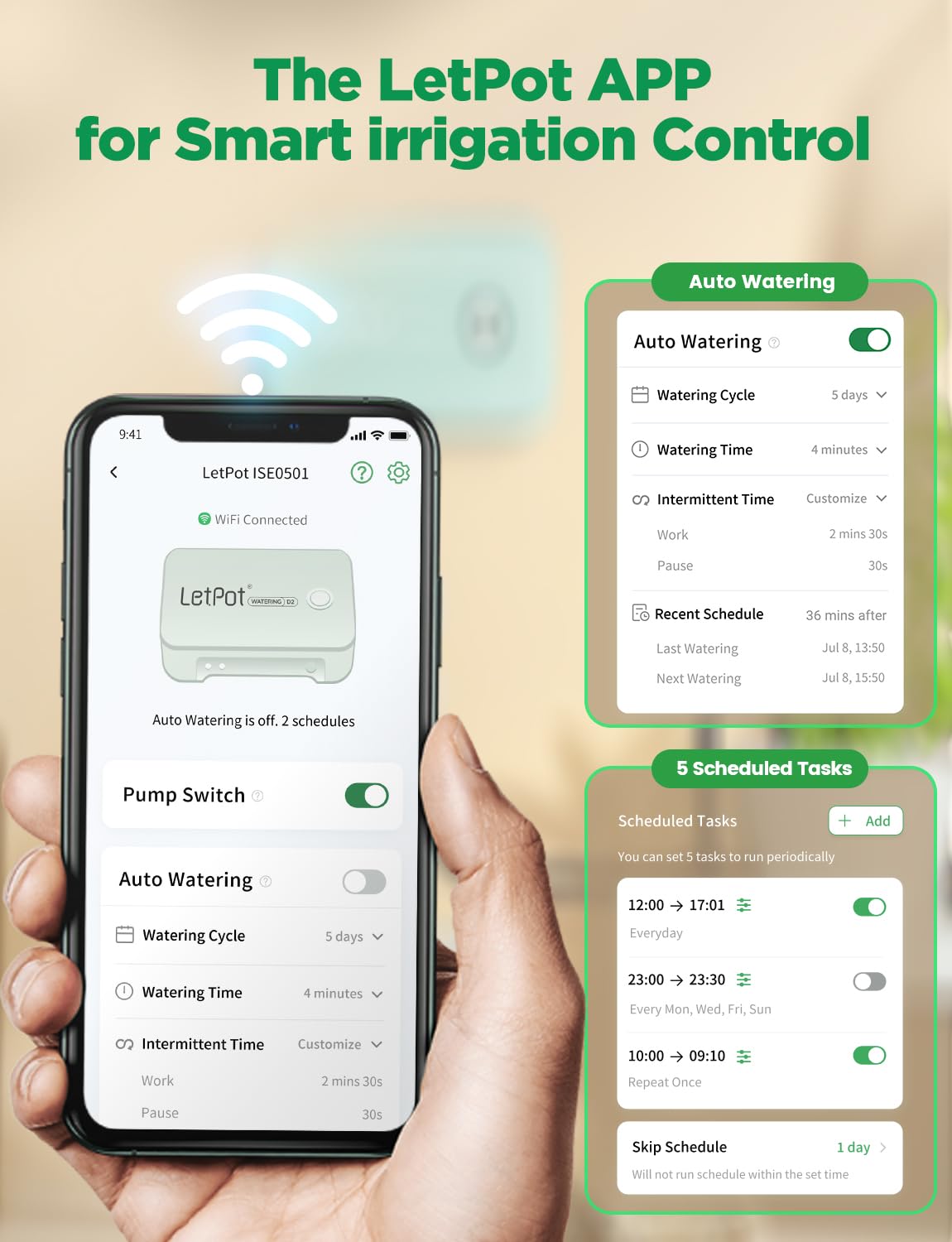
Image: The LetPot app interface, showing options for auto watering, scheduled tasks, and water shortage detection.
Video: A seller demonstrates the app connection process, including Bluetooth pairing and Wi-Fi configuration for remote control of the LetPot system.
3.5. Warm Tips for Installation
The thickened PE hose is strong and tight under normal temperature to prevent water leakage. When installing accessories for the first time, you can soak the pipe head in warm water above 70 degrees Celsius (158°F) for a few seconds. This will make it easier to install and connect accessories securely.
4. Operating Instructions
4.1. Manual Watering
Press the button on the controller for a manual 3-minute watering cycle. The green light on the controller indicates active operation.
4.2. App Control
- Use the LetPot app to set watering schedules, frequencies, and durations.
- The app supports up to 5 simultaneous watering tasks.
- Choose between intermittent or continuous watering modes based on your plants' needs.
- Adjust each dripper individually to control the water flow rate for different plant requirements.
4.3. Water Shortage Alerts
The app provides intelligent low-water alerts to remind you when the water reservoir needs refilling, ensuring your plants are never left dry.
Video: A seller demonstrates the automatic watering system in action, showing how it waters multiple plants in a backyard setting.
5. Maintenance
- Regularly check the filter for debris and clean as needed to ensure optimal water flow.
- Inspect all tubing and connections for any leaks or blockages.
- Ensure the anti-backflow valve is clear and functioning correctly.
- For outdoor use, periodically check the IP66 waterproof seals and connections.
6. Troubleshooting
- No Water Flow: Check water reservoir level. Ensure all connections are secure. Verify the filter is not clogged. Check if the pump is running (listen for sound or check app status).
- Connectivity Issues: Ensure the device is within Wi-Fi range. Restart the controller and re-attempt app pairing. Check your Wi-Fi network for stability. The upgraded 2.0 chip provides enhanced stability.
- Uneven Watering: Adjust individual drippers to balance water distribution among plants. Ensure tubing is not kinked or blocked.
7. Specifications
| Feature | Detail |
|---|---|
| Brand | LETPOT |
| Model Name | Automatic Watering System |
| Model Number | LP-D3-GN |
| Size | Gen-3 |
| Style | Modern |
| Material | Polyethylene (Pe) |
| Item Dimensions | 3.94 x 2.36 x 1.97 inches |
| Item Weight | 0.86 Kilograms |
| Hose Length | 10 Meters |
| Number of Sets | 2 |
| Number of Pieces | 41 |
| Power Source | Water Pressure-driven |
| Special Features | Adjustable, Automatic Watering |
| Control Type | App Control |
| Fit Type | Modular and Adjustable |
| Waterproof Rating | IP66 |
8. Safety Information
To ensure safe operation and prevent damage, please observe the following:
- Ensure proper handling and installation of the German-imported silent water pump, anti-backflow valve, and PE hose to prevent water damage, contamination, or injury.
- Always unplug the device from the power source before performing any maintenance, cleaning, or adjustments.
- Keep electrical connections dry and away from direct water exposure. The IP66 rating protects the device from water jets, but it is not designed for submersion.
- Do not use the device with liquids other than water.
9. Warranty and Support
LetPot offers lifetime service and remote upgrades, ensuring that both your hardware and app remain up to date. For further assistance, please refer to the contact information provided in the app or on the official LetPot website.


